According to the first annual Merrimack College Teacher Survey, a teacher works around 54 hours in a normal working week, and not all of those hours are actually spent teaching.
A major chunk of those hours goes into planning, grading, leveling readings, and building slides at your kitchen table on a Sunday night.
That's exactly the kind of work AI tools can take off your plate, so you get those hours back for the part that matters.
The five best AI tools for teachers in this blog have earned their spot because they help you save time without trying to teach for you.
5 Best AI Tools for Teachers to Save Them Time
There are more teacher AI tools out there than any one person could test in a school year, and most of them promise to save you time. Well, a few actually do as they promise.
The five AI tools for education below are the ones you should definitely know about and use if you’re a teacher. Each one of these tools solves a specific problem you face in your classroom instead of trying to be everything at once.
Here's a summary table before I start talking about each individually.
1. Eduaide
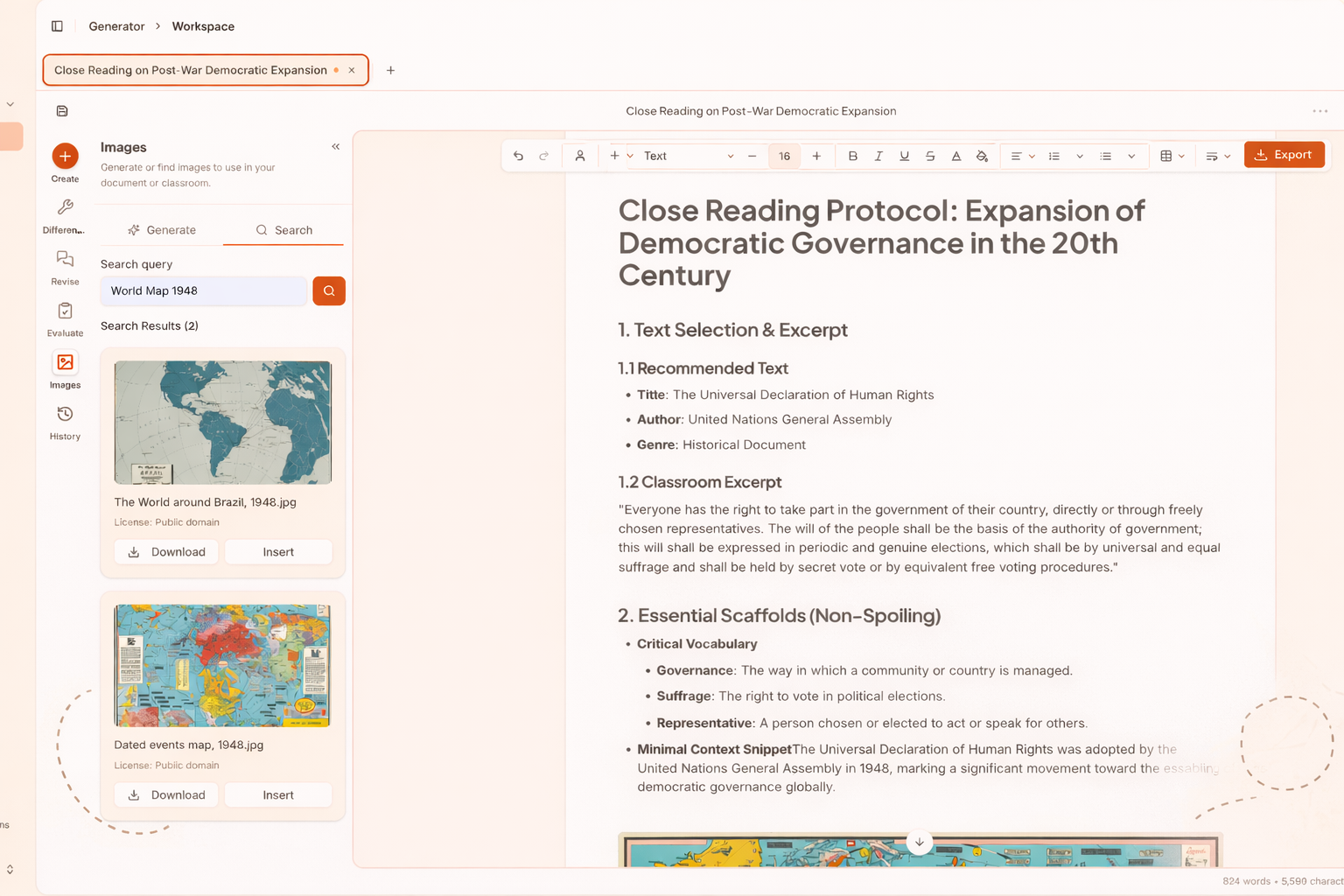
Best For: Building a full set of lesson materials (worksheets, rubrics, quizzes) from a single topic or standard.
If you've ever spent a Sunday afternoon building a worksheet, a rubric, and a quiz for the same lesson, Eduaide is built for exactly that kind of work. It's an AI workspace made for teachers. It’s not a general AI chatbot that you have to do a lot of back and forth with to give you something usable.
You can start with a standard, a topic, a document, or even a YouTube video, and Eduaide can turn it into editable lesson plans, assessments, graphic organizers, and classroom games.
Everything will be organized inside a structured editor, so you can change the reading level, add scaffolds, or swap question types without copying text back and forth between tabs.
Is eduaide.ai free? Yes, absolutely! The free plan gives you a set number of generations each month, which is enough to work out whether it fits how you plan. If you want unlimited generations, you can buy a Pro plan that costs around $5.99 a month (or $49.99 a year).
Key Features
- Generates lesson plans, worksheets, rubrics, and assessments from a topic, standard, source document, or URL
- Built-in editor so you can revise and differentiate without leaving the page
- Assessment builder with nine question types and adjustable difficulty
- Evaluator tools that flag grade-level fit and prior-knowledge demands before you teach
- Exports to Google Docs, DOCX, Google Forms, or PDF
Pros
- Made specifically for teachers, so you skip the long prompting
- Cheap for what you get, with unlimited use on Pro
- Materials stay editable and aligned to standards
- Works across subjects and grade levels
Con
- Outputs still need a teacher's eye before they reach students
2. Diffit
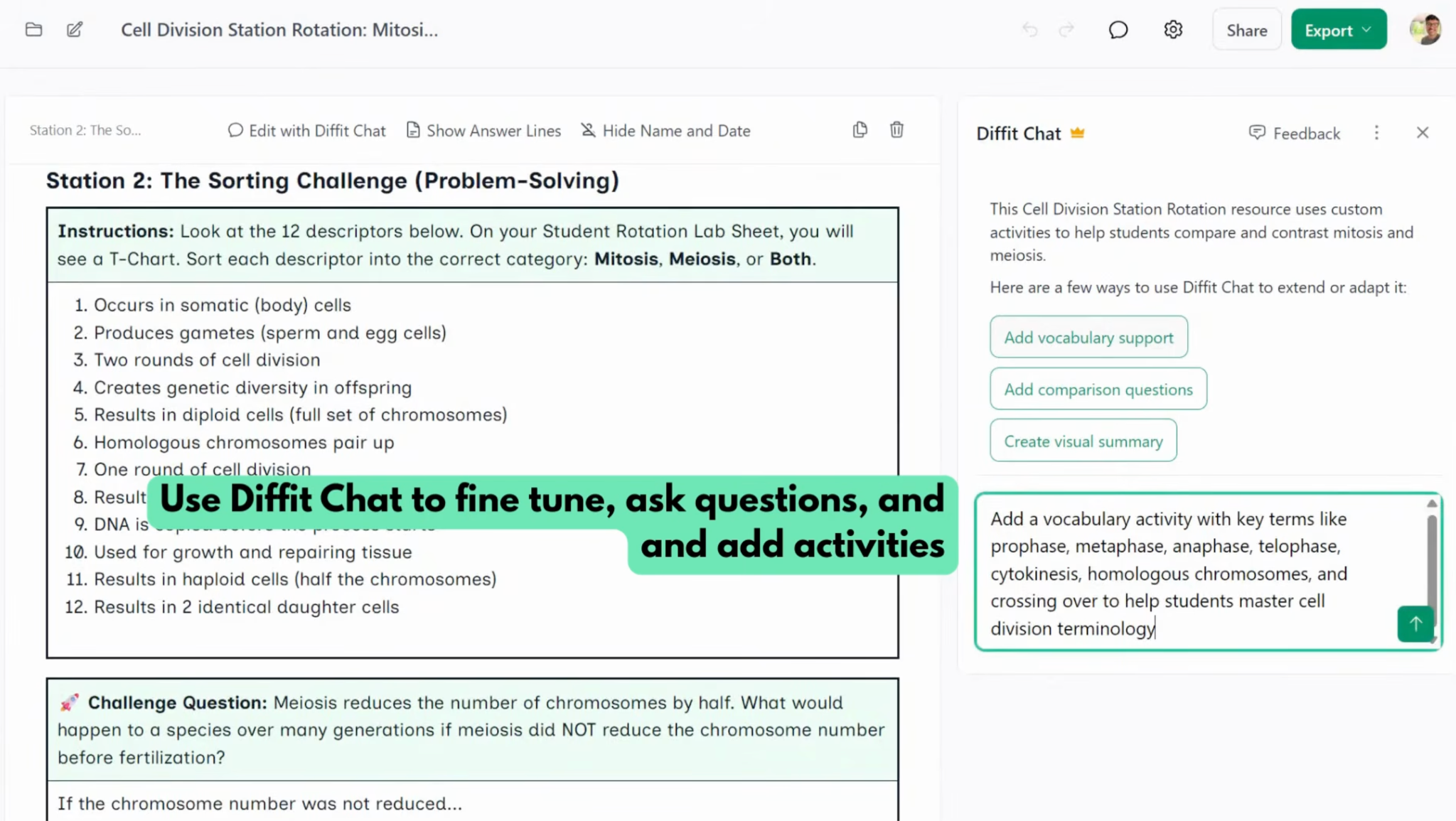
Best For: Leveling one reading for a mixed-readiness class without losing the core content.
Every class has a reading-level spread, and the gap between your strongest and weakest readers can run a few grade levels wide. Diffit takes on that one problem and handles it well.
You give it a topic, a standard, or a piece of source text, and it generates leveled readings, vocabulary support, and comprehension questions.
The point isn't to water the content down. It keeps the core ideas intact and adjusts how they're presented, so a student reading below grade level still works with the same concepts as everyone else.
The free version covers the basics like reading passages, vocabulary, and questions, and it stays free for good. For exports to Google and Microsoft tools, standards alignment, and advanced customization, the Individual Teacher plan is $14.99 a month or $149.99 a year. Schools can buy a site license priced by enrollment.
Key Features
- Generates leveled reading passages from a topic, standard, text, PDF, URL, or video
- Adjusts reading level, length, and language while holding onto the core content
- Auto-creates vocabulary lists and comprehension questions
- Diffit Chat lets you tweak activities, add a teacher guide, or translate just by asking
- Exports to Google Docs, Slides, Forms, Classroom, Microsoft 365, or PDF
Pros
- Cuts differentiation time way down compared to doing it by hand
- Strong support for English learners and mixed-readiness classes
- The always-free version is actually useful, not a teaser
- Uses cited sources and doesn't collect student data
Cons
- The features teachers want most sit behind the paid plan
- Leveled passages still need a quick read for accuracy
- Most useful for reading-heavy subjects
3. NotebookLM
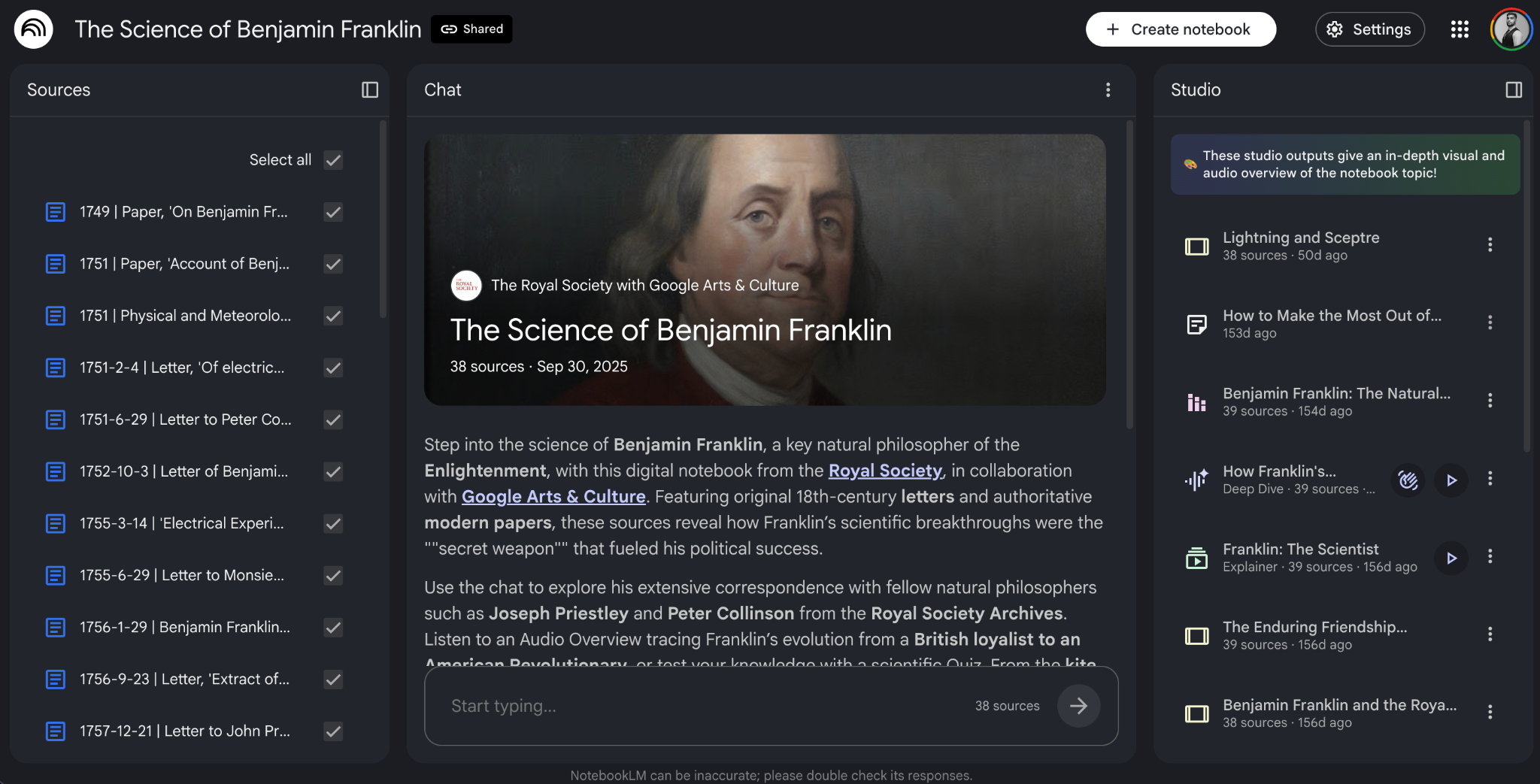
Best For: Source-grounded study and research where every answer traces back to material you trust.
When you ask a regular chatbot a question, you're trusting it not to make things up. NotebookLM works the other way around. It only answers from the sources you give it, so the information stays tied to the material you already trust.
You upload PDFs, Google Docs, Slides, websites, YouTube videos, or audio files, and it pulls everything into a single notebook. From there, it summarizes, draws connections between your sources, and builds study guides, mind maps, and quizzes.
The Audio Overview feature turns a pile of reading into a podcast-style discussion you can listen to on the drive home. Every answer comes with citations that point back to the exact line in your source, which makes it useful for literature study, primary-source work, and getting students to read closely instead of skimming.
You can't buy NotebookLM on its own. The free tier is generous on its own (100 notebooks with 50 sources each), and the paid upgrades come bundled with a Google AI subscription, starting around $7.99 a month for Google AI Plus and $19.99 a month for Google AI Pro, which mostly raise the daily limits.
Key Features
- Answers grounded only in the sources you upload (PDFs, Docs, Slides, websites, YouTube, audio)
- Inline citations that point back to the exact spot in your source
- Audio Overviews that turn your material into a podcast-style discussion
- Generates study guides, summaries, mind maps, and quizzes from your sources
- Free tier holds up to 100 notebooks with 50 sources each
Pros
- Cuts down on made-up answers by sticking to your material
- Citations make it easy to fact-check and to teach close reading
- The free tier is generous enough to carry a full semester
- Handles a wide range of file types, including video and audio
Cons
- There is no paid tier you can buy alone. It comes along with a Google subscription
- Needs an internet connection for everything, with no offline mode
- Output is only as good as the sources you feed it
4. Claude
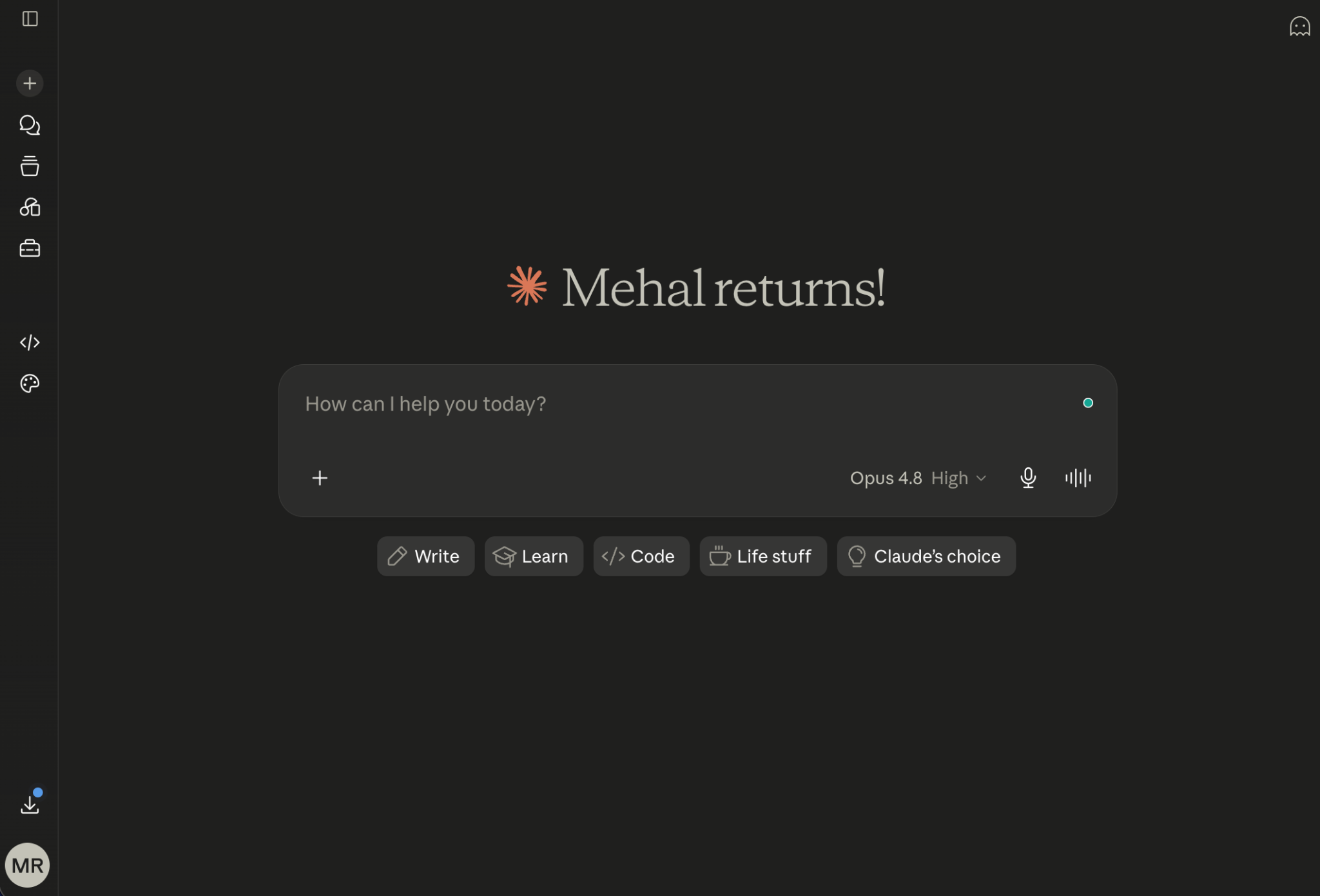
Best For: Drafting and reasoning through long, complex documents in a single pass.
Claude is a general-purpose AI chatbot from Anthropic (the best one out there, especially for writing-related tasks). It can help you grade students, create long study materials, make sense of a lot of data, and write first drafts.
You can give it a dense or complex article, and it can work through the whole thing without losing the thread, which is the part most chatbots fall down on.
As a teacher, you can use it to:
- Draft rubrics
- Write exemplars for a target reading level
- Grade and give feedback on student assignments
- Or turn a messy set of notes into a structured unit outline
The free plan was fine enough until recently, when Claude implemented a token consumption limit per rolling 5-hour window for everyday use.
So, if your work includes regular drafting, you will need to buy the Pro plan, which costs $20 a month for higher limits and access to the most capable model.
Key Features
- Handles long documents and large amounts of text in a single pass
- Drafts, rubrics, writing exemplars, and unit outlines from a short prompt
- Analyzes and gives feedback on student writing
- Produces structured, well-organized first drafts
- Free plan available, with higher limits on Pro
Pros
- Strong at long-context reasoning and structured drafting
- Useful across writing, planning, and analysis tasks
- Does its best work when you give it precise prompts
Cons
- Can still get facts wrong or invent details (AI hallucinations)
- Not built specifically for the classroom like the other tools on this list
- Heavier use bumps into free-plan limits, and the best model is behind a paywall
5. Curipod
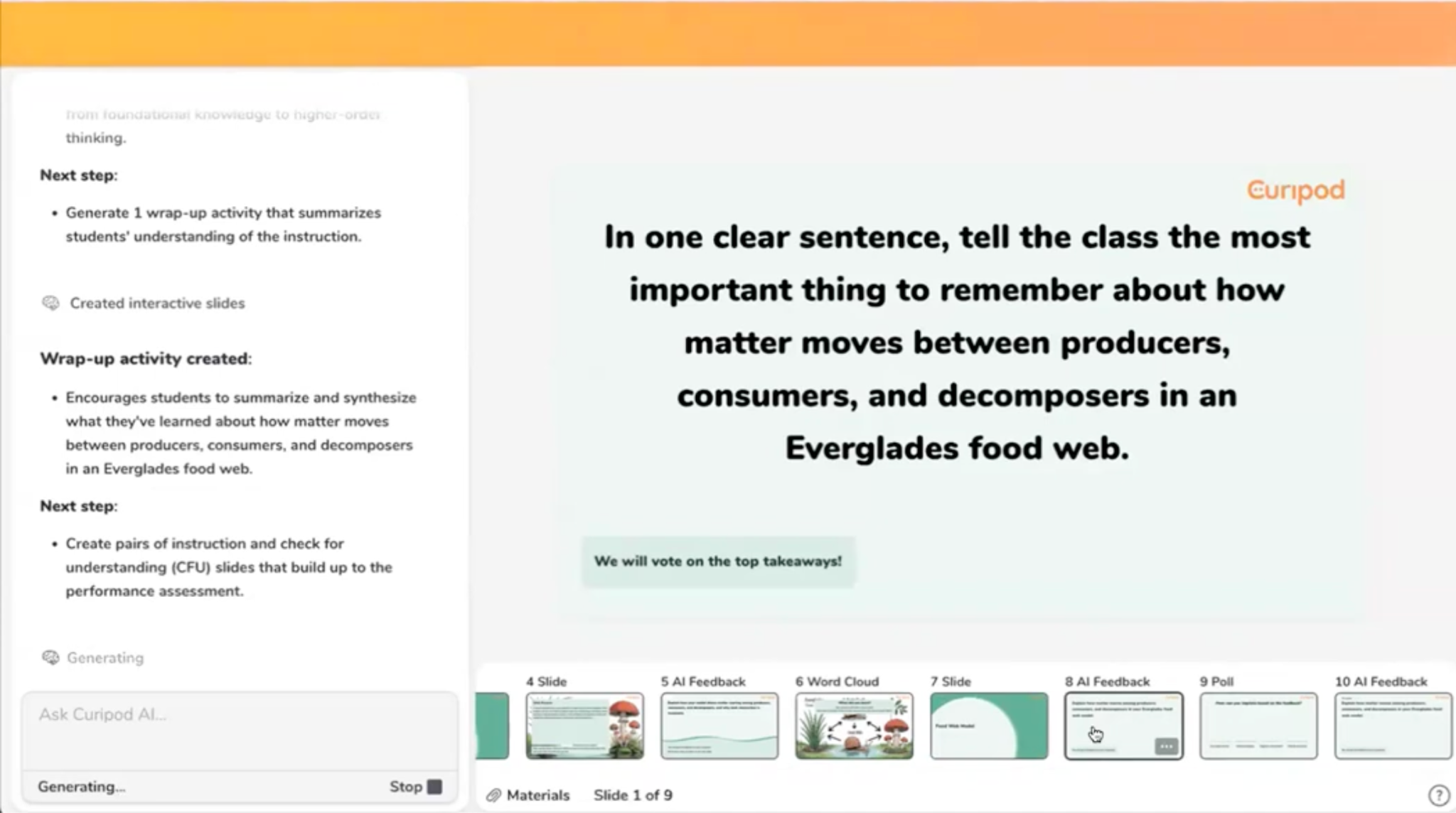
Best For: Interactive, participation-driven lessons that get every student responding, not just the usual few.
You know the lesson where the same three students answer every question while everyone else waits it out. Well, Curipod makes sure everybody participates without hesitation.
Curipod takes a topic, or a slide deck you already have, as an input. It then converts it into an interactive lesson with polls, word clouds, drawings, open-ended prompts, and AI feedback on student writing. Students can easily respond on their own devices while you run the pace from the front of the room.
All names stay hidden from students, which is usually what it takes to get quieter kids to contribute. When the lesson ends, you get reports showing what landed, what got misunderstood, and who needs a follow-up. There are no student accounts to set up, and it's FERPA and COPPA-compliant.
The free plan gives you a set number of teaching sessions and a few lessons to try out. Premium starts at $24 a month (or $228 on a yearly plan) for unlimited lessons and translated slides. School and district licenses are priced on a quote.
Key Features
- Builds interactive lessons with polls, word clouds, drawings, and open-ended questions
- Turns existing slide decks into participation-driven lessons
- Real-time AI feedback on student writing within the same class period
- Anonymous participation that hides names from classmates
- Post-lesson reports flagging misconceptions and students who need support
Pros
- Gets every student responding, not just the usual few
- No student accounts to manage, and it runs in a browser
- FERPA and COPPA compliant with teacher-controlled moderation
- The free plan is enough to test it with a real class
Cons
- Built for live, in-class instruction more than independent work
- Slides still need clear objectives behind them to actually work
The Bottom Line
Did you notice that all the best AI tools for teachers on the list have one thing in common? They all do one thing, and they do it pretty well.
None of them tries to run your classroom for you, and that restraint is the reason they are helpful.
So instead of installing all five this weekend, find the task that eats your time the most as a teacher. Is it differentiation, planning, or feedback?
Once you have identified that, then you should start with a single tool that fixes that particular problem.
All five options on this list have a generous free plan, so testing costs you nothing but the time to choose.

.jpeg)



.avif)
.avif)
%201.svg)