.jpg)
Teachers don’t need more data—they need confidence in what they’re seeing and speed in acting on it. EssayGrader version 4.7 focuses on three things that directly impact day-to-day grading: integrity that builds trust, confidence that spurs action, and less friction in an active workflow.
🧬 Plagiarism detection between students
In addition to AI-use detection, teachers with a Premium plan will now see flagged content that appears to be copied between students in the same class.
.jpg)
This supports academic integrity in a practical, time-saving way: instead of relying on intuition or doing manual comparisons, you get a clearer signal when two submissions are unusually similar. That means you can follow up sooner, apply your policy more consistently, and spend less time doing investigative work that pulls you away from instruction.
🏫 Schoology support is here! (limited beta in progress)
Schoology is now officially supported by EssayGrader (limited beta currently in progress).
%20(1).jpg)
You can sync classes and assignments for AI grading and export results back to students—so the loop from “assigned” to “graded” to “returned” stays inside the system you already use. The limited beta approach also helps ensure the experience is solid in real school environments, with feedback guiding refinements before broader availability. Please contact us to be included in the beta.
📎 Reference material now imported from the LMS
EssayGrader now imports reference materials along with assignment instructions to give the AI grader richer context—including text extracted from image files such as charts, graphs, and illustrations.
.jpg)
.png)
This is especially helpful when the assignment depends on something students were looking at while writing: a graph they had to interpret, a diagram they had to reference, or a visual prompt that shaped their response. Bringing that material in reduces “context gaps,” and helps the grading output align more closely with what you actually assigned—without requiring extra manual setup.
🧭 Rubric criteria displayed as feedback report tabs
Feedback reports are now organized by rubric criterion tabs, so you can review one dimension at a time without constantly switching back to the rubric.
.jpg)
In practice, this makes review feel more deliberate: you can focus on “Evidence” (or any other criterion) and see all related feedback in one place. It also makes student conversations easier to ground—when a student asks why a score landed where it did, you can point to a single criterion and walk through that feedback without hunting through the report.
🗂️ Enhanced Rubric Library with state, standard, and subject columns
The rubric library now includes additional columns for state or region of origin, assessment standard, and subject areas.
.jpg)
For teachers, this is about getting to the right rubric faster and with more confidence. If you’re accountable to a particular standard or you’re trying to keep grading consistent across a grade team or department, you can now sort and search in a way that mirrors how you actually think about assessment—less guessing, less trial-and-error, and fewer “close enough” rubric choices.
🔎 Search quickly through long lists of classes and assignments
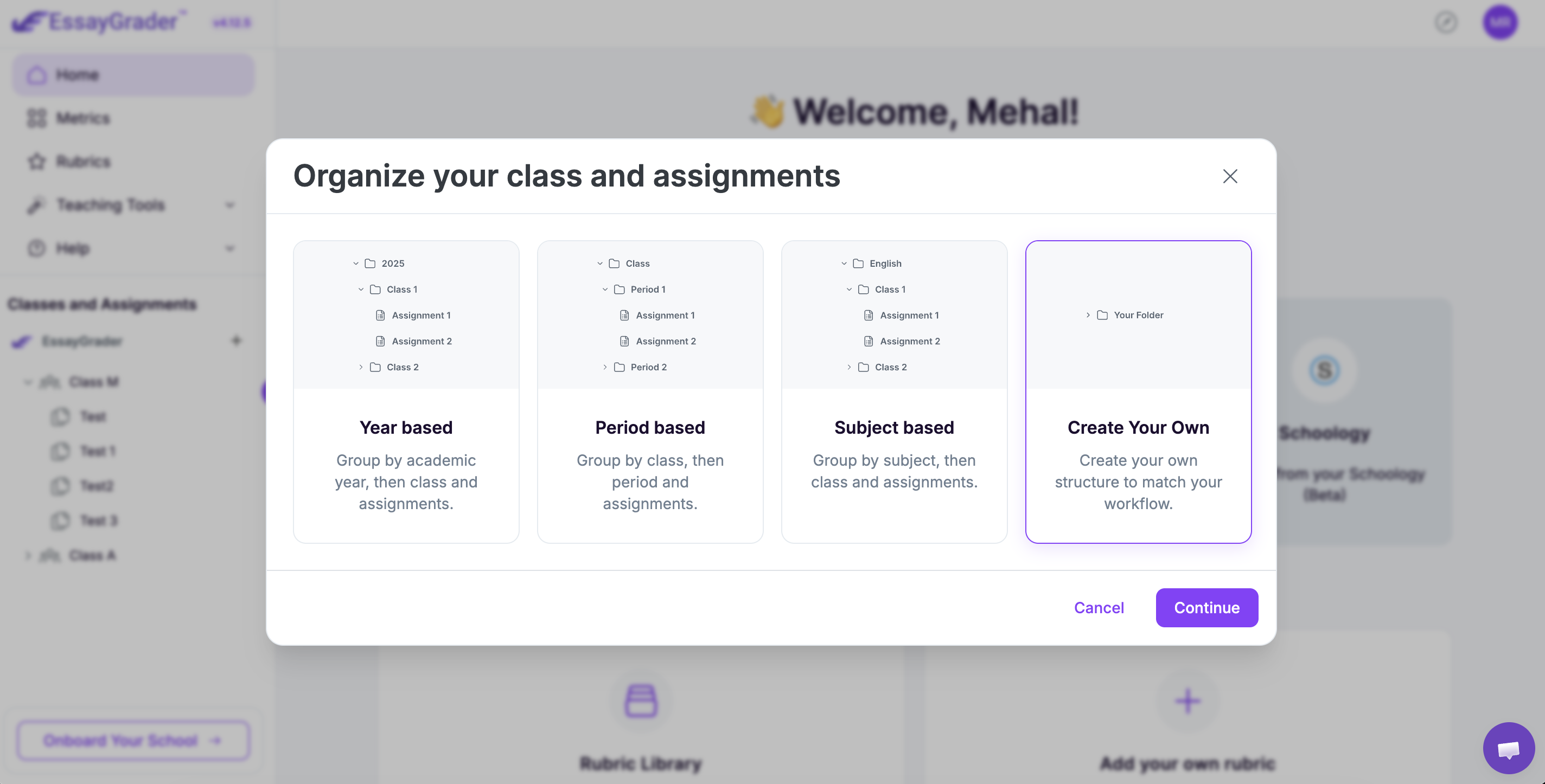
When importing from your LMS, class and assignment drop down menus now support type-to-filter searching.
%20(1).jpg)
This is one of those small workflow changes that matters most when you’re busy: instead of scrolling through long lists (especially when courses or assignments have similar names), you can jump straight to what you need by typing a few characters. It reduces mis-clicks, speeds up imports, and keeps setup from becoming the bottleneck.
EssayGrader version 4.7 is designed to help teachers move faster with fewer doubts—more integrity in what’s submitted, more confidence in what’s evaluated, and less friction in everything that surrounds grading.

.jpeg)


.avif)
.avif)
%201.svg)