.jpg)
EssayGrader 4.2 brings a simple but impactful focus: greater clarity—everywhere.
Whether you’re opening the app for the first time or already navigating a busy grading week, this release helps you understand the platform more intuitively so you can spend less time searching and more time focusing on student writing.
With clearer navigation, better context around each essay, and a brand-new Guided Tour, EssayGrader 4.2 is designed to make the whole platform feel easier to grasp from the moment you arrive.
🗺️ New Guided Tour
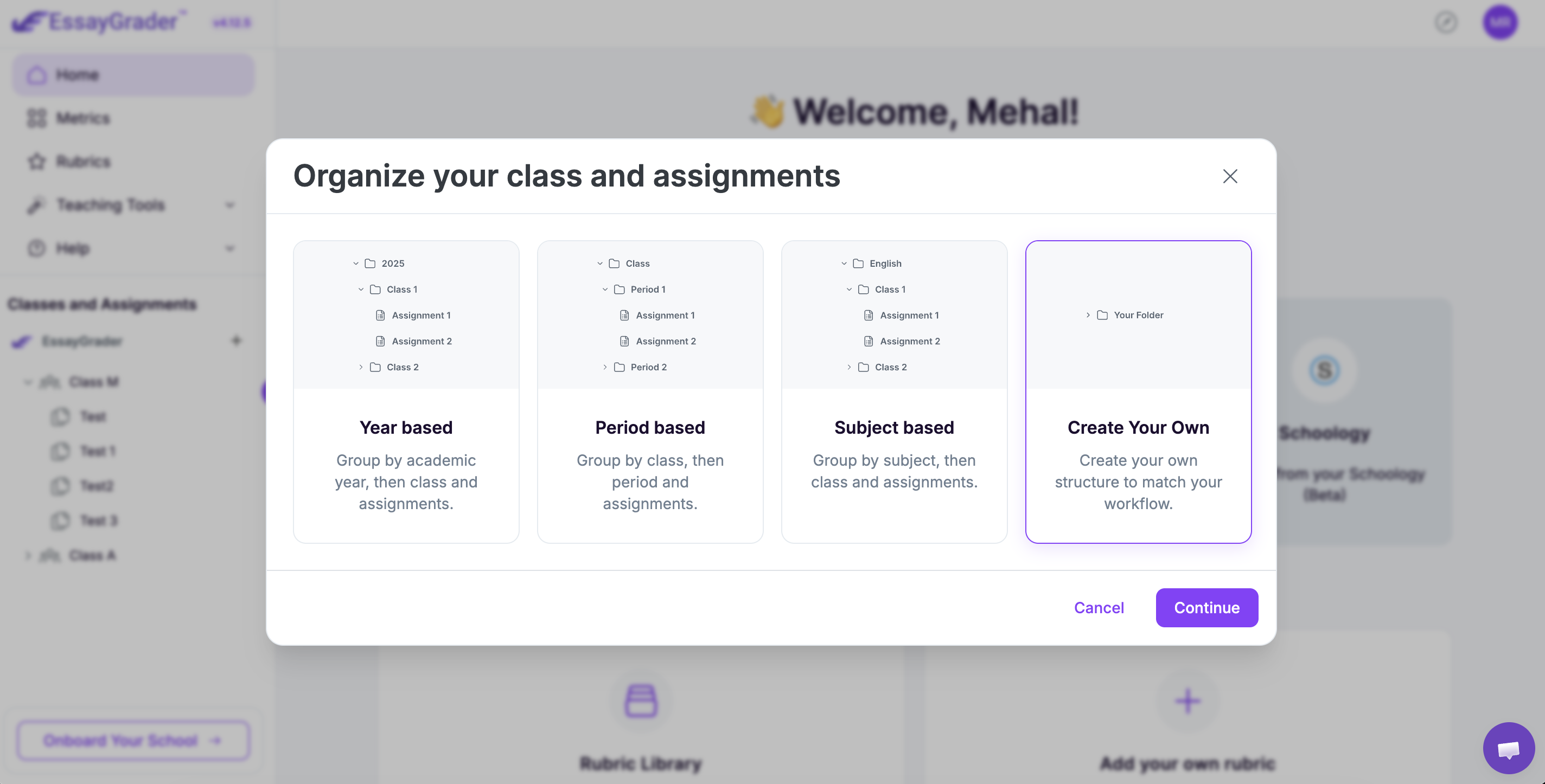
The headline feature of version 4.2 is the Guided Tour, a step-by-step walkthrough that highlights important areas of the platform when you log in.
Instead of clicking around and hoping you’ve found the right place, the Guided Tour lays it out plainly with contextual popups as you move around the site. It offers just enough structure to help new users get oriented quickly, while still giving experienced teachers the freedom to jump straight into grading.
Once you’ve gone through all the popups, the tourwill disappear. You can reenable it from the help menu for a quick platform refresher.
.jpg)
🔍 Instant Prompt Previews
Prompts and custom instructions play a major role in how EssayGrader evaluates student writing. In EssayGrader 4.2, you don’t need to open multiple pages to recall what students were responding to.
Right from the Essay dashboard you can instantly:
- preview the writing prompt, and
- preview custom grading instructions
These previews can be opened by using new quick-view modals. Just click the prompt from the metadata at the top of the screen and the preview modal will pop up.
This helps teachers maintain context as they move through a stack of essays—especially helpful when managing multiple assignments or mixed-grade classrooms.
.jpg)
Navigation That Makes More Sense
When you’re teaching several classes or juggling multiple writing tasks, knowing exactly where you are in the platform matters. Version 4.2 introduces:
➡️ Clearer, Clickable Breadcrumbs
You can now jump to parent folders or assignments without retracing steps, making long grading sessions feel smoother.
.jpg)
📄 Refined LMS Export Indicators
Clearer icons in the Essay Dashboard help you identify exported work at a glance, showing you quickly if you've already exported to Google Classroom or Canvas. This helps to reduce ambiguity during busy workflows.
Small adjustments like these go a long way when you’re grading dozens—or hundreds—of student submissions.
.jpg)
🎯 More Predictable Rubric Use
Teachers shared that the platform sometimes felt unpredictable when EssayGrader “remembered” the last rubric used. In version 4.2, we removed automatic rubric persistence to avoid accidental carryover.
.jpg)
The result is a workflow that behaves exactly as teachers expect: you choose the rubric, and EssayGrader uses the rubric you choose.
🕘 Recently Used Rubrics
We’ve also added a new “Recently Used” section to the Rubric template library, making it much easier to find rubrics you’ve opened before when creating a new rubric from a template.
.png)
Designed to Help Teachers Focus on What Matters
The impact of EssayGrader 4.2 is visible the moment you log in. With clearer pathways, more transparent context, and navigation that mirrors how teachers actually work, the platform now feels easier to understand and more natural to move through.
If you haven’t logged in recently, give the new Guided Tour a try—you’ll see how version 4.2 brings clarity to the forefront of the EssayGrader experience.




.avif)
.avif)
%201.svg)