English teachers spend more time per week on reading essays, creating lesson plans, and correcting grammar mistakes than any other teacher in a different subject area.
And most of that effort happens twice. Once to create lesson plans and grade papers, and once to figure out what feedback would actually help.
In this context, the 10 best AI tools for English teachers below split that work up differently. Some of the AI tools on this list help English teachers grade, some help them coach, while others just help you create plans in a jiff.
We also checked features and pricing directly on each tool’s site, so you can see where each one actually stands.
Quick Summary
If we had to narrow this list down to three recommendations, we'd start with EssayGrader AI for essay grading, Edcafe for lesson planning, and Gradescope for large-scale assessment. Each excels in a different area, so the best choice depends on how you teach, what you assess, and where you spend the most time.
How We Selected These Tools
Every tool on this list had to answer four questions before it earned a spot:
- Does it do something specific to English or ELA subjects?
- Can a teacher control the output, editing scores, feedback, or generated materials before a student sees them?
- Is the pricing and feature set something we could verify directly on the company's own site?
- Does it have a real presence on independent review platforms?
Every price and feature below comes from each tool’s own site. All the tool user review score links to Trustpilot, G2, Capterra (where available), or the Chrome Web Store directly, so you can verify it yourself.
Why Listen To Us
Well, because we know this space as we work within it with more than 100K satisfied users. Building an AI grading platform means we're constantly evaluating what other tools do well, where they fall short, and which classrooms they're actually designed for.

That's also why we've been honest throughout this guide about the areas where a competitor is a better fit than EssayGrader AI for a particular teaching style or use case.
10 Best AI Tools for English Teachers in 2026
1. EssayGrader AI
Best For: Teachers wanting to score essays using their own rubrics and give students detailed, consistent feedback.

The EssayGrader AI platform makes essay grading easier for teachers with the help of AI. You can upload (or connect your LMS to fetch directly) the student submission(s) to grade, and it’ll give you precise feedback on the submission. You will get a feedback report, a grammar report, AI detection, and a plagiarism report.
It works with popular learning management systems (LMS) like Google Classroom and Canvas too, which makes importing student work into the system simple. More than 100,000 educators use the platform.
Key Feature
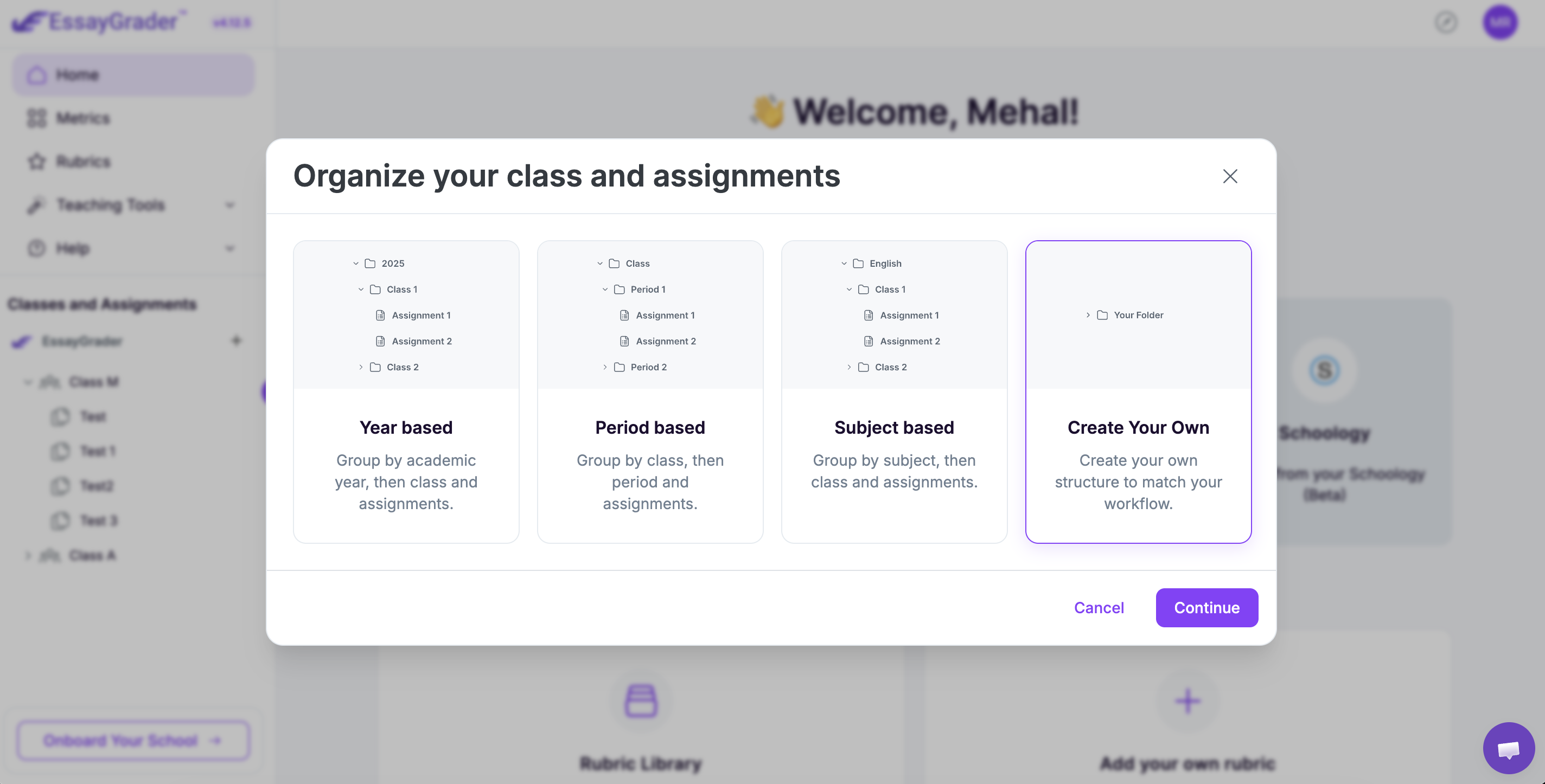
- Custom and standards-aligned rubrics: Teachers can upload their own rubrics or select from our library of over 500+ pre-built ones that cover US state standards, as well as AP, IB, and other international curricula
- Bulk essay grading: Upload as many essays as you want at once and have them all graded in seconds, so you won’t have to spend hours on grading submissions.
- LMS integrations: EssayGrader integrates natively with platforms such as Google Classroom, Canvas, and Schoology.
- Writing Intelligence Layer™: Tracks student writing growth across assignments and classes, giving teachers visibility into progress over time (available in the paid tiers)
Pricing
- Basic Plan: Free (50 essay gradings/month)
- Pro Plan: $14.99/month (when paid annually)
- Premium Plan: $34.99/month (when paid annually)
- Schools/Districts: Custom pricing
What Users Say
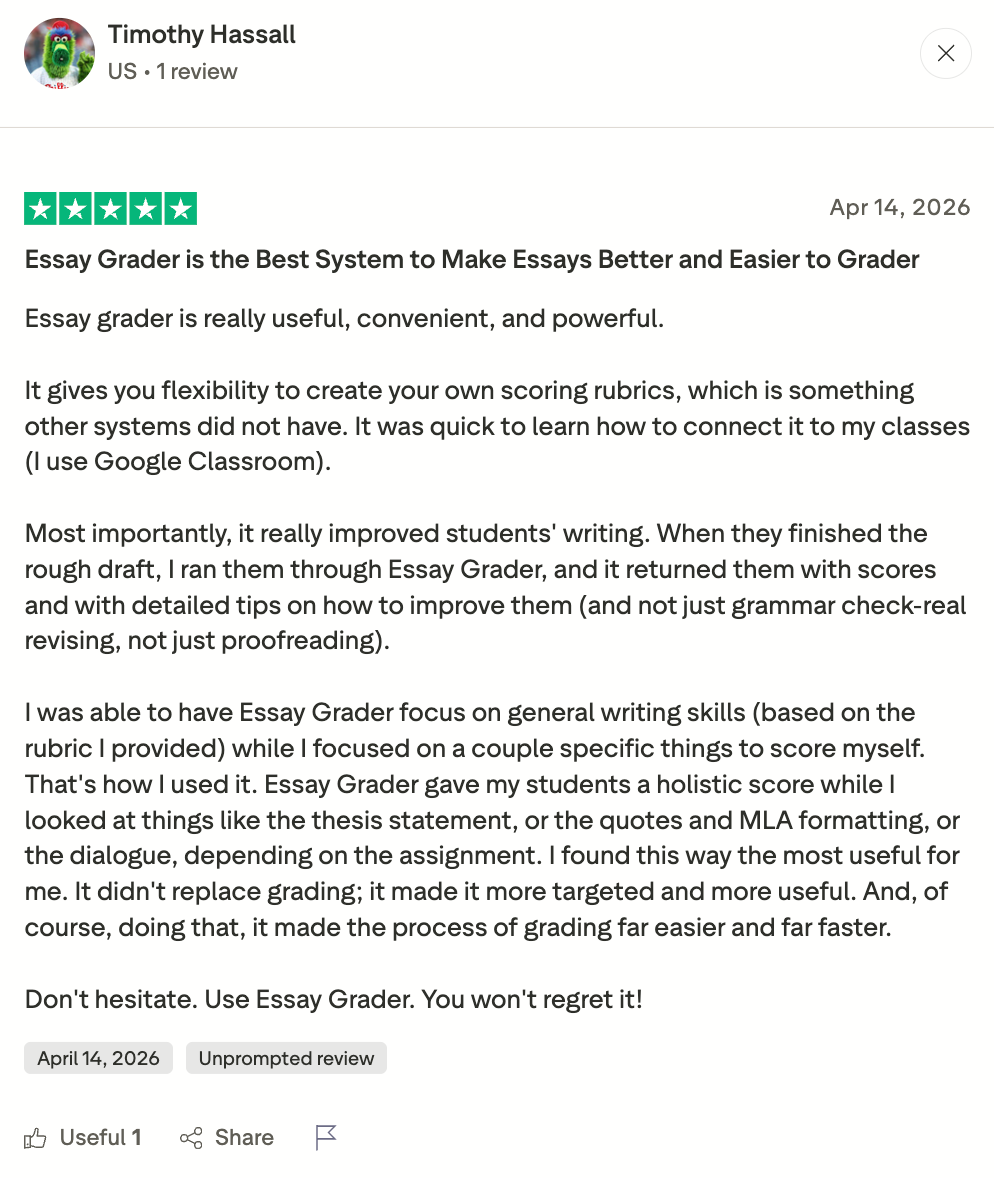
Users love how much easier EssayGrader makes their lives when it comes to grading essays. This has earned it a great score of 4.5/5 on Trustpilot.
See what this US teacher, Timothy Hassali, has to say about EssayGrader AI.
Pros
- Specifically built for essay grading
- Custom rubric creation
- Native Integrations (Google Classroom/Canvas/Schoology)
- Plagiarism & AI-writing detection
- Bulk grading reduces grading time a lot
- Free plan available
Cons
- Limited word count on the free tier (1000 word limit per document)
- No MLA or APA citation checks are available as of now
2. Edcafe AI
Best For: Teachers searching for an all-in-one AI teaching platform with tools for creating lesson plans and quizzes
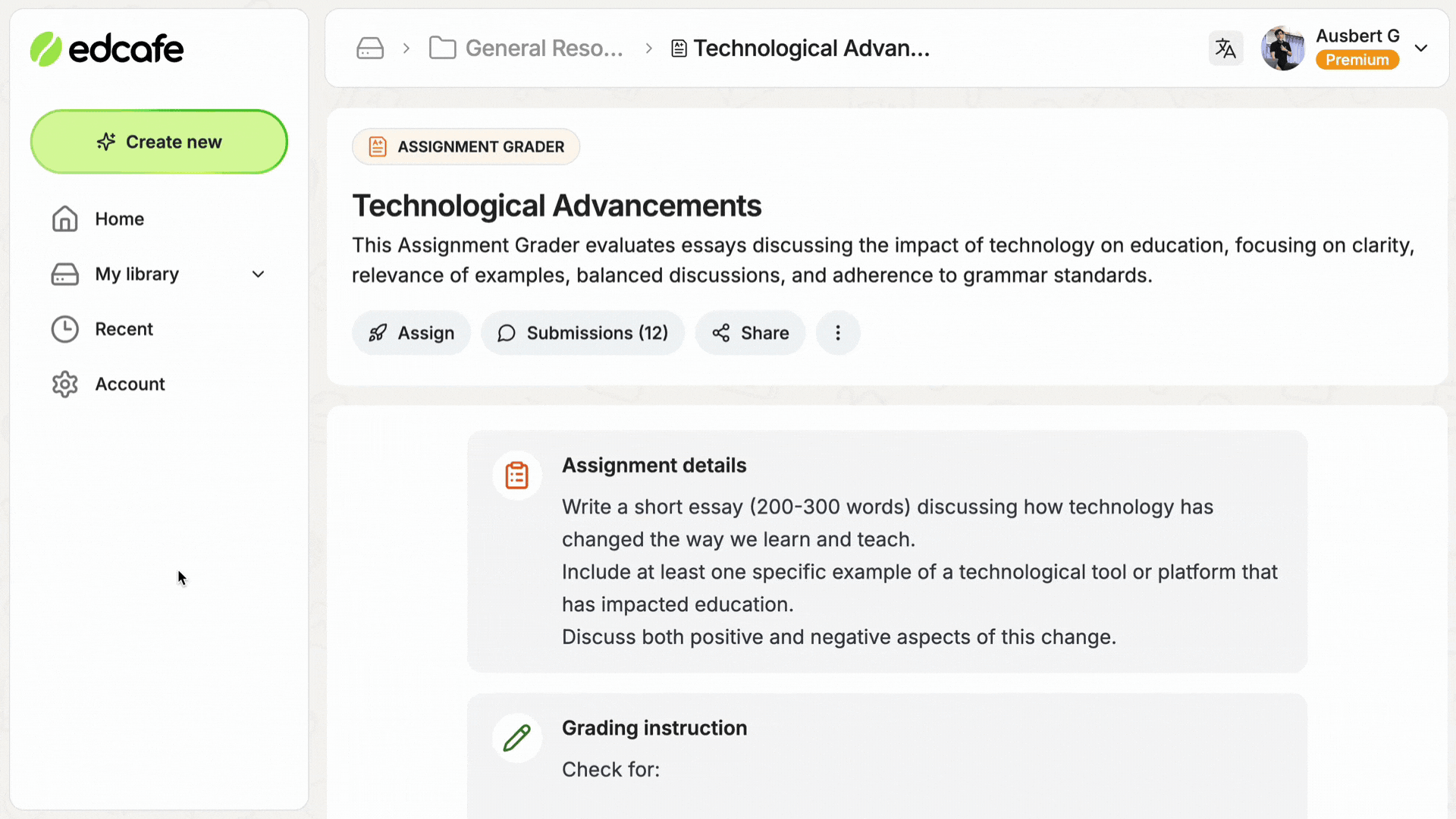
Edcafe, with over-30 teaching tools, lets teachers create assignments, quizzes, slides, lesson plans, and so much more while providing personalized feedback on students’ learning without having to switch between apps.
Key Features
- AI feedback generator: Provides additional useful info for students besides scoring that helps them know what they did well and where they need to improve.
- Lesson plan generator: That can be tailored to an ELA unit or standard.
- Quiz and flashcard generator: This feature is useful for vocabulary checks. Literary term review or to memorize better.
- QR code and link sharing: For distributing materials without requiring student accounts
- Slide deck generator: For literary analysis or unit-introduction presentations.
Pricing
Pro plan includes higher AI usage limits, with $7.99/month to $14.99/month with no limits. Also comes with a free plan with 100 generations per month and 3 graders.
What Users Say
Edcafe AI doesn’t have many public reviews available. It has received only one review on the Software Advice website and one user review on Trustpilot.
Pros
- Affordable price point if you’re just one educator working from home
- A good choice as a one-stop shop for creating lessons, searching for resources, or assessments in your classroom
- It gives you student performance insights, which can help you spot gaps
Cons
- It isn’t quite as specialized when it comes to helping you grade essays compared to some dedicated platforms like EssayGrader AI.
- Some advanced features do need a pro subscription.
- The quality of its generation (for lesson plans, slide decks, etc) depends on how good your prompt is
3. Gradescope (by Turnitin)
Best For: Gradescope works best if you're looking to manage grading for universities and schools for exams, handwritten work, problem sets, and mixed format assignments.
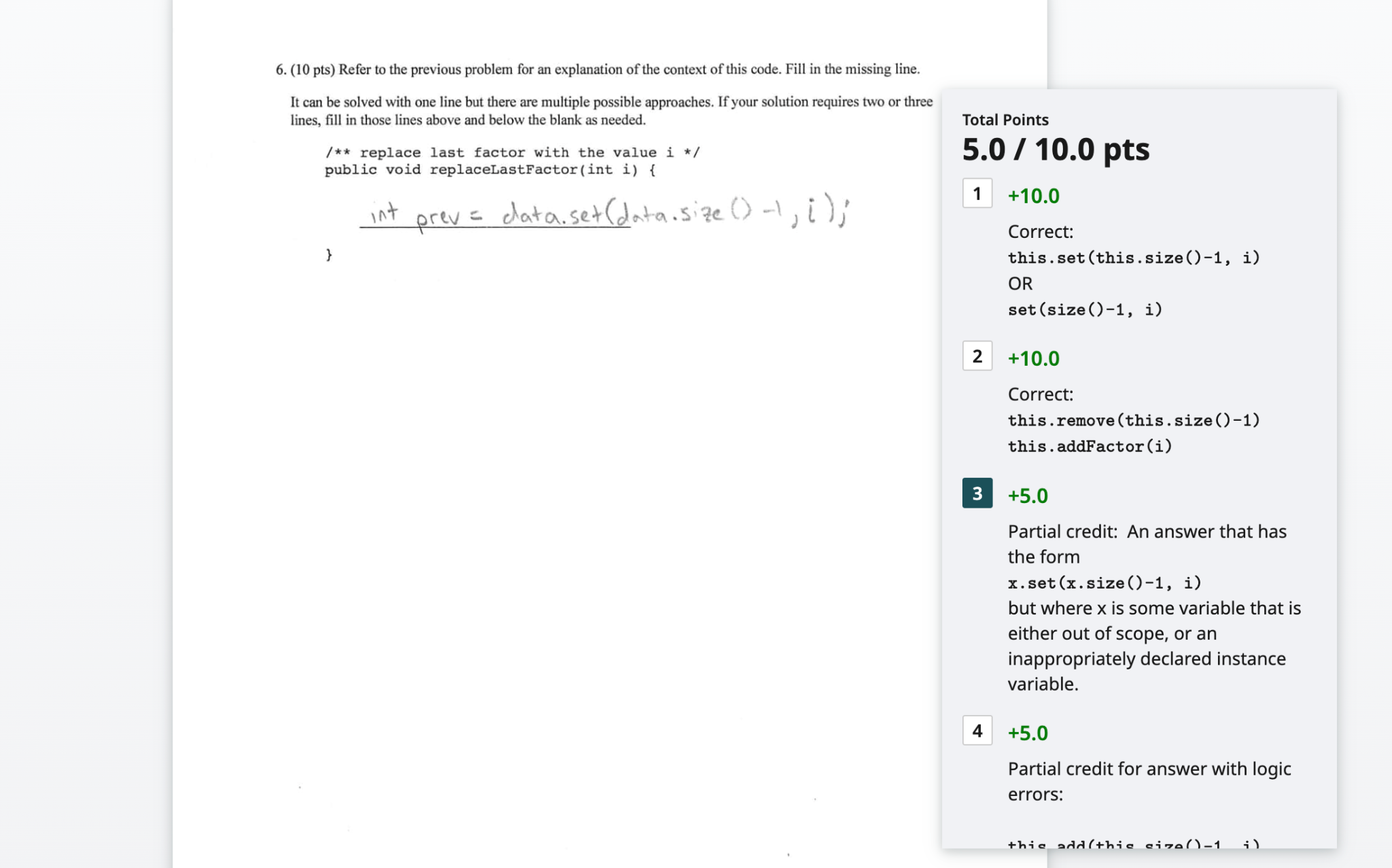
Gradescope offers an AI-powered answer grouping feature that lets you group similar answers and mark all of them at once without having to go through each one manually.
It's Turnitin's digital assessment tool that makes managing grading for different types of assignments easier with its support for grading paper-based, digital, and coding assignments.
Key Features
- AI-assisted answer grouping: Gradescope will automatically group together similar responses from students on several types of questions. This allows you to grade the whole group at once instead of having to review them all individually.
- Dynamic rubrics: You can build your rubric either before you begin grading or as you review student submissions. If your rubric’s criteria ever change, Gradescope will automatically update to reflect these changes.
- Question-level analytics: With Gradescope’s per question/rubric level stats, you’ll know instantly what questions or rubrics your students struggled on to be able to better teach them.
- Collaborative grading: Multiple instructors or teaching assistants within your institution can grade an assignment at the same time with consistent rubrics and anonymous marking.
Pricing
There isn’t anything to report on Gradescope’s pricing as they don’t make it publicly available, although they have mentioned two tiers (Basic and Institutional). Contact their sales team if you’d like details about how much this service costs.
What Users Say
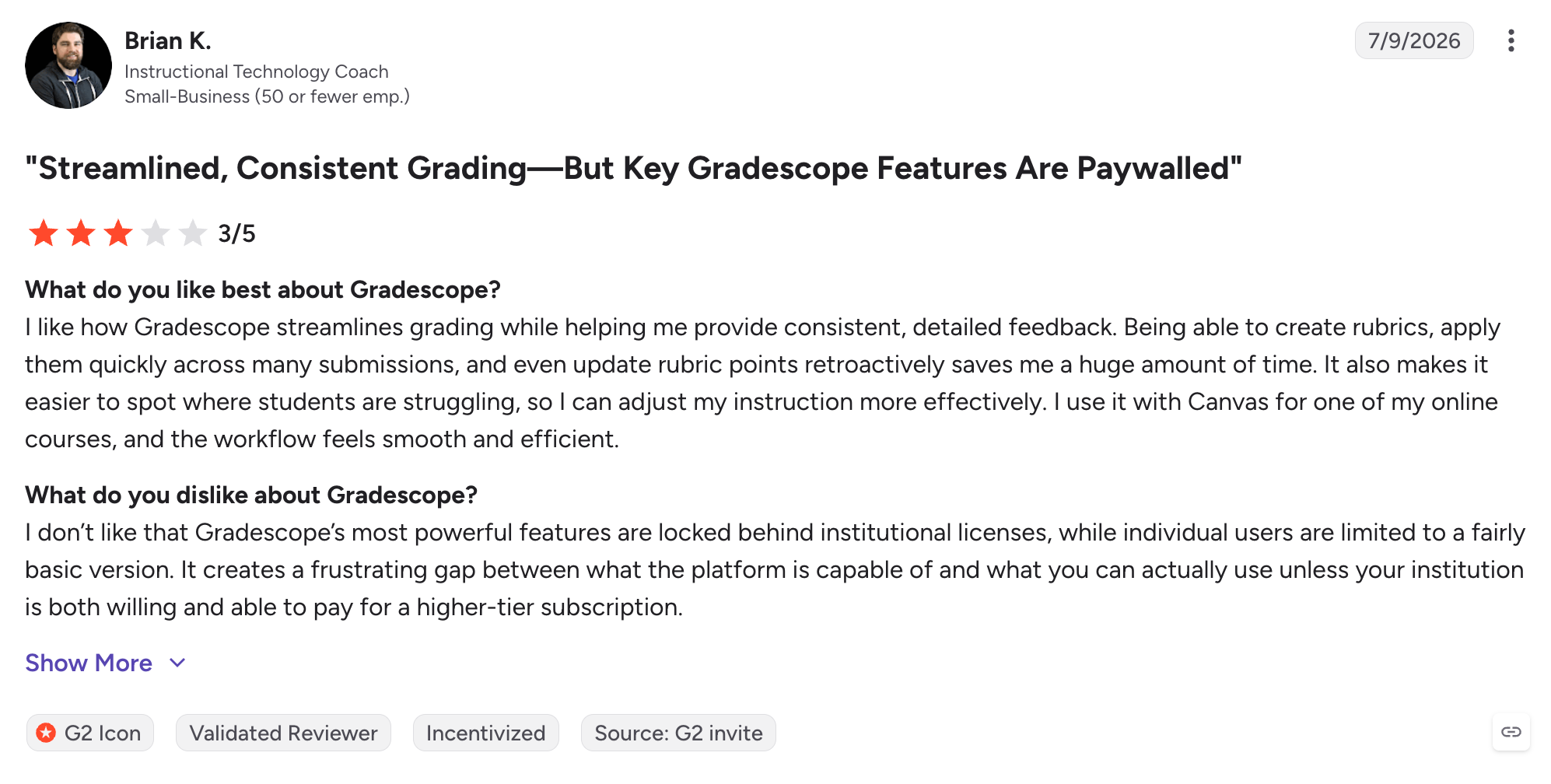
Based on a total of sixteen reviews, Gradescope has earned a decent 4.1/5 rating on G2 and a good 4.6/5 rating on Capterra.
Pros:
- Excellent tool for grading large classes consistently
- Great for saving time with AI-assisted answer grouping
- Flexible rubric options (can also be edited during grading)
- Supports handwritten/digital/programming work
Cons:
- No info on institutional pricing at this time
- Lots of powerful AI features only available through an Institutional licence
- Better used for more structured assessments rather than giving detailed feedback on long-form writing
4. Diffit
Best For: Any English teacher needing the same text at three or four different reading levels.

Diffit takes your chosen text, article, or video and generates leveled reading passages, along with associated comprehension questions and vocab lists based on that source material.
Key Features
- Differentiation: Converts source text to reading levels from 2nd through 11th-grade+.
- Translation options: Offers translation support to over 60 languages while maintaining scaffolding between them.
- Supports lesson plans: Automatically generates reading comprehension questions, vocab lists, and even some graphic organizers.
- Documents support: Acceptable inputs include text you’ve pasted, PDFs, URLs, or video transcripts.
Pricing
Free tier includes all the main features, including generation of core content (leveling, comprehension questions, vocab), plus exporting to PDF. School and district prices are custom-quoted.
What Users Say
This tool hasn’t received an aggregate score yet on any of the big Edtech review sites, such as Trustpilot, G2, or Capterra.
Pros
- Best-in-class leveling tech
- Unlimited free tier for core workflow
Cons
- Niche scope doesn’t include lesson plans, rubric creation, or grading
5. Twee
Best For: ESL, EFL & language-arts teachers looking for content specifically for their lessons.
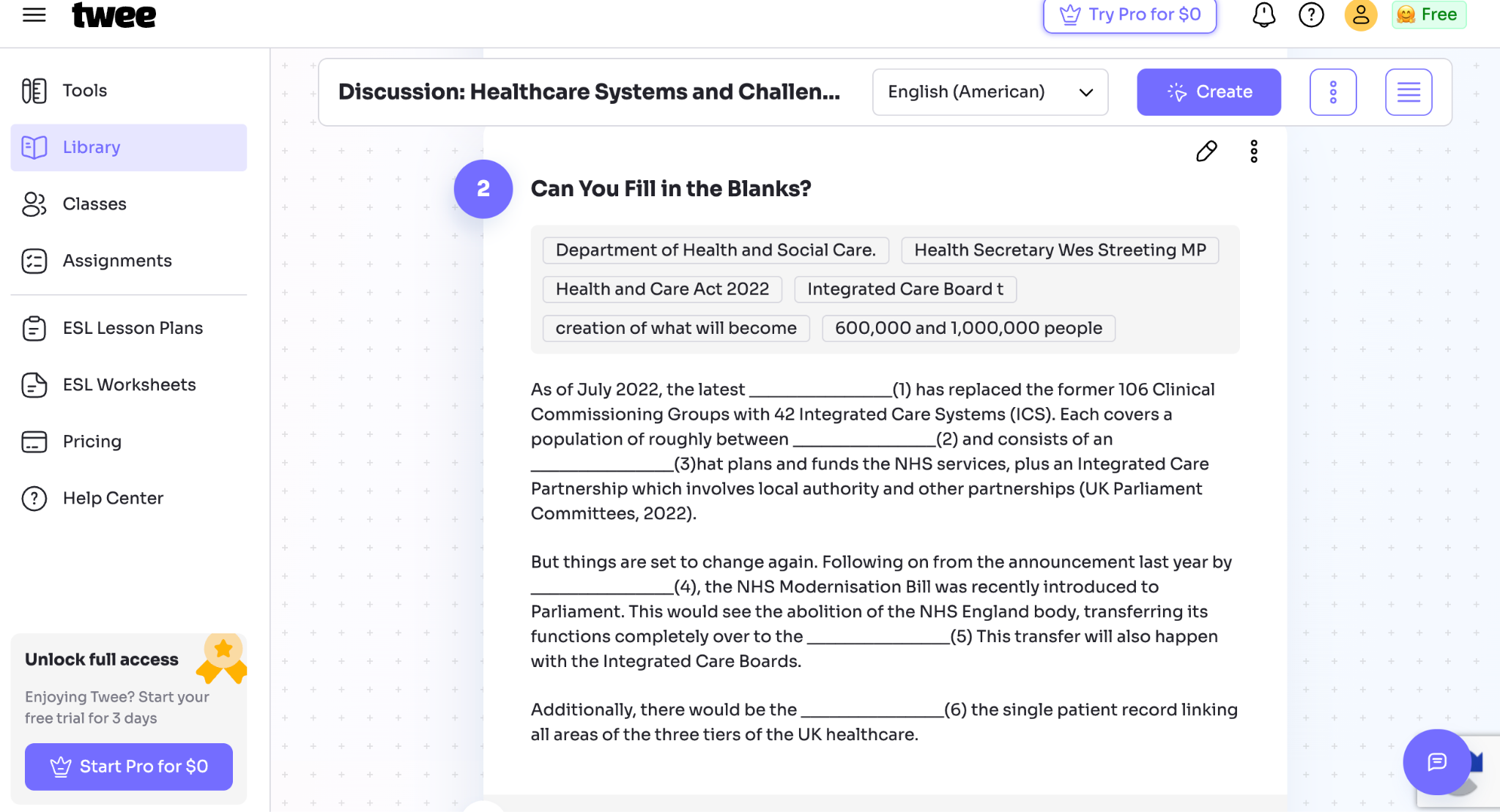
Built exclusively for English teachers, Twee allows you to tweak and generate dialogues, reading passages, discussion questions, and grammar exercises from any given topic or even from any YouTube video. It can tailor its content to suit your needs based on CEFR levels A1 through C2.
Key Features
- Content generation: Tailored for all levels (from CEFR levels A1 through C2)
- CEFR level checker (Pro): Analyzes reading levels of any text that you provide for your lesson planning.
- Exercise options: There is a variety of fill-in-the-gap exercises, open-the-brackets grammar drills, and discussion questions.
- Question generation: English teachers can also generate comprehension questions from YouTube video transcripts.
Pricing
Free plan has 5 runs/month for text tools, Pro is $10.50/month, or Basic at $6.50/month, billed annually and quoted for schools and districts.
What Users Say
No major aggregate score on Trustpilot, G2, or Capterra was found.
Pros
- The only tool on this list built specifically for ESL and EFL content.
Cons
- Not useful outside English-language instruction
- Run limits are tight in the free tier.
6. GPTZero
Best For: Teachers who need AI writing detection and writing process insights included.

GPTZero made a name for itself by detecting the presence (and extent) of AI content in essays.
However, there are a couple of unique features you can consider if you’re interested in using this tool with your students to help them develop good research habits before submitting their papers. Both could be woven into a nice classroom workflow.
Key Features
- Writing replay: A way to see a student’s edit history from their Google Docs document in video-style replay format.
- Citation check: An excellent feature for helping students build citations correctly before they submit anything.
- Chrome Extension within Google Docs/Classroom: Easily accessible extensions mean students can get input without leaving the app where they work best.
- Privacy compliance: SOC 2/FERPA/GDPR data handling alignment
Pricing
Free tier available, whereas individual plans run roughly $8.33 per month when billed annually to $45.99 on a monthly basis, depending on the billing cycle.
What Users Say
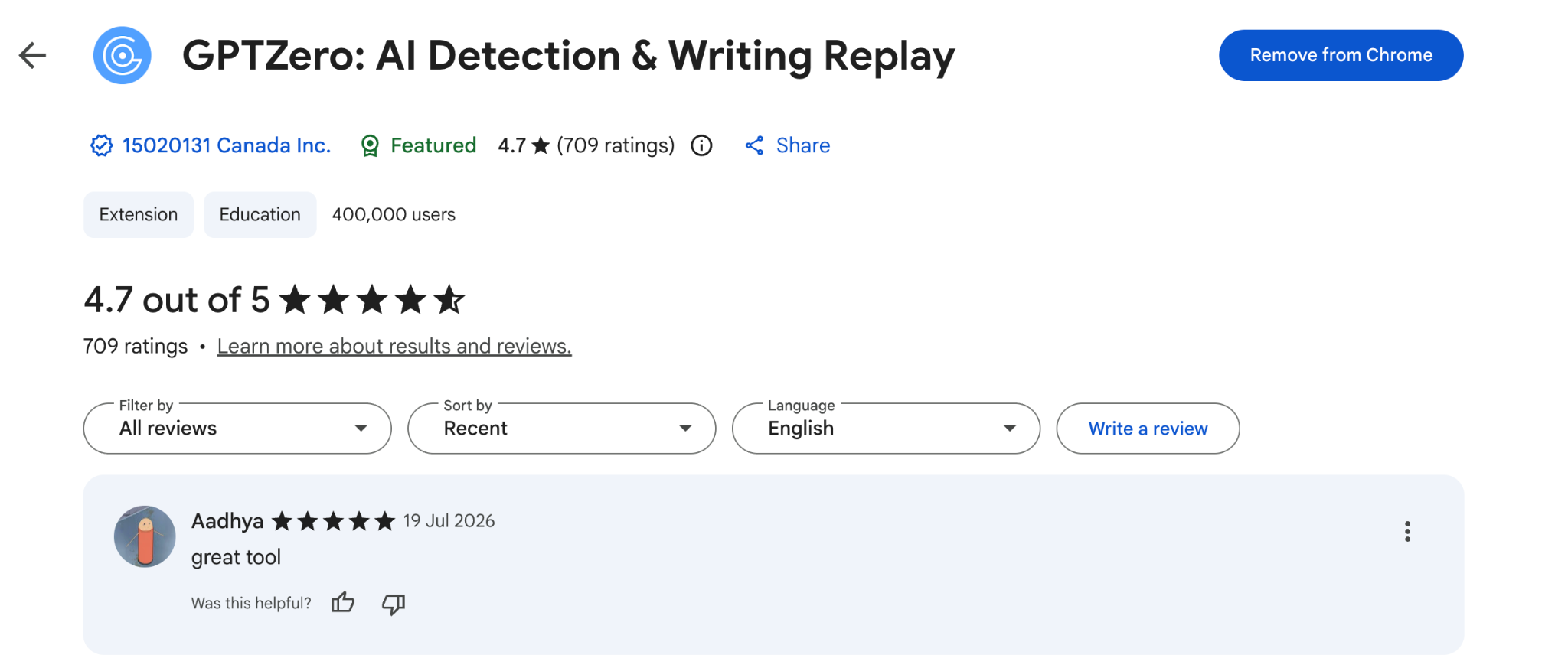
Its Chrome extension holds 4.7/5 from 709 reviews.
Pros
- Combine the power of AI grading & writing detection
- Support teacher-created rubrics
- Get more details about your students’ work through Writing Reports Review
Cons
- You won’t find institution pricing on their site
- There are chances of getting a false positive
7. MagicSchool AI
Best For: English teachers looking for a combination of features to make other parts of planning lessons easier.
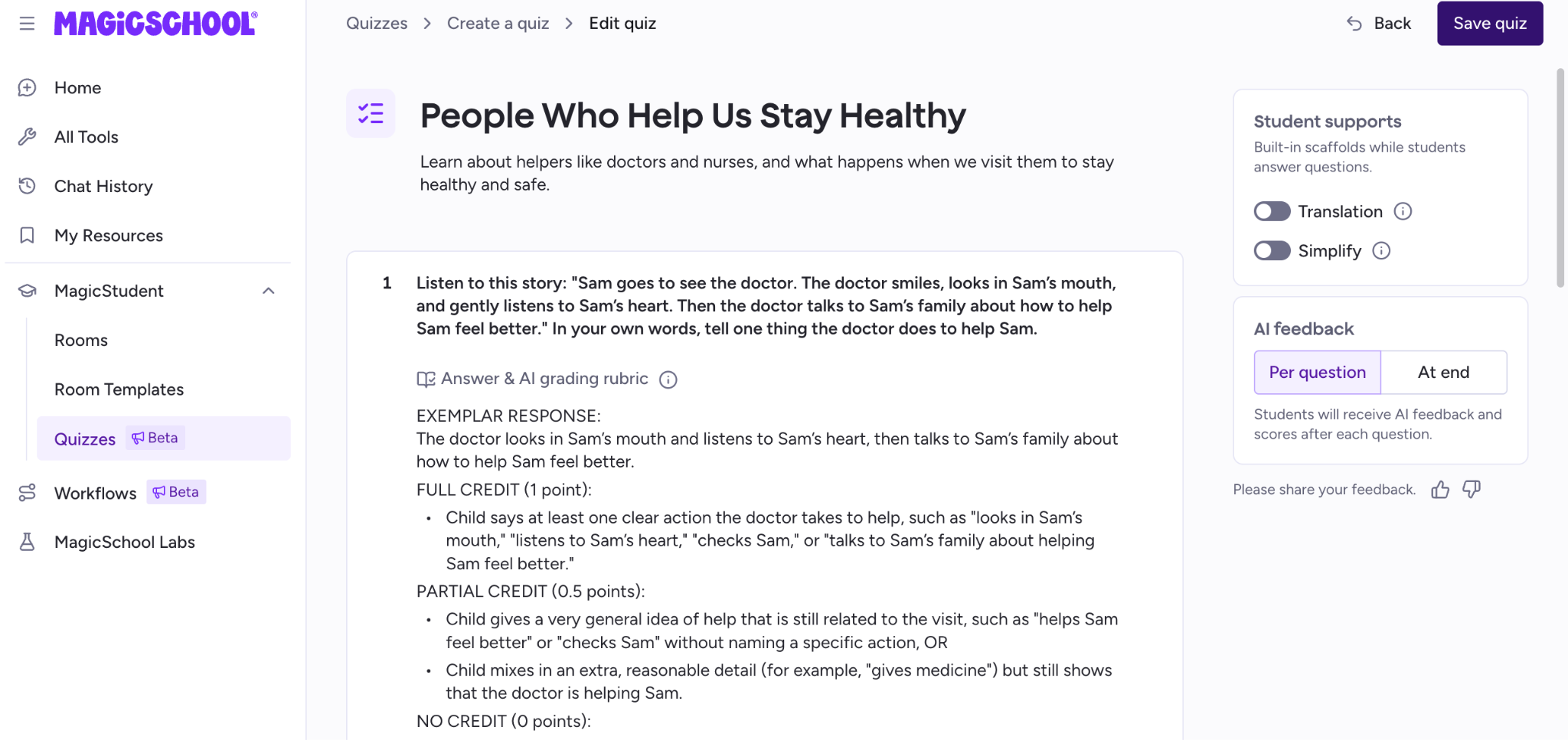
MagicSchool AI is one of the fastest-growing AI platforms among educators, offering over 80+ teacher tools.
MagicSchool also offers a “MagicStudent” element where teachers can use a supervised AI tutor to help students learn content, as well as translation into 98 languages for multilingual learners and parents.
You can also directly launch MagicSchool into your learning management system (Canvas, Schoology, or Google Classroom) instead of switching between apps.
Key Features
- MagicStudent: Lets you create quizzes and supervise the learning progress of your students, with translation options in up to 98 different languages.
- Assignment feedback tool: MagicSchool uses teacher prompts to generate personalised comments that assess students’ written work against their learning intentions and assessment criteria
- Report & progress tools: The teachers are able to generate progress reports, parent communication and student summaries based on classroom data.
- Google Classroom integration: Export your assignments and resources directly to Google Classroom and Docs.
Pricing
Free forever for teachers with limited tools, Plus plan at 12.99/month and custom pricing for schools and districts.
What Users Say
It has an overall 4.3/5 rating on its Chrome Extension.

Pro
- Large collection of education-focused AI tools
- Strong rubric + feedback generation
- Excellent lesson planning support
Con
- Not a dedicated grading platform
- Some advanced features require MagicSchool Plus
8. Khanmigo
Best For: Teachers seeking to implement an AI-supported writing feedback tool or other classroom support from Khan Academy.
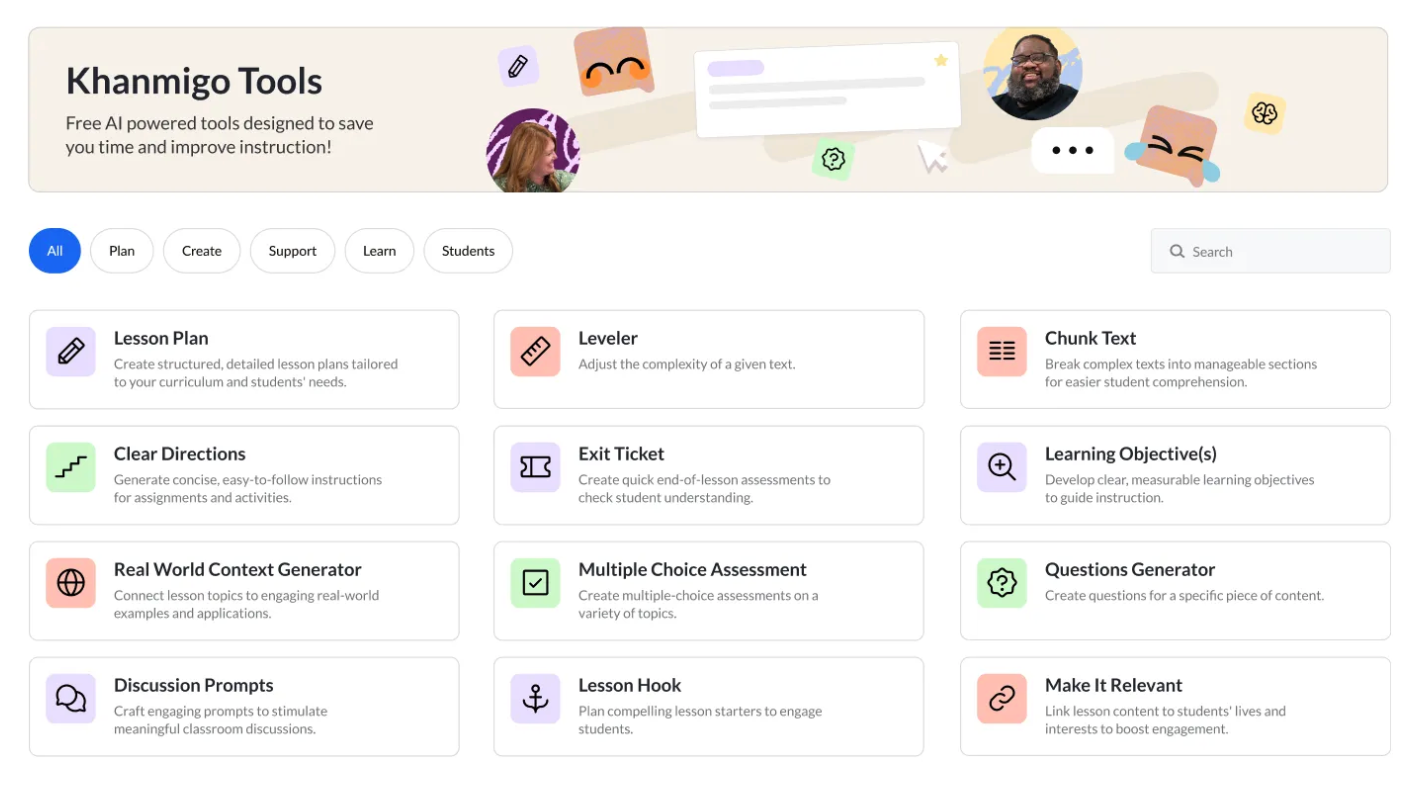
Khanmigo provides Khan Academy’s AI-powered teaching assistant (based on OpenAI) that can assist with reviewing assignments while providing feedback and supporting classroom instruction. It does not function as a grading system.
Key Features
- Writing feedback: Teachers get AI-generated suggestions about their students’ writing but remain responsible for giving the final grades.
- Lesson support: Khanmigo can also help teachers create their lessons from discussion prompts to instructional resources.
- Student coaching: Khanmigo’s approach includes guiding students on their path to solving problems using conversational tutoring instead of providing direct answers.
- Teacher dashboard: Teachers can monitor students’ activity and level of engagement within their classrooms with Khan Academy.
- Safe AI Environment: Khan Academy puts great emphasis on its focus on privacy, responsible use of AI technology, and teacher oversight across its entire platform.
Pricing
Comes included with Khan Academy paid options, which vary across regions.
What Users Say
Khanmigo had an overall positive and low-risk rating for its AI principles at Common Sense Media.

Pros
- Trusted education provider
- Excellent writing & discussion support
- Encourages student reasoning
Cons
- Not a dedicated grading platform
- Advanced institutional deployment varies by region
9. SchoolAI
Best For: Teachers looking to use AI-assisted classroom activities, formative assessment and personalized student support.
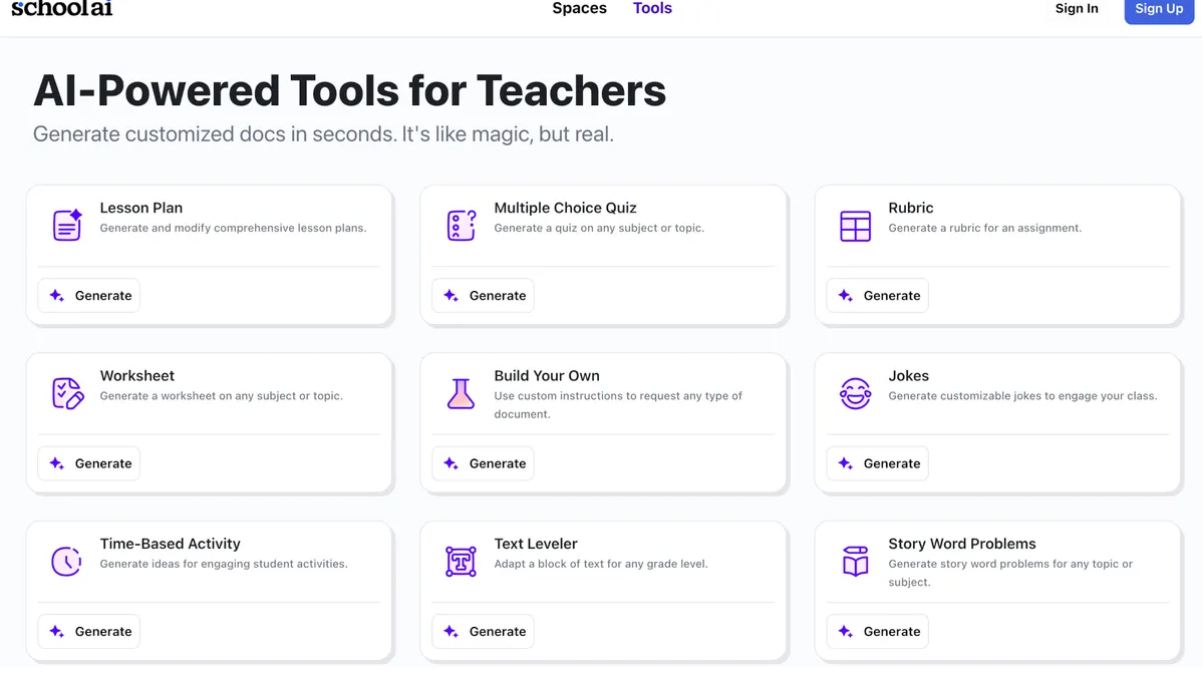
SchoolAI offers teachers an AI classroom platform where they can create AI-powered activities, generate formative assessments and give students personalized feedback, all while using classroom dashboards to track their students’ progress.
Key Features
- AI space: Create guided learning environments in which your students complete activities with the benefit of AI support.
- Formative assessment: Generate quizzes, writing activities, and classroom checks of understanding.
- Student insights: Monitor participation, misconceptions, and progress across an entire class
- Teacher dashboard: Provides real-time classroom analytics and interventions.
- Google Classroom integration: Works alongside your existing classroom workflows & LMS platforms.
Pricing
Custom pricing plans for schools and districts.
What Users Say
There isn’t much said about SchoolAI on independent review sites like Trustpilot, G2 or Capterra.
Pros
- Excellent formative assessment tools
- Strong classroom analytics
- Interactive AI learning spaces
Cons
- Less focus on detailed essay grading
- Some advanced features are only available on paid plans
10. NoRedInk
Best For: English teachers looking for a source of daily grammar and writing practice.
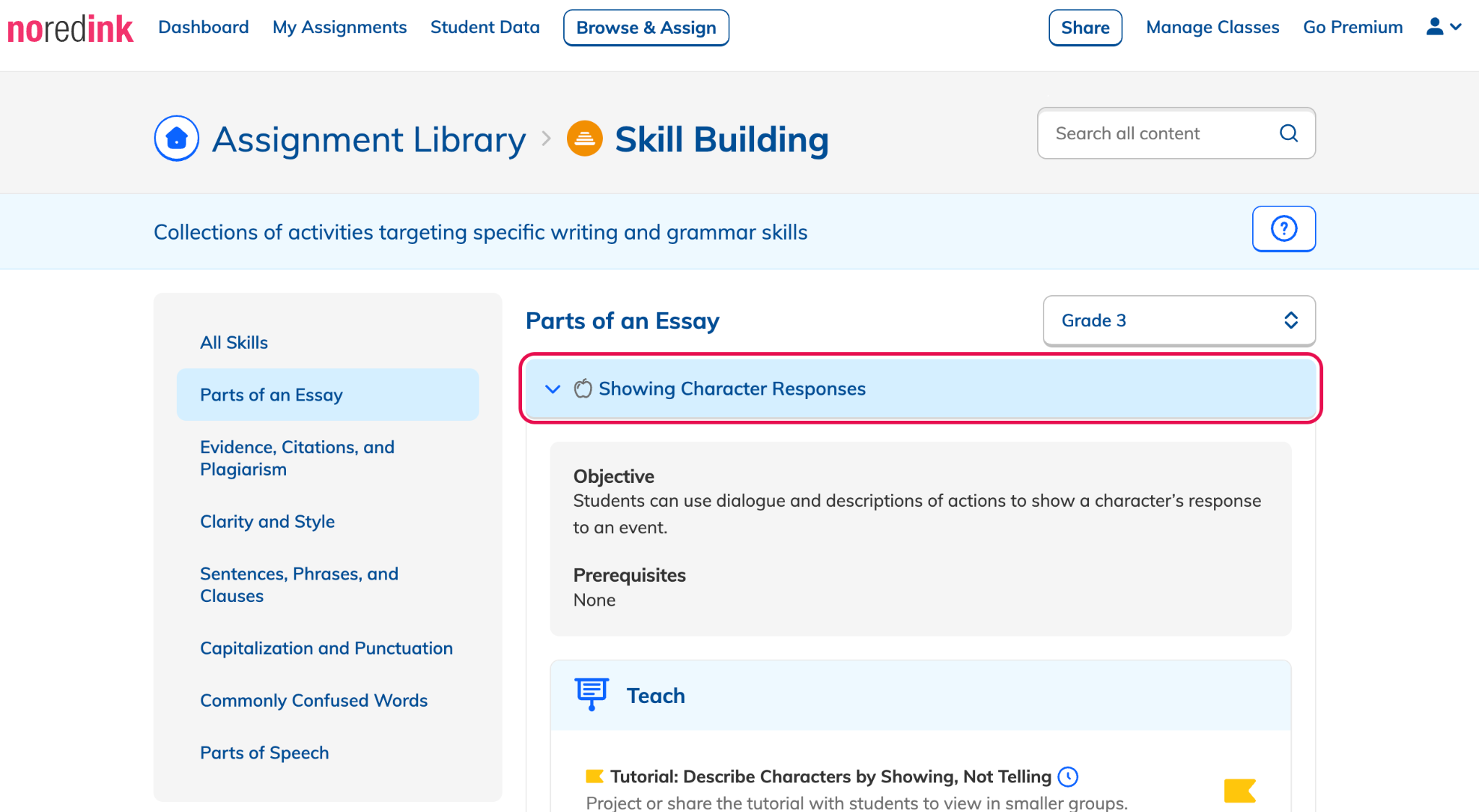
NoRedInk takes personalized grammar and writing exercises one step further than most other programs by aligning them with students’ unique interests. And while the program doesn’t do essays itself, its newer AI Grading Assistant offers more options to provide feedback about their work.
Key Features
- Wide range of exercises: 1,000+ skill exercises and writing prompts aligned with Common Core and state standards
- Guided drafts: It is an integrated essay-writing tool with built-in tutorials for students
- LMS sync: Integrations with Canvas, Clever, Google Classroom & Schoology
Pricing
- Free version available for individual teachers
- Schools/districts can get a custom quote with a minimum of 100 students
What Users Say
Users report 4.2 out of 5 stars on G2 based on 23 reviews.
Pros
- This is actually a free tier! That’s huge.
- Solidly aligned with many common educational standards
Cons
- They don’t list a base plan for paid tiers, which could be annoying for people who just want a simple “click to try”
- Some students feel frustrated about the repetition of questions
Which One AI Tool Should an English Teacher Actually Start With?
If grading written assignments is a regular part of your week, EssayGrader AI offers one of the most complete solutions available today.
Its combination of custom rubrics, bulk grading, and editable AI feedback helps reduce marking time while keeping teachers firmly in control of the final assessment.
Try EssayGrader AI for free to grade your next set of English essays or any English assignment!
FAQs
What AI grading tools are best for teachers?
If your priority is to grade essays and other written assignments, then EssayGrader AI is the best option as it supports creating custom rubrics, bulk grading, and providing detailed writing feedback.
Can AI tools replace teachers?
Most AI tools are meant to augment your ability to grade papers more quickly or create lesson plans at scale, rather than fully replace you. While they may give you initial suggestions of what to put on an essay and how to score students' writing, you'll likely want to double-check these evaluations yourself before submitting a final grade.
Can AI grading tools use my custom rubric?
Yes! Many platforms (including EssayGrader AI) let you upload or build your own rubrics to match what you expect from your students.
Are there free AI tools for English teachers?
Yes! There are several AI tools that provide a free plan or trial, like EssayGrader AI and GPTZero. To access other premium features with unlimited uses and runs, you will need to subscribe.
What should English teachers look for in an AI tool?
For English teachers, important features to look for in an AI tool are custom rubric support, precise writing feedback, editable AI comments, ease in lesson planning, LMS integrations, and strong student data privacy. However, in the end, the best platform is one that fits your existing teaching and assessment workflow.

.jpeg)



.avif)
.avif)
%201.svg)