.jpeg)
This is the biggest release we have shipped. Students can now resubmit work, and you can see exactly what changed between drafts. You can hand the AI a few essays you graded yourself so it learns what an A looks like in your classroom. And grading can now be tied to the academic standards an assignment actually targets.
Here is what is new.
🔁 Students can resubmit, and you can see what changed
Revision is where writing actually improves, but until now a second draft meant a second essay sitting on its own with no connection to the first. That has changed. An essay can be resubmitted up to five times, and every revision stays attached to the original.
When a student resubmits, the grader looks at the earlier drafts as part of the picture. So a student who fixed the comma splices you flagged last week gets credit for it, rather than being graded as if the first draft never existed. Resubmissions that come in through your LMS are linked to the original essay automatically, so you are not left matching them up by hand.
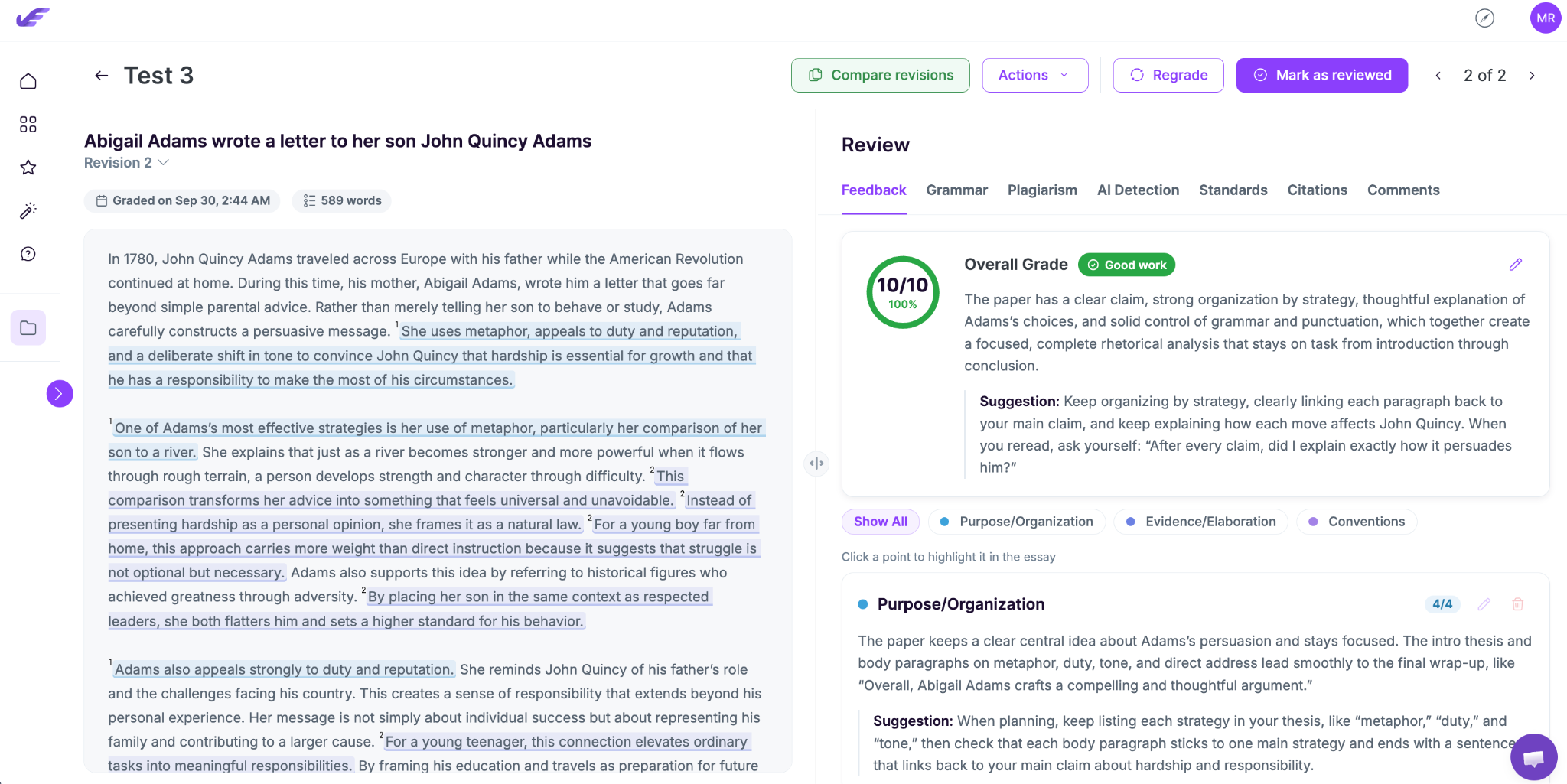
The comparison view
Open any revised essay, and you get a side-by-side view of two drafts with the changes marked up, plus a count of what was added, removed, and modified. Underneath that sits an improvement analysis, a comparison of the feedback reports, the AI suggestions from each version, and a grammar comparison that splits mistakes into three groups: fixed, still there, and new.
That grammar split is the useful one in conferences. A student who cleared eight errors and introduced three new ones is doing something different from a student who changed nothing, and you can show them the difference on screen instead of describing it.
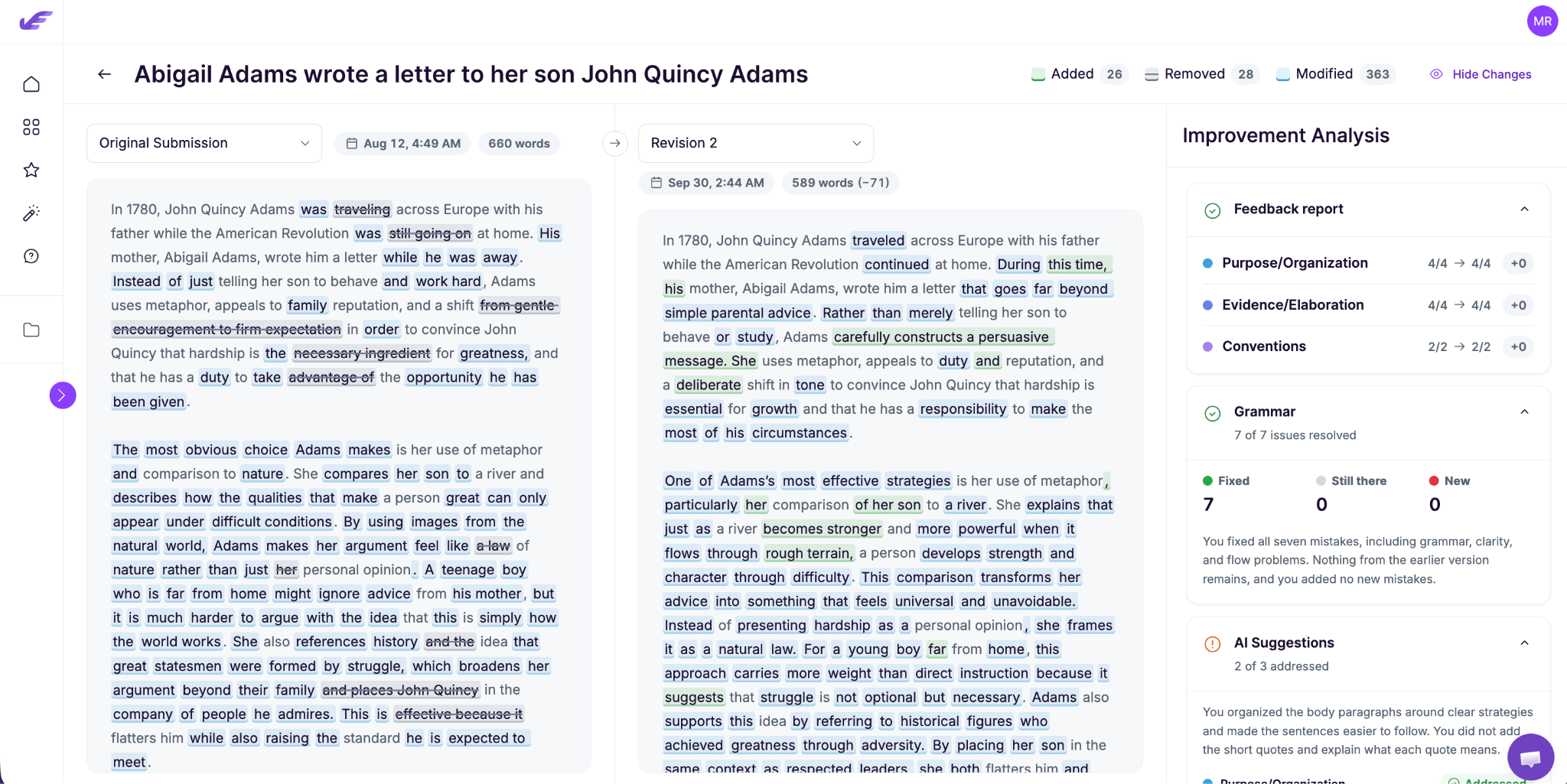
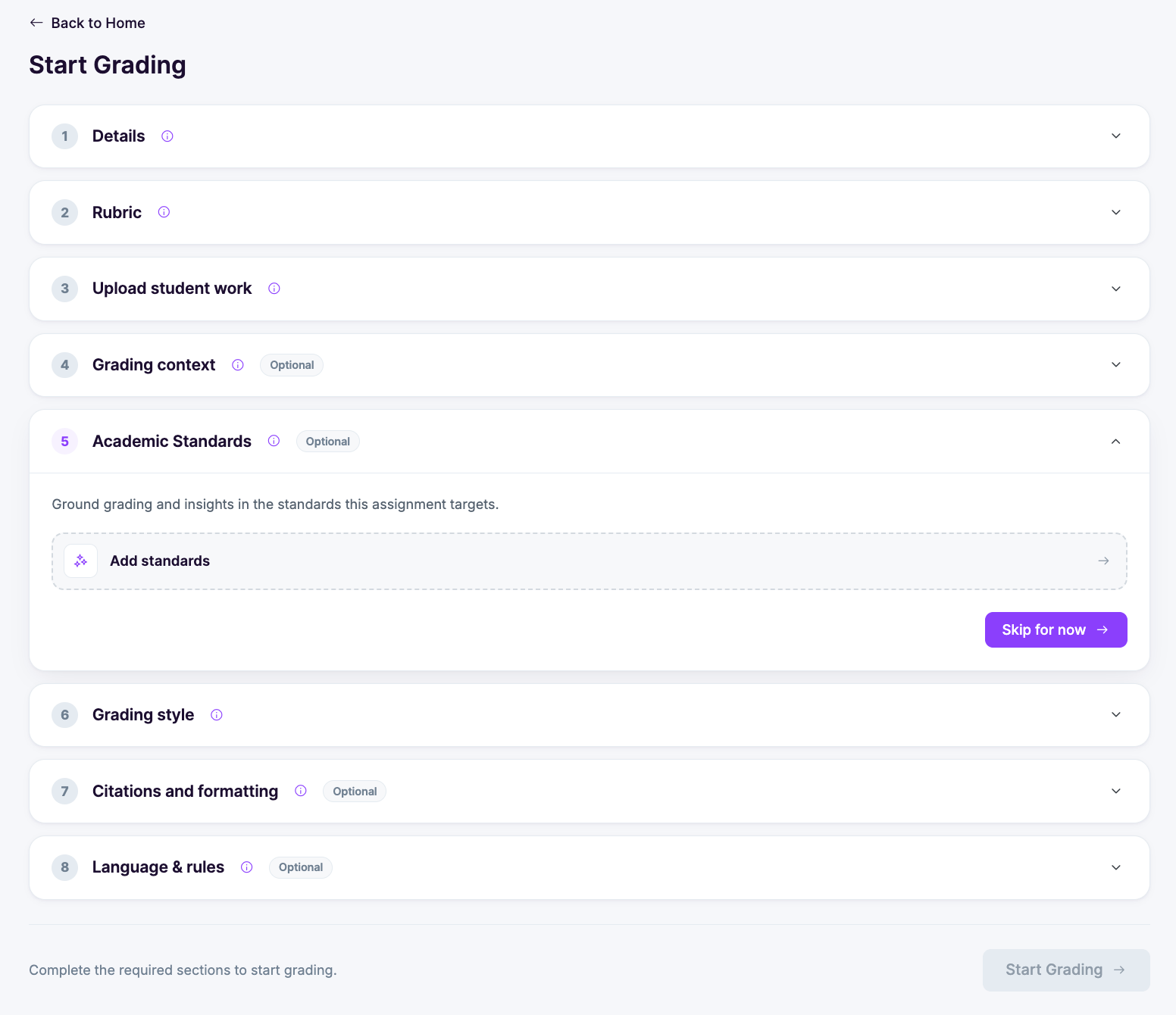
📝 Start Grading, rebuilt as a step-by-step setup
The old grading setup put everything in front of you at once. It has been rebuilt as a numbered accordion, so you work down one section at a time, and the optional ones are labeled as optional.
Eight steps: details, rubric, upload student work, grading context, academic standards, grading style, citations and formatting, and language and rules. Four of them are marked optional, which means a straightforward assignment is still three steps and done. The button at the bottom tells you what is left before you can start.
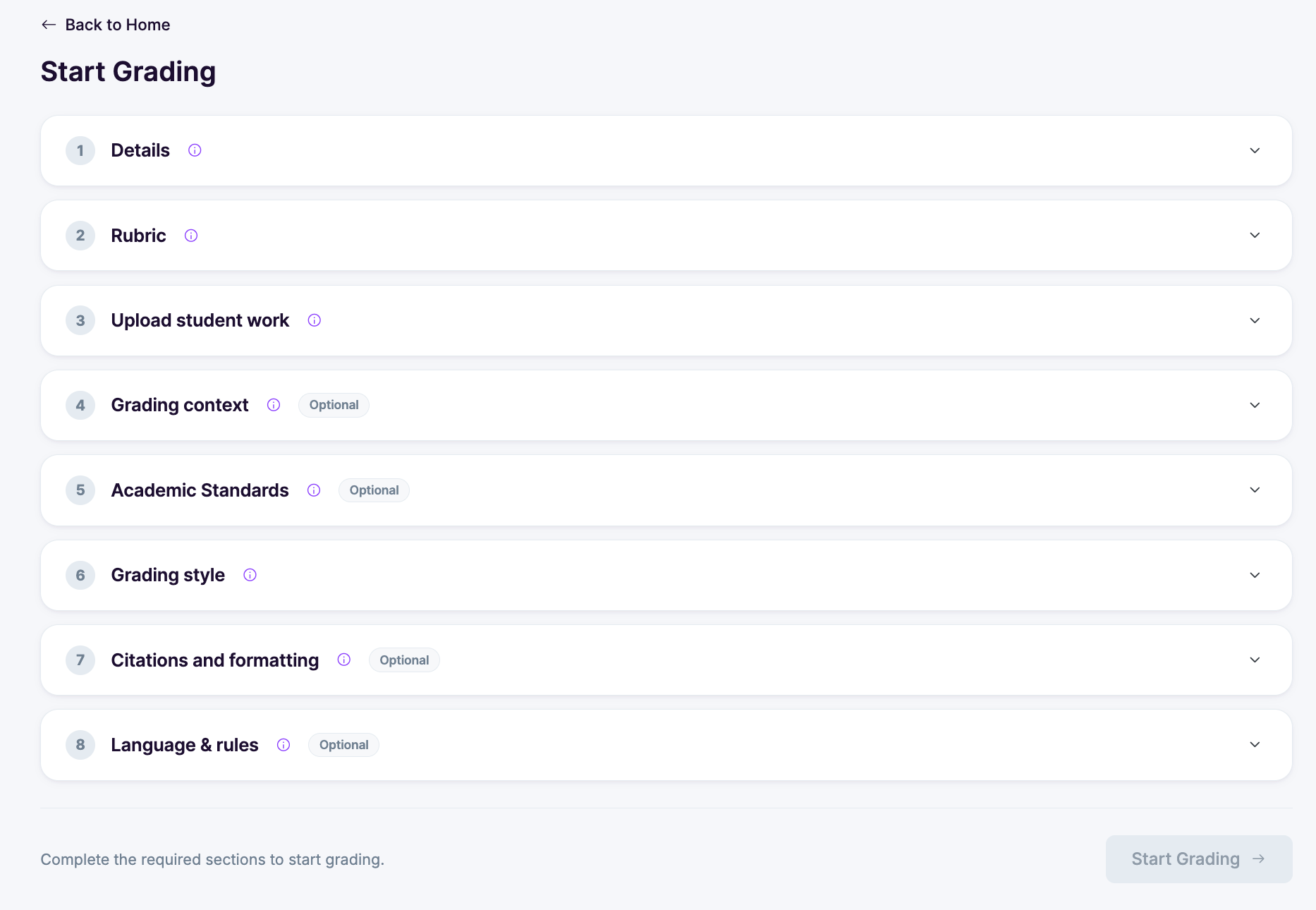
Graded examples: show the AI how you grade
This is the part worth spending a minute on. Inside the grading context step, you can now upload up to six essays you have already graded yourself, label each one, and add a note explaining why it earned that label.
The labels are yours. The defaults are Exemplary, Proficient, Developing, and Beginning, but you can rename them to match your own language or your department's. Upload one essay per band, and the AI has a concrete reference for what those words mean in your room, rather than a general idea of what proficient writing looks like.
Anyone who has argued with a colleague about where the line between a 3 and a 4 sits knows why this matters. The rubric says one thing and the actual boundary lives in the examples. Now you can hand over the examples.
There is also a free text box for extra grading instructions if there is something about the feedback style you want carried through.
The reference material step has been redesigned in the same pass, and the smaller grading settings have been moved to a card of their own so they are out of the way until you want them.
🎯 Academic standards, checked properly
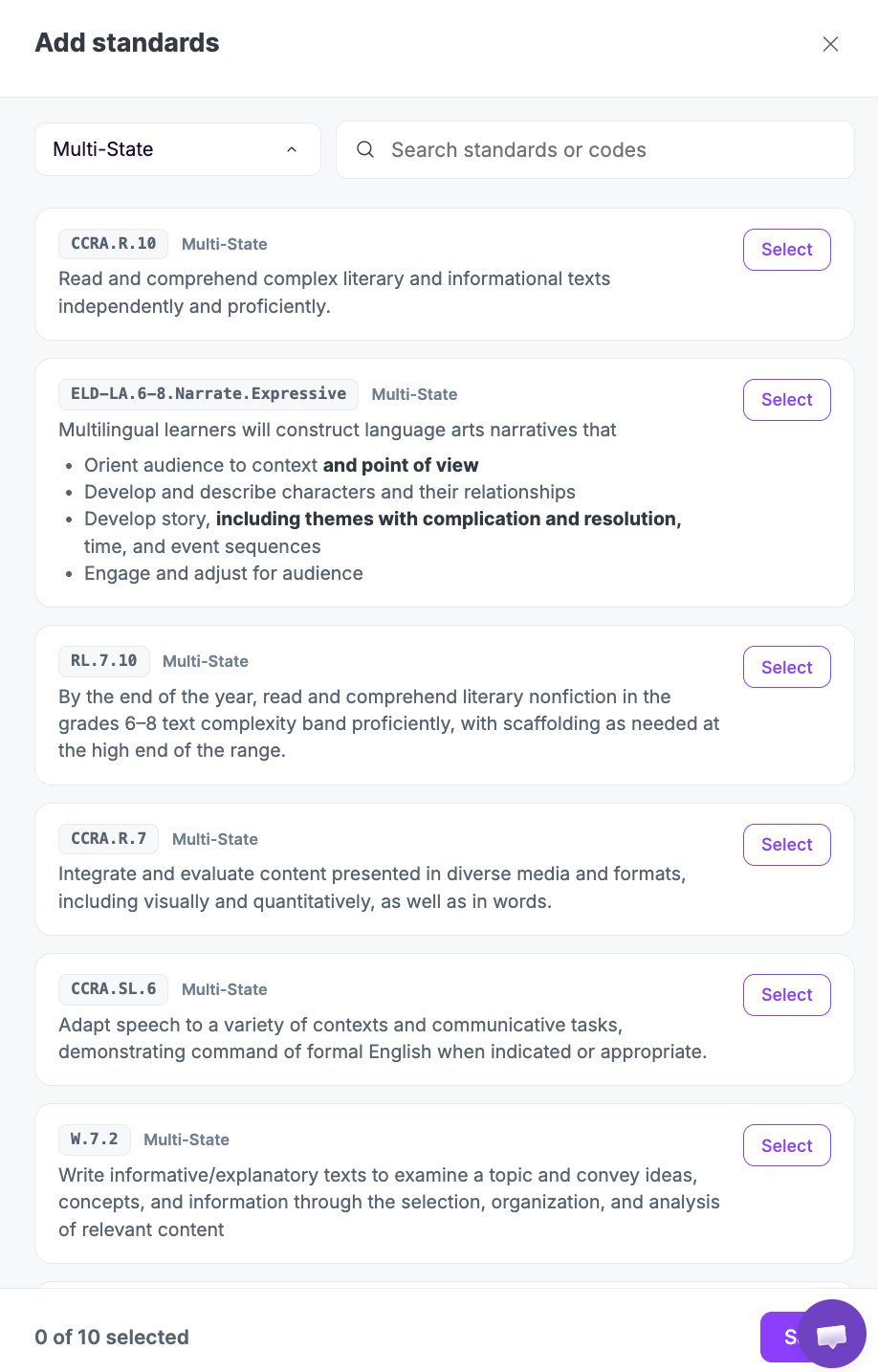
Standards are now a step in the grading setup rather than something you reconcile afterward. Open the Academic Standards section, and you can attach the standards an assignment targets, and grading and insights get grounded in them.
You do not have to go hunting for the codes. EssayGrader suggests standards based on your state and the source material for the assignment, and checks the work against the Learning Commons Knowledge Graph. State-specific lookups have been reworked behind the scenes and are considerably more reliable than they were.
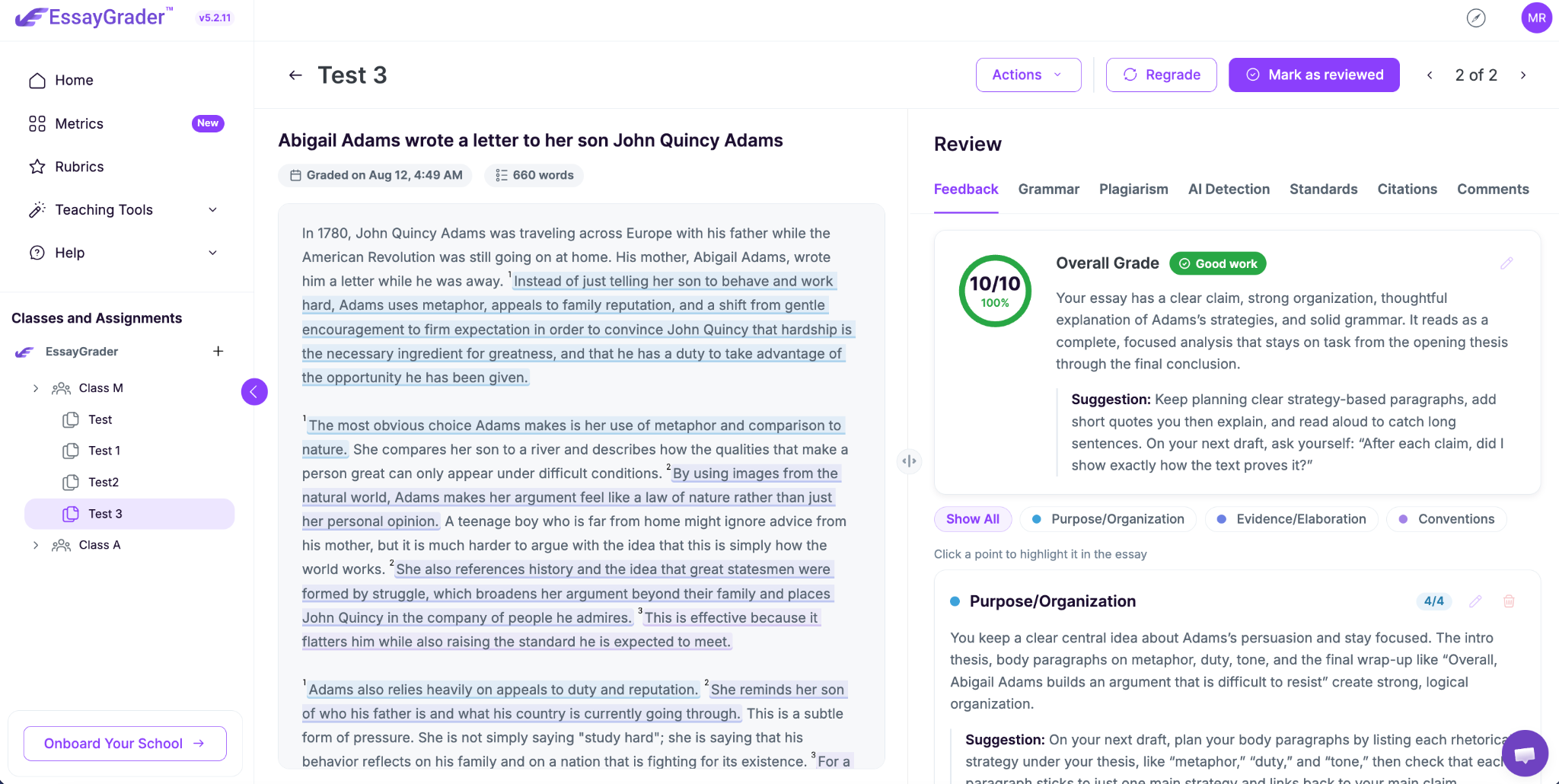
The standards tab in the review panel has been rebuilt to match. Passages in the essay are highlighted where they meet a standard, each standard gets its own criterion card, and a ratings summary pulls it together. When a department head asks which standards a class has covered, the answer is on the screen.
📚 Citations and formatting checks
New this release. EssayGrader can now check citations and formatting alongside everything else, which matters for research papers, DBQs, and anything where a style guide is part of the grade.
One thing to be aware of: these checks run on PDF and Word uploads only, because they depend on the formatting of the original file. Images, webcam captures, and pasted text will show a clear "not available" state rather than failing quietly, so you always know whether a check ran.
The citations tab in the review panel has been redesigned to go with it.
✏️ A cleaner essay view, and feedback you can rewrite
The essay view has had a visual pass. Criteria are color-coded, scores appear as pills, and the action buttons sit inline where you are working instead of at the top of the page. Click a point in the review panel, and it highlights the matching passage in the essay.
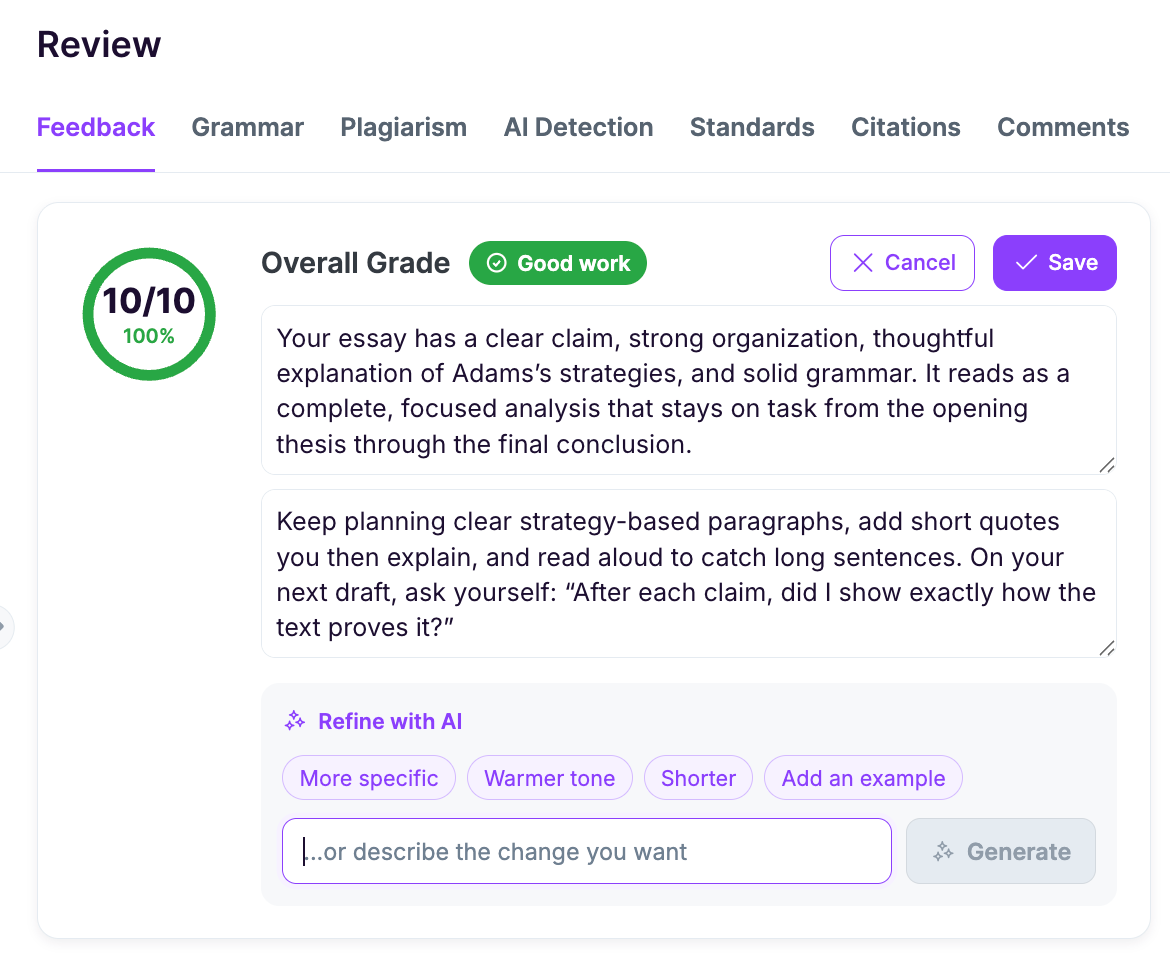
The AI feedback refiner
If a piece of feedback is not quite right, you no longer have to rewrite it from scratch. You can ask for it to be rewritten, either with a preset instruction or with your own. Make it gentler for a student who is struggling. Cut it down for one who tunes out at length. Push harder on the thesis and let the rest go.
The comment you would have written by hand is usually a version of the one already on screen, so this saves the retyping and keeps the specifics.
Elsewhere in the review panel, the tabs have an overflow menu, empty states now explain themselves instead of showing a blank panel, and the plagiarism column has been renamed Integrity Check, which covers what it actually does now that it reports on AI use and copying between students.
Grading is also slightly quicker. The separate tone adjustment pass has gone, with feedback level and length folded into the main grading step, which removes one AI call from every essay.
🗂️ A rubric library that is easier to search
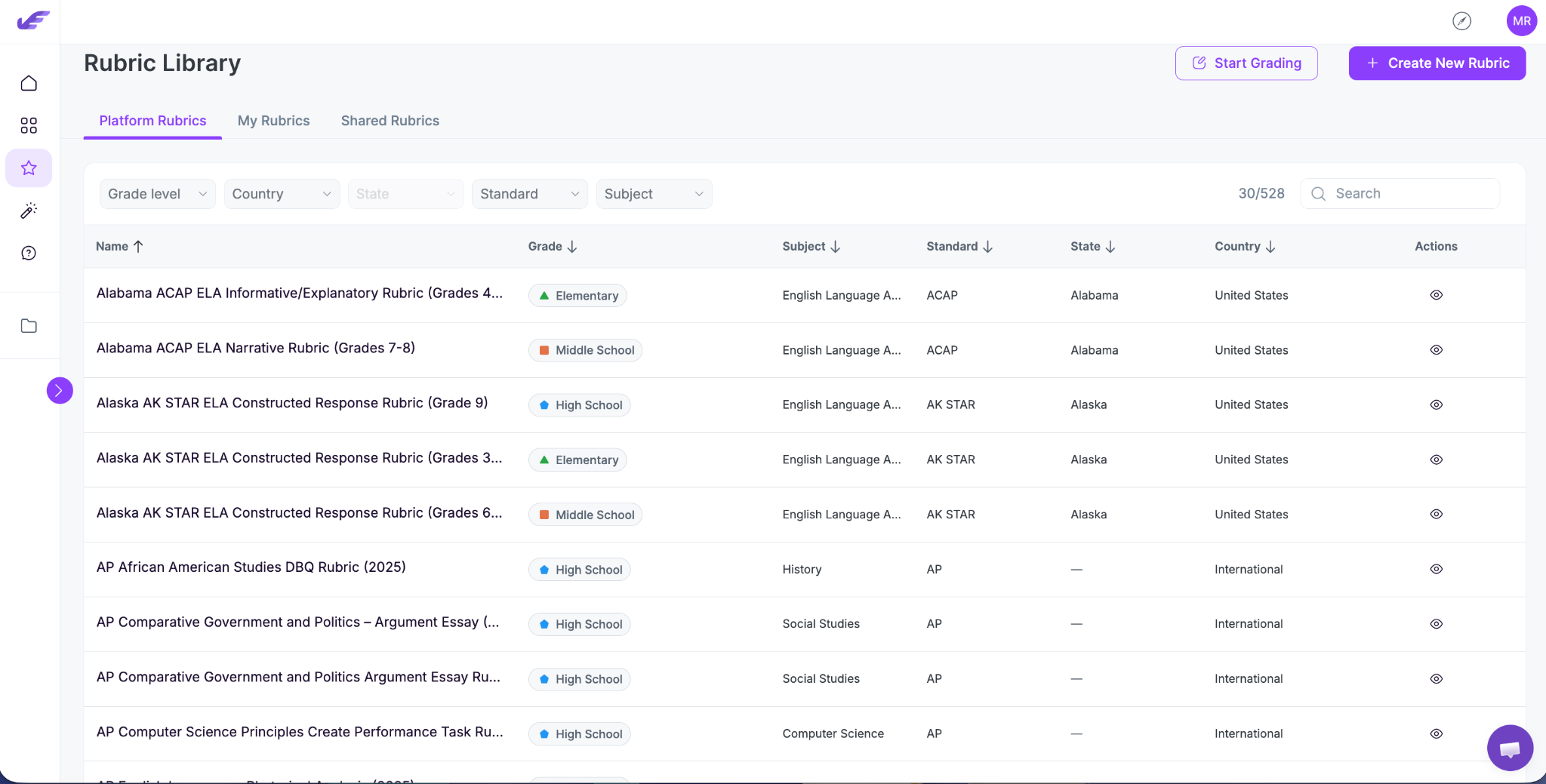
Platform rubrics now carry more information: subject, standard, state, country, and grade levels. The filters follow from that, with state and country working together so you are not scrolling past rubrics for the wrong region.
Grade sorting has been added. The list scrolls continuously instead of paging, and search and the recently used section have both been improved. Shared rubrics used to show up in both My Rubrics and Shared, which made the library look fuller than it was. They now appear once, in Shared.
🔗 LMS updates, and Schoology for everyone
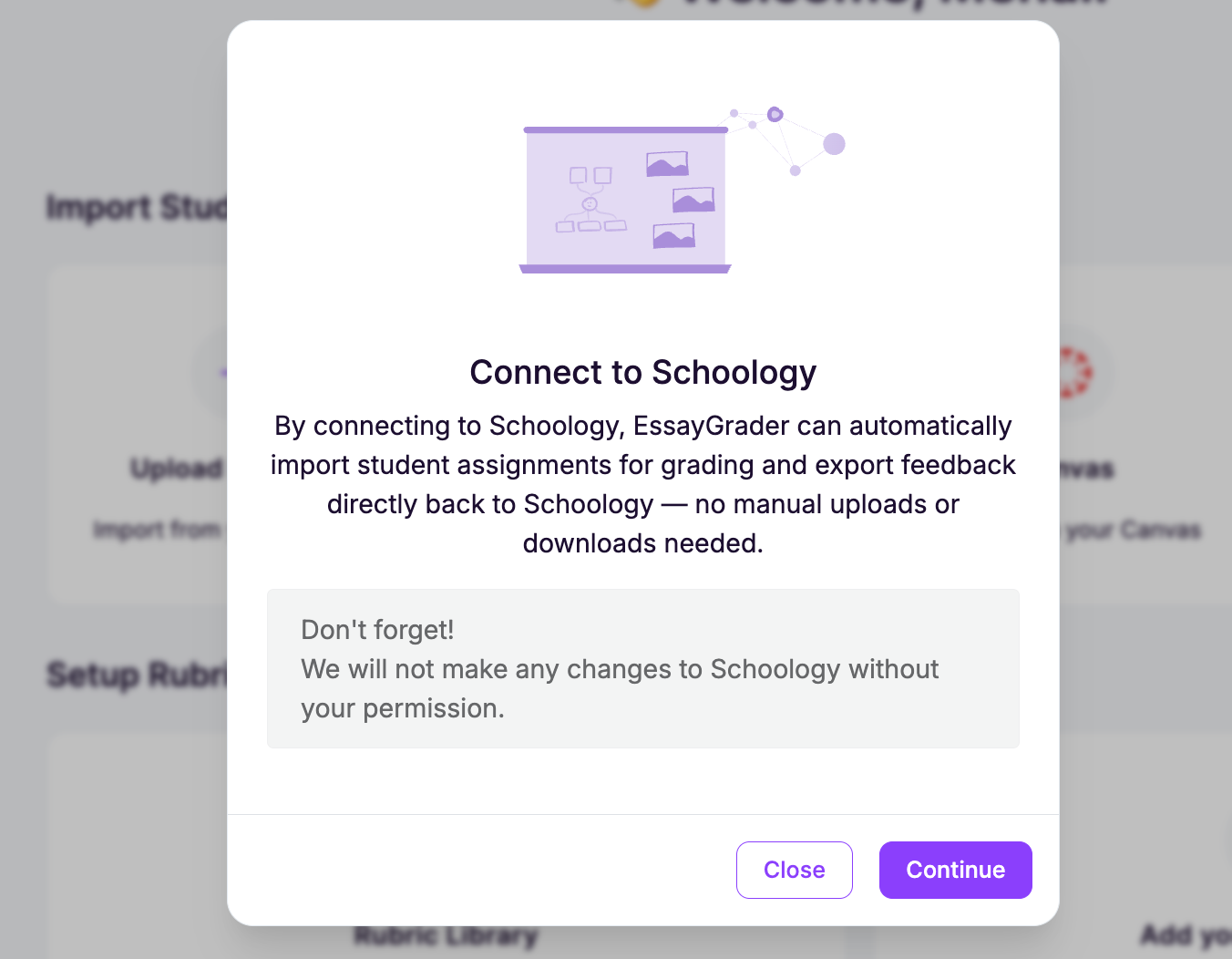
Schoology is out of beta and available to all teachers. Courses now come from your own sections, which clears up the permission errors that admin-level accounts were running into, and requests are re-signed when they redirect so imports do not drop halfway.
Two other things worth knowing. Google Docs export has been rebuilt as a proper table-based report with styling, so exported feedback arrives looking like a document rather than a wall of text. And student submission text now keeps its paragraphs and line breaks, which sounds small until you have read an essay that arrived as a single unbroken block.
Menu titles also open the relevant LMS page now, so getting back to the source assignment is one click.
Under the hood, the whole front end has moved to Vue 3 and a new build system, our own component library has replaced the old third-party one, and dependencies across the stack have been upgraded.
None of that changes what you see, but it is the reason the app feels quicker, and it clears the way for what comes next.




.avif)
.avif)
%201.svg)