How good are plagiarism checkers today? It's a fair question to ask with ICAI research showing over 60% of students admit to cheating in some form (which is most likely an undercount).
So to test out which tools really show accurate results, we plagiarized an essay on purpose and ran it through the 9 best plagiarism checkers of all time. Most of them were able to detect plagiarized content, but how each one performed made all the difference.
Quick Summary
We intentionally plagiarized an essay and ran it through nine tools. But we have our favorites, based on how they performed. EssayGraderAI is our top pick if you’re a teacher and want plagiarism detection as part of your grading process. Turnitin is our second pick if you have access through your school or institution, because it was the only one that found a second copy of the essay on a completely different website on its own. And Copyscape is your best bet if you want to check your content against indexed pages.
How We Selected These Tools?
We plagiarized an 810-word essay on purpose, which had an original source and our copied version (which was 100% copy-pasted). Then we ran the same essay through various tools, and only the best made it to our list.
To make everything transparent, we took screenshots of all our results & reported out precisely what they did. And yes, even when some of the results were bad. This means that while other sites focus on listing tools with brief descriptions & maybe a link to their site, our reviews show you exactly how well these plagiarism checkers flagged our plagiarized essay.
Why Listen To Us?
Because here at EssayGrader AI, we built one and have spent time looking into the plagiarism tool that over 200K+ teachers, publishers, students, and businesses use.
So, you can rest assured that everything we're recommending is based on what the tools themselves say they offer, their features, and their pricing. We also conducted an unbiased test and reported everything word-for-word so you can compare them fairly before you decide.
What Are The Best Plagiarism Checkers in 2026?
1. EssayGrader
Best for: Teachers who want plagiarism detection with grading in one workflow.
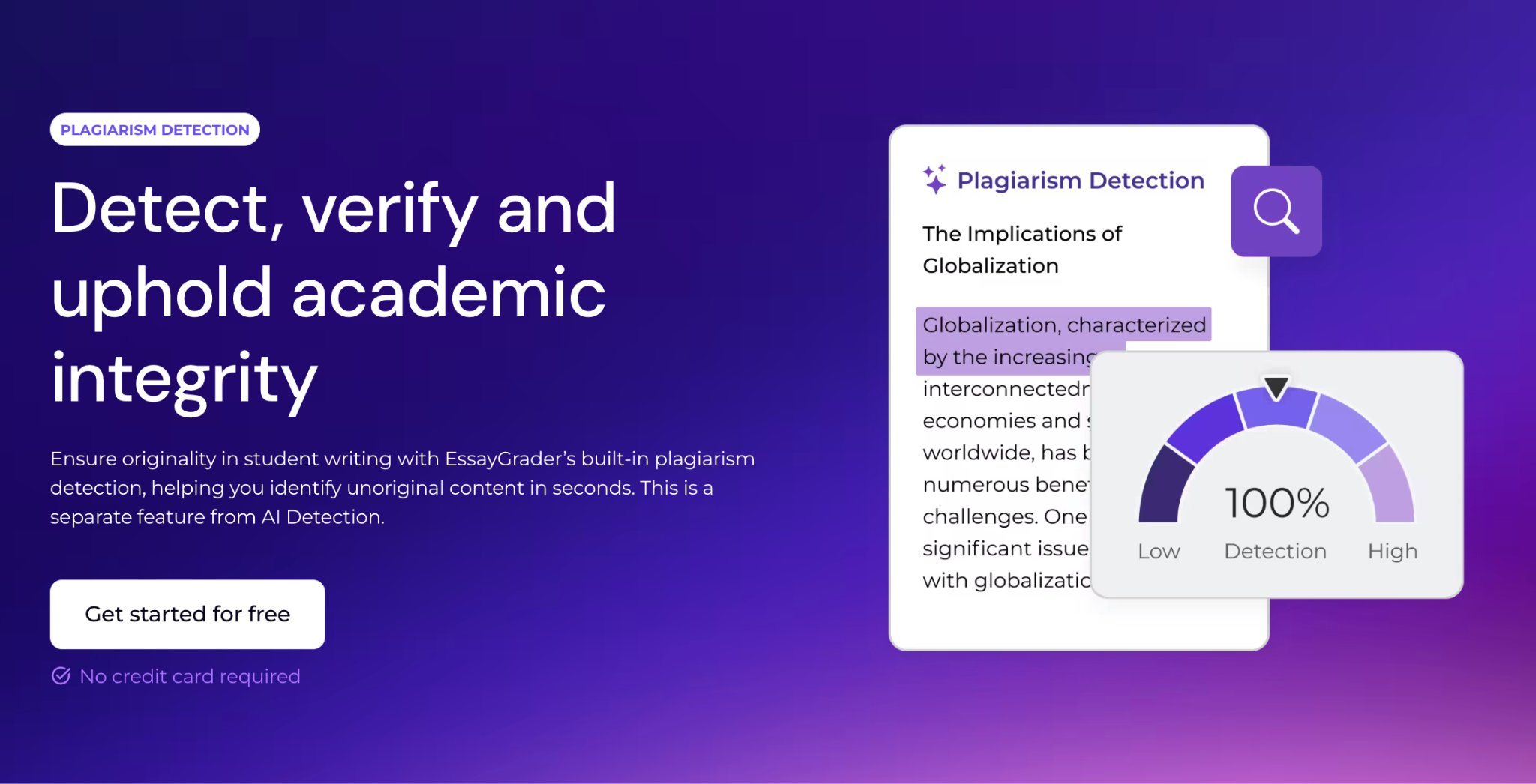
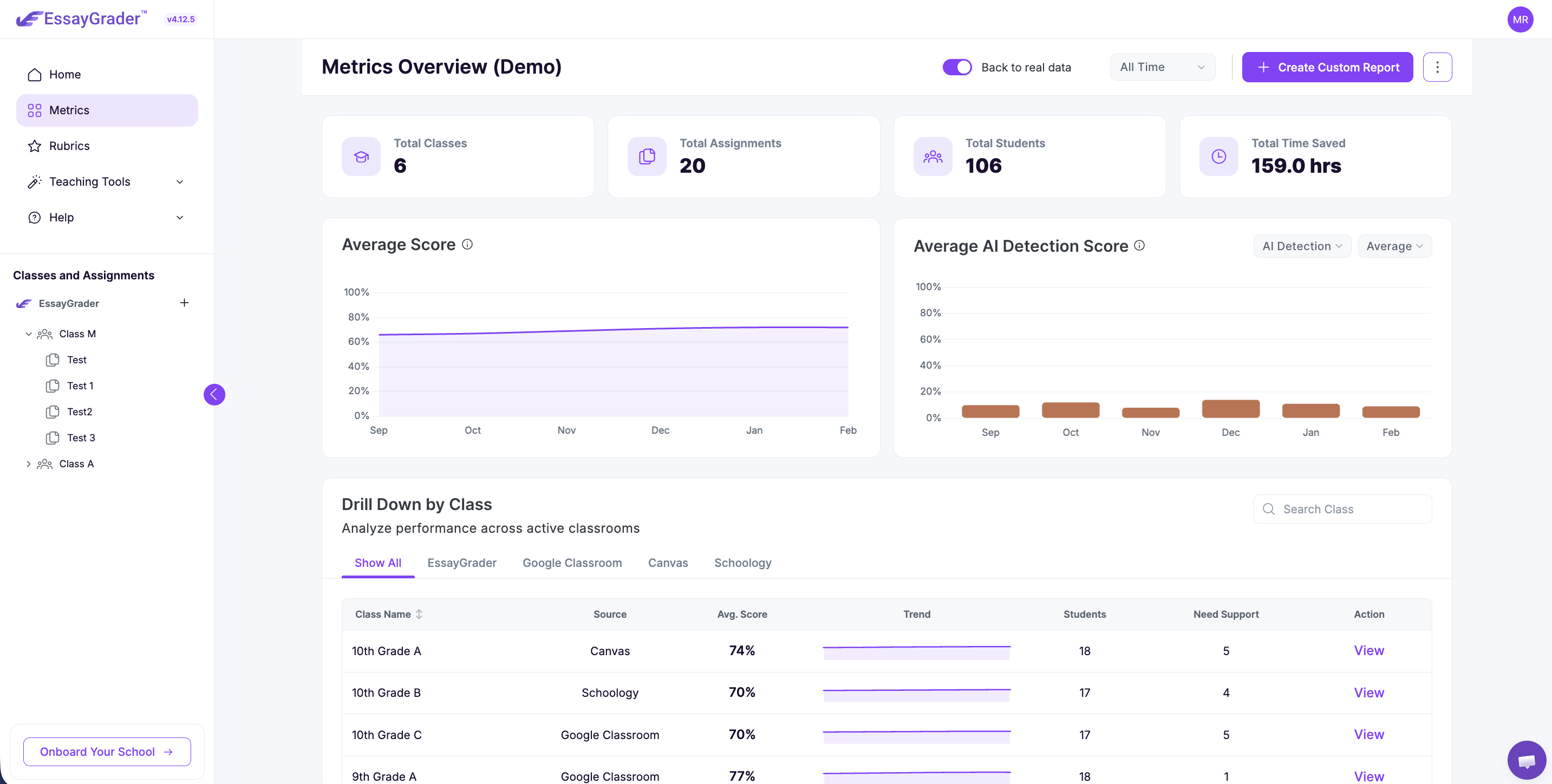
EssayGrader AI is by default an AI grading tool with built-in plagiarism detection. This means this one tool allows teachers to grade assignments, provide feedback, and vis-a-vis review the originality of assignments (or essays) submitted by their students.
Suppose you’ve just uploaded an assignment (or even a bulk of them) to grade. Then the ready-for-review sign pops up as your cue to review the scores. There you’ll see the option of “Plagiarism” among other tabs like Feedback report, Grammar report, AI Detection, etc. Every metric and score is displayed behind one sidebar.
Key Features
- Integrated plagiarism detection: You get built-in plagiarism detection, which scans essays against online resources to identify any plagiarized content and, if present, highlights the matching passage for review.
- Side-by-side originality review: If there is any copy-paste content found, then the tool naturally displays matched text alongside its source, which is useful to decide if the plagiarism warrants further investigation.
- One-submission review: EssayGrader does everything for you in one workflow. You just have to upload the assignments, and it handles the rest.
- Bulk processing: For teachers who are short on time with large classes to grade, the bulk-upload feature is just for you. It saves time and takes your legwork so you can find out which student plagiarized how much in just one sitting.
Pricing
EssayGrader has the following pricing plans in which plagiarism detection is availble:
- Pro plan: 350 essays/month at $14.99 (when paid annually) with a 3500-word cap per essay
- Premium plan: 800 essays/month at $34.99 (when paid annually) with an 8000-word cap and automatic plagiarism detection
- Schools and districts: Custom quotes are available
Pros
- Provides plagiarism detection alongside AI detection, grammar report, feedback report, and rubric-based grading in one submission review
- Allows flagged-sentence review option with per-sentence similarity percentage and source link as well
- It is FERPA, COPPA, and SOC 2 Type compliant, which means students' data is not used to train AI models
- Natively integrates with your LMS like Google Classroom, Canvas, and Schoology
Cons
- The plagiarism detection option is not available in the free version. You have to upgrade to see a full sentence-level report.
How EssayGrader Performed On Our Plagiarized Essay?
We made our first attempt with a free version to see how far it would get us. Even though we got a full feedback report with all scores and even AI detection, we hit a paywall on the plagiarism detection option.
So we tried again with the Pro plan. This time, EssayGrader flagged 47 sentences correctly to their source from where we had actually plagiarized the content.
Most of the sentences were flagged with a 100% similarity score (which is accurate since we had directly copy-pasted), and it even correctly identified the source as “Benefits of Studying Abroad Essay”
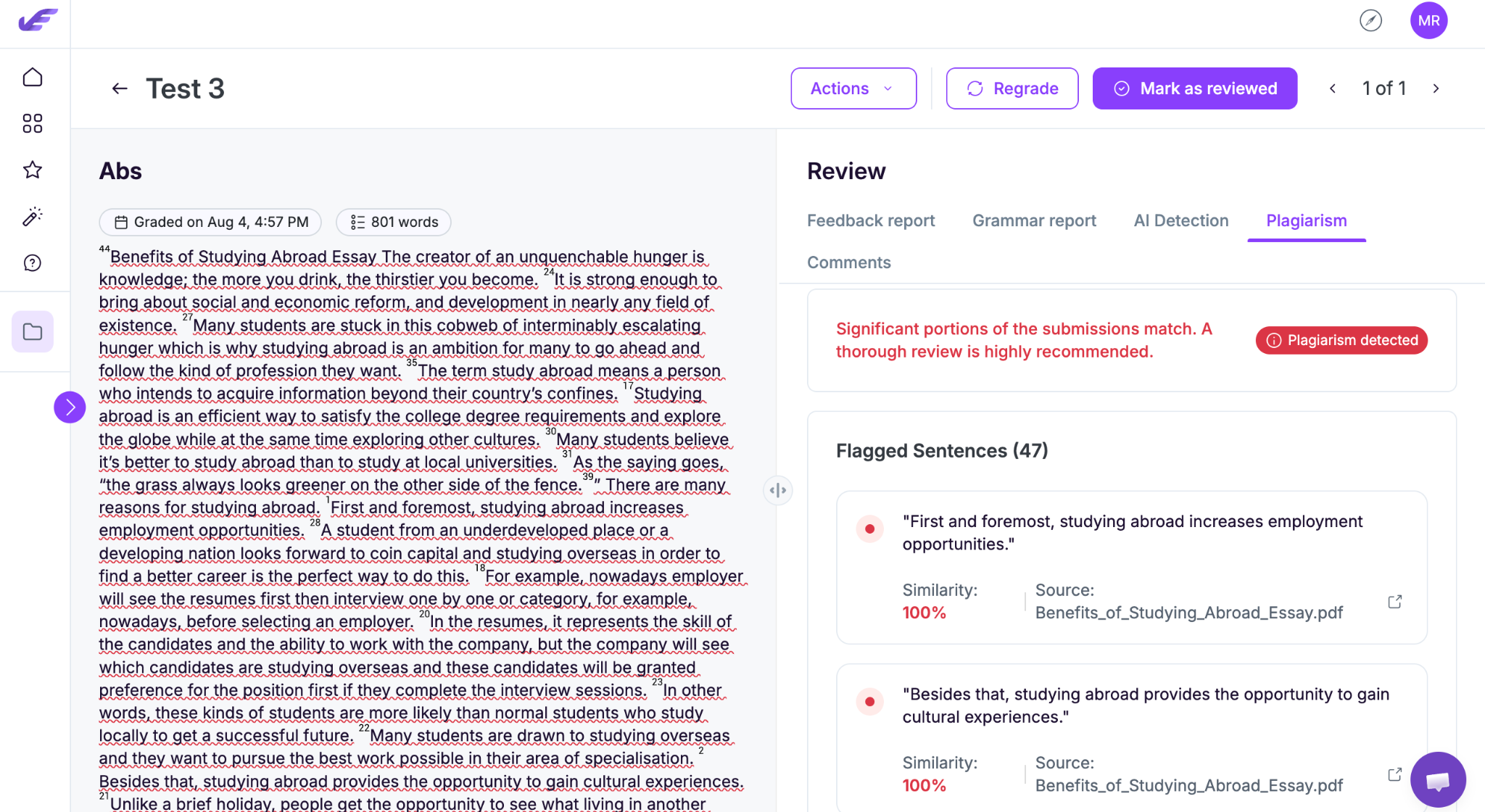
Not only that, but the report also displayed a clear “plagiarism detected” banner with a note saying: “Significant portions of the submissions match. A thorough review is highly recommended.” This type of review is what makes it perfect for academic settings.
2. Turnitin
Best for: Educational institutions (mostly universities) that need plagiarism detection and integrity tools in their assessment workflow.
Its reputation precedes it, as Turnitin is “THE” plagiarism detection tool, which has been the academic integrity default for the last two decades and one of the best plagiarism detectors. As of now, most of the universities actually use it to check submitted coursework.
Given its popularity among students and teachers alike, there is a catch: you cannot use Turnitin as an individual. It only sells licenses to schools and institutions. So if you want to access it, the only way is through your school’s existing subscription.
Key Features
- Similarity Report: It is the name of Turnitin’s plagiarism report, which compares your submitted work against its extensive database. It takes a while, then highlights matching text and provides a similarity score with line-by-line source matches.
- Comprehensive content database: Checks your submissions against billions of webpages, millions of student papers submitted to Turnitin itself, and also a vast collection of academic papers to leave no stone unturned.
- AI writing detection: This is another feature Turnitin is known for. It identifies text that may have been generated by AI, providing an additional check alongside the Similarity Report.
- LMS integrations: Provides integration with major learning management systems like Canvas, Moodle, Blackboard, and Google Classroom, with reports being managed within your existing workflows.
Pricing
There is no plan for individual users. Licenses are available only for institutions that can negotiate custom contracts based on their enrollment size.
Pros
- It compares against a massive index of web pages, academic journals, and other students’ submitted papers as well
- Provides a separate AI writing detection option
- Breaks down source by percentage and word count with direct links to each matched source
- Excludes quotes, bibliography, and sources as a match
Cons
- It is not purchasable by individuals at any price
- Has no free tier and not even a free trial
- Pricing opacity makes it impossible to gauge what an institution is actually paying
How Turnitin Performed On Our Plagiarized Essay?
When we uploaded our plagiarized essay to Turnitin, the Originality Report came back at an expected 97% similarity score against 807 words.
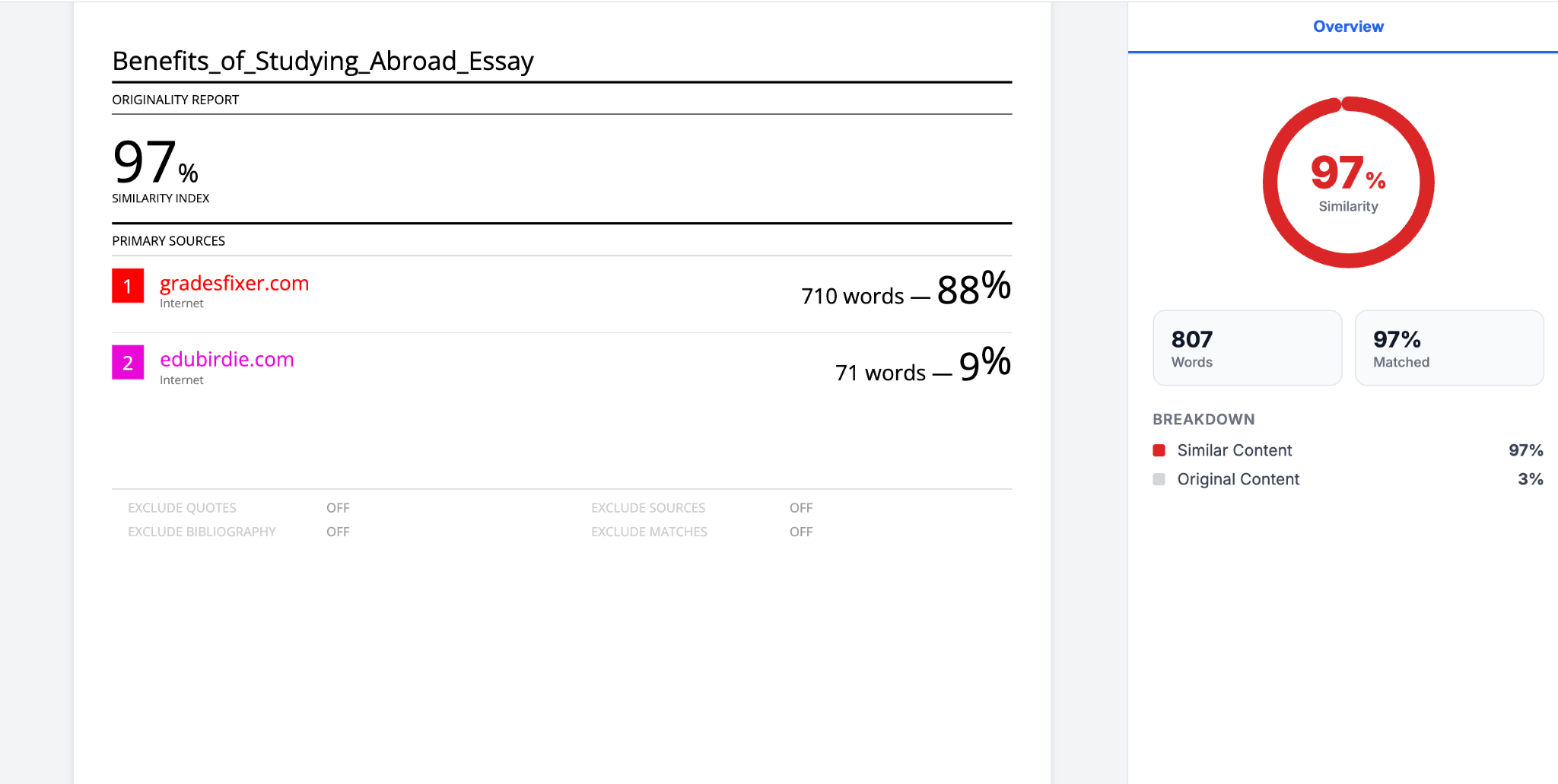
As visible in the above screenshot, TurnitIn identified two separate primary sources: gradefixer.com at 88% (710 words) and edubirdie.com at 9% (71 words). It’s a bit unusual and surprising because we had entirely copy-pasted content from edubirdie.com, but it only showed a match of 9%, whereas the other essay-mill site was flagged as a dominant source.
Verdict: Turnitin blew didn’t just flag the essay correctly, but also surfaced a second copy of it on an entirely different site that we hadn’t even searched for ourselves.
3. Copyscape
Best for: Website owners or content teams who want to check their content against existing indexed pages.
Copyscape is probably the oldest tool on this list. It is a plagiarism tool but works a tad differently from Turnitin and EssayGrader, as this one is mainly for writers who want to publish content.
This plagiarism tool works by comparing or checking your content against the already existing or indexed web and returning pages with any matching content found. It then displays the text side-by-side, with the overlapping text highlighted.
Key Features
- Duplicate content search: Works by scanning the web to flag or identify any pages containing matching or even similar content to yours.
- Copysentry: It is a separate subscription-based feature within Copyscape that lets you monitor your published pages and alerts you when any similar content to yours appears anywhere on the web. In simple words, when someone has plagiarized your content.
- Batch Search: This option lets you check multiple URLs or documents for similar content, making it easier to work with a large volume of work.
- Private index: Compares your own unpublished content against your private database for future detection before publishing anything on the site.
Pricing
Copyscape has a pay-as-you-go model. Each search costs you 3¢ for the first 200 words, plus 1¢ for every additional 100 words.
Pros
- Has a free basic search option where you just paste a URL and get your results
- Side-by-side comparison makes it easy to see what matched and where
- Pay-as-you-go model makes it easier for those who don’t want to commit long-term
- Copysentry is great as a precautionary measure
Cons
- No fixed rate is available, as pay-per-search can get expensive for a huge volume of content
- Does not provide any AI detection facility
- Not suitable for students or teachers
How Copyscape Performed On Our Plagiarized Essay?
When we pasted our text essay into the Copyscape search bar, it checked all 804 words and reported that 771 words out of that were copied. The score was a total of 96%, while pointing directly to the exact source URL we copied from.
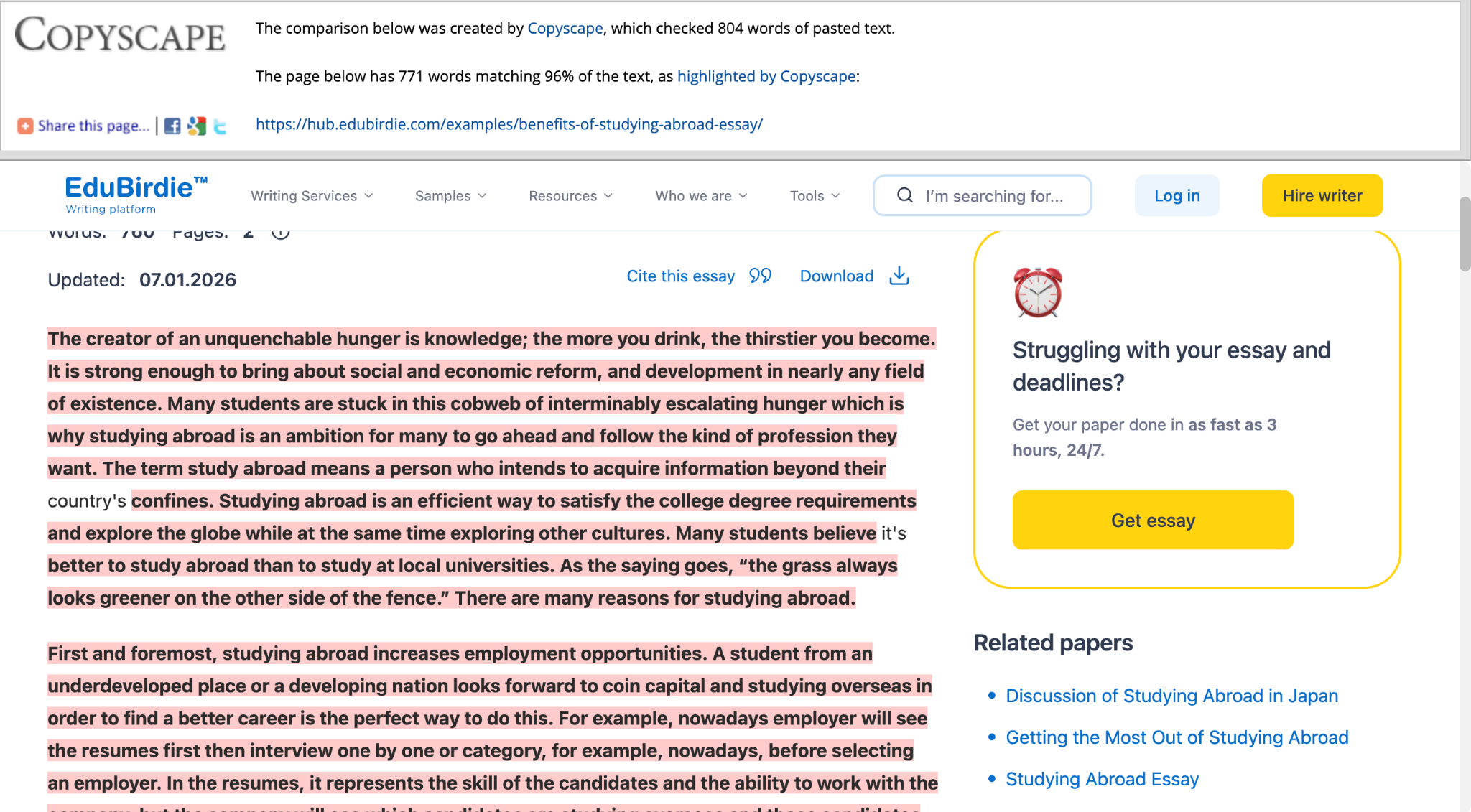
It just left out 33 words, which is not bad for a tool that was only made for writers.
4. Grammarly
Best for: Students or professionals who want to check for plagiarism and grammatical errors.
Grammarly, as its name suggests, is primarily an AI writing assistant for improving grammar while writing. However, it also doubles down as a plagiarism detection tool that combines grammar, spelling, and clarity suggestions in a single editor.
It helps writers or students to improve both the quality and the integrity of their work before submitting for feedback or publishing.
Key Features
- Plagiarism checker: Provides a built-in plagiarism checker tool that compares your text against billions of webpages and academic databases.
- Grammar and writing suggestions: Gives you suggestions to improve grammar, spelling, punctuation, clarity, and style all while you’re at it.
- Citation support: Grammarly also generates and formats citations for you in major styles like APA, MLA, and Chicago so you can acknowledge sources correctly.
- Browser and application integration: For those with everyday use, it works across web browsers so you can get an extension and use it as a part of your workflow.
Pricing
Unfortunately, Grammarly’s free plan does not include the plagiarism detection features at all. Its paid options are priced at different tiers such as Pro, Premium, and Business plans.
Pros
- Plagiarism detection is available in the same editor you’re already writing in
- You get paired AI-detection or AI Rewriter as well, which flags AI phrases in the same panel
- Works natively inside Google Docs, Word, Gmail, and also as a browser extension
- Also uses a citation style selector, that too in the plagiarism panel
Cons
- Doesn’t provide plagiarism detection in the free version
- Not built for bulk uploads. You have to manually upload each document
- Plagiarism scores can read very differently from its own per-passage citation
How Grammarly Performed On Our Plagiarized Essay?
We pasted the same 100% plagiarized essay on Grammarly, and the results were quite opposite of what we expected.
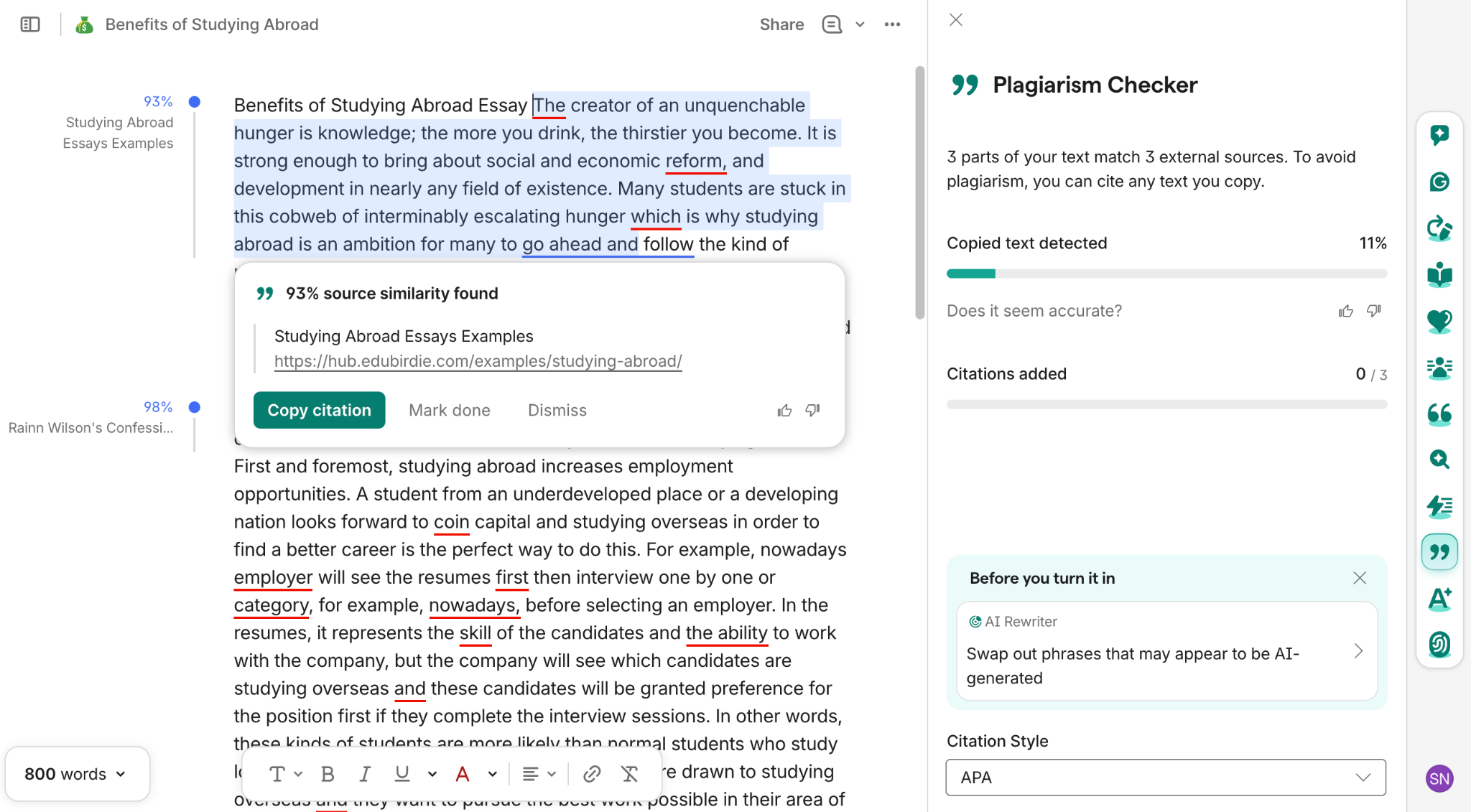
Grammarly’s editor did highlight specific passages, and both had a similarity score of 93% (matched to Edubirdie) and 98%, respectively. Here, the latter passage was matched to an
entirely different and unrelated source labeled as “Rainn Wilson’s Confessions..”
It was a bit odd because despite that, the panel displayed an overall plagiarism score of only 11% for an essay that was 100% plagiarized on purpose.
5. Copyleaks
Best for: Educators or professionals who need plagiarism detection with AI detection and source attribution.
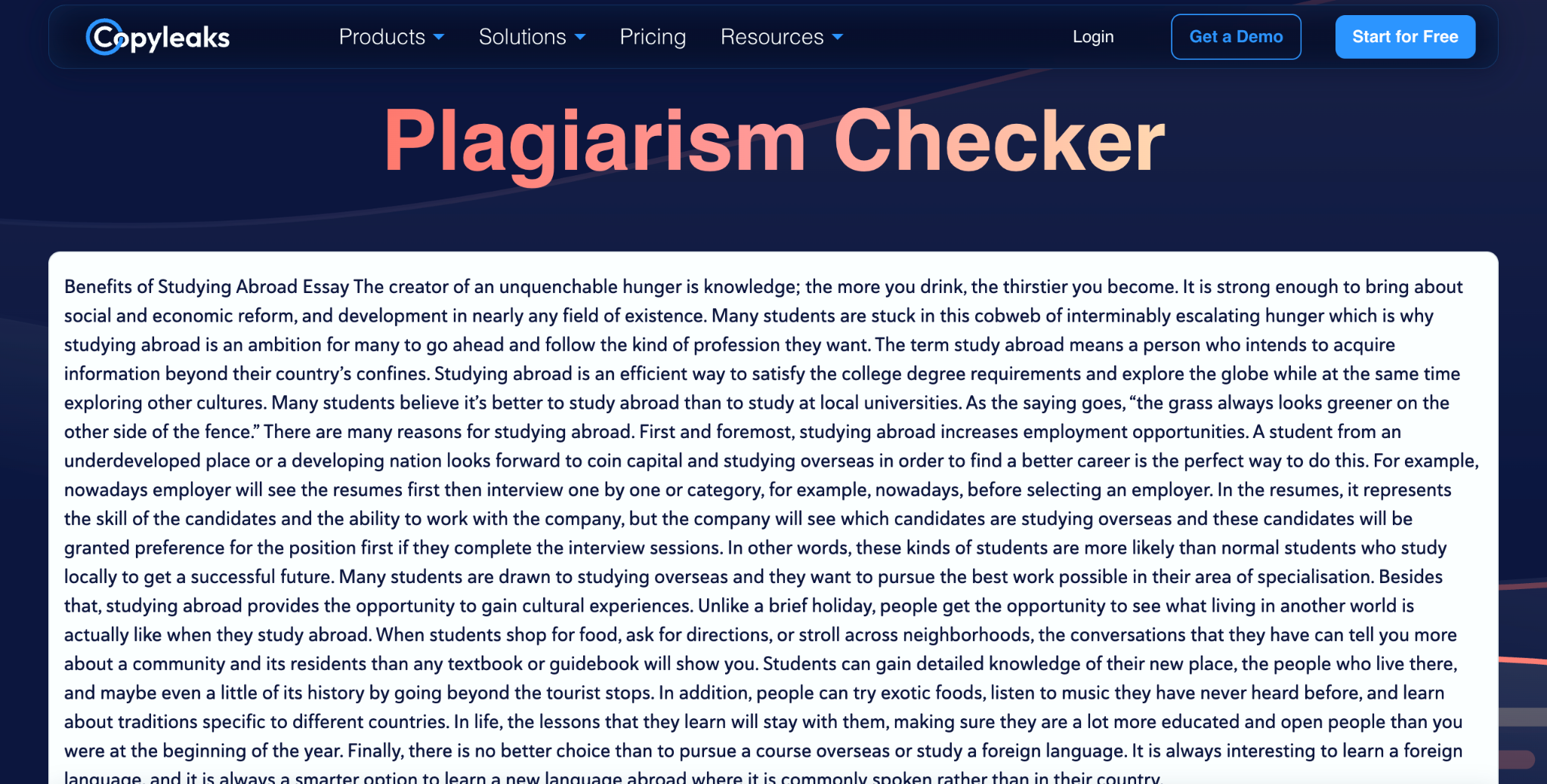
Copyleaks is an AI and plagiarism detection tool that is built for institutions. It is FERPA-compliant, has SSO integration, and role-based access controls. Other than that, this tool offers LMS integration as well with Canvas, Moodle, Blackboard, Brightspace, and Schoology.
What sets it apart is that it runs both plagiarism and AI detection as a unified “AI Logic” and also offers multi-language coverage. This means you can check AI in 30+ languages and plagiarism in 100+.
Key Features
- AI Logic: Offers both AI and plagiarism detection as a unified report so you don’t have to run for the other report again on different tools.
- AI image detection: This is another unique feature of the tool. It allows you to check if the image was generated by AI or not.
- Cross-language detection: Copyleaks offers you multi-language coverage where you can scan for AI in more than 30 languages and for plagiarism in 100+ languages.
- Integration options: It can be integrated with major LMS platforms like Canvas, Moodle, Blackboard, etc, and can also be used as a browser extension.
Pricing
The free tier offers about 2500 words per month. Whereas the paid Personal plan costs around $13.99/month when billed annually, giving 1200 credits with up to 300,000 words. Its Pro plan is priced at $74.99/month, billed annually, giving you 12000 credits and 25 seats. For institutions, the prices are custom-quoted.
Pros
- Provides both AI and plagiarism detection in one pass
- Offers multi-language support, which is a strong differentiator from other tools
- It is FERPA-compliant
- Integrates well with LMS and can also be used as a browser extension
Cons
- You can only scan the first 500 words per scan on the free tier
- Prices are quite higher compared to other tools
- Has a per-document limit
How Copyleaks Performed On Our Plagiarized Essay?
Copyleaks detected 100% plagiarism on the essay and also identified the source correctly. However, the results were only for the first 498 words.
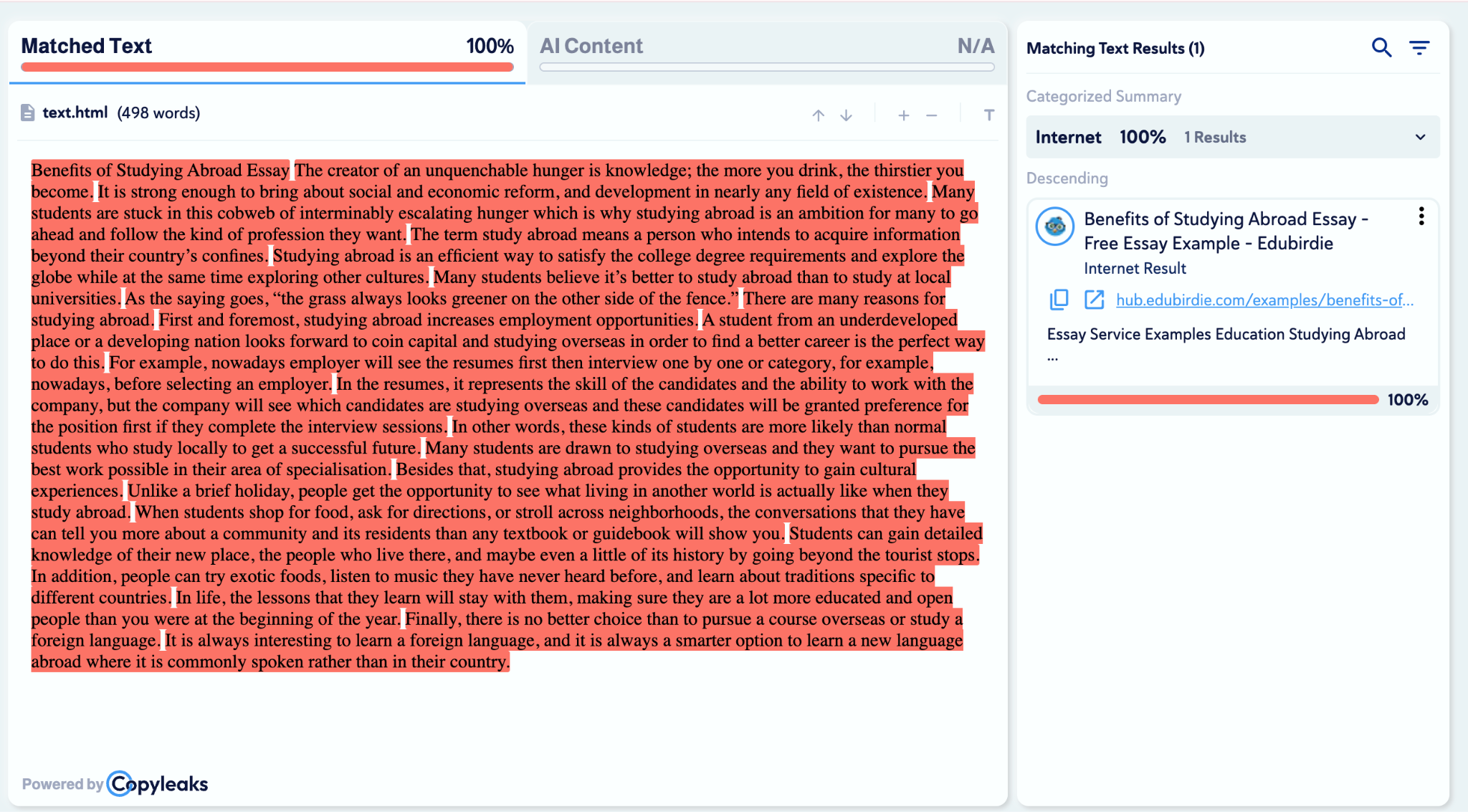
Even though it detected the precise source, it’s per document limit is something we found quite…limiting.
6. Quetext
Best for: Students or writers looking for an easy-to-use plagiarism checker.
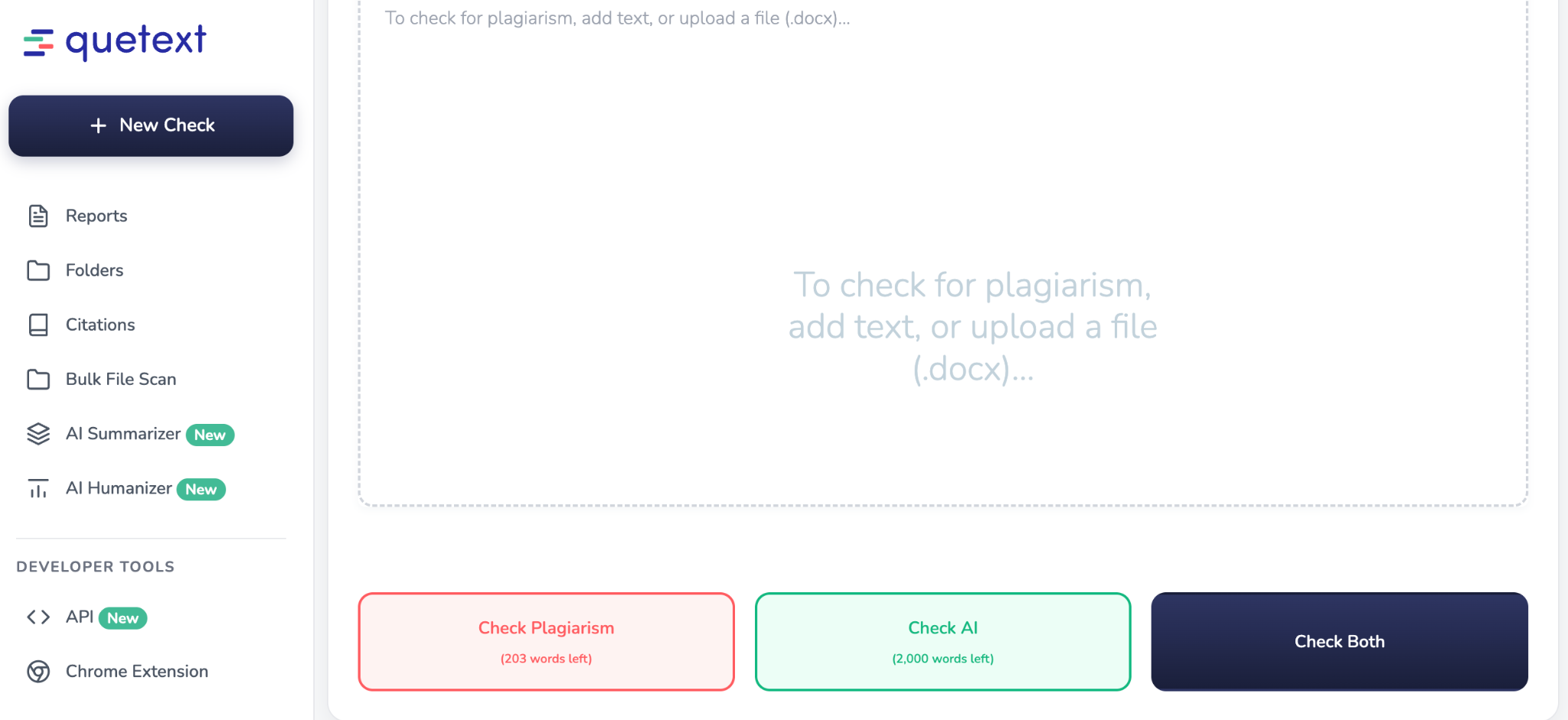
Quetext positions itself as a plagiarism detection tool built to help users verify the originality of their work. It works well for students and teachers alike, as it provides “Remarks” and “Total Marks” as well as plagiarism and AI detection so teachers can easily mark the assignments.
And for students, it provides source attribution plus contextual matching with citation tools to make your work smooth.
Key Features
- DeepSearch™ technology: Quetext uses its proprietary DeepSearch technology to identify exact and contextual source matches from billions of webpages and academic resources.
- ColourGrade™ feedback: It also highlights the flagged text using colour-coded indicators for you to quickly understand the severity of similarity.
- Citation Assistant: If you’re a student and have missed references, then Quetext automatically generates citations for matched sources to avoid accidental plagiarism.
- Downloadable reports: Last but not least, it generates and provides detailed originality reports that can also be downloaded for record-keeping.
Pricing
The free plan allows you to scan 500 words and does not include AI detection. The paid plans, on the other hand, start from $14.99/month.
Pros
- Provides contextual plus fuzzy-matching
- It can also catch even lightly paraphrased content as well
- Colour-coded feedback of flagged text
- Citations generator is built-in
Cons
- Free tier has 500 words limit per scan
- AI detection is not available on the free version
- Occasional false positives were reported
How Quetext Performed On Our Plagiarized Essay?
Quetext only allowed us to scan the first 500 words and gave back a solid plagiarism score of 93%.
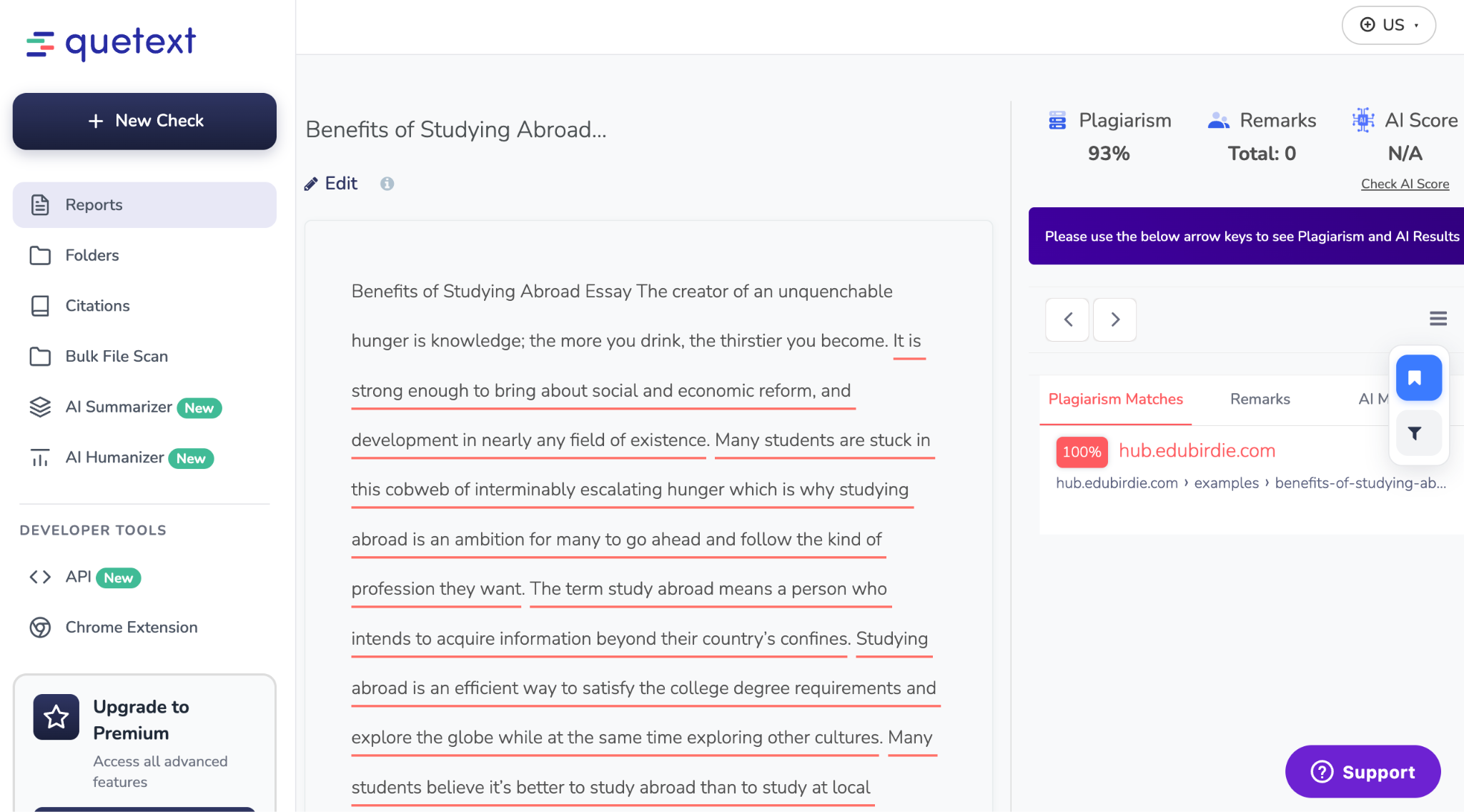
Other than that, it also successfully pinpointed the exact source.
7. UniqeCheck.com
Best for: Writers or institutions that need multiple file formats and large-scale plagiarism checking.
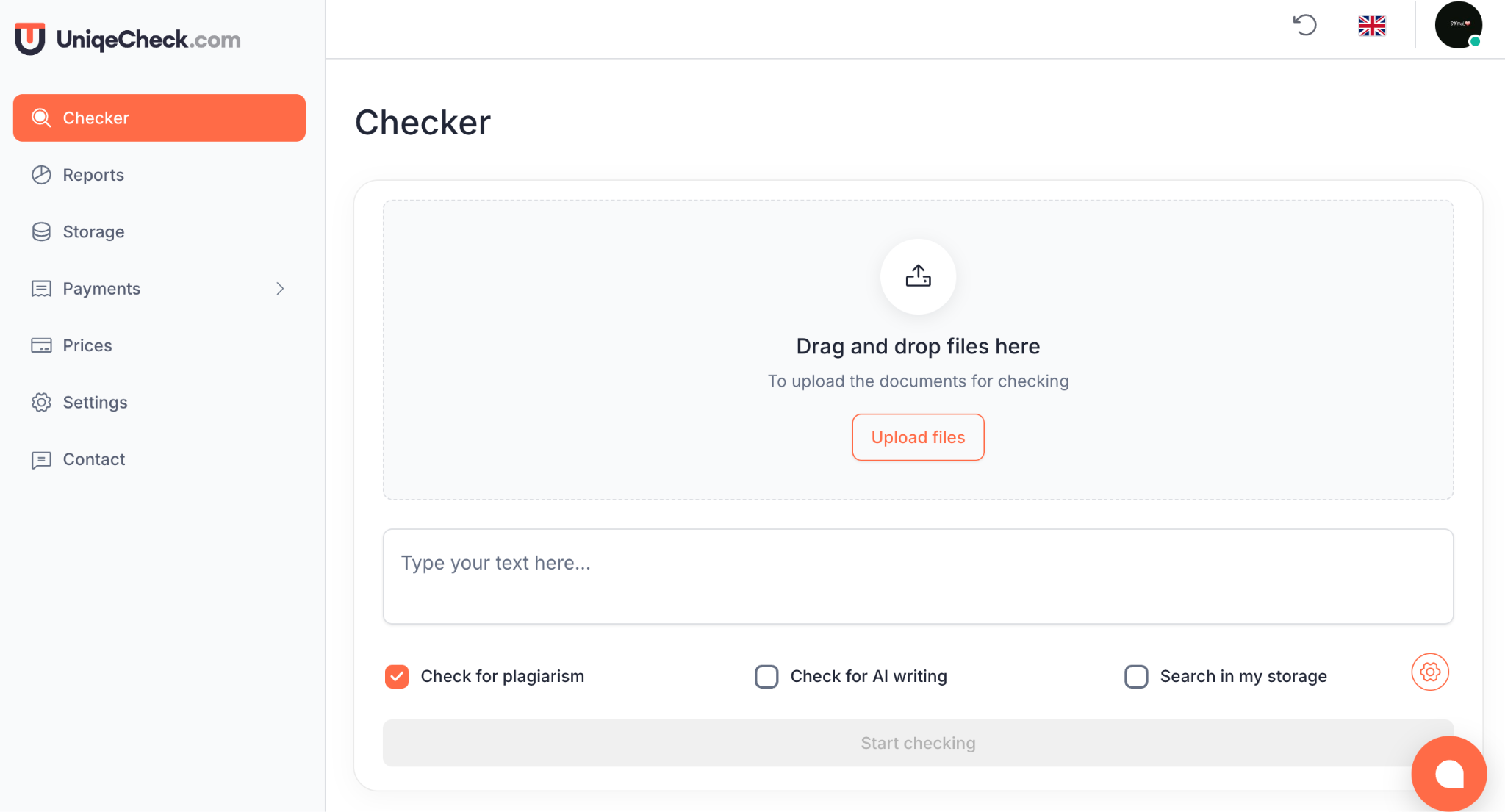
UniqeCheck is a plagiarism detection tool by default. However, it stands out for its ability to handle large volumes of scans. This tool not only supports individual scans but also works equally well for bulk checks, making it a suitable option for schools and agencies that work with large volumes every day.
Key Features
- Plagiarism detection: Scans your uploaded papers against online sources and internal databases to get you a plagiarism score.
- Bulk document checking: This tool allows you to upload a bulk of files and analyzes them simultaneously.
- Detailed similarity reports: Once it runs the scans, the tool then highlights passages and provides source links for easier review.
- Supports multiple file formats: UniqeCheck allows you to upload files or documents in any format you have, which makes it easy to use.
Pricing
It offers two different pricing models:
- One-time-purchase model: $10-$42
- Subscription model: $10-$66/month
Pricing is not standardized, so it’s better to confirm the current rates before committing.
Pros
- Provides multi-language support for up to 5 languages
- Easy-to-scan tool and user-friendly interface
- Gives you per-source percentages
- Different pricing models so you can choose
Cons
- Less brand recognition
- Pricing structure is less transparent
- It’s unclear how large its database is
How UniqueCheck Performed On Our Plagiarized Essay?
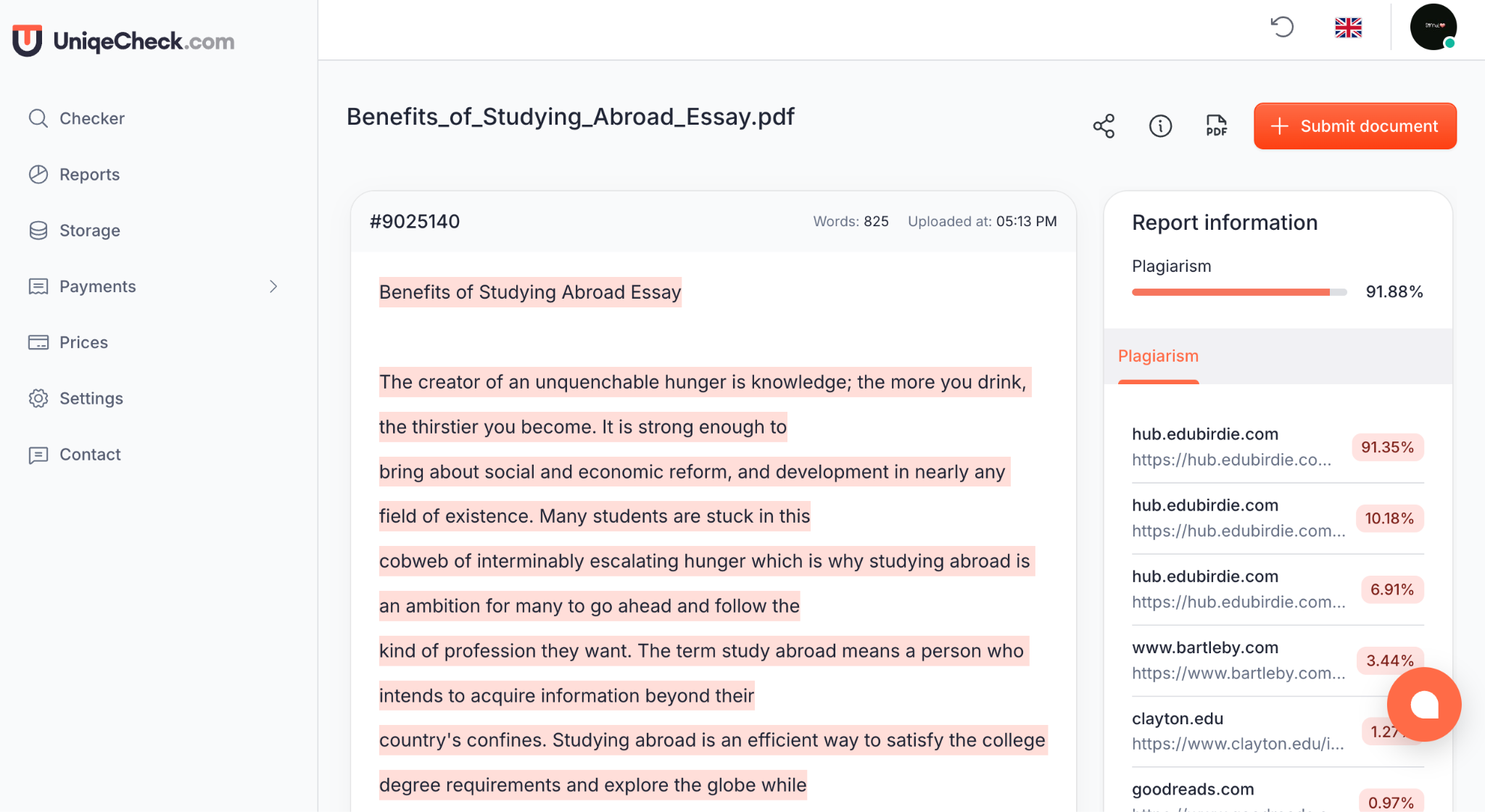
This tool provided us with a plagiarism score of 91.88% for over 800 words, that too with a clear breakdown of sources.
8. Duplichecker
Best for: Freelance writers and small businesses who need a free plagiarism checker for their regular writing tasks.
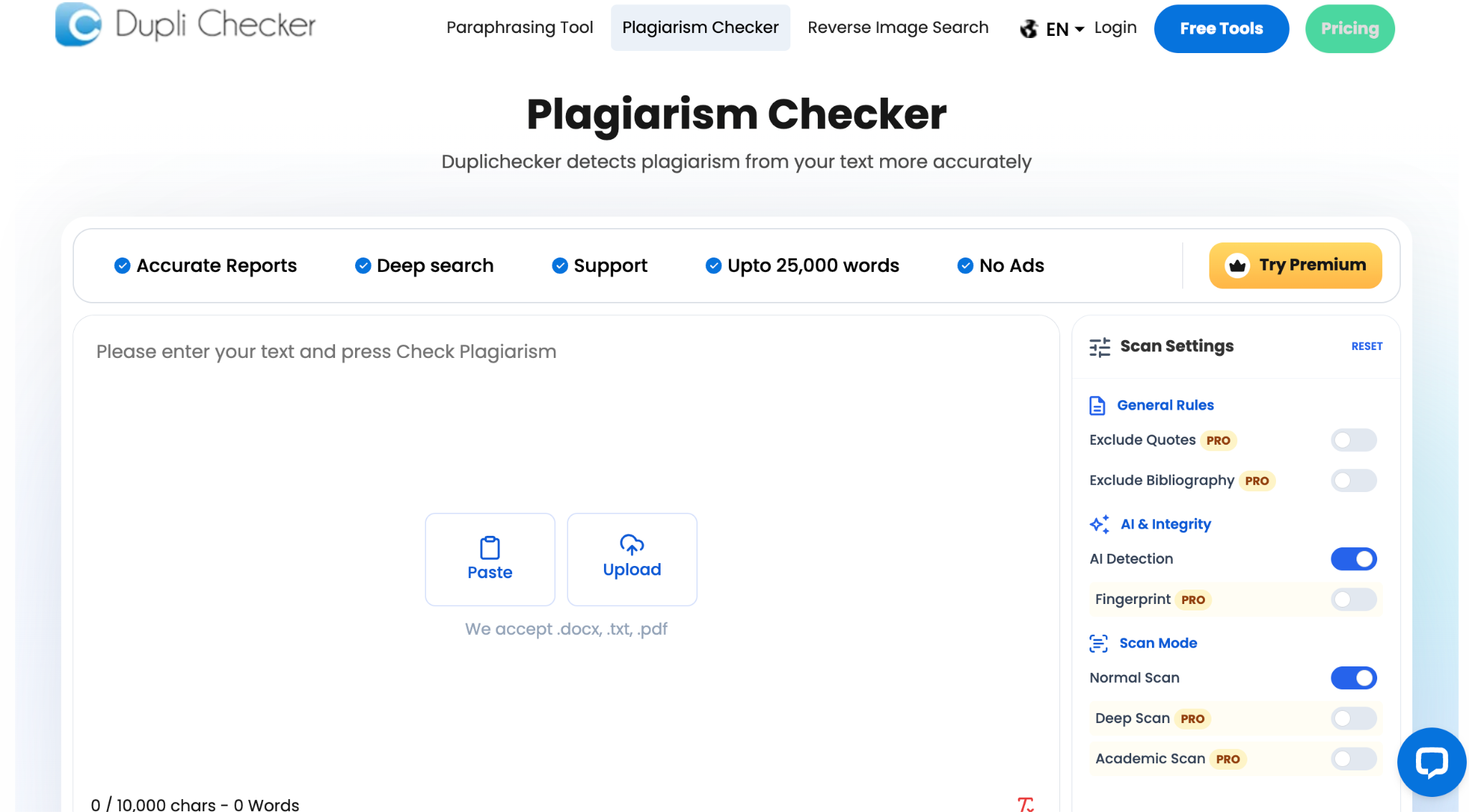
Duplichecker a web-based platform that helps you find duplicate content before you publish anything. Other than checking for plagiarism, it also offers paraphrasing, grammar checks, and AI writing tools, which is handy if you want all these in one place.
Key Features
- Plagiarism detection: A plagiarism checker that scans your text against online sources and gives you a report showing matched content and where it came from.
- File format support: You can upload files in various formats like DOC, DOCX, PDF, and TXT, or just paste your text.
- Excludes links: It lets you exclude specific web addresses from scans, useful if you're checking content you've already published or have permission to use.
- Multi-language support: It can check for plagiarism in different languages.
Pricing
It's free for documents under 1,000 words. Paid plans start around $10 a month for higher word limits, with about $1 for every extra 20,000 words.
Pros
- The free version is actually useful, where you get full plagiarism detection with links to sources, and you don't even need an account
- It shows detailed sources with match percentages
- It's fast, usually giving you results in seconds
Cons
- The paid plans are a bit confusing with lots of variations, making it hard to see which offers the best value compared to others
- If you don't use it regularly, the credit expiration without rollover can be annoying
- The AI detector apparently only works reliably for GPT-style writing and misses other models, so don't count on it as your only AI check
How Duplichecker Performed On Our Plagiarized Essay?
Duplichecker flagged our essay as 98% plagiarized and 2% unique. Not only that, but it also broke down the score into Exact Match (98%) and Partial Match (0%).
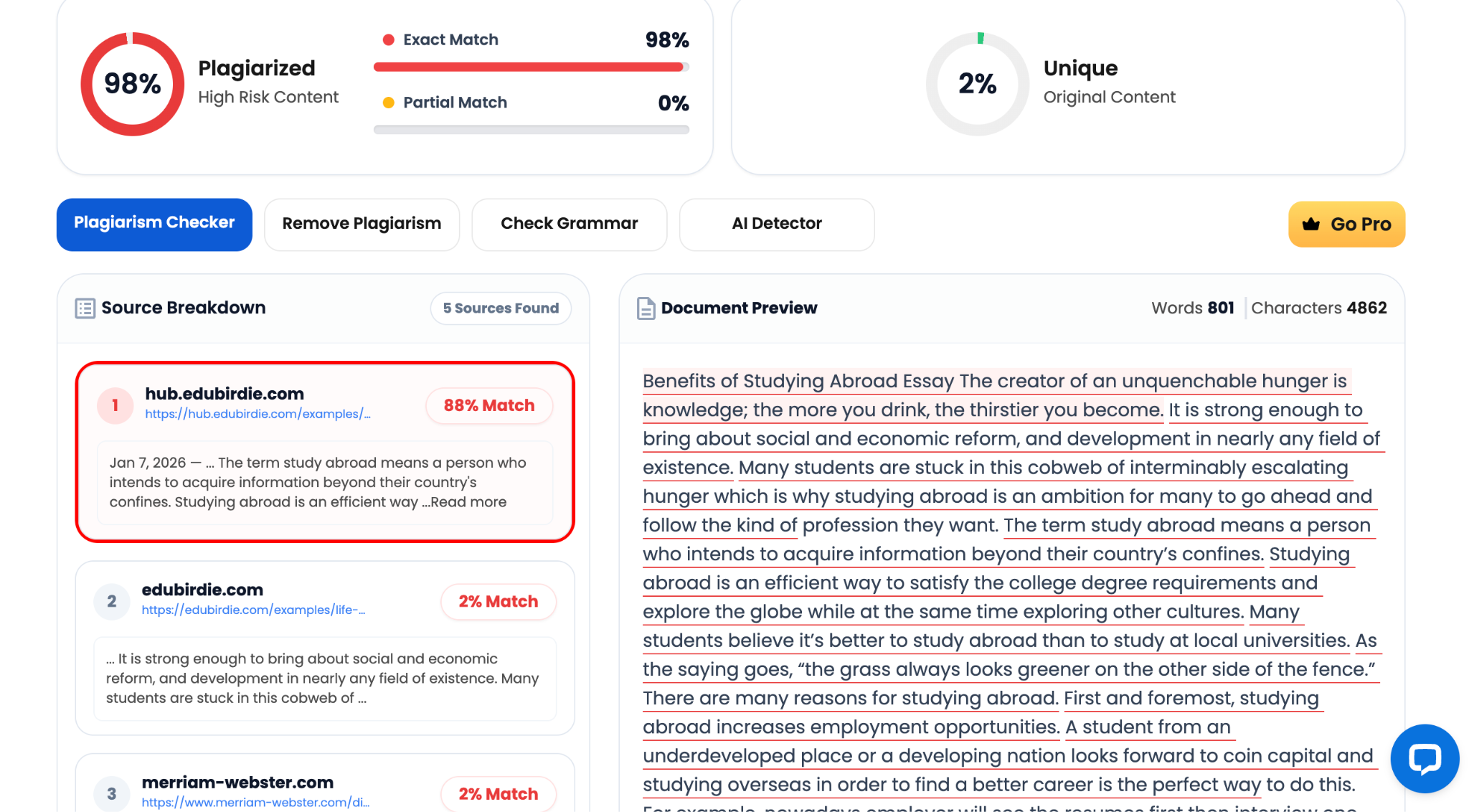
It found 5 sources, with hub.edubirdie.com being the largest match at 88% (it is the actual source from where we copied), followed by another page on edubirdie.com and merriam-webster.com at 2% each. This shows that Duplichecker is one of the best free plagiarism checkers out there.
9. Prepostseo
Best for: Writers or students needing an all-in-one tool.
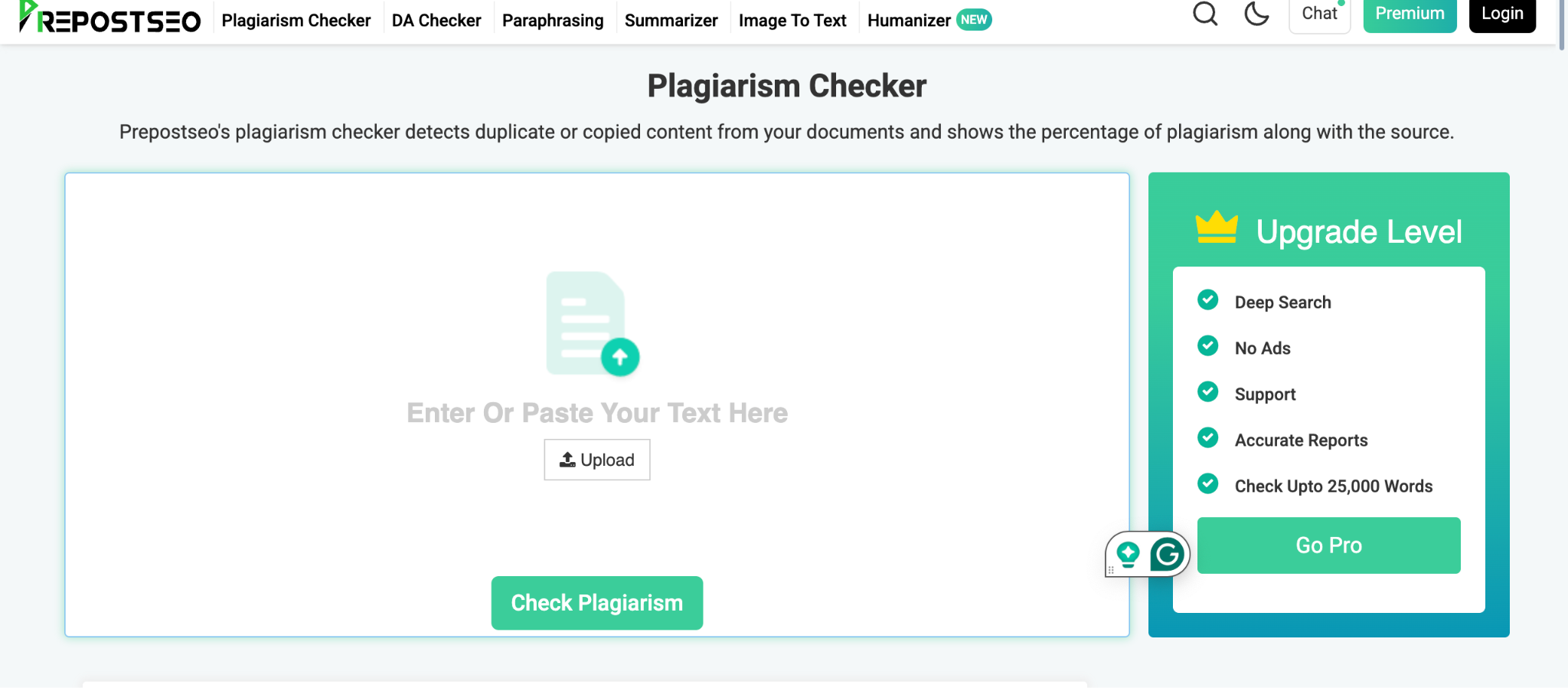
Prepostseo is more of a suite of over 150 SEO and writing tools, with its plagiarism checker being one of the most popular ones.
This all-in-one approach is a plus if you also want a grammar checker, AI humanizer, or text summarizer all in one account. However, it means it's not as specialized or academically focused as tools like Turnitin or Quetext.
Key Features
- Plagiarism removal option: The plagiarism checker includes a “Make it unique” option to help rephrase flagged sentences.
- Citation generator: It has a built-in citation generator, so you can click on a plagiarized sentence and get a citation for it.
- Offers various tools: It bundles an AI Humanizer, grammar checker, and text summarizer.
- File support: You can upload files in .doc, .docx, .pdf, and .txt formats, and it also integrates with Google Drive.
Pricing
The free tier allows unlimited searches but caps each check at 1,000 words (1,200 if you register for a free account). Paid plans vary significantly, with starting prices from about $10 to $45 a month, depending on the plan and billing cycle.
Higher tiers offer word limits of 25,000+ words per scan. Some reviews mention that the pricing and word limits aren't always consistent across different pages on their site, so it's best to check the current details directly.
Pros
- The Make it unique and citation generator buttons let you quickly fix plagiarism issues
- It's a great all-in-one tool if you need other writing assistance like AI humanizing or grammar checking
- The free tier doesn't require payment info and has no scan limits, just a per-check word cap
- Provides support for various file formats
Cons
- The 1,000-word free-tier limit can cut off longer documents without a clear warning
- Independent tests have shown inconsistent results with complex patchwork plagiarism, even though it catches simple copy-pasting well
- It doesn't detect AI-generated content on any plan. Plagiarism and AI detection are separate, unlike some competitors
How Prepostseo Performed On Our Plagiarized Essay?
Prepostseo reported a 100% plagiarized and 0% unique score, identifying 3 matches. The top match, hub.edubirdie.com, was listed as 100% Similar.
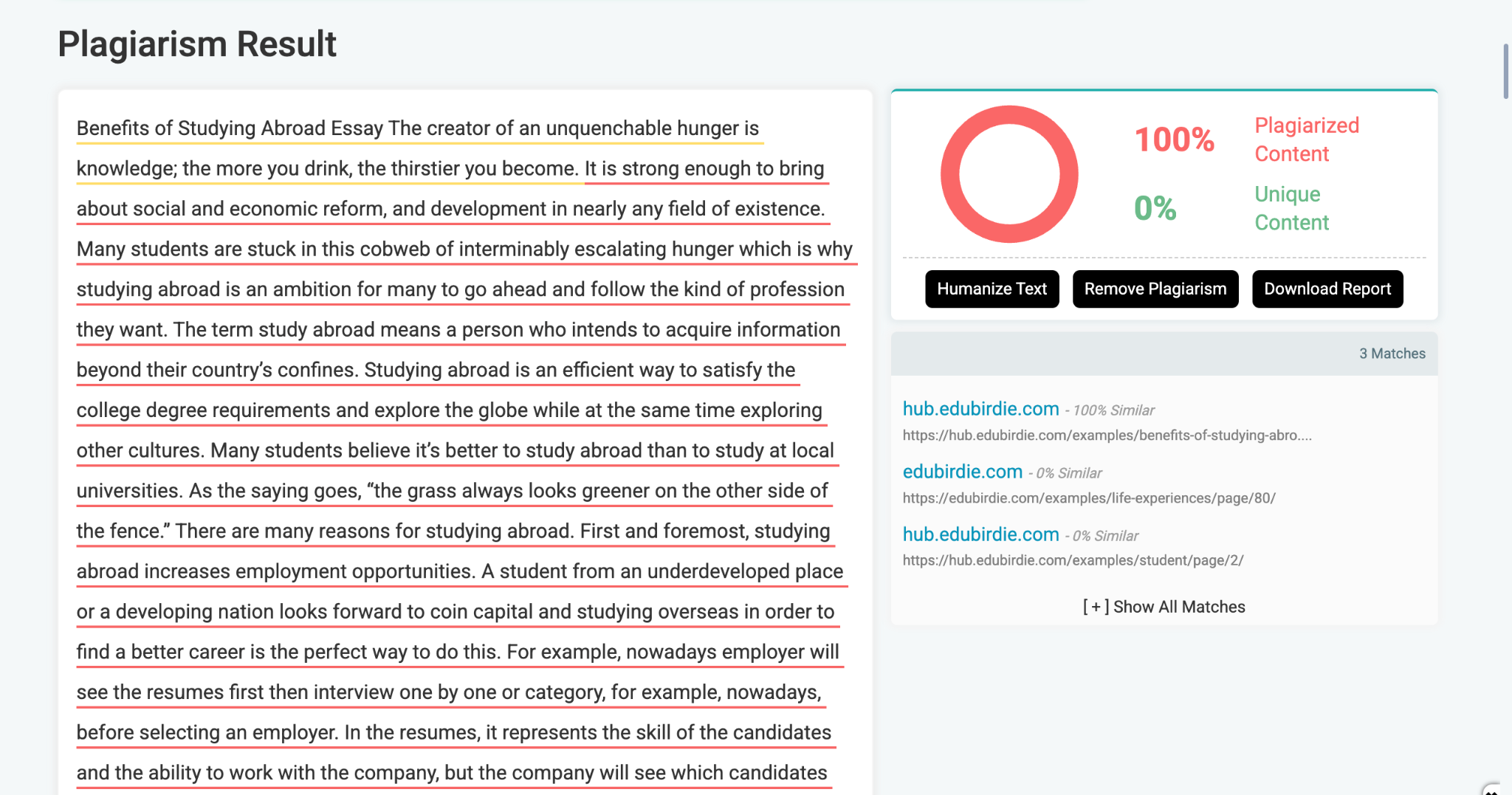
However, given Prepostseo's 1,000-word free-tier limit and the essay's length of about 800 words, this scan likely only processed a part of the document.
In our testing, only about 300 words were confirmed as processed before the report was generated, which aligns with the described free-tier limits. The interface didn't indicate this was a partial result, presenting the 100% score with the same confidence as a full scan.
What did this whole test actually show us?
Running the same essay through nine different plagiarism checking tools proved that most of them do what they claim.
However, two tools quietly only scanned part of the essay, even though they reported a confident 100%. And one tool’s main score didn't match its own citations, off by over 80 points. The main takeaway here is that a single percentage doesn't tell the whole story. Always look beyond the headline number before you trust it.
Try EssayGrader AI for free if you want plagiarism detection as a part of your grading workflow.
FAQs
What’s the best free plagiarism checker?
In our test, Duplichecker was the strongest free option for a single essay. It scanned the whole ~800-word piece in one go, staying within its 1,000-word free limit, and gave us a detailed report showing a 98% match with the correct sources, with no issues scanning only parts of it. Copyscape’s free search is also worth a look if you're checking your own published web content. And Copyleaks’ free tier is useful if you need AI detection along with plagiarism, but keep a close eye on its word limit. Our test showed it can stop scanning partway through a longer document without telling you.
Are good plagiarism checkers always paid?
Not necessarily. Some of the free tools we tested, like Duplichecker and Copyscape's basic search, were just as accurate as paid ones on this particular document. Usually, paid plans offer more than just accuracy on a single check. They typically give you higher word limits, AI content detection, the ability to check multiple documents at once, and features for institutions like LMS integration.



.avif)
.avif)
%201.svg)