
Class averages tell you how a set of essays went. They do not tell you which student is quietly slipping, or which one is ready for something harder. Version 4.11 takes Metrics down a level, and cleans up a few things around how you manage students and find help.
📈 See how each student is doing
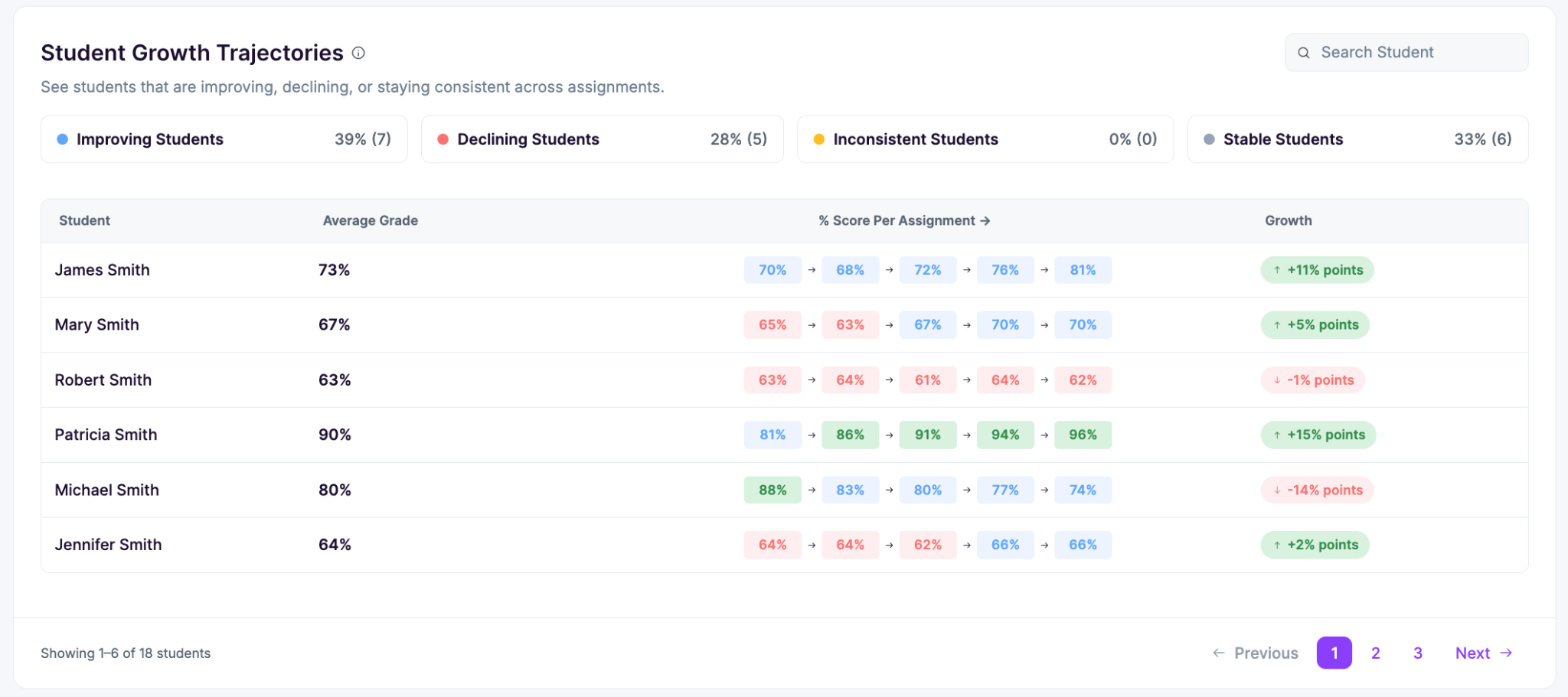
Student performance table
Every student now gets a row showing their overall score and their score on each rubric criterion. Sort the table by overall score and the students who need attention come straight to the top. Because it breaks out by criterion, you can also see that a student scoring well overall is carrying a weak spot in one area.
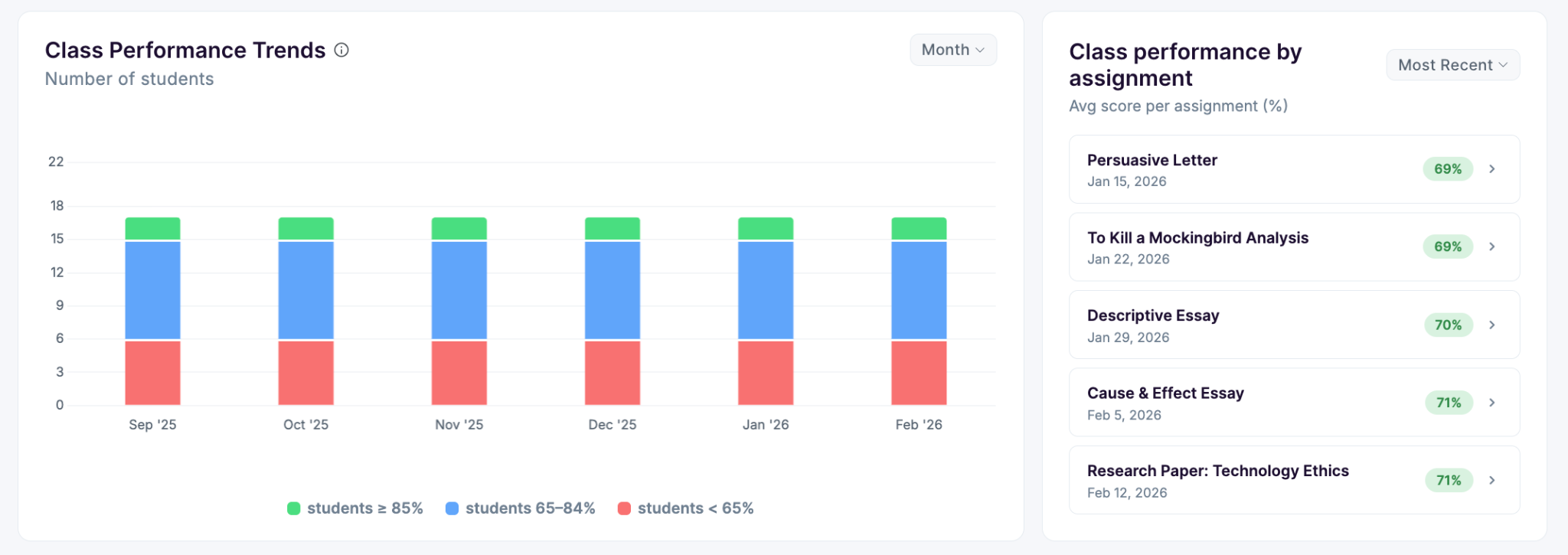
Score distribution at a glance
A distribution chart shows how the class splits across score bands, with the class average and counts for students at 85% and above, 66 to 84%, and below 66%. Next to it, the rubric breakdown shows the average score per criterion with a strong or growing label, so you can tell whether the weak area belongs to a few students or to the whole class.
More detail under each assignment
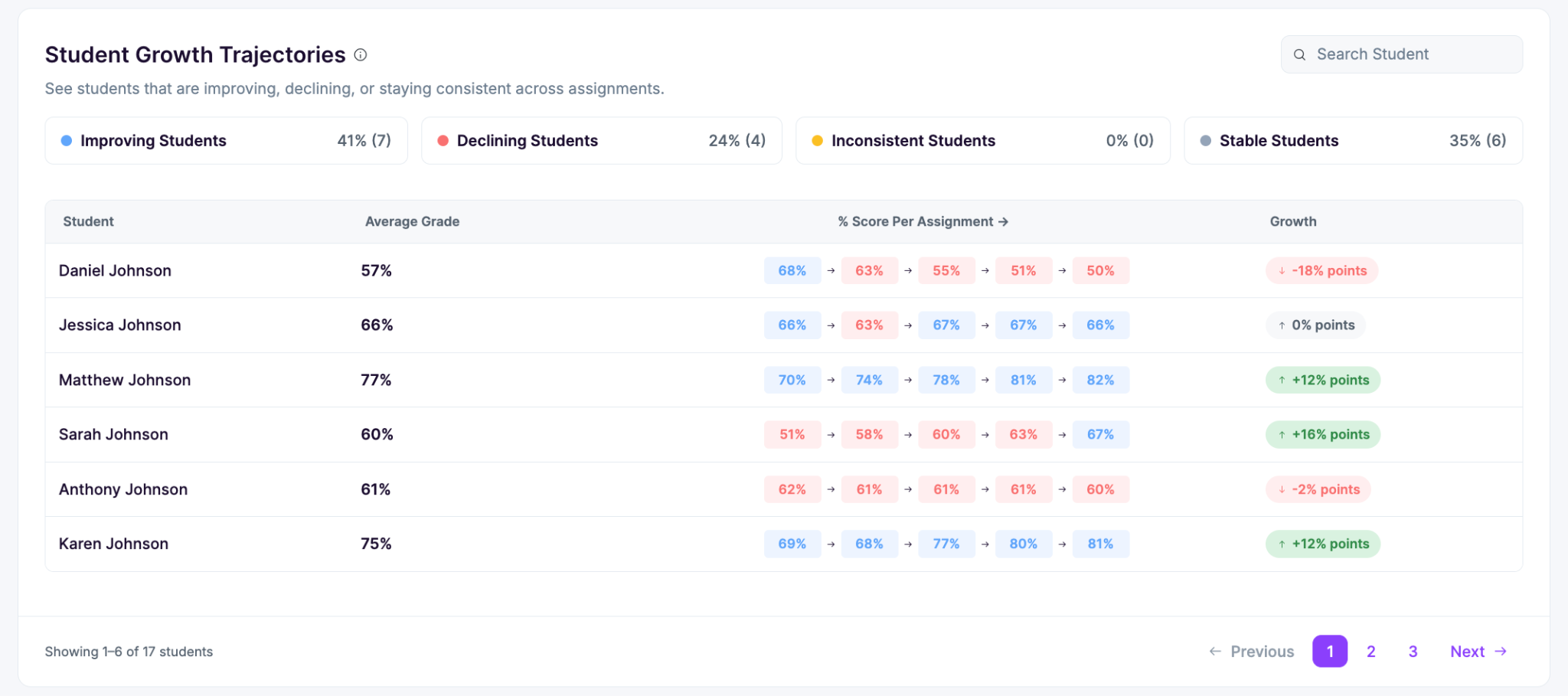
Custom reports now show additional information under each assignment, including a writing breakdown that groups what students did well against what still needs work, with the percentage of the class in each. It also flags who needs intervention and who is ready for extension.
👥 Manage students from the essay list
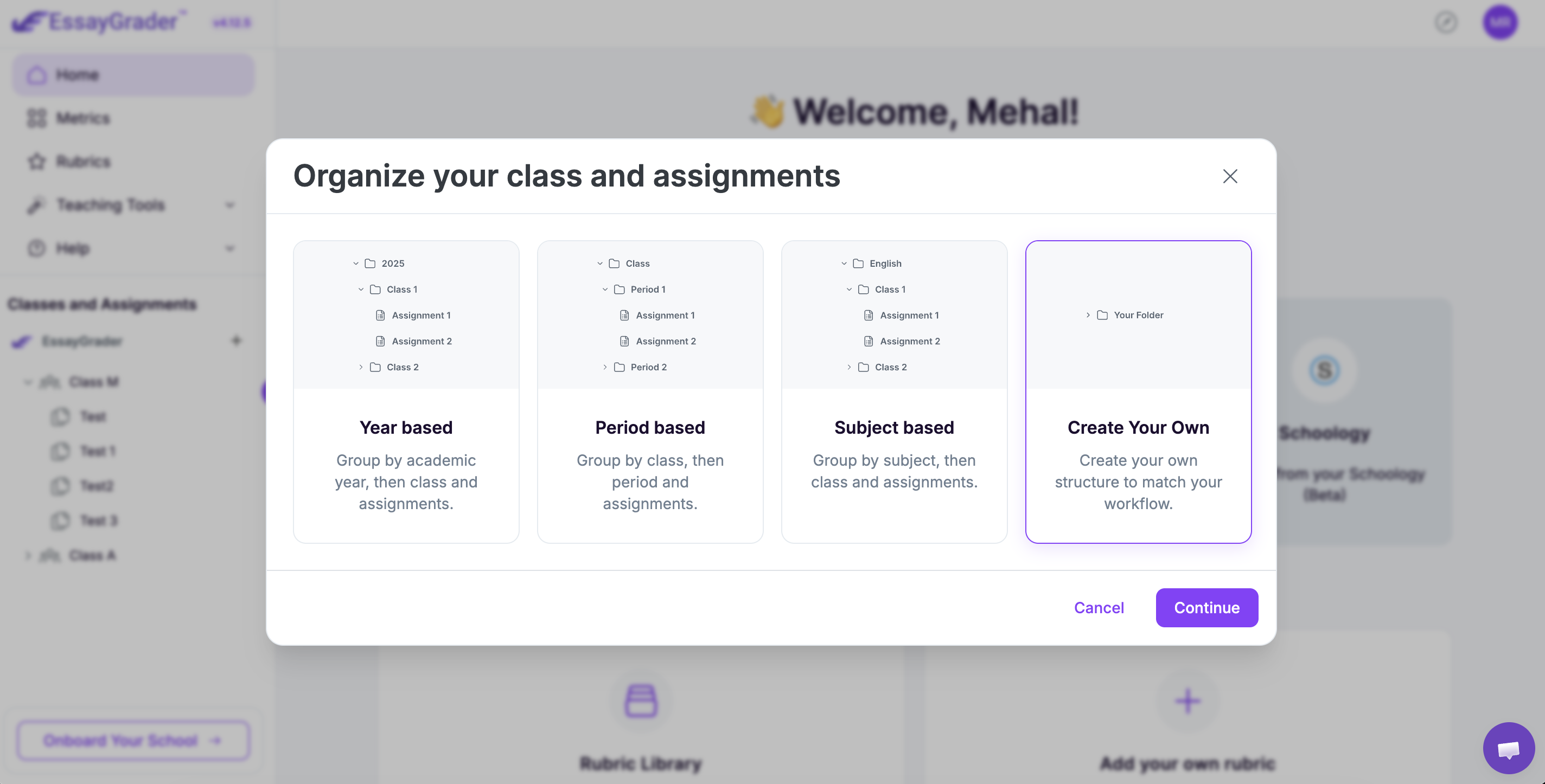
A student management sidebar has been added to the essay list, so you can sort out your roster without leaving the page you are working on. You can also attach students to essays you uploaded manually, which means work that never came through an LMS still lands under the right name and counts toward that student's metrics.
🧭 Help on whatever page you are stuck on
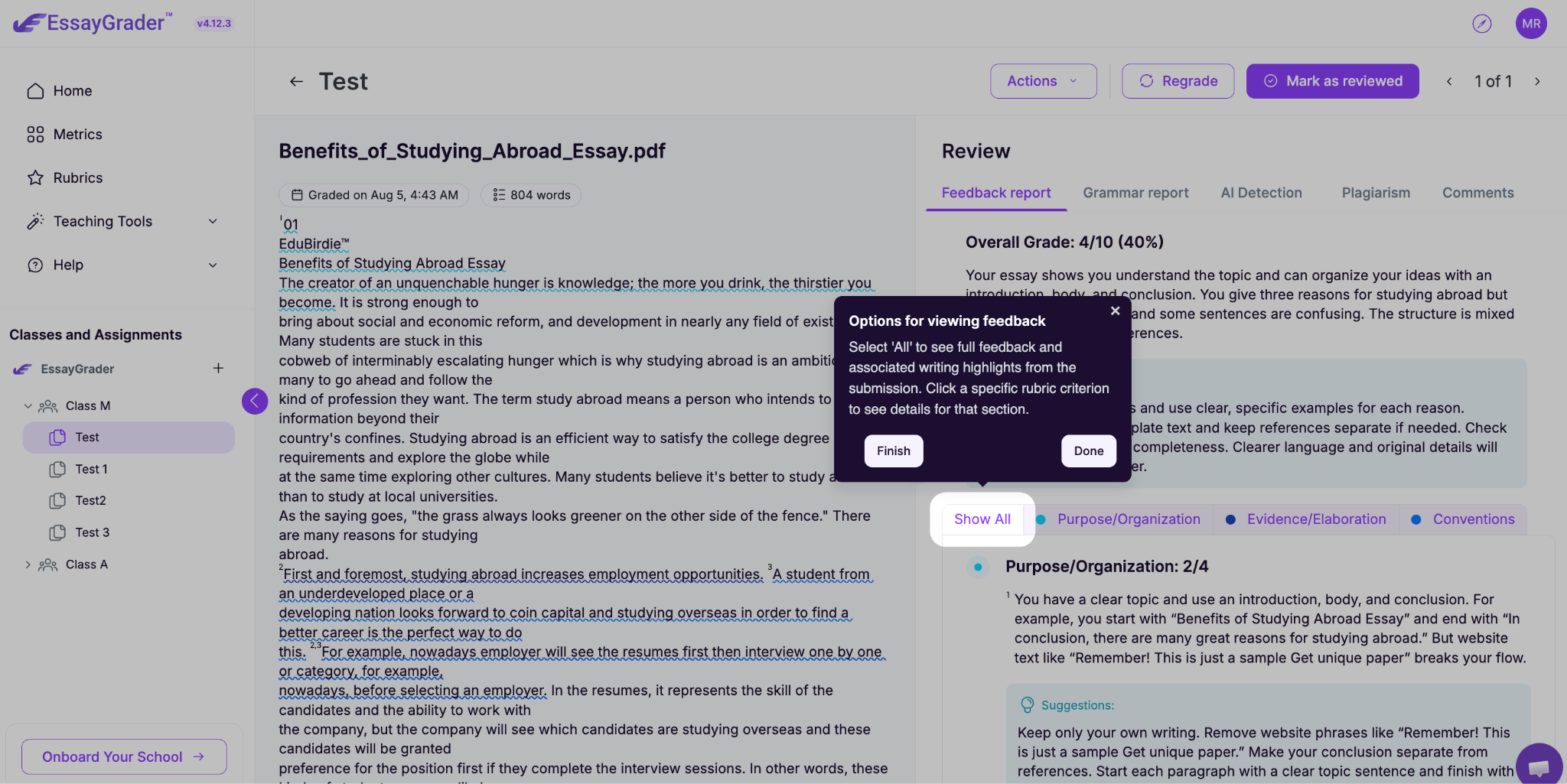
There is a compass button on every page now. Press it and the guided tour picks up on the screen you are looking at, rather than starting you back at the beginning. The Help Center has also moved into the main navigation menu, so it is one click from anywhere instead of buried in settings.
📄 Download your rubrics
Rubrics can now be downloaded as files, named automatically after the rubric itself. Useful for sharing with a grade team, attaching to a syllabus, or keeping a copy of a rubric you spent an afternoon building.
The rest of 4.11 went into performance, stability and security work behind the scenes.

.jpeg)


.avif)
.avif)
%201.svg)