With teachers spending nearly 10 hours a week just on grading, and almost a third thinking about leaving their careers due to burnout, it is not news that AI grading & feedback tools have made a mark over the last two years.
Two of the most-talked-about tools here are EssayGrader AI & Class Companion, but they really serve very different purposes.
Let’s go over what each tool can do (and how), where they cross paths, and who should use what to make sure you end up with a product that works for you.
What is EssayGrader AI?
EssayGrader AI is an AI grading tool that was built to take the grading burden off teachers’ shoulders. If we talk about its features, EssayGrader lets you upload a grading rubric. You can use your own or pick one from their library of over 500 rubrics that align with various standards like CCSS, STAAR, AP, and IB. It then grades the essay for you using AI in seconds and gives detailed feedback.
The best part is, you can edit this feedback before it goes to the students. It’s not just for essays, though. It can also handle short answers, DBQs, and research papers. It also connects directly with LMSs like Google Classroom, Canvas, and Schoology. It all runs in a web browser, so there's no separate mobile app to worry about.
EssayGrader AI is a grading tool a husband built for his wife. A software engineer named Payton saw his wife Ashley, who’s an English teacher with 10 years of experience, struggling with huge volumes of essays that she had to grade every week. So, he built the first version of this platform to help her out.

The team also includes CEO Chan Yerneni, who has experience teaching at a high school and running a school in India before moving into the tech world, and CTO Suraj Reddy. Ashley is also still very involved in shaping the product, which you can tell from the feedback it gives, which feels more like comments from a fellow teacher.
From being built to solve the problem of one teacher, EssayGrader now helps over 200,000 teachers and more than 10,000 schools and colleges that are using it.
What is Class Companion?
Class Companion is also an AI tool for teachers, but it’s built for assignments that students complete within the platform. It was co-founded by its CEO, Avery Pan, who used to be a writing tutor. The company got funding from investors like Index Ventures and Open AI.
However, Panorama Education acquired it in April 2025. Now, it’s part of the larger Panorama Solara platform.
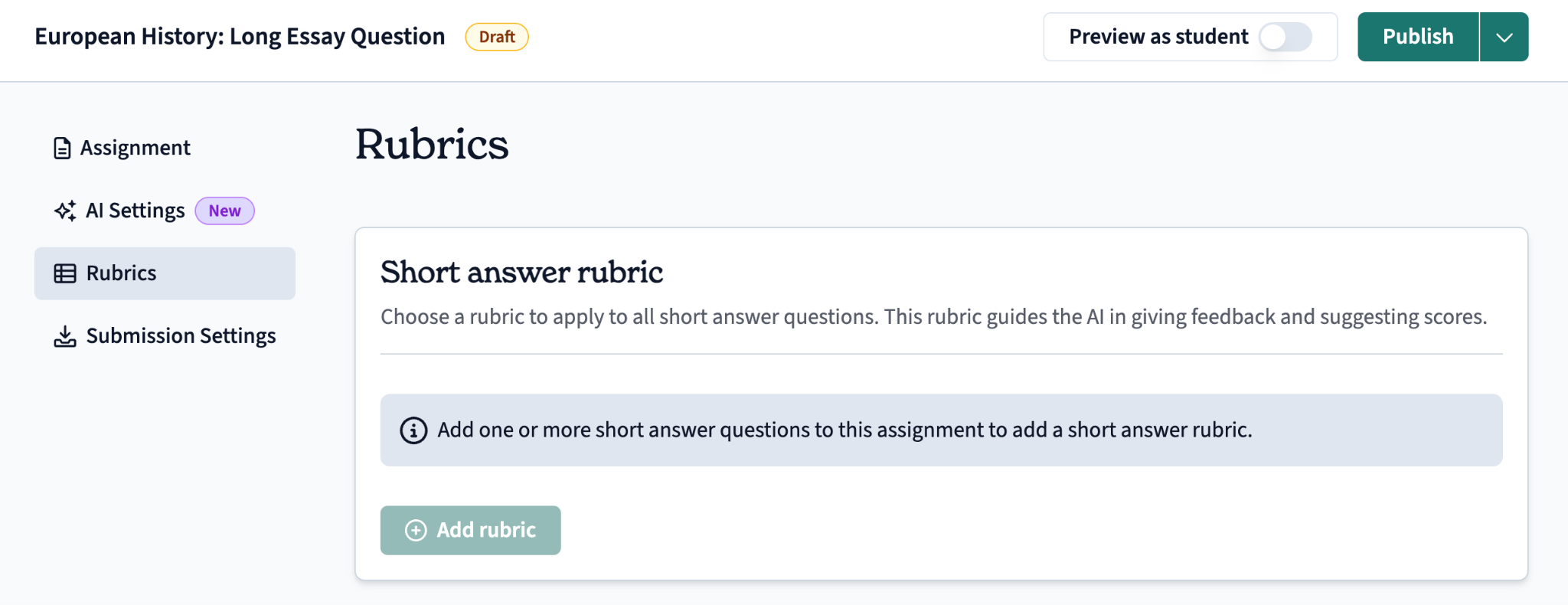
The process of grading starts when a teacher creates or generates an assignment, adds a rubric, and then invites students. Then, after receiving the assignment, the students have to finish it then and there on the tool, along with help from an AI tutor called Ditto that’s built right in.
Class Companion integrates with Google Classroom, Canvas and Schoology only on a paid School/District plan. This tool covers everything from K-12 up to higher education, with especially strong support for AP courses, English, social studies, science, and language subjects.
There is one downside which is that Class Companion can't grade the existing backlog. Everything needs to go through Class Companion’s own assignment and submission process.
That’s how the product is meant to work, but it might not be the best fit for every grading situation where you're dealing with past work.
EssayGrader AI vs. Class Companion: Key Features Comparison
EssayGrader AI and Class Companion both use AI and rubrics to speed up the grading process. However, they are both built differently, and we have highlighted these differences below for your ease:
1. Grading and rubrics
When it comes to grading and rubrics, both platforms let you create your own from scratch, import ones you already have, or pick from pre-made options.
- EssayGrader: Allows you to create custom rubrics and even lets you choose from its own library of 500+ rubrics that all comply with state standards, like those for Texas STAAR, Florida B.E.S.T., IB, and Cambridge.
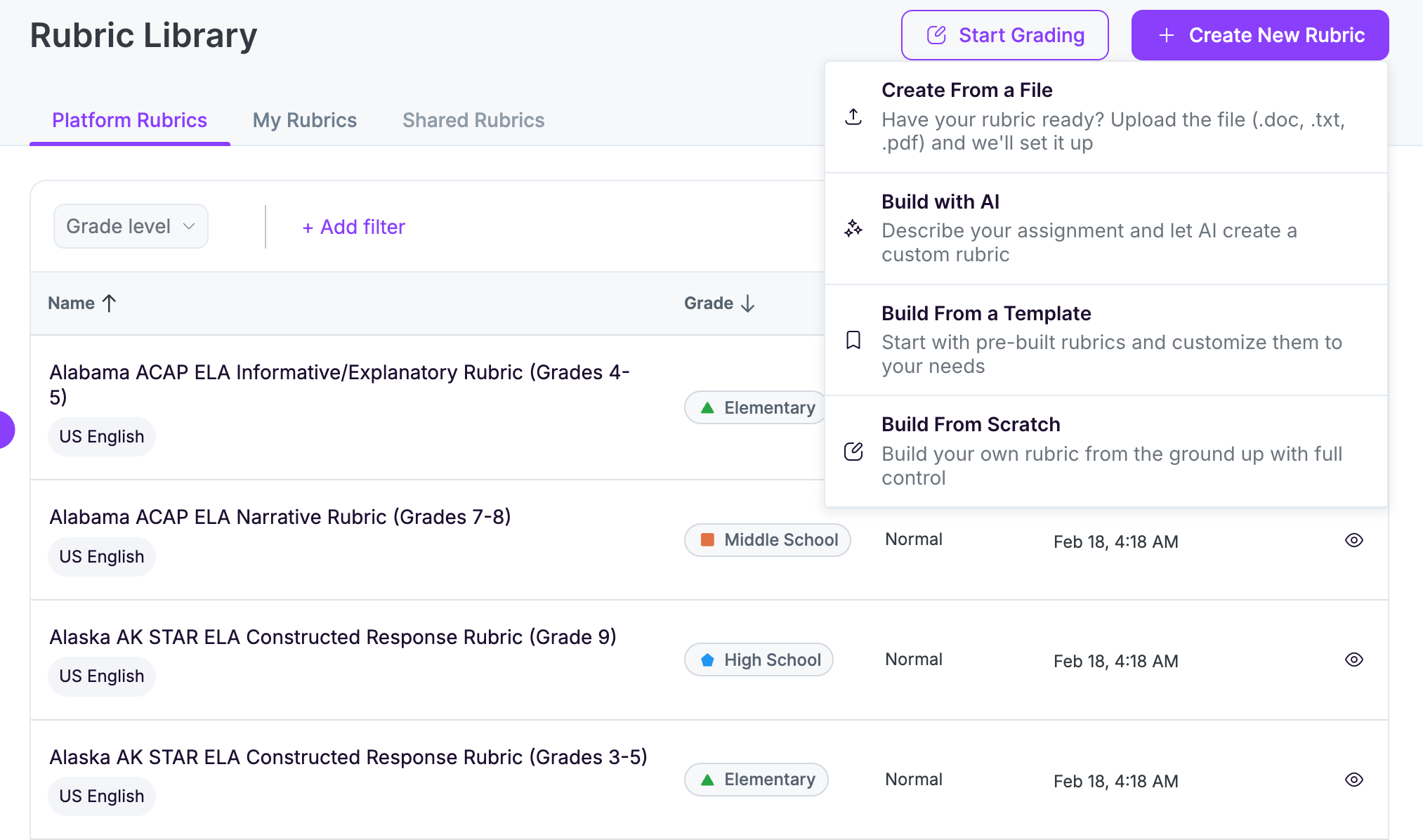
- Class Companion: It also allows you to create your own rubric with an AI prompt and has a library of rubrics too, but they're attached to the assignment before students even start.
Verdict: So, on rubric flexibility, they're almost similar. But if you need to grade based on state tests, EssayGrader seems to have the advantage.
2. Feedback quality and delivery
When it comes to feedback, these two tools are literally poles apart.
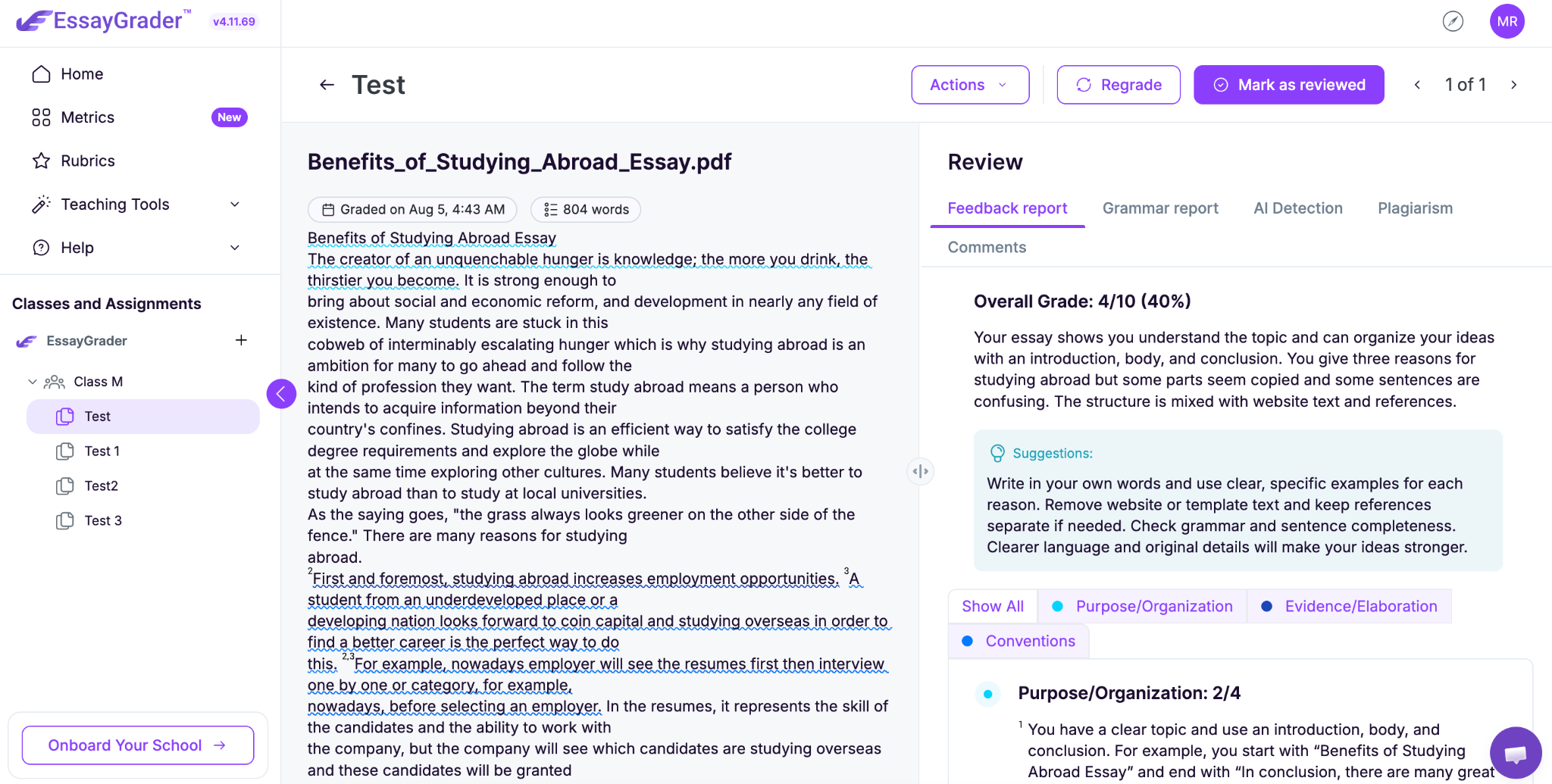
- EssayGrader: Sends all the feedback, whether it's detailed notes or shorter comments, to the teacher first. They get to look it over, tweak it if they need to, and then send the final feedback or graded assignment back to the student.
- Class Companion: Just sends the feedback directly to the student. It’s basically framed as a way for them to revise their work. Although a teacher can see from a dashboard, they don’t have full control of approving every single comment like with EssayGrader.
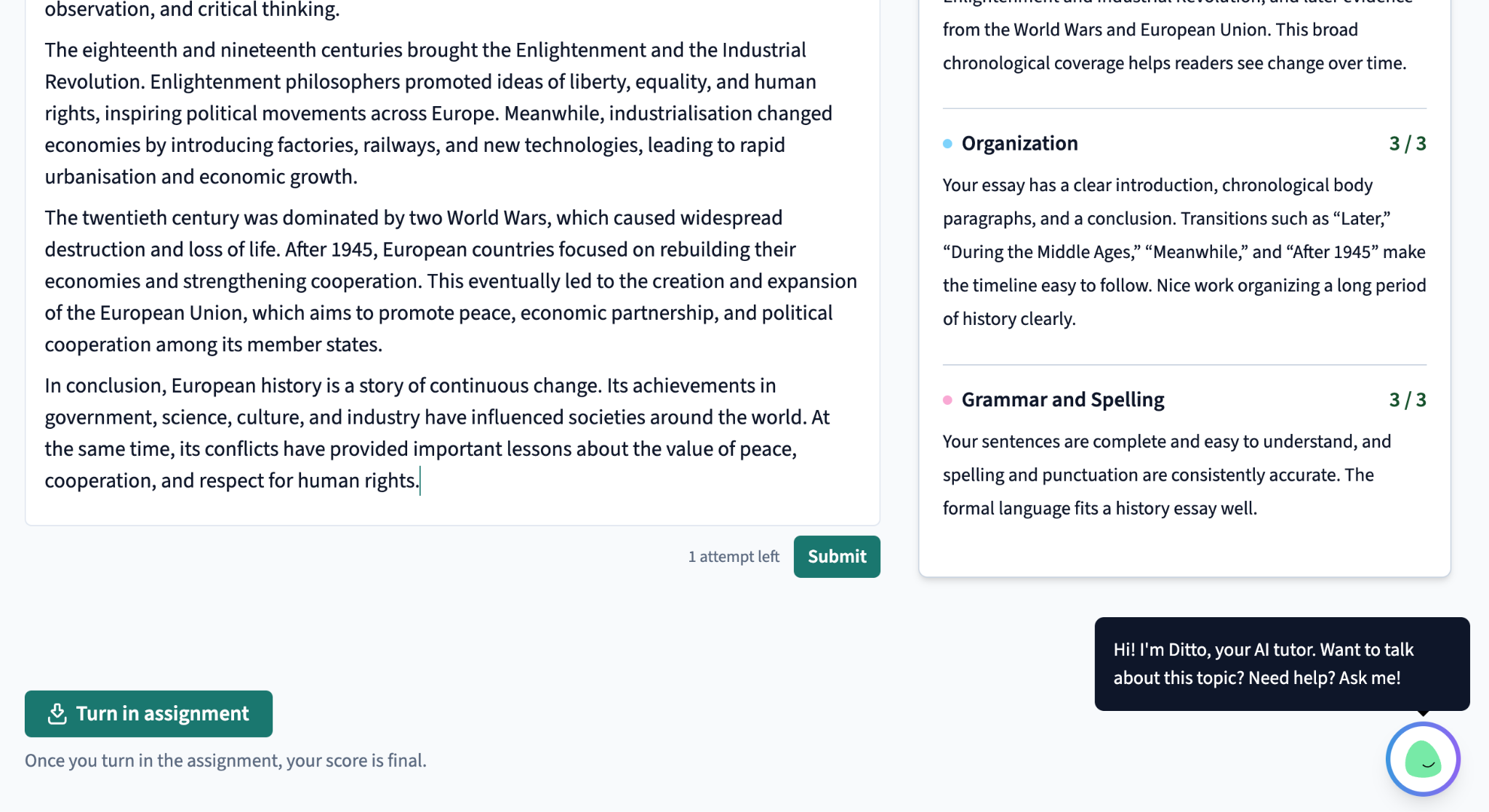
Verdict: It comes down to whether you want to have control over feedback as a teacher or if you prefer to get the feedback to students right away before your approval.
3. Workload and bulk processing
The workload and how you handle grading large batches of assignments is where these two really diverge.
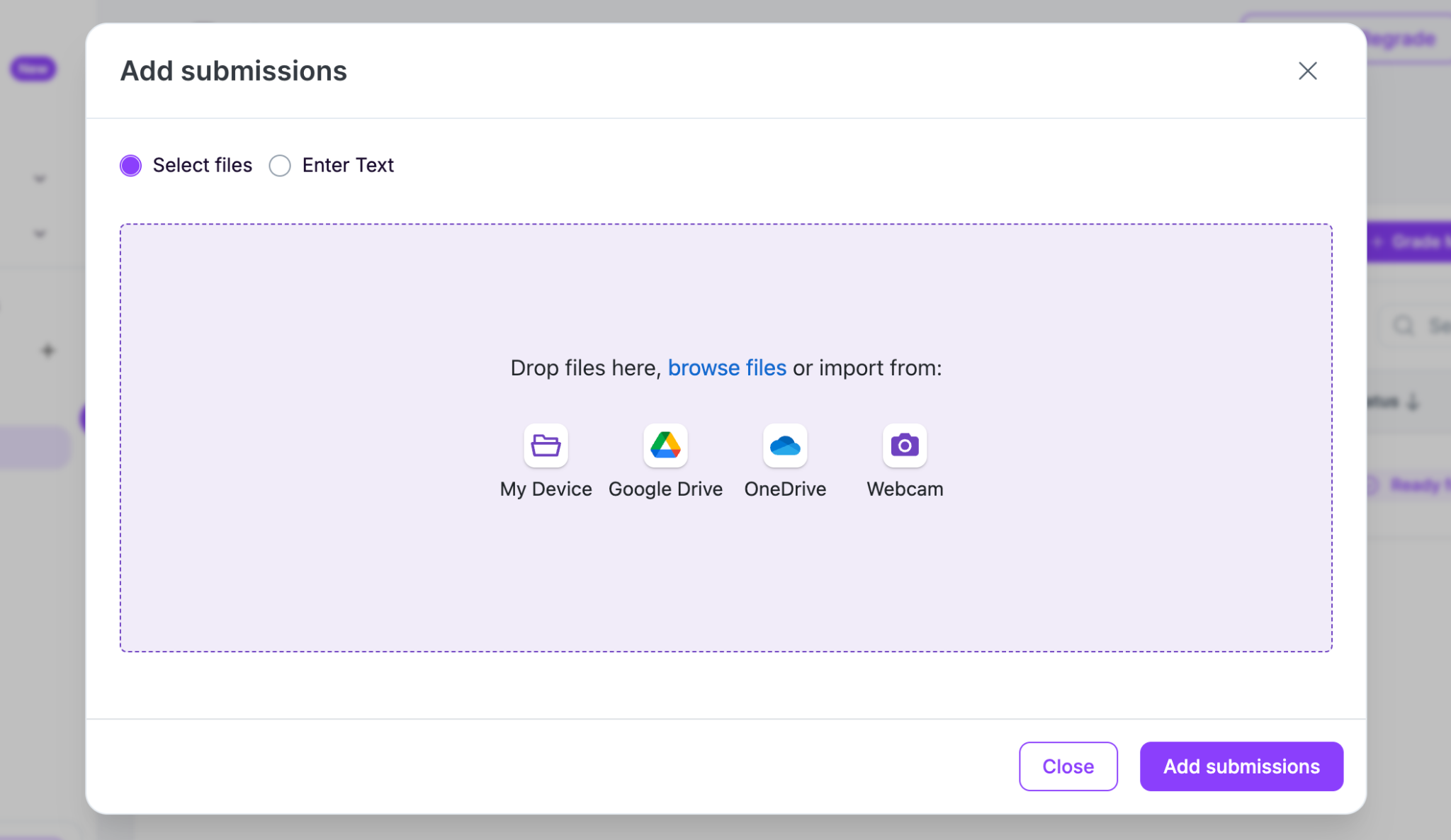
- EssayGrader: Handle an entire class's worth of essays all at once. You can upload Word docs, PDFs, Google Docs, or .txt files with just one click, pulling them from your computer or directly from cloud storage like Google Drive, OneDrive, Google Classroom, or Canvas. It takes EssayGrader AI about 20 seconds per essay to grade.
- Class Companion: It does have a way for students to take pictures of handwritten work as they finish it, but there's no easy way to upload a bunch of essays that have already been collected for bulk grading.
Verdict: If you're grading work that's already done and exists in a different format, EssayGrader is built specifically for that.
4. Assignment creation and student workflow
Let's talk about how you create assignments and how students actually work through them in both EssayGrader AI and Class Companion.
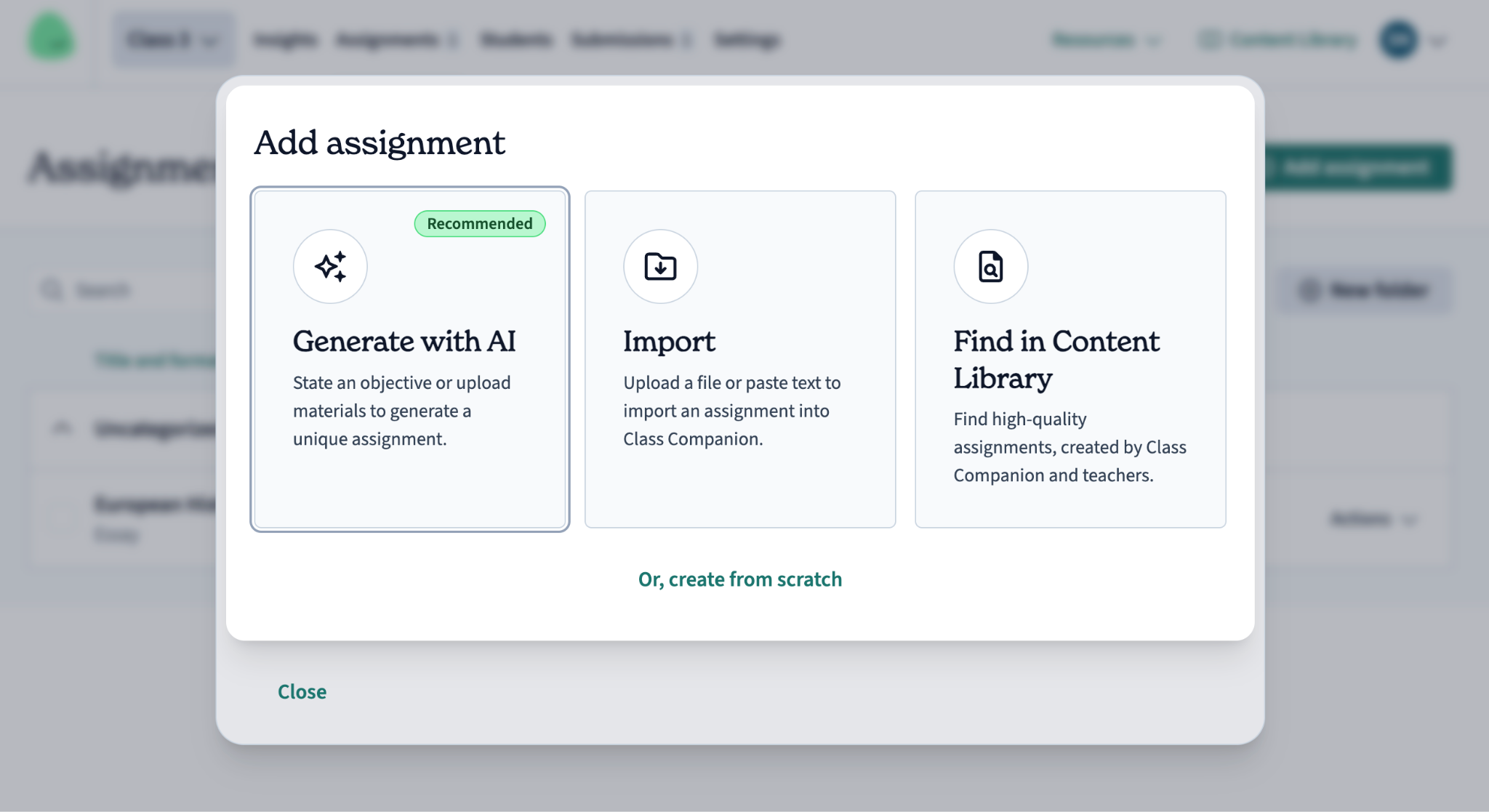
- Class Companion: It really shines here with its assignment library and the whole revision cycle. You can give a prompt using AI, write your own, or pick from what they've got. Then, students can revise it, with AI tutor Ditto before submission.
- EssayGrader: EssayGrader is primarily an AI grading tool. It organizes things by class and assignment too, but the idea is that students do their writing somewhere else, maybe in class, on paper, or in a Google Doc. And then the teacher, or the LMS, pulls that finished piece in.
Verdict: So, if you're looking for something to really nail those in-class practice loops, Class Companion seems to be the stronger choice.
5. AI and plagiarism detection
Both tools can flag AI-generated text and other integrity issues, but they go about it a bit differently, especially when you look at the price points.
- EssayGrader: Includes its own AI writing detector and plagiarism checker right there in the Basic, Pro, and Premium, and School District/Higher-Ed plans, and it runs automatically while essays are being graded.
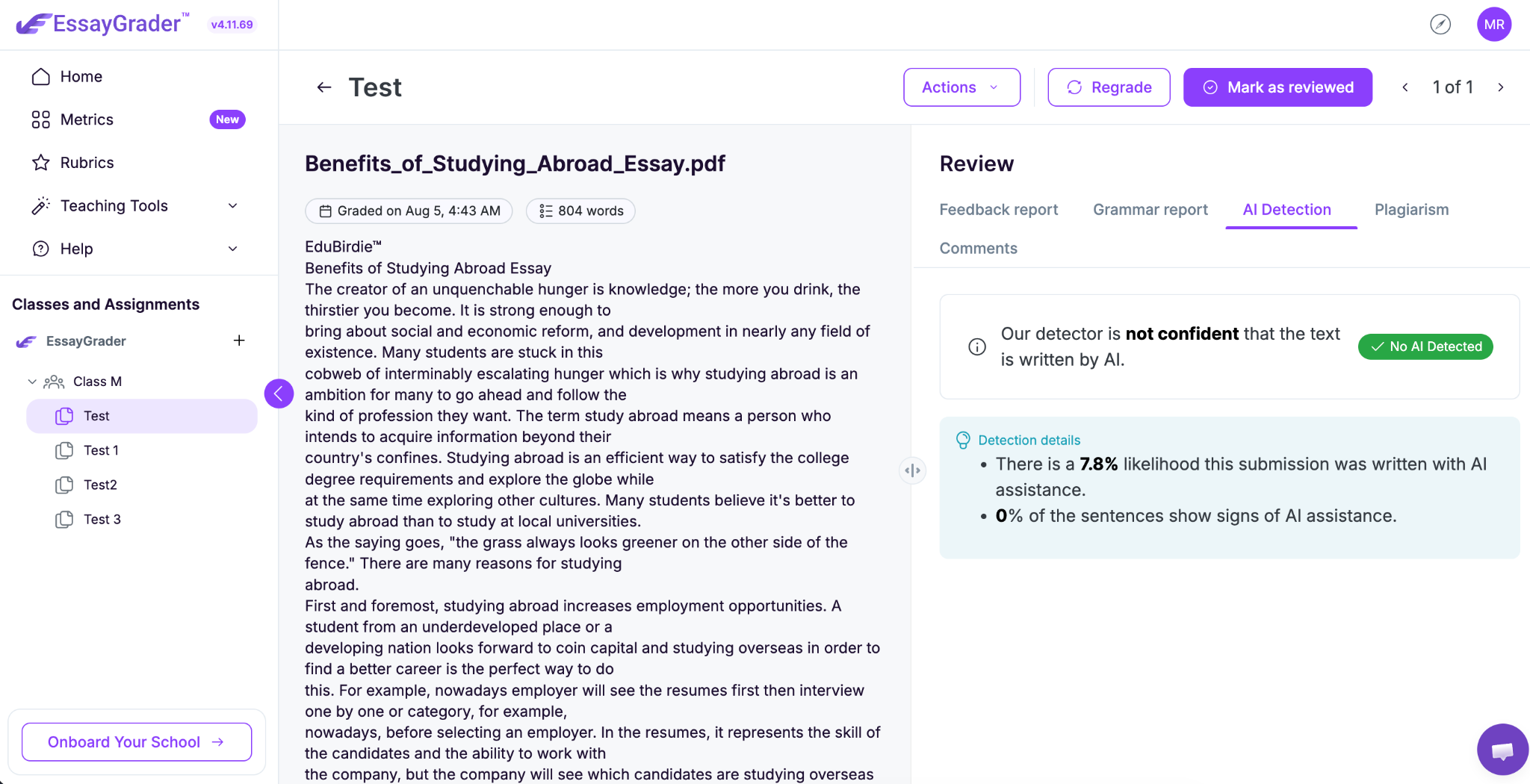
- Class Companion: Class Companion does not offer an AI detector in the conventional sense. It shows you if a student pastes text in its free version. But if you want those deeper checks, like detecting typing anomalies, tab-switching, or if one student's response looks too much like another's, you'll need to jump to a paid school or district plan.
Verdict: EssayGrader gets these integrity checks like AI and plagiarism detection into its pricing a bit earlier, while Class Companion saves them for larger institutional plans.
6. Class management, analytics and reporting
When it comes to managing your classes and looking at the data, both tools give teachers something useful to look at.
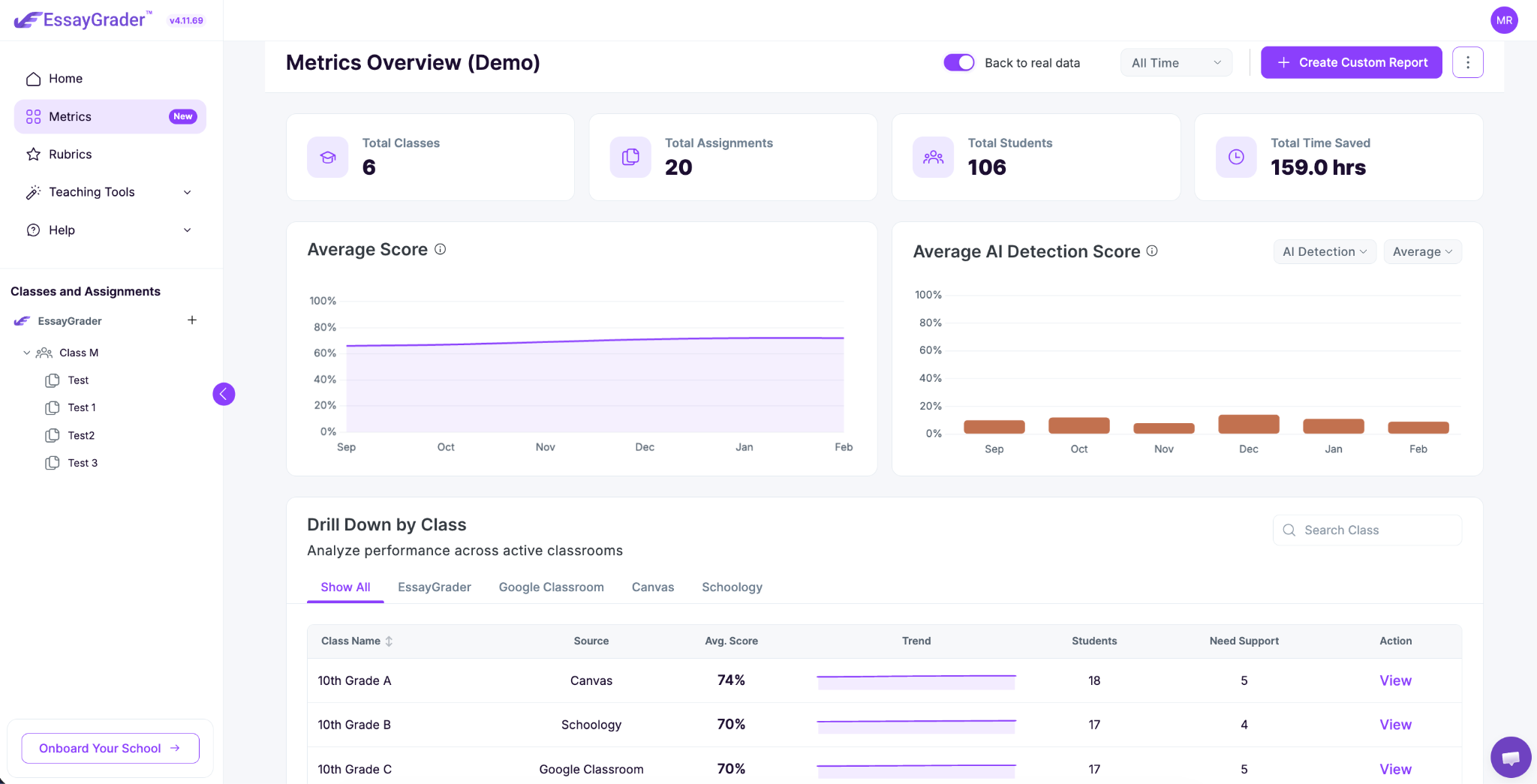
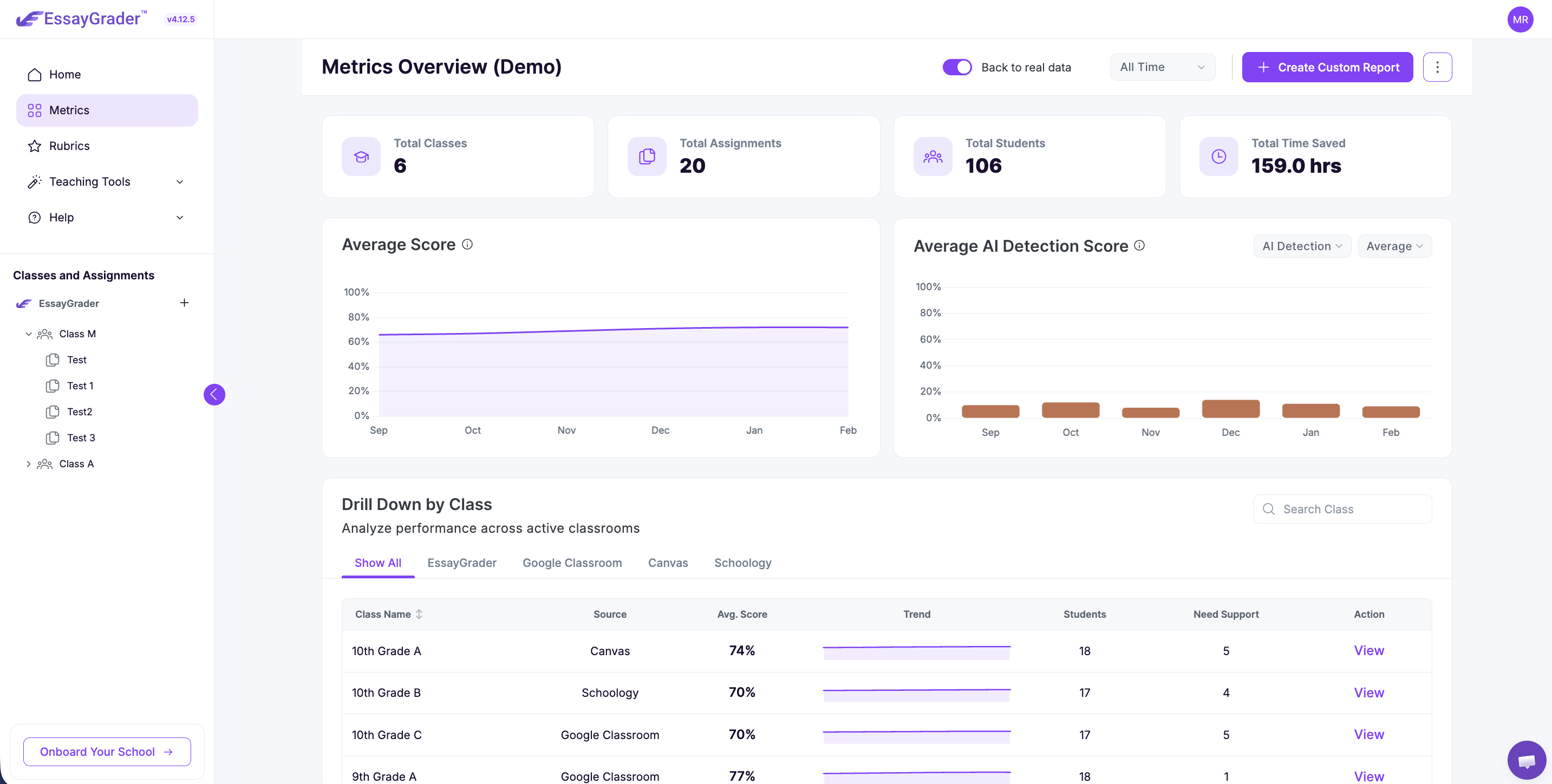
- EssayGrader: Offers a dashboard that keeps tabs on submissions. And on the paid plans, it adds a "Writing Intelligence Layer" that tracks how a student is doing on different assignments and classes.
- Class Companion: Gives you a look at performance and engagement for each submission. With its paid Premium Insights, you get more, like an AI-generated summary of class strengths, performance based on specific standards, and even what students are asking the AI tutor.
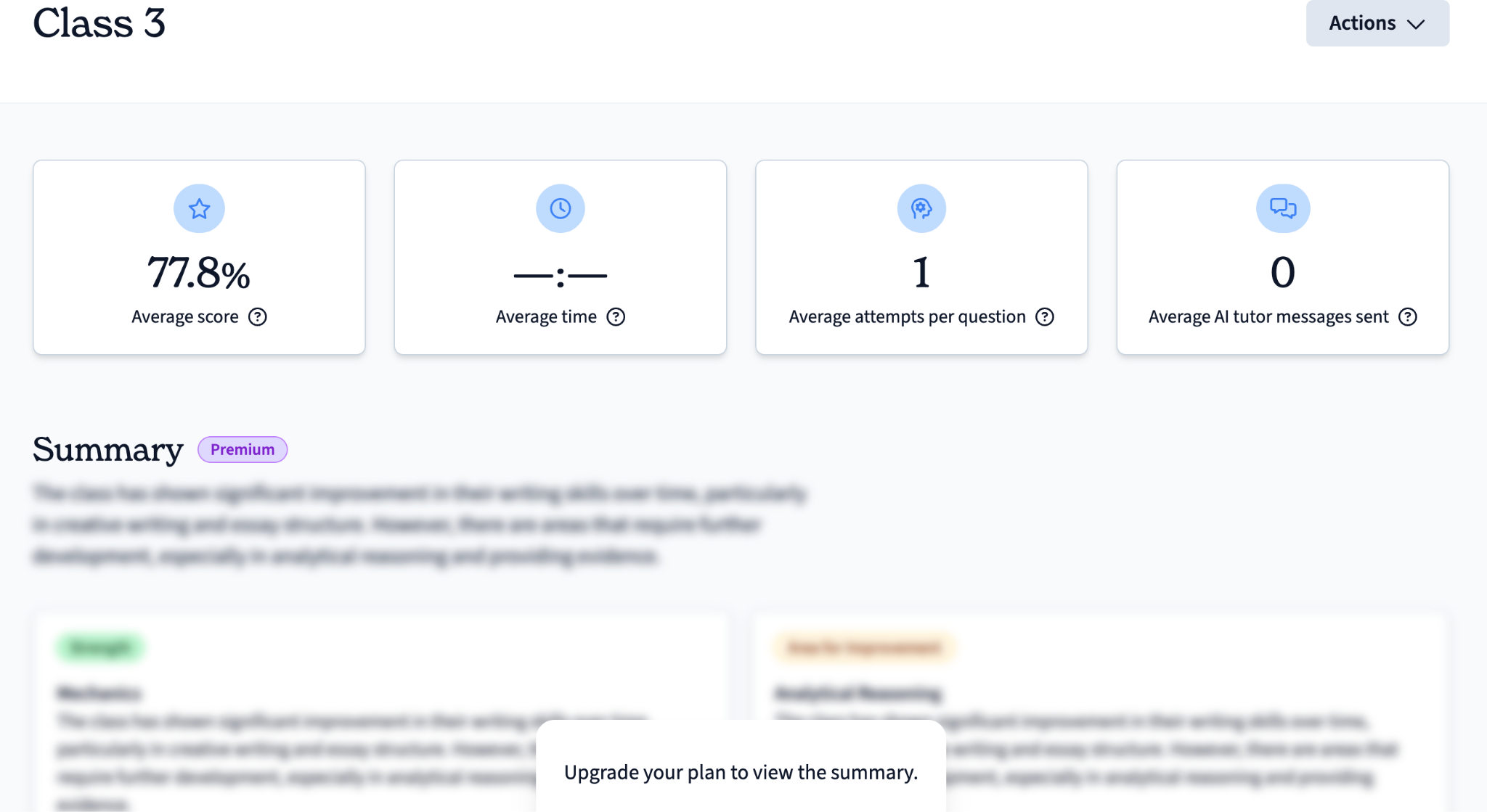
Verdict: In short, EssayGrader and Class Companion both show student engagement and performance. But EssayGrader AI shows it even on the free plan, and Class Companion only shows it on paid plans.
7. Integrations and exports
Both tools basically work fine with the major learning management systems.
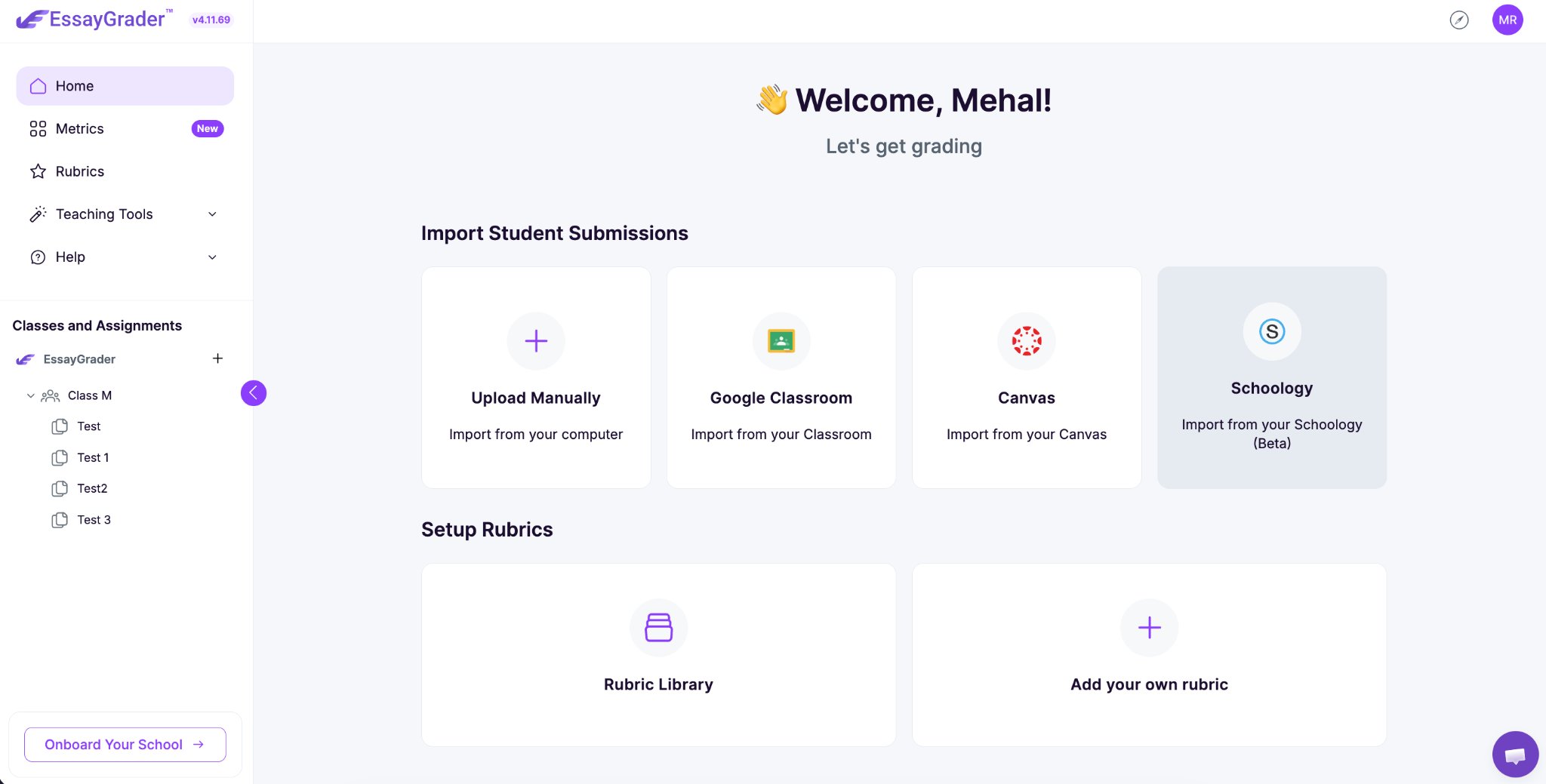
- EssayGrader: Natively integrates into Google Classroom, Canvas and Schoology. You can also export grades as CSV files.
- Class Companion: If you want to create classes and need full syncing with LMS like Canvas, Schoology, and grade passback, that's on Class Companion’s School/District plan. They also offer one-click CSV export for everyone.
Verdict: EssayGrader gets you full access to all three earlier in its pricing structure. Class Companion holds back those LMS options for larger institutional purchases.
8. Subject and use-case coverage
When it comes to subjects and what you can use them for, here’s how both tools behave:
- EssayGrader: It's designed for any written assignment, any age group, and it handles grading in multiple languages like Spanish, French, Chinese, and Japanese, even accounting for different English dialects for ESL students.
- Class Companion: Covers from kindergarten all the way through college. It's particularly strong for AP classes, English, social studies, science, and world languages.
Verdict: Coverage of both the tools is strong, but if you want grading above anything else EssayGrader is the better choice.
Pricing Difference Between EssayGraderAI and Class Companion
Let's break down the pricing for EssayGrader AI and Class Companion.
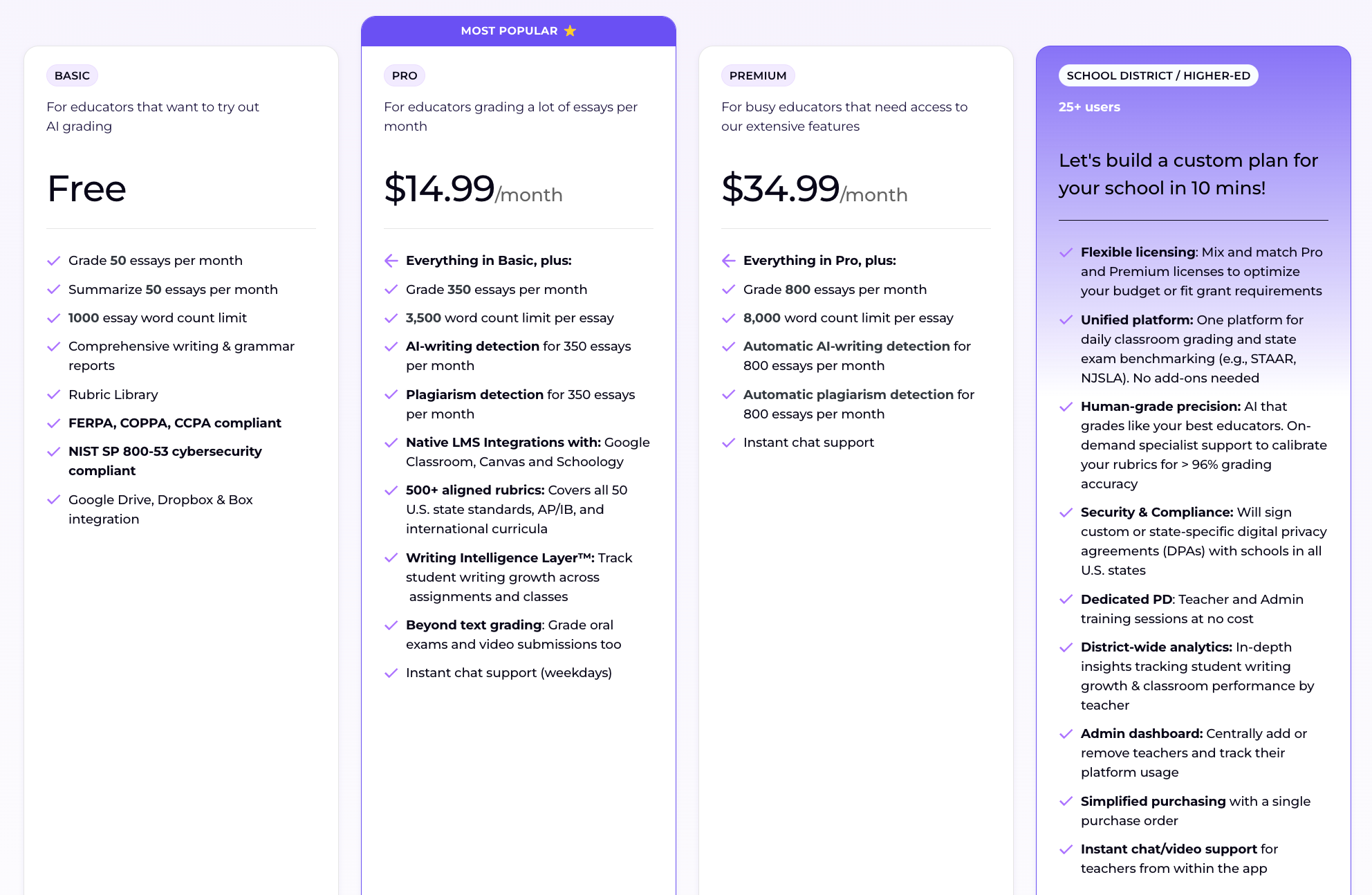
- EssayGrader: Offers a free "Basic" plan. It lets you grade 50 essays and summarize 50 essays each month, with a limit of 1,000 words per essay. You don't need a credit card for this.
If you need more, EssayGrader’s paid plans start with "Pro" for $14.99 a month (when paid annually), which bumps you up to 350 essays and includes full integration with learning management systems (LMS), AI and plagiarism detection, and over 500 rubrics.
The top-tier "Premium" plan is $34.99 a month for 800 essays (when paid annually), with automatic AI and plagiarism checks, and priority chat support. If you pay annually, you can save up to 30%. You can also get a free trial of EssayGrader AI’s Pro and Premium plan.
EssayGrader AI also has options for schools or districts with more than 25 users, including custom data processing agreements. You need to contact the sales team to get a custom quote for School/District plan.
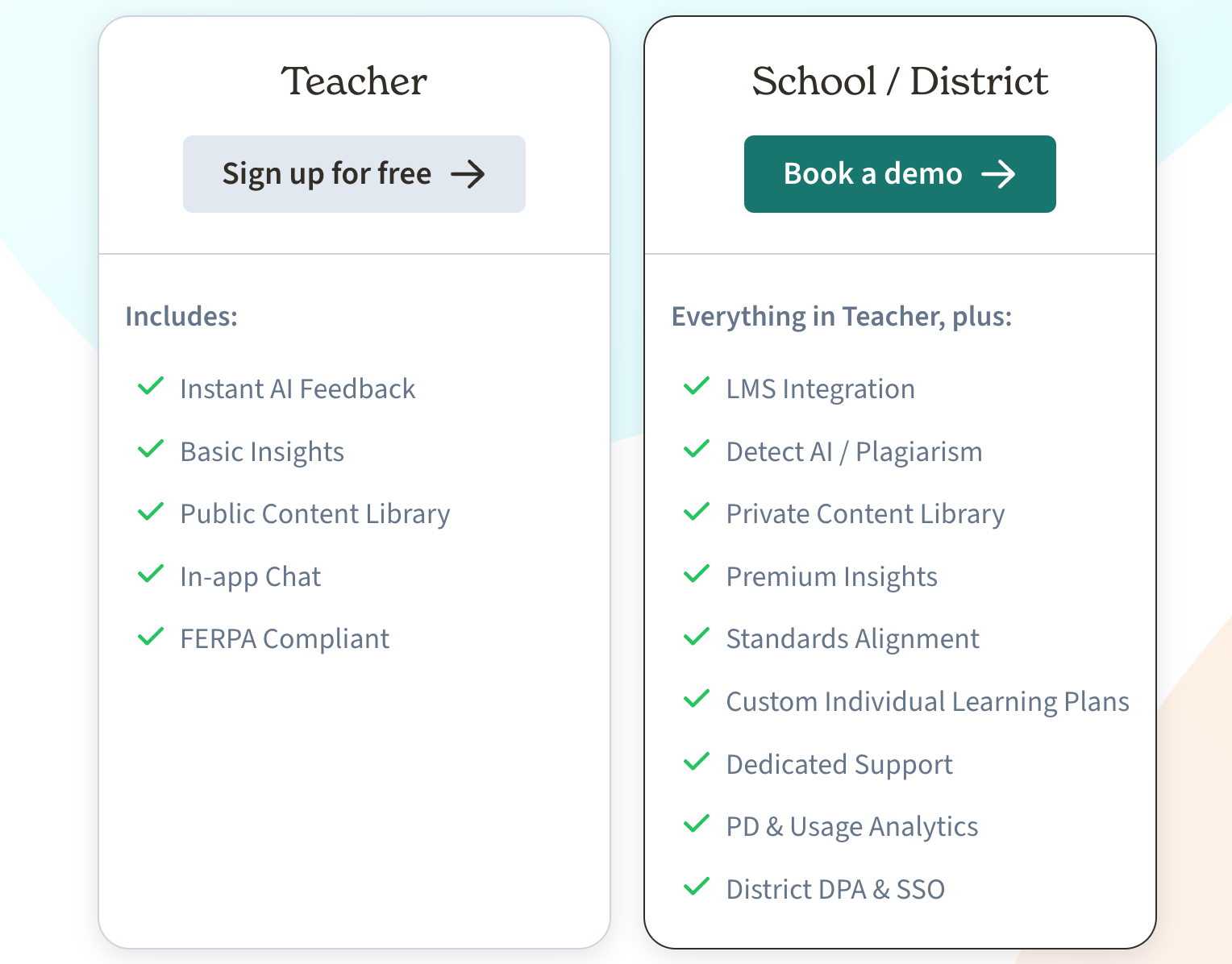
- Class Companion: Has a free "Teacher" plan that's free indefinitely. It gives you instant AI feedback, basic insights, access to their public content library, and in-app chat, with no stated usage limits.
Their paid options aren't for individual teachers. They're institutional plans for schools or districts. And they don't list specific prices for these, so schools need to contact Class Companion directly for a quote.
Which option is more cost-effective?
EssayGrader: EssayGrader has a free plan that allows you to grade 100 essays a month without any cost. Its "Pro" plan works out to about 4 cents per essay when you're grading at its full capacity. That's a pretty reasonable cost, especially when you compare it to the time a teacher might spend grading in the evening.
Class Companion: Has a free tier that doesn't cost anything per submission, but the free plan lacks the features like LMS integration, AI and plagiarism checks, private content library, etc.
What do ratings and public reviews say about both?
When it comes to public reputation:
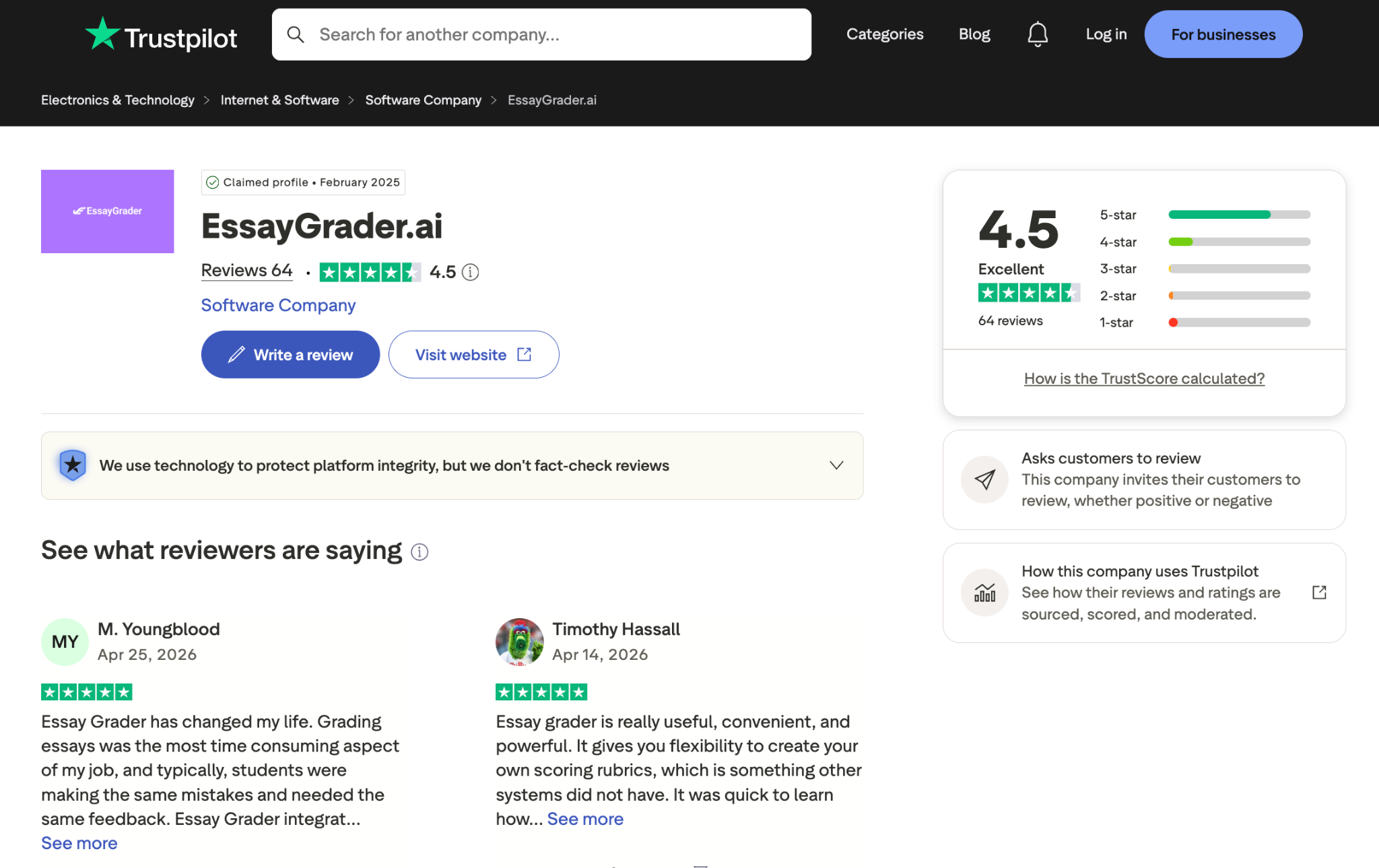
- EssayGrader: Has reviews on sites like Trustpilot, where it has a 4.5 out of 5 rating, and a 4.8 out of 5 on Google.
- Class Companion: It doesn't have the same kind of aggregated public scores on platforms like Trustpilot or G2 yet.
Side-By-Side Quick Comparison of EssayGrader AI vs. Class Companion
Which one should you choose?
Choose Class Companion if…
Class Companion might be ideal for you if your goals include students doing practice and reviews on the platform, but not for high-stakes assessments. In particular, they may benefit from opportunities to write short responses and get guidance from an AI tutor. As with most of these tools, though, you’re better off using this program if you don’t have a backlog of student papers to read through and provide feedback on.
Choose EssayGrader if…
If you do find yourself staring at a huge pile of essays to grade over the weekend, EssayGrader AI exists specifically to make grading as efficient as possible. Designed for when you need to score a whole class based on consistent criteria, you can create personalized rubrics and define feedback preferences ahead of time before handing out the assignment to your students.
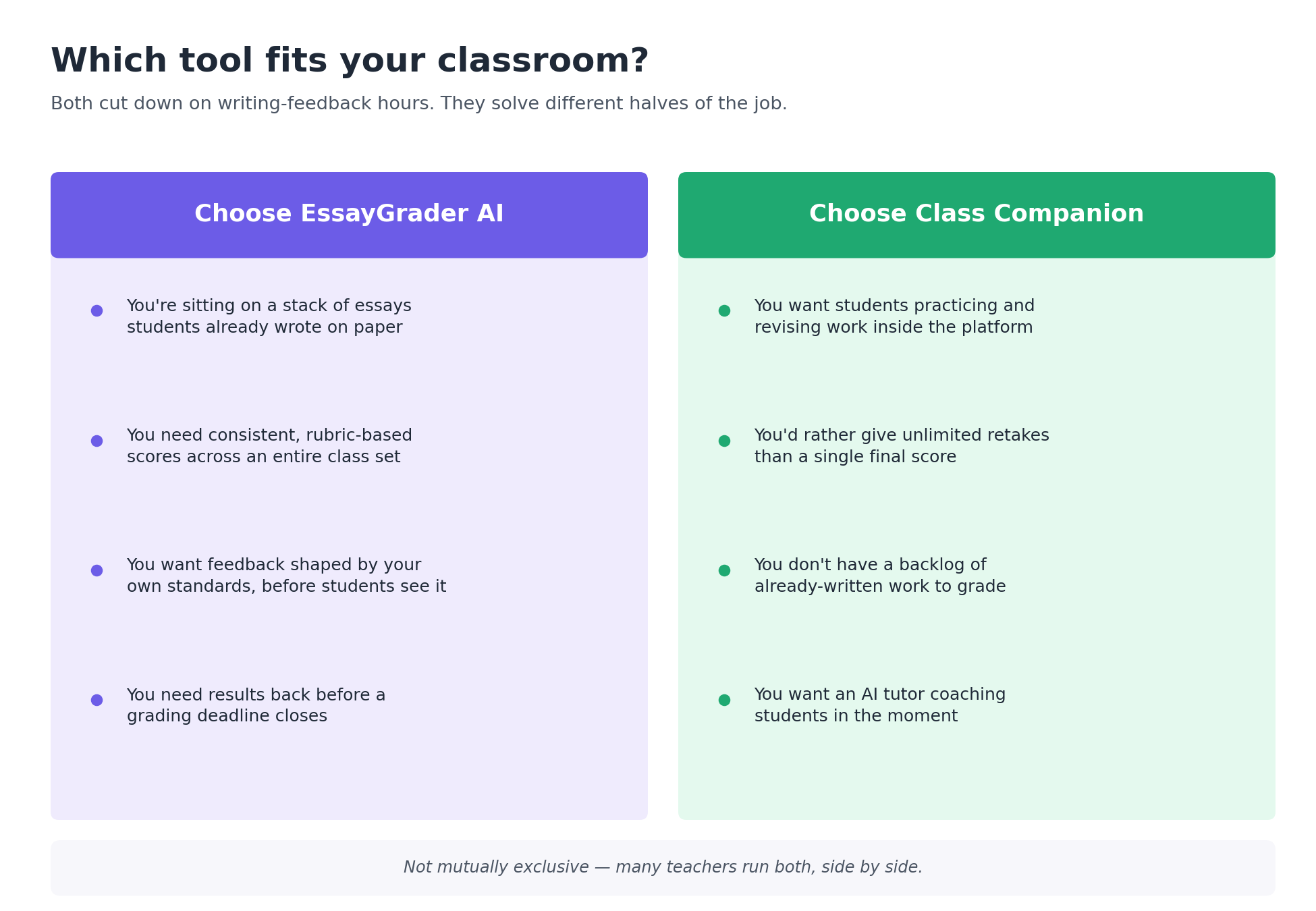
Can you really only pick one? Some teachers will use both Class Companion and EssayGrader AI in their classrooms. They may use Class Companion as a way to do routine practices throughout the school year, and then pull out EssayGrader AI when students are about to turn in a major assignment/test that goes into their grade book.
Get your evenings back with EssayGrader AI
Think of all the evenings you could reclaim if you weren’t spending them grading. For many teachers, this is a big drain. With 10 hours spent every week on average grading, it comes as no surprise that a third of teachers are contemplating quitting.
But what if you had help? What if you were able to get through your workload without having to grade stacks of essays that have already been written? EssayGrader AI helps teachers do exactly this.
Try EssayGrader AI for free, and you could be grading your essays in just a few minutes.




.avif)
.avif)
%201.svg)