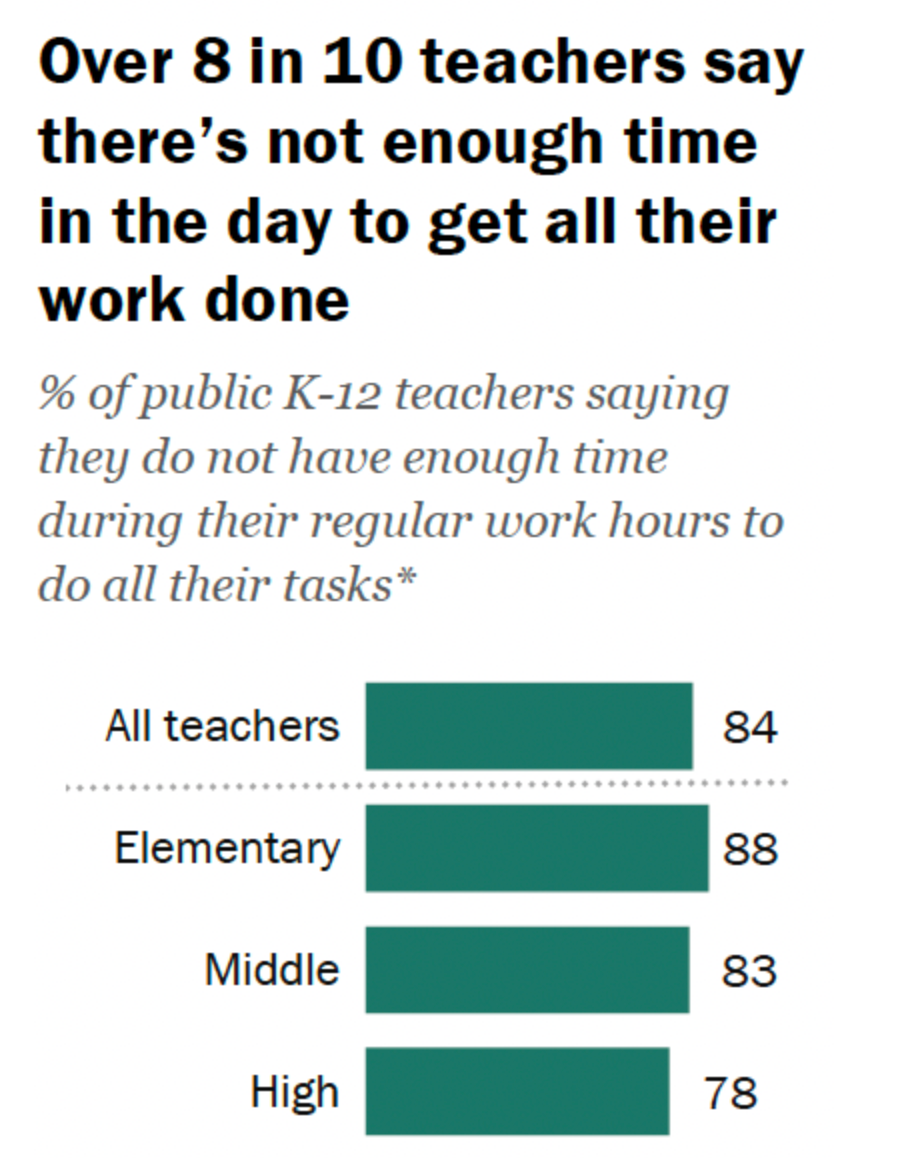
It was reported by the Pew Research Center that 84% of US public K-12 teachers don’t have enough time to squeeze everything that is expected of them into a day. That includes grading, lesson planning, teaching, and other activities that they need to plan ahead of the day.
Talking about EssayGrader vs. MagicSchool in this regard helps to narrow down this search. Both aim to reduce a teacher’s workload, but they take very different approaches. One is centered on essay grading, while the other offers a much broader AI toolkit.
We’ve tested and compared both tools in every respect so you can take your pick without hesitation.
What is EssayGrader AI?
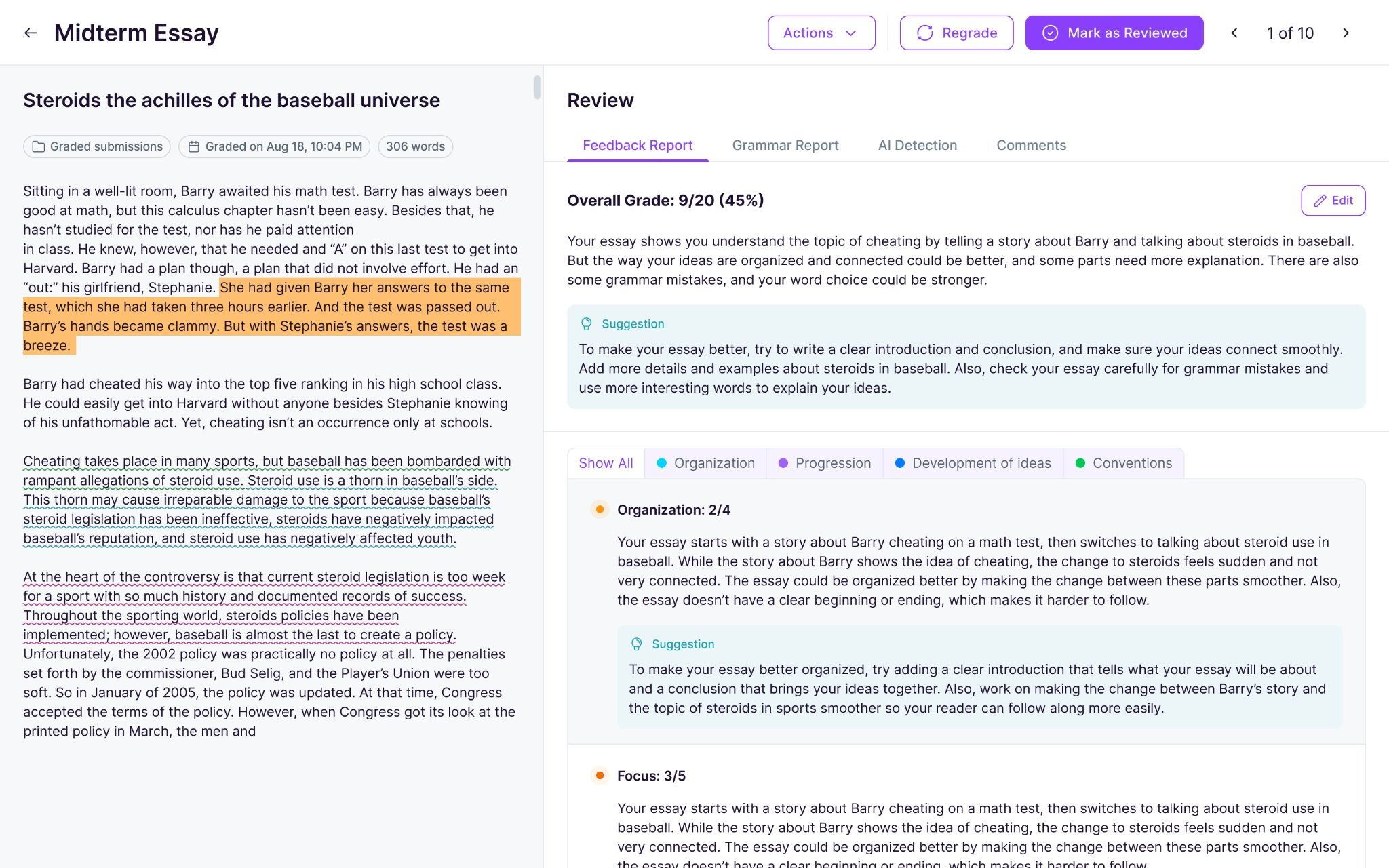
EssayGrader is an AI grading tool that uses AI and custom rubrics to generate feedback on essays and any other long-form written assignments. It has built-in features like bulk upload, LMS integration, and a rubrics library that make grading quicker and easier. And it didn’t come out of nowhere.
The motivation behind it was personal. The company started when Payton, a software developer, watched how much time his wife Ashley (an English teacher) was spending on grading. That’s how it came into being.
And now the platform helps over 200,000 teachers upload essays, create their own rubrics, and get AI-generated grades and feedback. You can also upload assignments in bulk, which is kind of the point when you’re dealing with a full class or classes, as a matter of fact.

What sets it apart is that it still gives full control to a teacher’s judgment, meaning it's not set up as “the AI decides, and that’s that,” though.
As a teacher, you can look over the grades and comments, tweak whatever you want, and only then send the feedback back to students. It also includes plagiarism and AI-writing detection, plus integrations with classroom tools like Google Classroom.
What is MagicSchool?
MagicSchool is a generative AI tool for teachers that covers everything from lesson planning to quizzes. It has an AI assistant named Raina that works as a chatbot much like ChatGPT.
The difference is that it is specifically built for teachers with commands related to everything a classroom would need.
As far as origin is concerned, it was founded in Denver in 2023 by Adeel Khan, and it’s positioned around the day-to-day needs of schools and teachers. The company also says that more than half of its team has worked in schools, from classroom jobs to leadership roles.

Today, the platform combines 80+ AI tools for teachers and 50+ tools for students. On the teacher side, it supports work like lesson plans, worksheets, quizzes, presentations, rubrics, and writing feedback. On the other hand, students get their own tools as well, including writing feedback, tutoring, and other guided learning activities.
For the comparison with EssayGrader, the feature that matters most is MagicSchool’s Class Writing Feedback tool. It lets teachers review writing assignments in batches, generate feedback based on their rubric, and then tweak that feedback before it goes back to students.
Key Features Comparison of EssayGrader AI vs. MagicSchool
Both of these tools use AI as well as custom rubrics to make grading less of a slog, but they’re built with different assumptions. That’s where the real differences start to show.
1. Grading and rubrics
EssayGrader AI
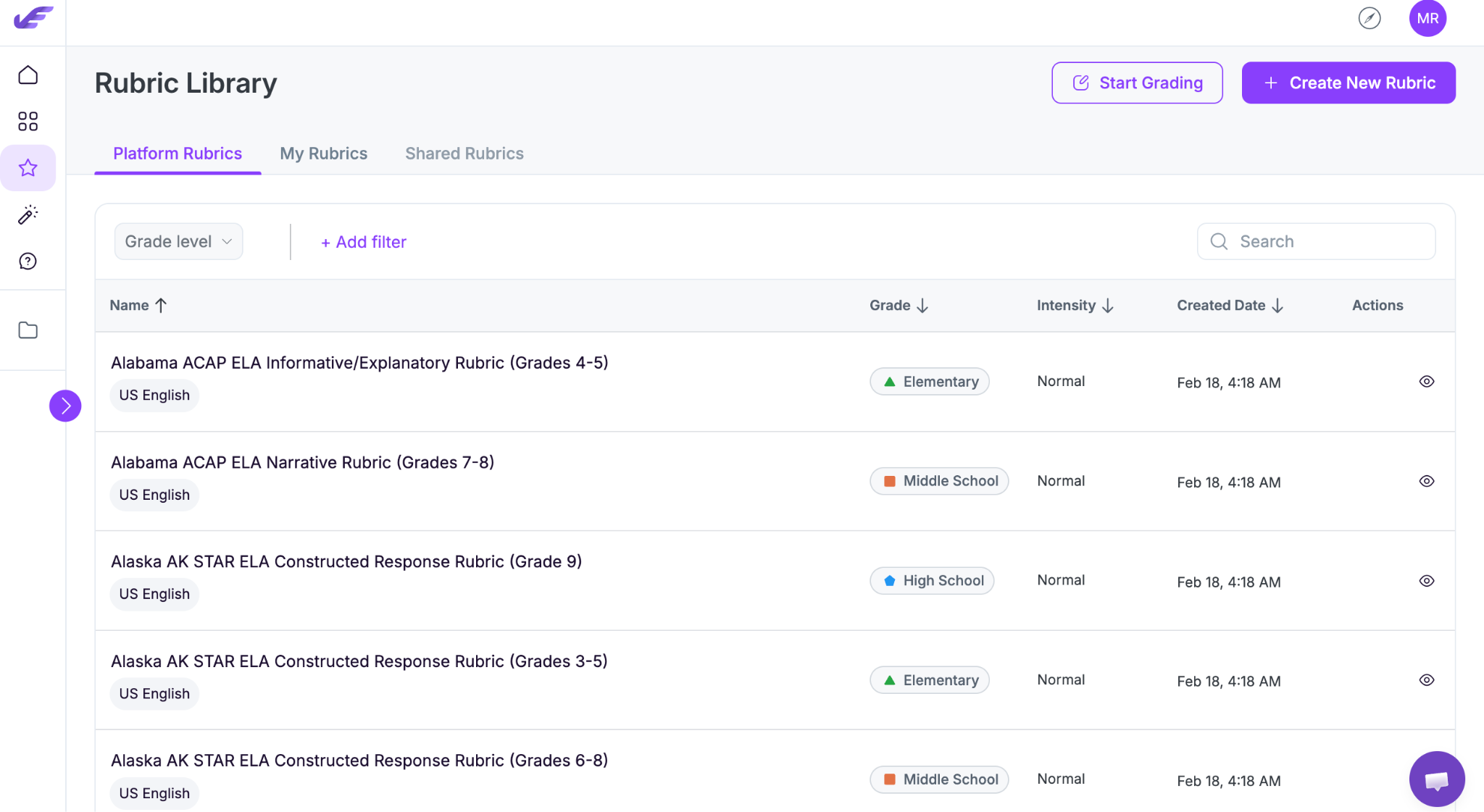
With EssayGrader, you can build a rubric from scratch if you want, but the differentiator here is the rubric library.
It has over 800+ rubrics ready to use, and the icing on the cake? All of them are compliant with curriculum like Texas STAAR, Florida B.E.S.T., IB, Cambridge, etc.
MagicSchool
On this front, MagicSchool doesn’t have a rubric library. It has a Rubric Maker that generates a rubric from an AI prompt and formats it into a nice, clean table.
It’s quick, and it does the job. However, it’s more of a hassle to generate a new rubric each time instead of just choosing from a standards-aligned library the way EssayGrader does.
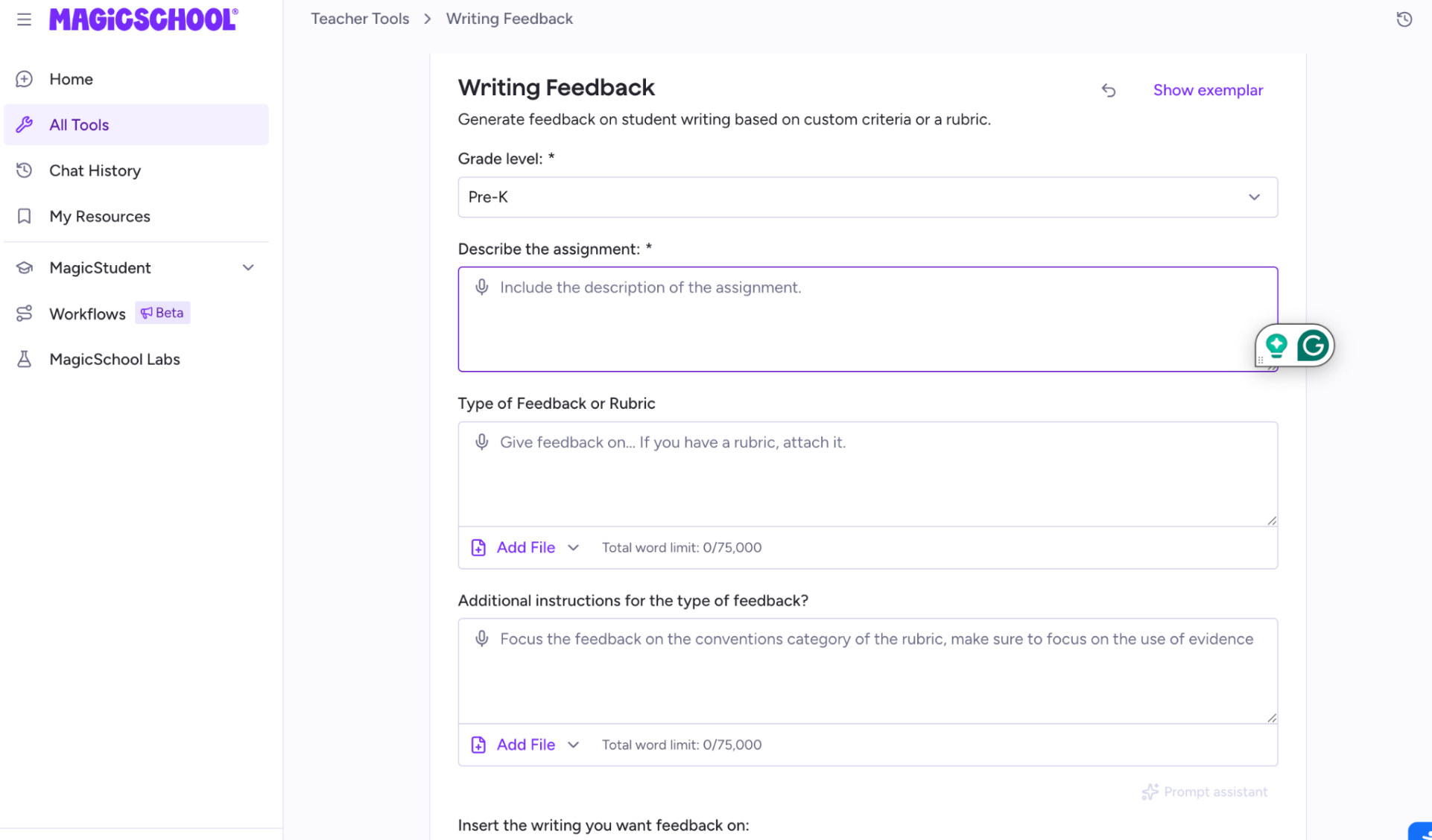
Verdict: You can create a rubric from scratch in both EssayGrader AI and Magic School AI. But if you don’t feel like writing prompts and just want a rubric that matches the state standard, EssayGrader’s library saves a step.
2. Feedback quality and delivery
EssayGrader AI
Sends the feedback to you first as it values a teacher’s judgment. You look it over, tweak anything that needs tweaking, and then it goes to the student. That way you can rest assured that you’re still in control and there is no error in any feedback.
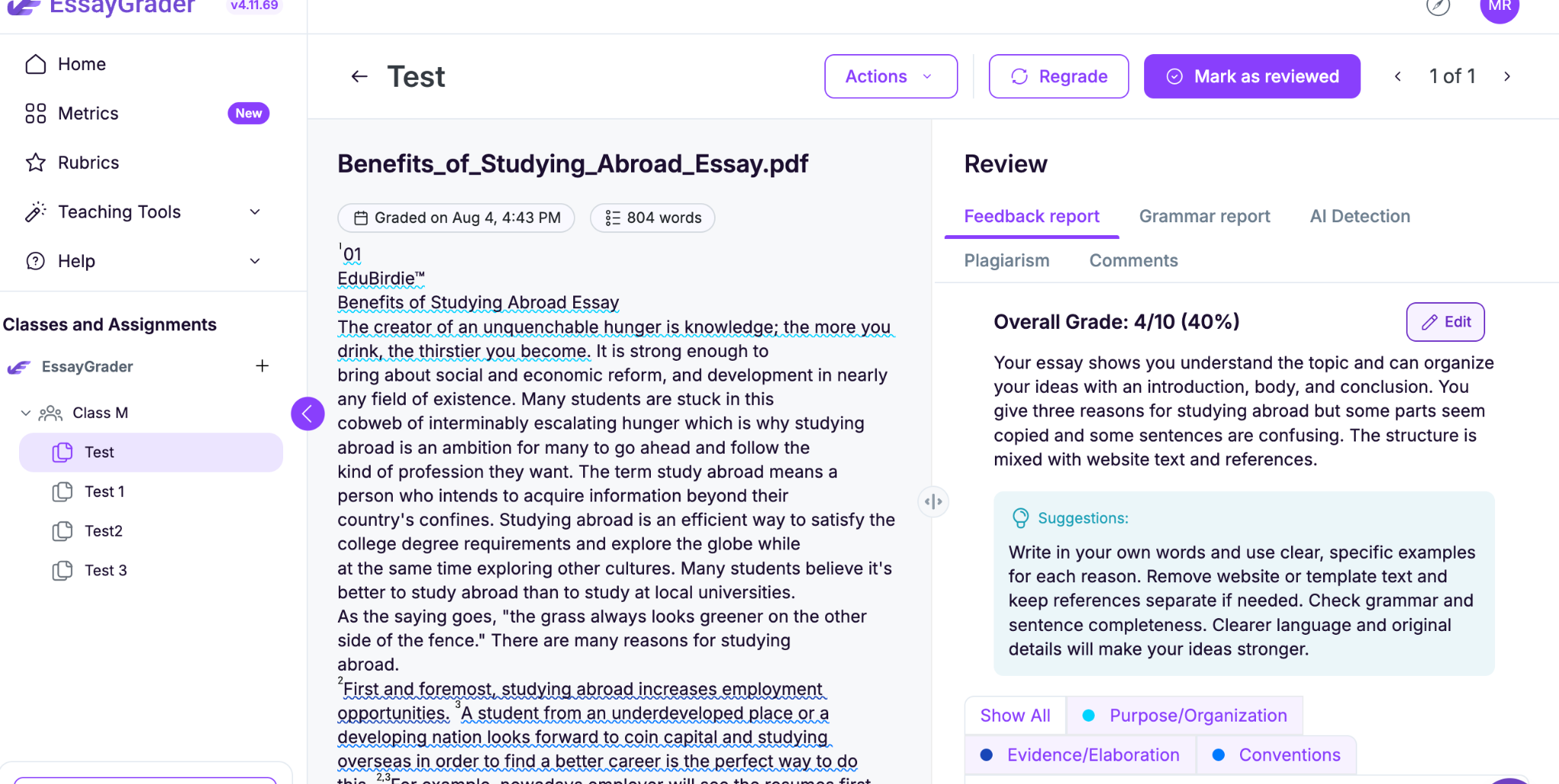
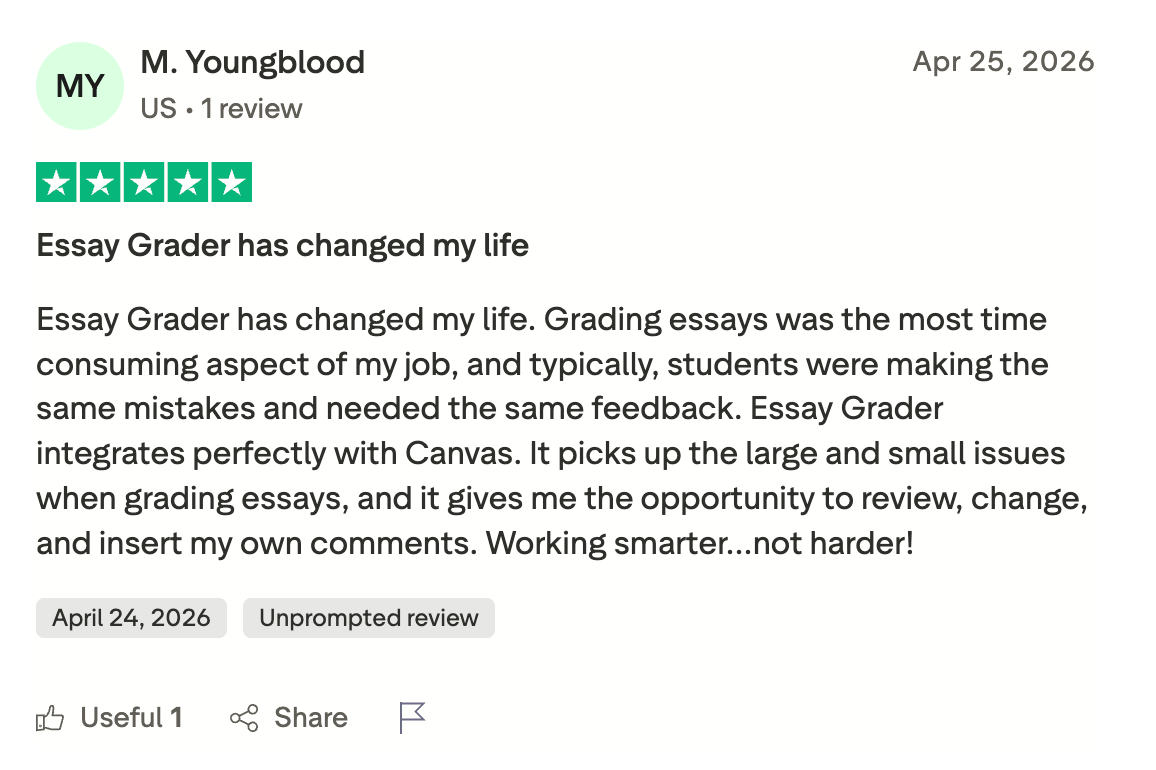
The feedback quality of EssayGrader AI is one of the best in this space, and many teachers appreciate the details, nuances, and large and small issues it highlights.
MagicSchool
MagicSchool works the same way as EssayGrader in terms of providing feedback. The Class Writing Feedback section shows you what the AI suggests, you can personalize it, and then send it over to the students. So, teacher review stays in the middle either way.
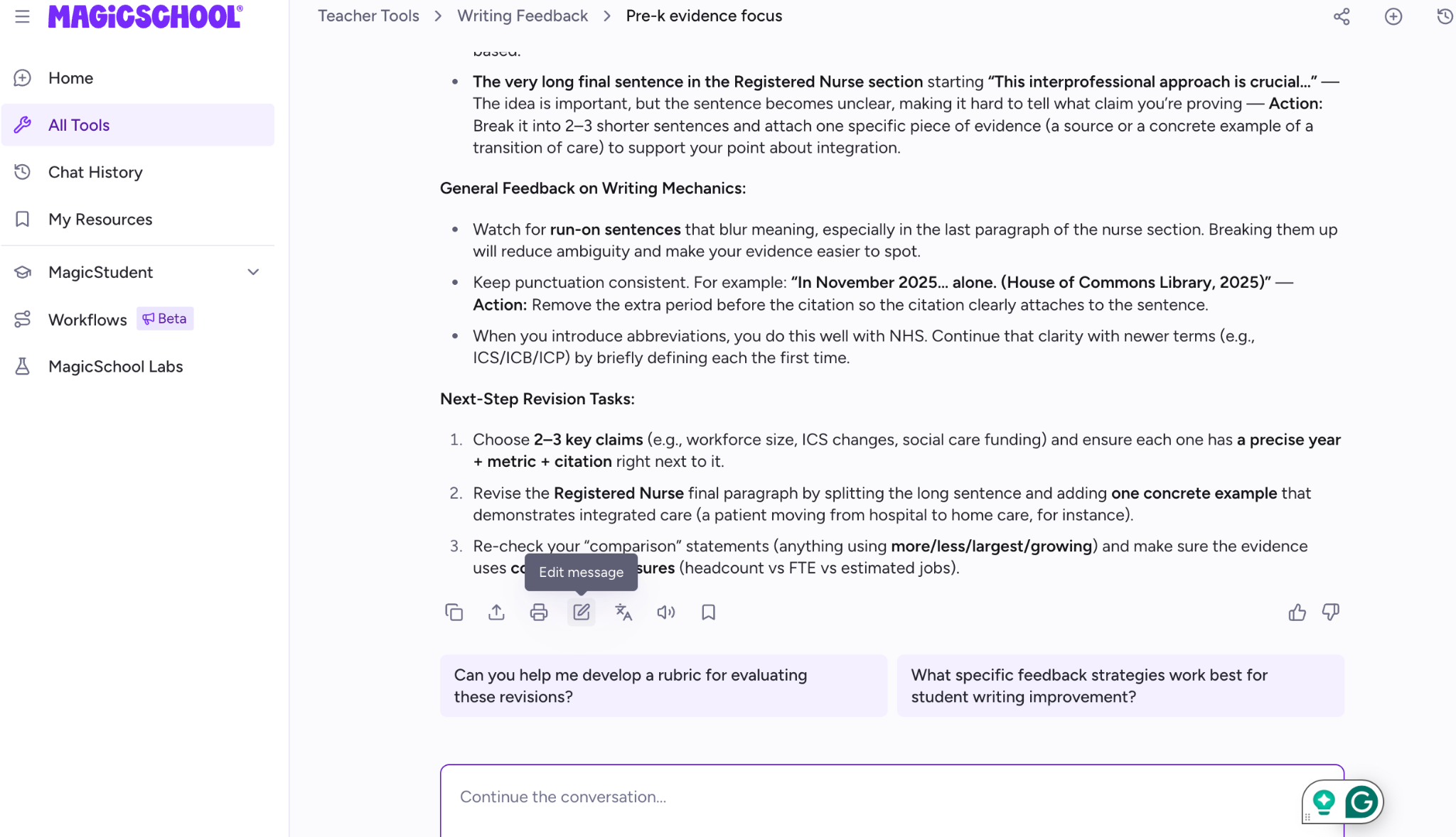
However, the feedback it provides is not as nuanced as EssayGrader AI provides.
Verdict: EssayGrader AI takes the edge over Magic School AI when it comes to feedback quality and delivery.
3. Workload and bulk processing
EssayGrader AI
EssayGrader is purpose-built to manage heavy workload and bulk processing. You can upload a whole batch of essays in one go, that too in mixed or multiple formats like Word docs, PDFs, Google Docs, .txt files, etc.
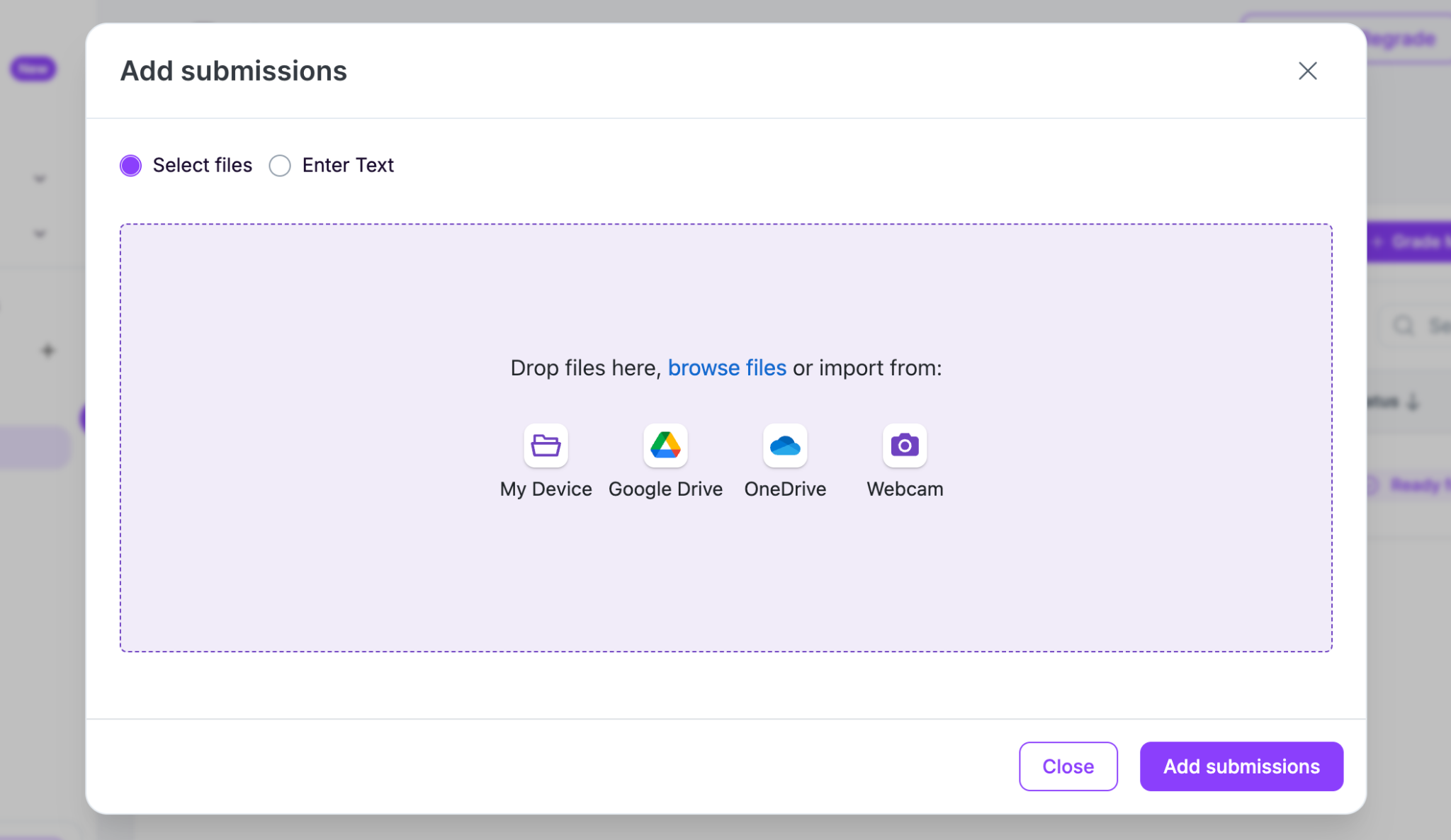
And it also allows you to either upload them directly from your computer or straight from Google Drive, OneDrive, Google Classroom, or Canvas. Once it’s running, it’s around 20 seconds per essay. That’s the exact time it took us while conducting this whole experiment.
MagicSchool
With MagicSchool, you can also grade in batches (but not that efficiently). Its Class Writing Feedback tool lets you upload files from Google Drive, Google Classroom, OneDrive, and Canvas or Schoology with SSO.
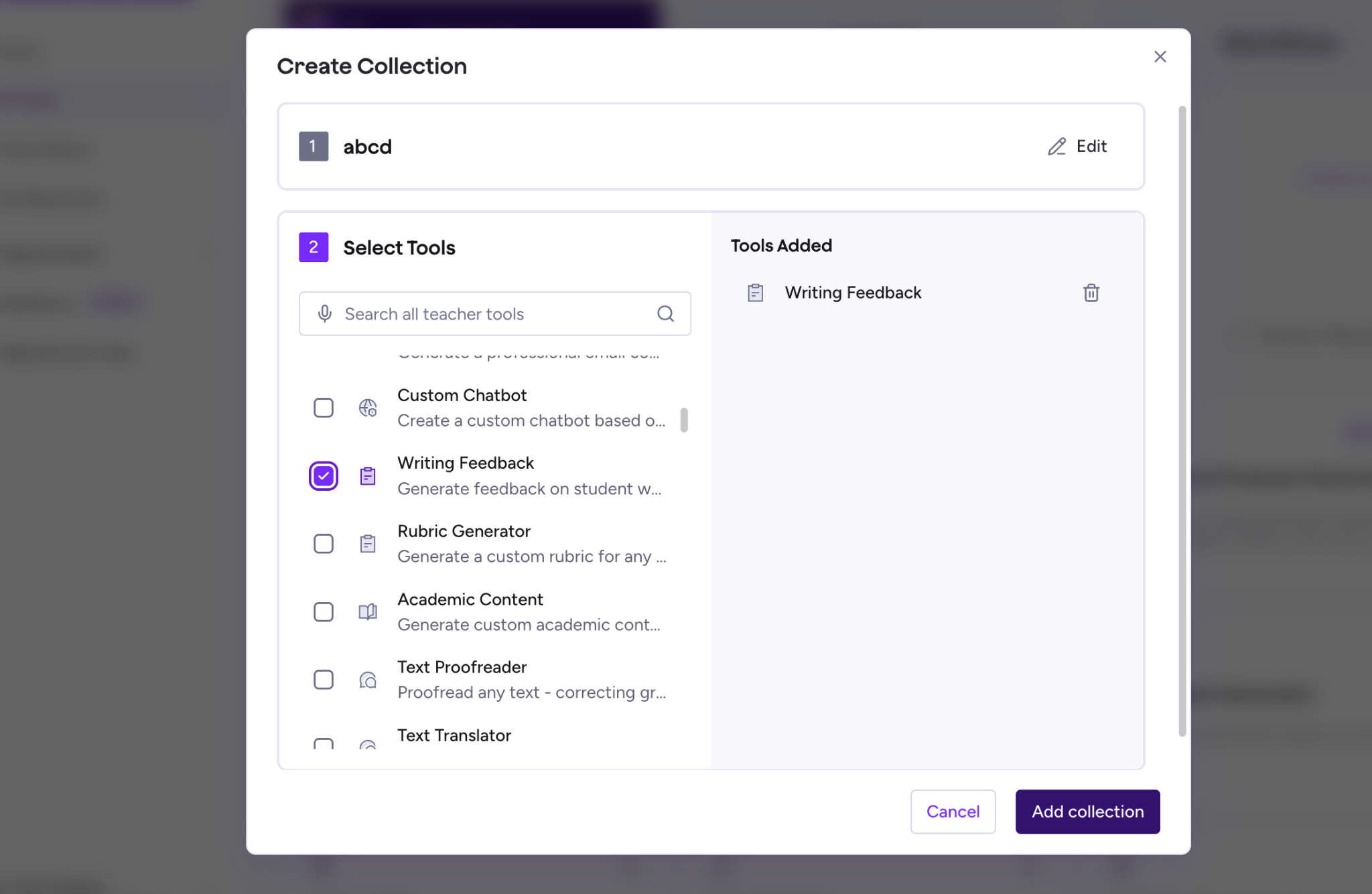
Verdict: Both can handle a backlog of already-written essays now, which honestly is a newer feature than you’d expect from something like MagicSchool. But EssayGrader still feels more purpose-built for volume, since volume is basically the entire product.
4. Assignment creation and the student workflow
EssayGrader AI
EssayGrader isn’t trying to compete in this area. It assumes the writing happens somewhere else first (on paper, in class, in a Google Doc, wherever). Then once the essay exists, you can upload it into EssayGrader and get the feedback.
MagicSchool
This is where MagicSchool has so much to offer. You can build the assignment itself, make quizzes, worksheets, slides, even those MagicQuizzes for a quick check-in. And students can actually do the work inside MagicSchool if you set up Student Rooms.
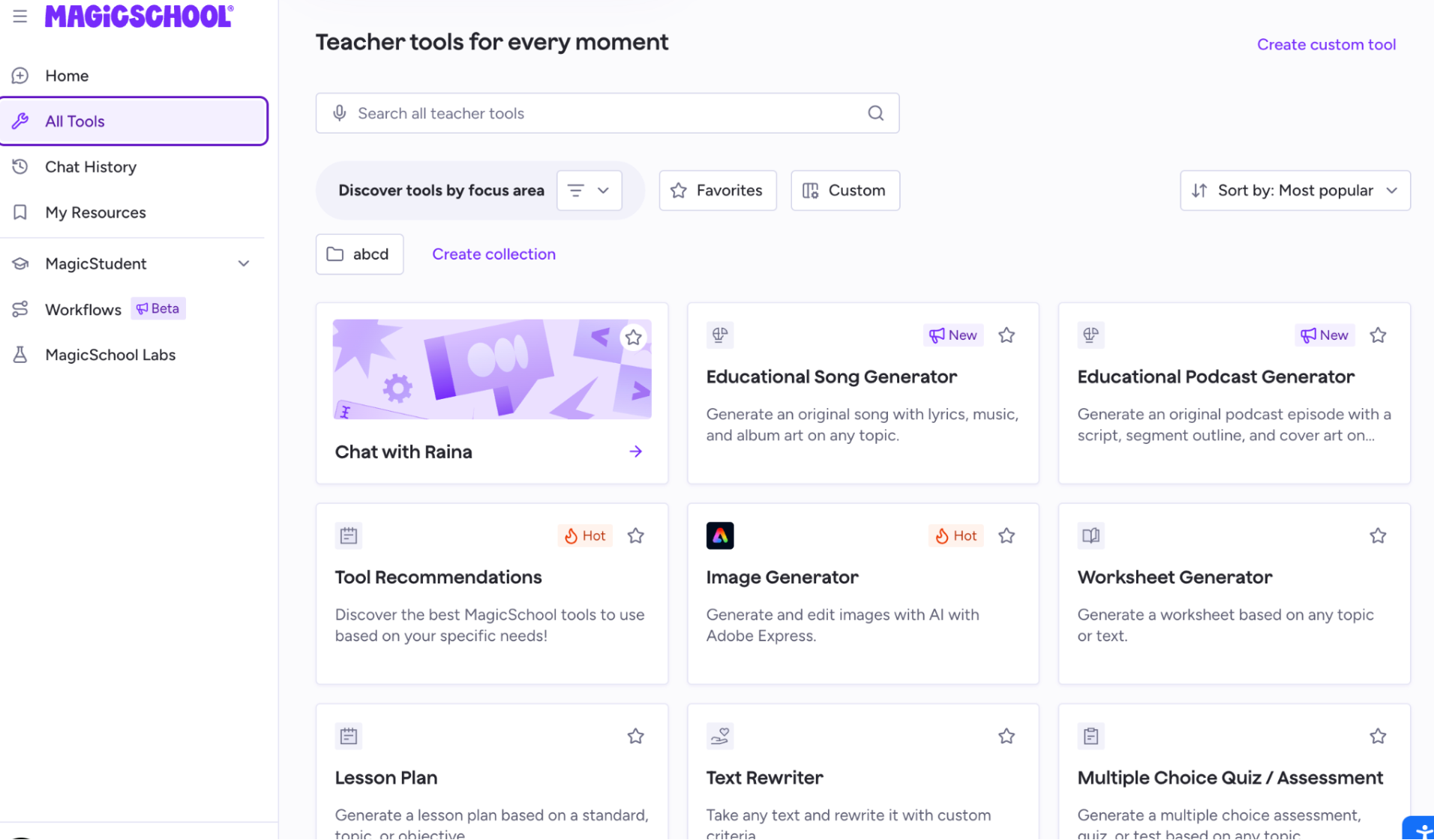
Verdict: If you want one tool where you can create and grade assignments in one workflow, then MagicSchool is an obvious choice for you.
5. AI and plagiarism detection
EssayGrader AI
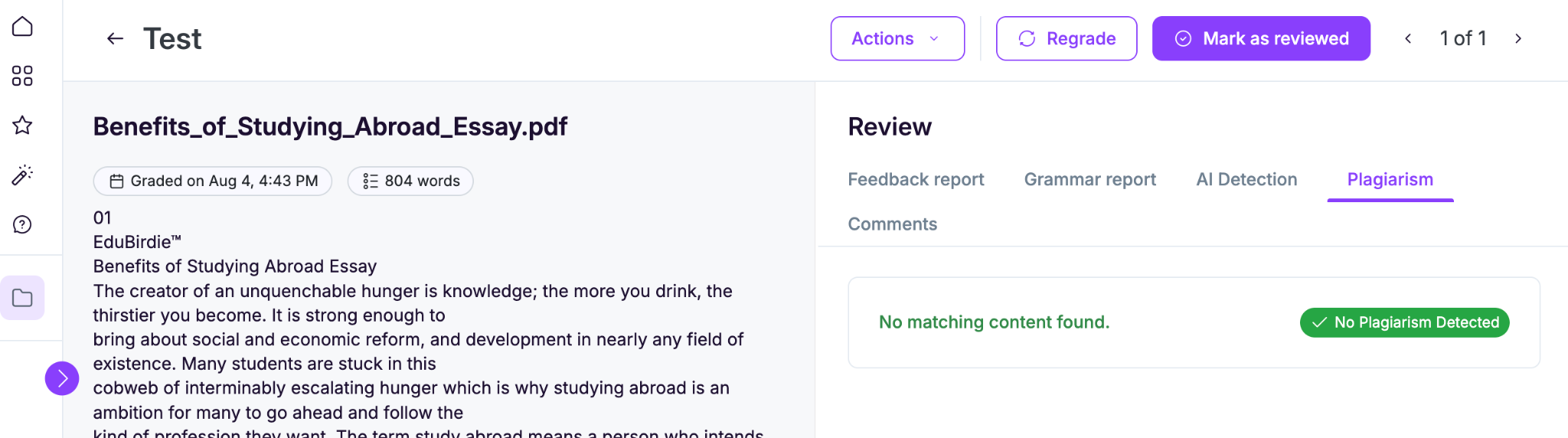
EssayGrader AI comes with its own AI writing detector and a plagiarism checker. It’s included starting on the Pro plan, and it runs automatically while essays are being graded.
MagicSchool
It’s a generative tool in itself and doesn’t include that kind of AI and plagiarism detection. So the whole product is about creating content and generating feedback, and not detecting whether AI has been used or the student copied from somewhere.
If you want that layer, you need to use another tool for that task. Most people tend to mention GPTZero or Turnitin (which can be expensive).
Verdict: If you want detection in the same tool you’re grading in, that’s EssayGrader. With MagicSchool, you’re likely paying for another tool to do that specific job.
6. Class management, analytics, and reporting
EssayGrader AI
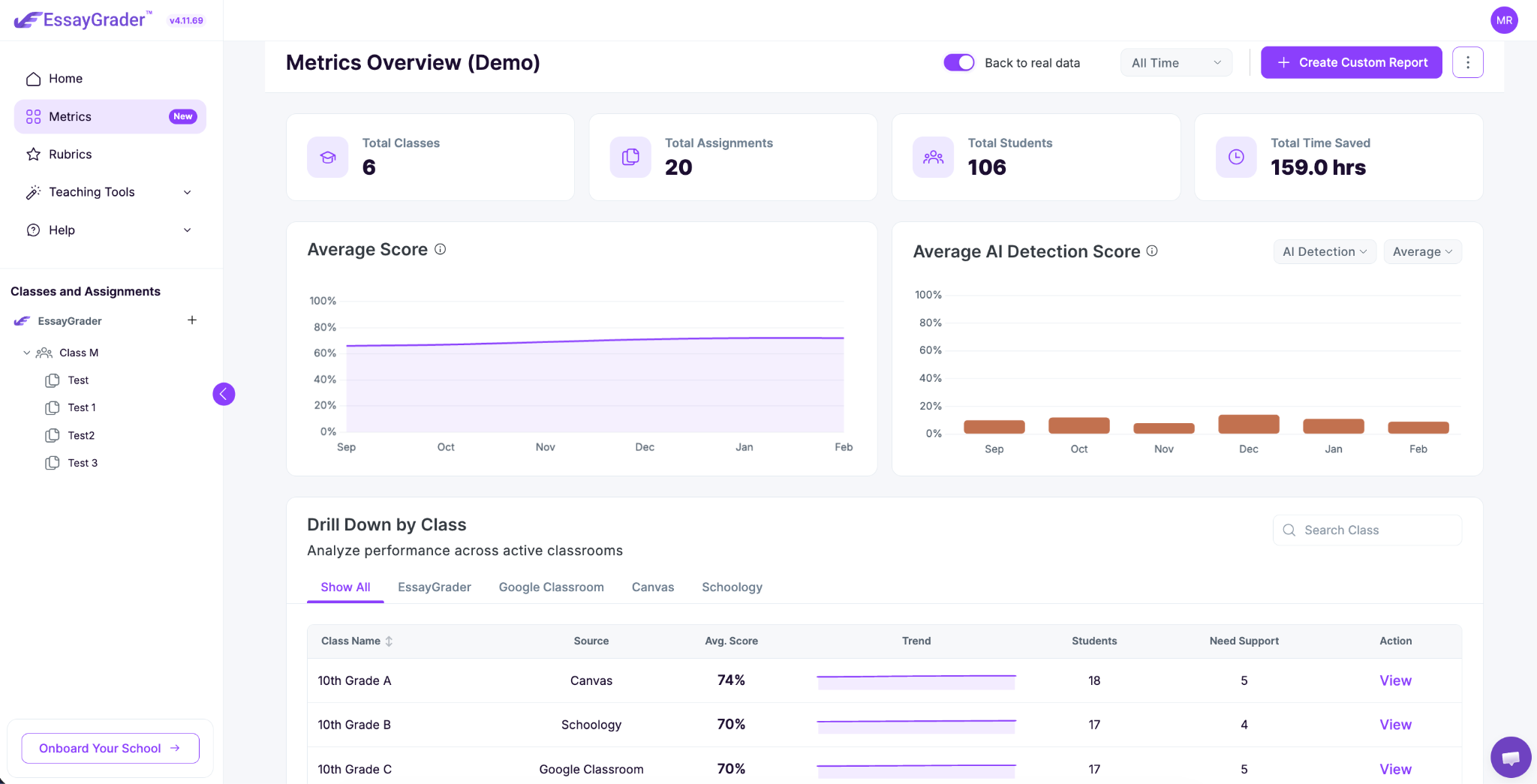
It has a dashboard for tracking submissions, and on paid plans there’s a “Writing Intelligence Layer,” which is meant to follow a student’s progress over time across assignments and classes.
MagicSchool
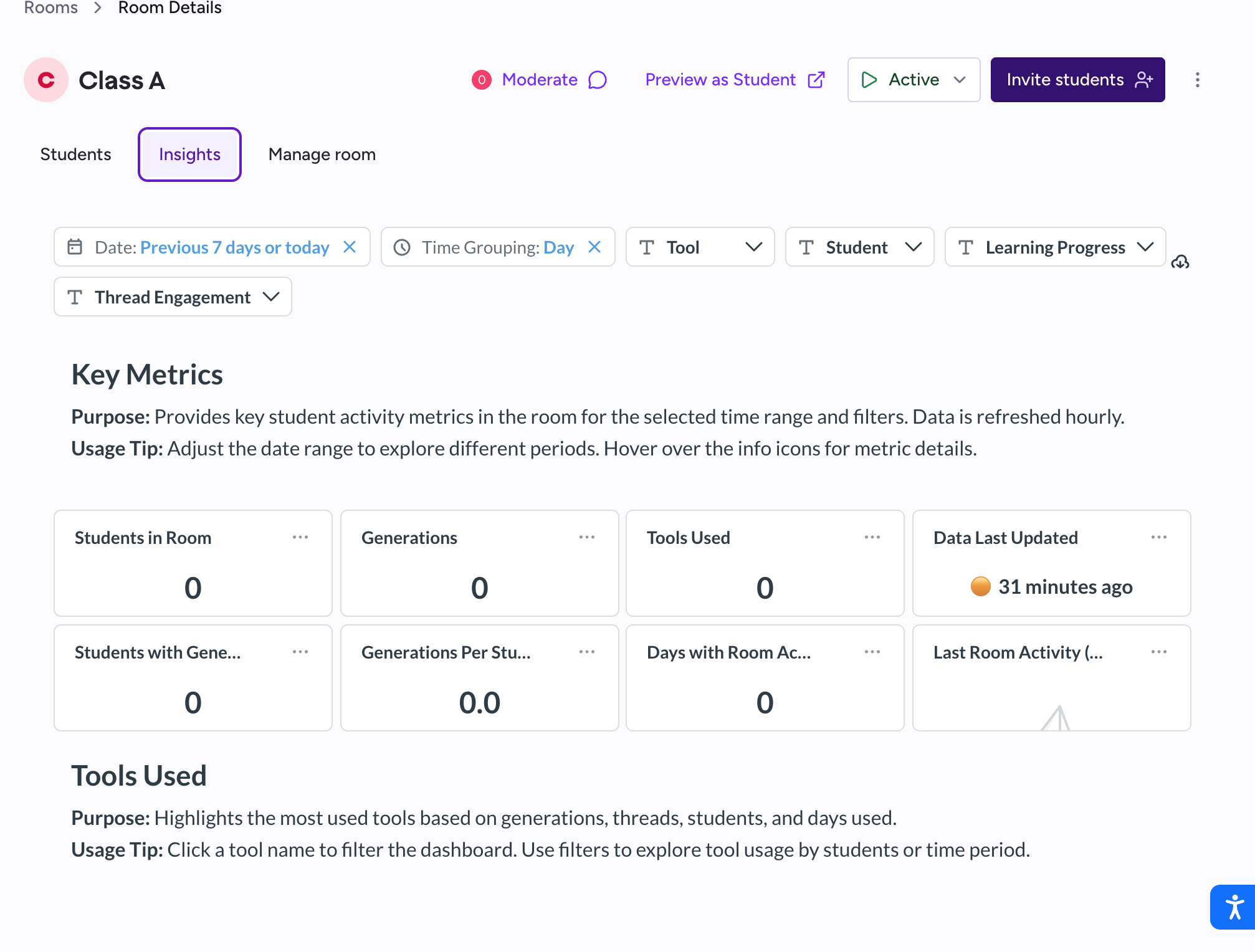
MagicSchool AI provides Student Room Insights so you can watch engagement as it’s happening. And on the Enterprise level, there are more advanced data dashboards, but those feel more like they’re meant for districts checking adoption and rollout, not one teacher tracking whether a student’s writing is improving across a semester.
Verdict: EssayGrader’s reporting is pointed at individual growth. MagicSchool’s data is pointed more at usage and implementation, which is really a different audience.
7. Integrations and exports
EssayGrader AI
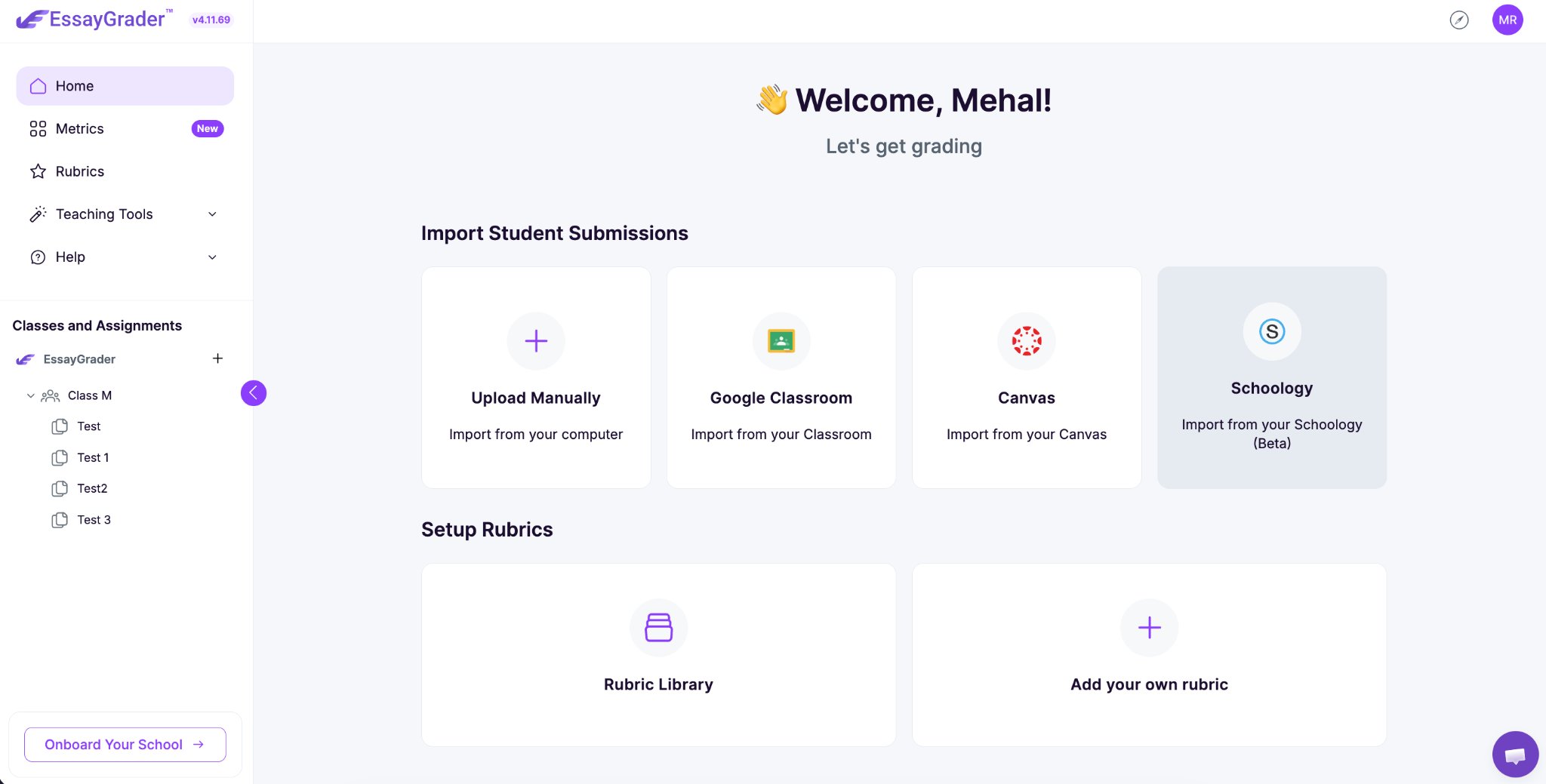
EssayGrader AI connects directly to Google Classroom, Canvas, and Schoology, and you can export grades as a CSV.
MagicSchool
It is more limited on the Free and Plus plans as it allows you to only export outputs to Google or Microsoft, and that’s basically it.
That being said, if you want full syncing across major LMS like Canvas and Schoology along with Clever, ClassLink, and SIS connections, you would need to go for the Enterprise plan. So if you’re just a single teacher without a district Enterprise setup, you won’t have those native LMS integrations.
Verdict: Both tools offer LMS integration, but EssayGrader gets you LMS integration at a lower tier. MagicSchool keeps it for the district plan only.
8. Subject and use-case coverage
EssayGrader AI
EssayGrader AI works for basically any writing assignment across age groups, and it grades in multiple languages (Spanish, French, Chinese, Japanese).
It also accounts for different English dialects for ESL students.
MagicSchool AI
It spans more around K-12 and offers features like lesson planning, IEPs, differentiation, translation, grading, and more.
If you need that whole toolkit, it’s convenient. If grading is genuinely your only problem, you’re going to be stepping around a lot of stuff you don’t really need.
Verdict: Both cover a lot, but EssayGrader is the more focused tool if what you care about is grading student writing.
Side-by-Side Comparison of Both Tools
Price Comparison of EssayGrader vs. MagicSchool
Here’s the pricing comparison for both tools.
EssayGrader AI
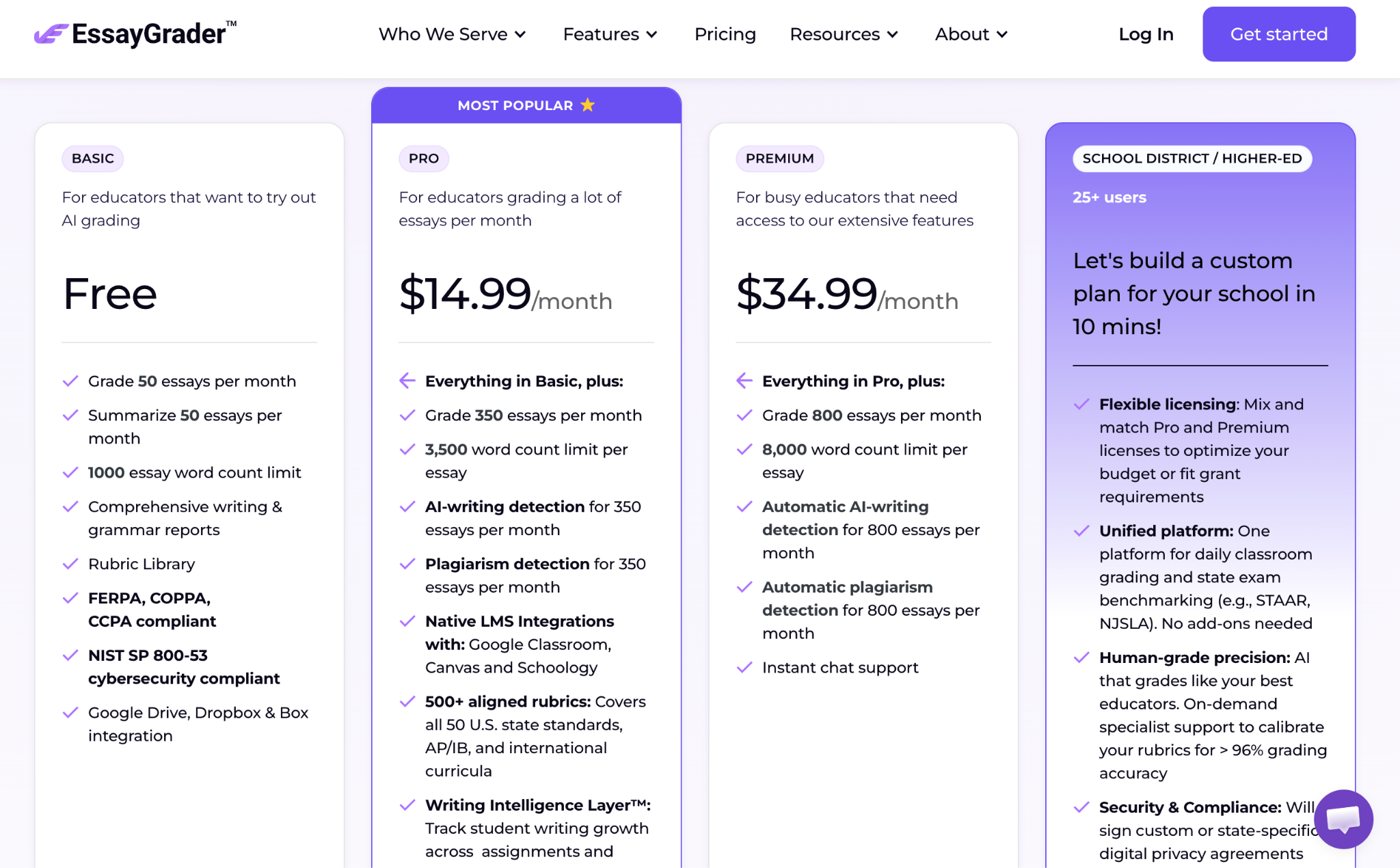
With EssayGrader, you can start on the Basic plan for free and grade up to 50 essays a month. Then, you have three paid plan options.
- Free plan: That gets you 50 essays graded and 50 summaries each month, with a 1,000-word cap per essay, and you don’t have to put in a credit card to try it.
- Pro plan: This is $14.99/month when billed annually, and that jumps you up to 350 essays a month, plus LMS integration, an AI and plagiarism detector, and access to the full rubric library.
- Premium plan: It is priced at $34.99/month billed annually for 800 essays a month, automatic AI and plagiarism checks, and priority chat support. If you pay yearly, you can save up to 30%, and both Pro and Premium come with a free trial.
- For schools and districts: With 25+ users or more, you’ll need to get a custom quote.
MagicSchool
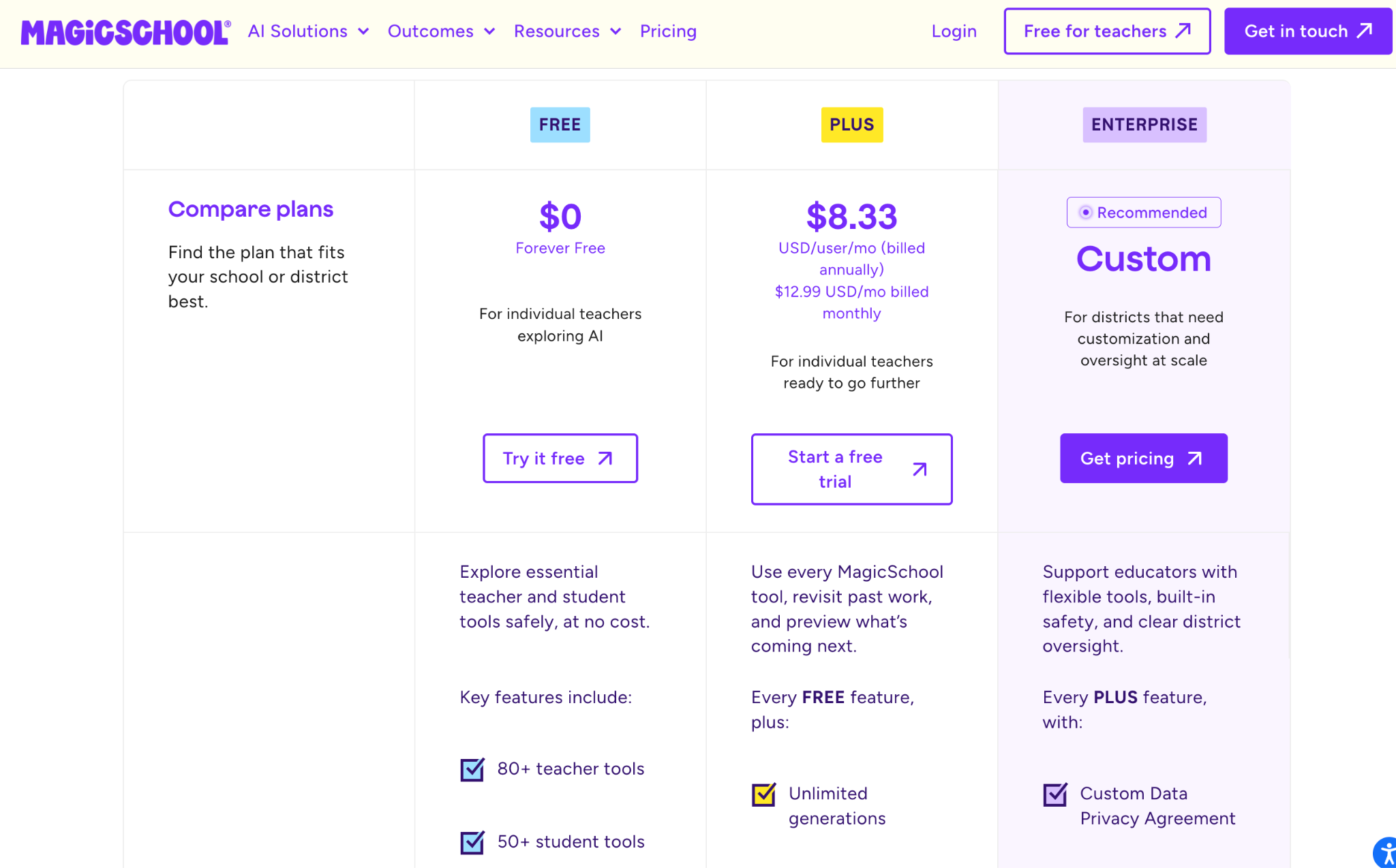
MagicSchool has a free plan that is free forever for an individual teacher, and it includes all 80+ teacher tools, 50+ student tools, and Class Writing Feedback, which they label as “Standard Access” on that tier. But the free plan has a limited no of generations. Then, you have two paid plans:
- Plus plan: This is priced at $12.99/month, or $8.33/month if you pay annually (so $99.96 total), and it gives access to unlimited generations, unlimited output history, and early access to new features through MagicSchool Labs.
- For schools and districts: There’s an Enterprise plan with custom pricing, and that’s where you get single sign-on, full LMS integration, district dashboards, and a dedicated customer success manager.
Which tool is cost-effective for an individual teacher?
If you look at cost-effectiveness in a literal way, EssayGrader is easy to quantify. The free version allows you to grade 50 essays a month and summarize another 50 for $0.
For the Pro plan, if you actually use all 350 essays, it roughly lands at around four cents per essay. That’s not much, especially when you compare it to the time you’d otherwise spend grading.
Now, coming to MagicSchool’s free tier, it doesn’t charge per submission, but it has way more options than you might actually need, and the useful ones like LMS sync and SSO require you to get the Enterprise plan, which is expensive.
What do users say about EssayGrader AI vs Magic School?
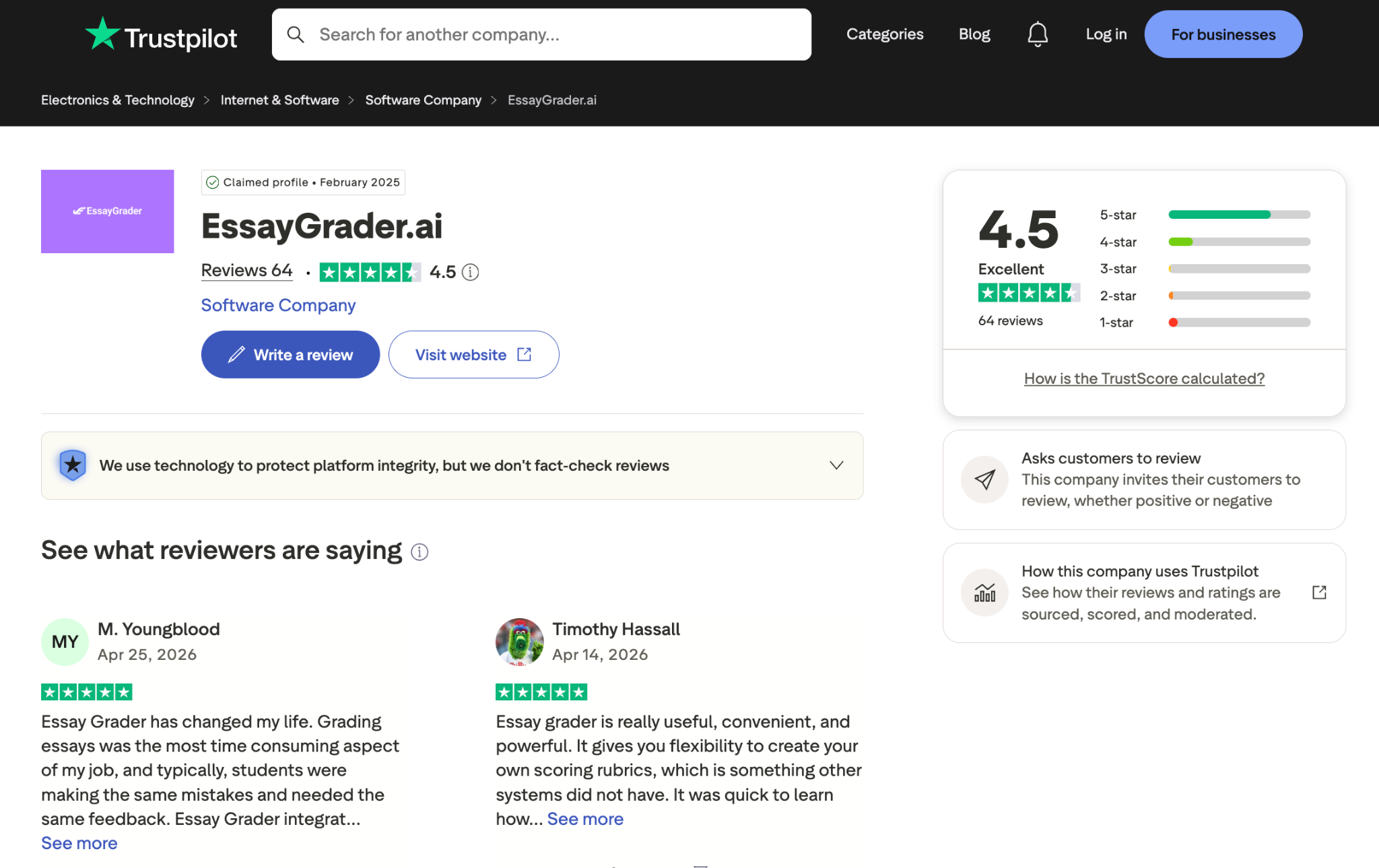
EssayGrader is listed on independent review platforms as well as on Google. On Trustpilot, EssayGrader AI has a 4.5/5 rating, and on Google, it has a 4.8/5 rating.
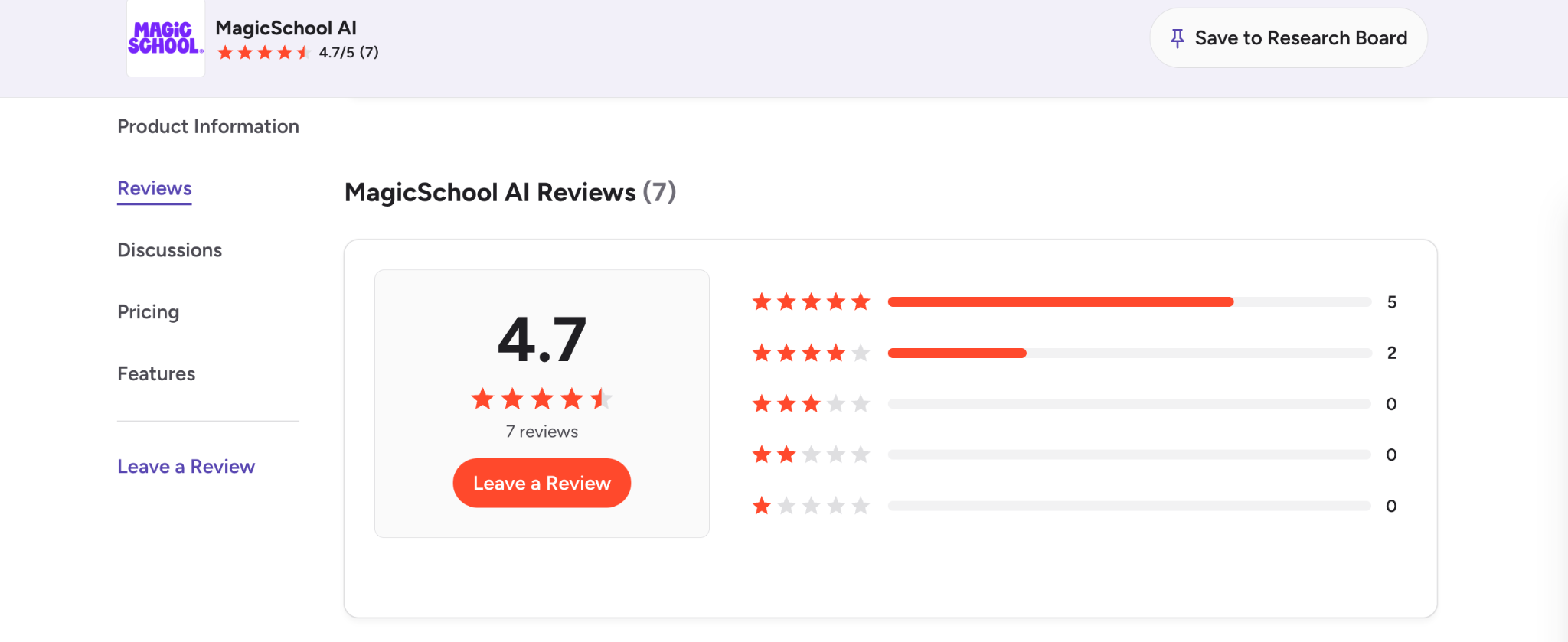
We couldn’t find MagicSchool AI user reviews, except on G2, where it has a 4.7 rating based on 7 reviews as of August 2026.
Which AI Grading Tool Makes More Sense?
The answer comes down to your specific use case and what features you really need in an AI tool:
Choose MagicSchool if..
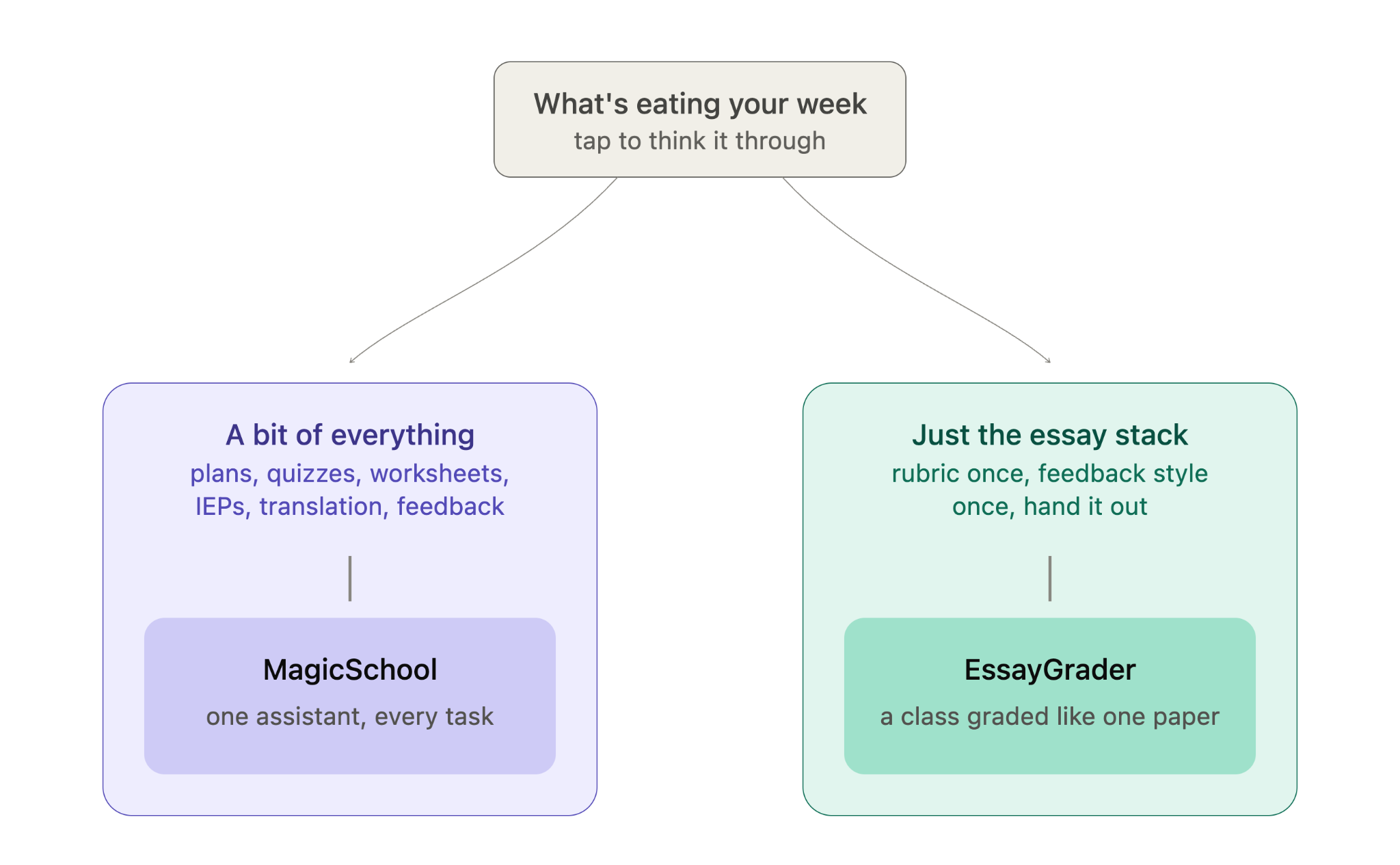
MagicSchool can be a great option if grading is just one of your worries, and you also need help with:
- Lesson plans
- Quizzes
- Worksheets
- IEP drafts
- Translation
- Feedback
The grading quality is not the best in the world since grading is not its main focus.
Choose EssayGrader if..
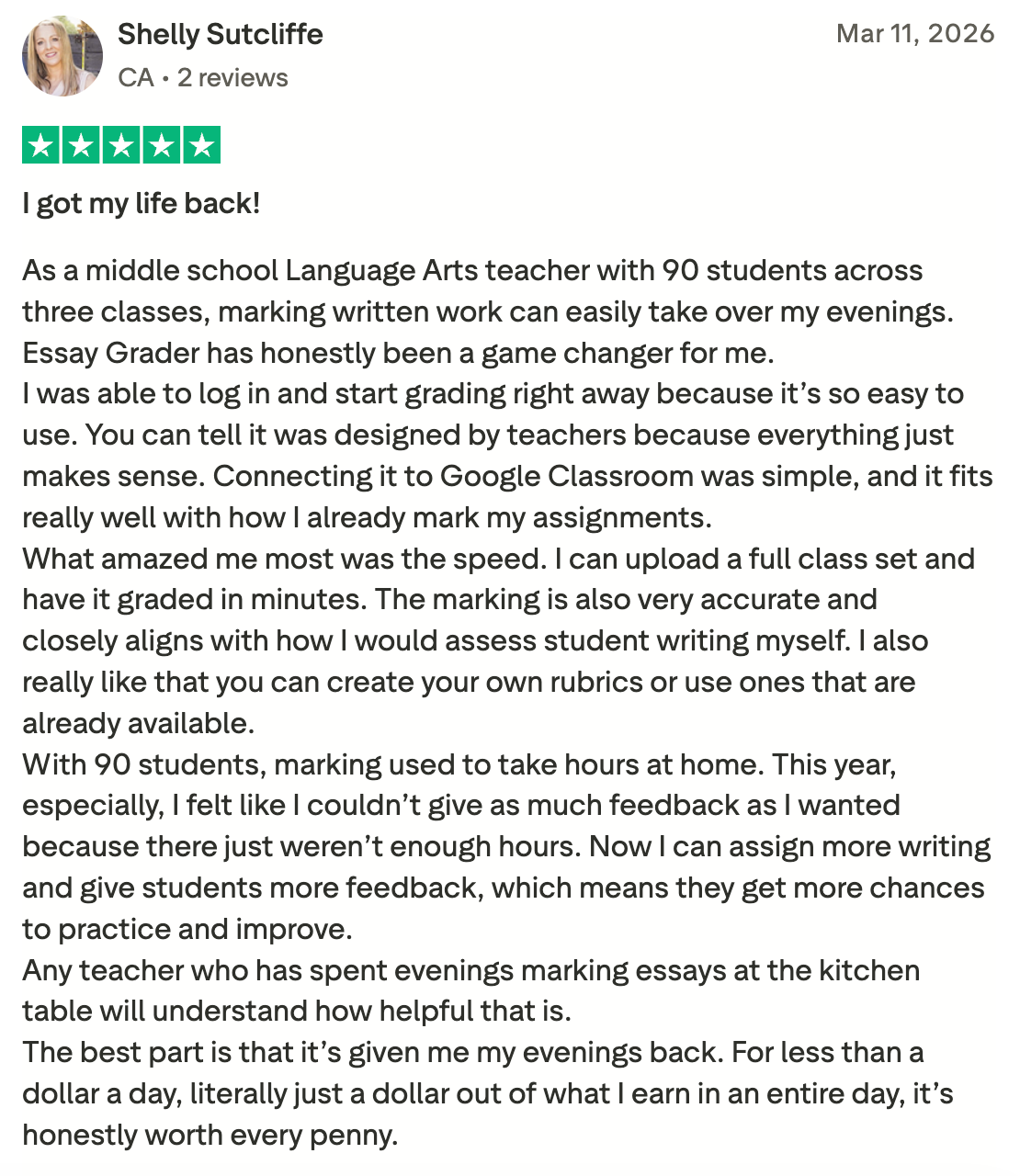
EssayGrader is ideal for teachers who just want to get done with grading essays and enjoy their free evenings.
It’s a more focused tool built for that one job. You just need to set up your rubric (or select one from EssayGrader’s 800+ rubrics library) and feedback style once, and hand out the assignment.
When the essays come back, you can get through a whole class in about the time it used to take to grade one paper.
What Can You Achieve with EssayGrader AI?
If AI can realistically give teachers something like six weeks a year back, it’s worth thinking about what happens when the tool is focused on the single most time-consuming part of the job. That’s basically what EssayGrader is trying to do.
Try EssayGrader AI for free and see how much of your student essay stack you can clear tonight with features like bulk upload, LMS integration, and AI detection.
FAQs
Which tool is considered best for grading essays?
If grading essays or long-form assignments is your main priority, EssayGrader AI is built around grading essays and papers with rubrics, handling bulk submissions, and giving detailed feedback. MagicSchool can do writing feedback too, but that’s just one piece of a much bigger set of tools for teachers.
Does MagicSchool grade essays?
MagicSchool does grade essays, in its own way. It has writing feedback tools where you can set your own criteria and leave more personal feedback on assignments. There’s also the Class Writing Feedback tool, which lets you review batches of student assignments using a rubric. The only catch here is that you’ll have to write a prompt for your rubric each time.





.avif)
.avif)
%201.svg)