A district evaluating AI grading software should weigh five things before signing anything: rubric fidelity, standards-mastery reporting, LMS integration, data-privacy terms, and how the cost changes at district scale.
And if you get even one of these wrong, it can mean you end up with school and district essay grading software that your teachers won’t even use, or worse, something that causes you legal issues with privacy breaches.
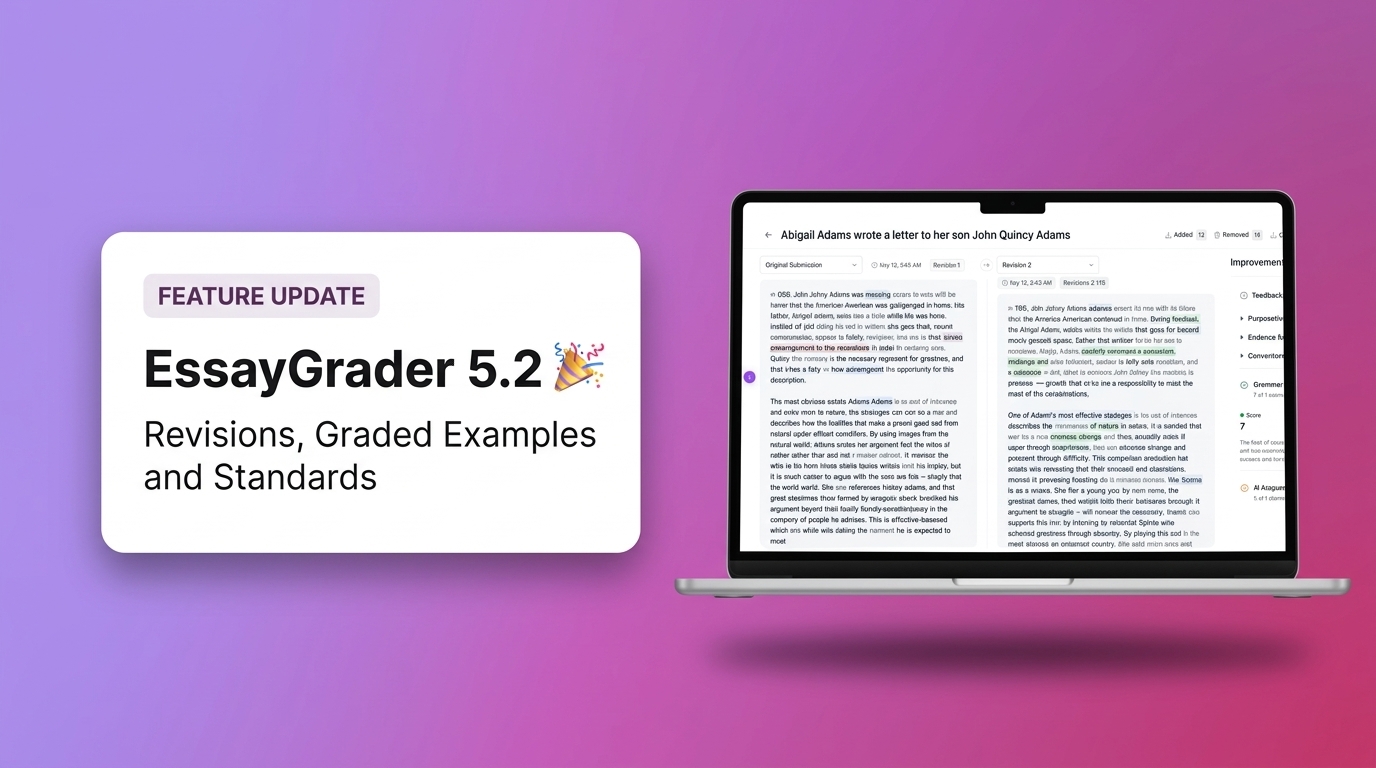
To avoid any such issues, this article walks you through each one and shows where EssayGrader, a rubric-based AI essay grading platform for K-12 and higher-education teachers, fits a district budget. It offers the kind of feedback a teacher could provide, but much faster.
Before you hit the purchase button, take all factors into consideration because what works for a single teacher grading ninety essays weekly might not translate well to a district with forty different campuses. This article will help you make an informed decision. It will also detail the benefits EssayGrader offers to districts. For those who want to see it in action right away, see how EssayGrader works for districts.
What should a district look for in AI grading software?
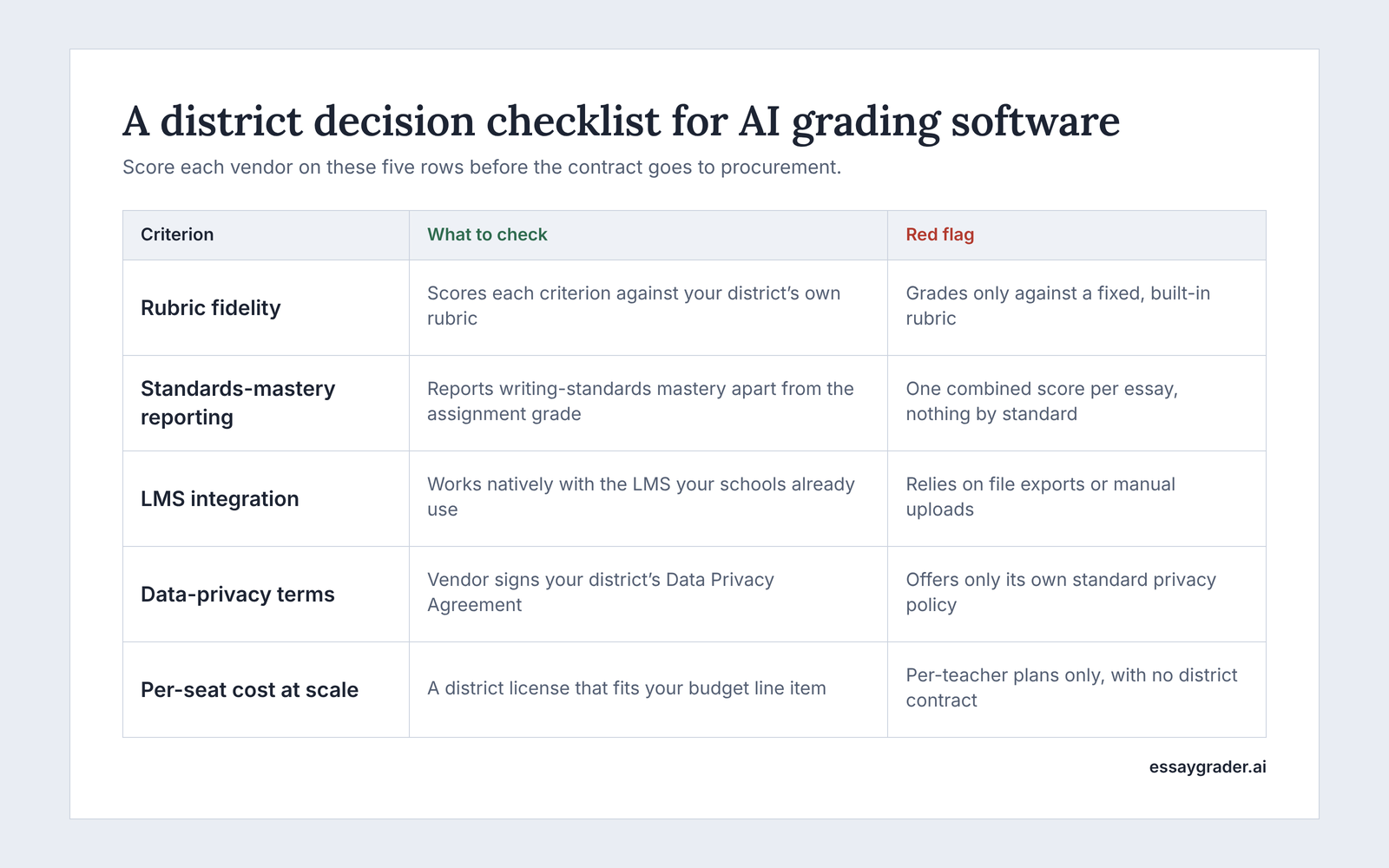
The decision rests on five main criteria: rubric fidelity, standards-mastery reporting, LMS integration, data privacy terms, and per-seat cost at scale.
Before you sign, check that the tool:
- Grades against your district’s own rubric
- Reports standards mastery separately from the grade
- Integrates with the LMS your teachers already use
- Signs a Data Privacy Agreement with clear data privacy terms
- Has a per-seat cost that fits your budget cycle at district scale
1. Rubric fidelity
Does the tool score assignments accurately according to your specific rubric?
This is the most important factor to consider. Any AI grading software you land on should be able to grade and provide feedback according to your specific rubrics; that’s how the basic grading would work. Ask your teachers to report any issues they face in the scoring system early on. This way, you could nip it in the bud and save your school from a bad purchase. For this very purpose, requesting a trial is imperative before you commit long-term.
2. Standards mastery
Can you track which writing standards students have mastered?
Standards mastery is on this list because it helps you monitor your students' progress. Any tool can provide a score with a generic prompt, but it takes the best to dig deeper and provide analysis on how your students are doing based on their reports. It pinpoints areas where a student might be struggling vis-a-vis telling you what their strong aspects, like grammar, organization, and evidence. So, the tool you choose should help you identify mastered standards so that you can inform your teaching plans according to them.
3. LMS integration
Does it work with your Learning Management System (LMS)?
LMS integration comes in handy so that even your non-tech-savvy staff can make do with it. In most of the schools, teachers commonly use LMS platforms like Google Classroom, Canvas, or Schoology. Therefore, make sure that the tool integrates smoothly with these systems. If it's not compatible, teachers would need to switch between the two, whereas a connected tool is easier to use.
4. Data privacy terms
Will they agree to a Data Privacy Agreement? What happens to student work after submission?
Since student work contains sensitive information, you need to make sure beforehand that they sign a Data Privacy Agreement to prevent your work from being used for training or advertising. You also need to know the policy on submitted work, whether they store it in their system or delete it afterward.
5. Costs per seat
What is the cost for 500 licenses?
While a single license might be inexpensive, consider the cost for a larger number, like 500. Are discounts available for bulk purchases, or is it a per-license price? For many districts, the cost of large-scale use is an important factor, considering budget constraints and allocations. Other than that, it helps to determine if the district would be able to use the AI grading tool in the long run.
How much does AI grading software cost at the district level?
Individual teacher pricing does not scale to a district: licensing moves to a separate contract once a whole school or district signs on. The plans and costs that you see on the pricing page are for individual purchases, and they do not provide any idea of what the final cost will look like for a district.
The process for a single teacher getting a subscription goes like this:
Choosing a tool that seems worth the penny > Starting with a free trial > Deciding which plan is best for their use > Putting in card details > Using it for their personal use to take off grading burden
On the other hand, the process is completely different for a district administrator who works on a contract that includes many accounts. This process usually starts with procurement, involving legal teams and sometimes a school board for approval. It’s an important decision, so various stakeholders are involved. That is why individual teacher pricing plans are not suitable for districts, as they require licensing for use.
Below, we’ve given you a sneak peek into how the process usually starts
Stage 1: Individual teacher testing out the platform
Sometimes the process usually starts with a teacher testing out the platform and then recommending it to their school for district-wide adoption. This happens when a teacher looks at individual teacher pricing, then signs up with a credit card, tries it out on the grading platform with sample essays or two or three class sets, and decides if the tool is worth it. At this earlier stage, there is no need for formal onboarding or approvals. The per-teacher plan allows one person to try it out and see if it saves grading time before involving others.
Stage 2: School or district evaluation
Then comes the second stage, which can be the first if a tool is not recommended by a teacher first. Once a school or district decides to adopt the product formally, the process starts. A district license is essentially a formal agreement. This agreement is typically negotiated based on the number of user accounts required. It involves departments like procurement and legal, often requires school board approval, and concludes with an onboarding phase. The cost per user for a large-scale deployment will differ from the standard public pricing, and this is normal.
Stage 3: Executed district agreement
The value of a district contract is not just limited to a price range. And it definitely doesn’t end with just providing access to the grading feature only. With a district license, you also get features like administrative management tools, detailed usage reports for individual campuses, a formal Data Privacy Agreement, and dedicated onboarding assistance. These features, however, are not accessible through individual teacher sign-ups.
Also, please note that we don't publish a fixed number for district pricing because it's customized and only available upon request for a quote. Factors like the number of accounts, the specific plan chosen, and, importantly, each district's unique requirements all influence the final cost. Therefore, if you're comparing per-teacher costs to the price of a district license, we encourage you to reach out to us directly.
Does the grading tool need to do everything else too?
Some AI tools for schools cover lesson plans, quizzes and printables in addition to grading; EssayGrader does grading only, and goes deeper on it. Therefore, it is important to make a decision based on what your teachers actually need. We are taking both options side-by-side so you can make an informed purchase, as it is better to be upfront about the trade-offs than to pretend there is an answer.
Take MagicSchool, for example; it offers a wide range of tools that do everything else too. It is not a grading-only tool. Yes, it includes grading, but with other features such as lesson planning, worksheet generation, quizzes, and other classroom tasks that are not limited to grading. This can be tempting for schools. With one login and one vendor, staff training becomes easier. For districts wanting an AI platform for all teaching activities, an all-in-one suite can lessen the number of vendor discussions for your IT and procurement teams.
However, there is a trade-off. Having a tool that can do 10 things will be very different from a tool that does just one thing. EssayGrader has been built specifically to grade written work, report standards mastery, and integrate with LMS technology you already have in place. It also has 800+ rubrics for you to choose from and also allows you to customize your own. There's no lesson planner to take time away. No quiz builder to distract from the grading model.
It comes down to what you want to achieve. If you're looking for a general-purpose AI assistant, then having a tool that does everything may be best. However, if you're looking for consistent grading using rubrics and giving teachers their evenings back, then having a grading-only tool would be a good choice. Often schools that have standardized their lesson planning and just want to solve the grading problem will prefer this option.
What a district gets with EssayGrader
A district license gets rubric-based grading against the district's own rubric or a standards-aligned one, a writing-standards mastery report separate from the assignment grade, and native integration with Google Classroom, Canvas and Schoology.
Here’s what that covers:
1. Rubric grading
With EssayGrader, you can create entirely custom rubrics. You have the option to build one from scratch using your documents or select from our extensive standards-aligned rubric library, which includes over 800 rubrics. We provide rubrics for well-known assessments like STAAR, Florida B.E.S.T., NJSLA, CAASPP, AP Lang, and DBQ, among others. If your district's curriculum team develops a single rubric, they can easily share it with all English Language Arts teachers, so grading standards stay consistent across multiple teachers.
2. Standards mastery report
The Standards Mastery Report offers a detailed view of a student's performance on writing standards. This report is separate from the assignment grade, allowing teachers to pinpoint areas where students are doing well and where they need improvement. Additionally, a second reporting layer helps curriculum coordinators identify any weaknesses in students' evidence-based argumentation before they take state tests.
3. LMS integration
EssayGrader also syncs with the LMS platforms that your schools have in place, such as Google Classroom, Canvas, and Schoology. This means you don't need to export or import any files; you can just connect your LMS and start grading there. Other than that, teachers can assign work directly through their LMS, and EssayGrader will grade it, synchronizing the results back to the students on their portal without you lifting a finger.
4. Teacher advisory council
EssayGrader’s product is informed by a teacher advisory council, so new features are classroom-tested before they ship. This group of K-12 educators reviews the feedback we receive on our grading tools and helps us decide which new features to develop. By incorporating direct classroom feedback, we make sure that the features we add are genuinely useful to teachers and districts alike and address the most critical aspects of grading, avoiding the common pitfall of tools being developed without input from actual classroom teachers.
Get started for free and run it against a real assignment before committing to anything bigger.
How districts typically purchase and roll out EssayGrader
Most districts start from teacher-led adoption or a direct inquiry, sign a Data Privacy Agreement as part of the process, and get an onboarding training session included.
How it generally begins
There are two ways districts typically begin using EssayGrader:
- Teacher-driven: A teacher will use EssayGrader themselves and then notice how much less time they spend grading. From here, they will often tell their department head or curriculum coordinator about the product. This is typically how things get started.
- Curiosity-driven: The district contacts us first. This often comes from someone like their curriculum director or assistant superintendent. This is usually done very early on before any teachers have used the product and is often because consistency around grading and seeing writing data is something top of mind.
How it rolls out
Both ways, you will complete the below steps:
- The district and EssayGrader sign a Data Privacy Agreement (DPA), which covers how student data is handled and is a standard compliance step in K-12 procurement.
- Once the Data Privacy Agreement is signed, the district will receive onboarding training. This means your staff will be grading with support.
If EssayGrader looks like a fit based on what's covered here, the next reasonable step is to request a quote for your district and get specific numbers for your account count and plan needs, rather than guessing from a public pricing page built for individual teachers.