Hand-grading or manual grading normally takes around 10-30 minutes per essay, as per a survey we conducted with teachers in our community. And for a class of 30, that means at least 5 hours of manual work.
Now, if you multiply those hours across four or five sections (assuming a teacher has at least 3-4 more classes to teach), that is a whole lot of work, too, with weekends included (or sacrificed, to be more precise).
If you are looking for a way to grade essays quickly, you can let AI handle the tedious parts. It can run through grammar, basic conventions, structure, and rubric alignment, leaving you to handle the actual judgment calls that require a real teacher.
A teacher in Texas at Goodson Middle School, Shannon Gregorek, summed up how she was able to grade quickly using an EssayGrader AI essay grading tool:
“EssayGrader's AI Essay Grader has been a game-changer for me as a middle and high school English and Writing teacher! The site is incredibly user-friendly, and the detailed feedback it provides is amazing. With all the new updates, it’s even more efficient and accurate. It has saved me HOURS of grading and stress!”
In this guide, we'll show you how to use AI to grade essays in five practical steps from uploading a whole batch of essays all the way to reviewing the feedback and keeping tabs on how your students are progressing.
We will be using the EssayGrader AI essay grading tool for demonstration purposes.
Why Does Using AI to Grade Essays Make More Sense?
If you have ever had to sit down with, let's say, 30 essays, you’d be looking at a minimum of 5 hours of grading, that too without any break.
For a college professor with 100 students, or a high school teacher with 4 different class sections, those hours just get unreasonable.
Also, aside from the sheer hours it takes, grading that much can induce grading fatigue very quickly.
And the teacher is not humanly able to give the same amount of attention to essay#1 and essay#28 in the same stack. That is because human attention simply wears out when you're stuck reading repetitively for hours.
An AI grader doesn't get tired, so it applies the rubric exactly the same way to the 30th paper as it did to the first.
Using AI to grade essays with tools like EssayGrader AI not only reduces grading time up to 80% but also keeps a teacher’s judgment as central.
Let’s show you how you can grade essays faster without compromising on quality using EssayGrader AI.
How to Grade Student Essays With AI (Step-by-Step)
If you are thinking about using AI to grade papers quickly, the easiest way to start is just by picking one familiar assignment to test the waters.
With the tool’s current setup, you just have to create a class and an assignment, pick a rubric or make a new one, and upload the papers.
If you haven’t signed up on the platform yet, you can sign up for the free EssayGrader AI account using this link. The free plan of EssayGrader AI allows you to grade 50 essays a month for absolutely free.
Here’s how you can grade essays using the tool.
Step 1: Set up your class and upload essays to EssayGrader AI
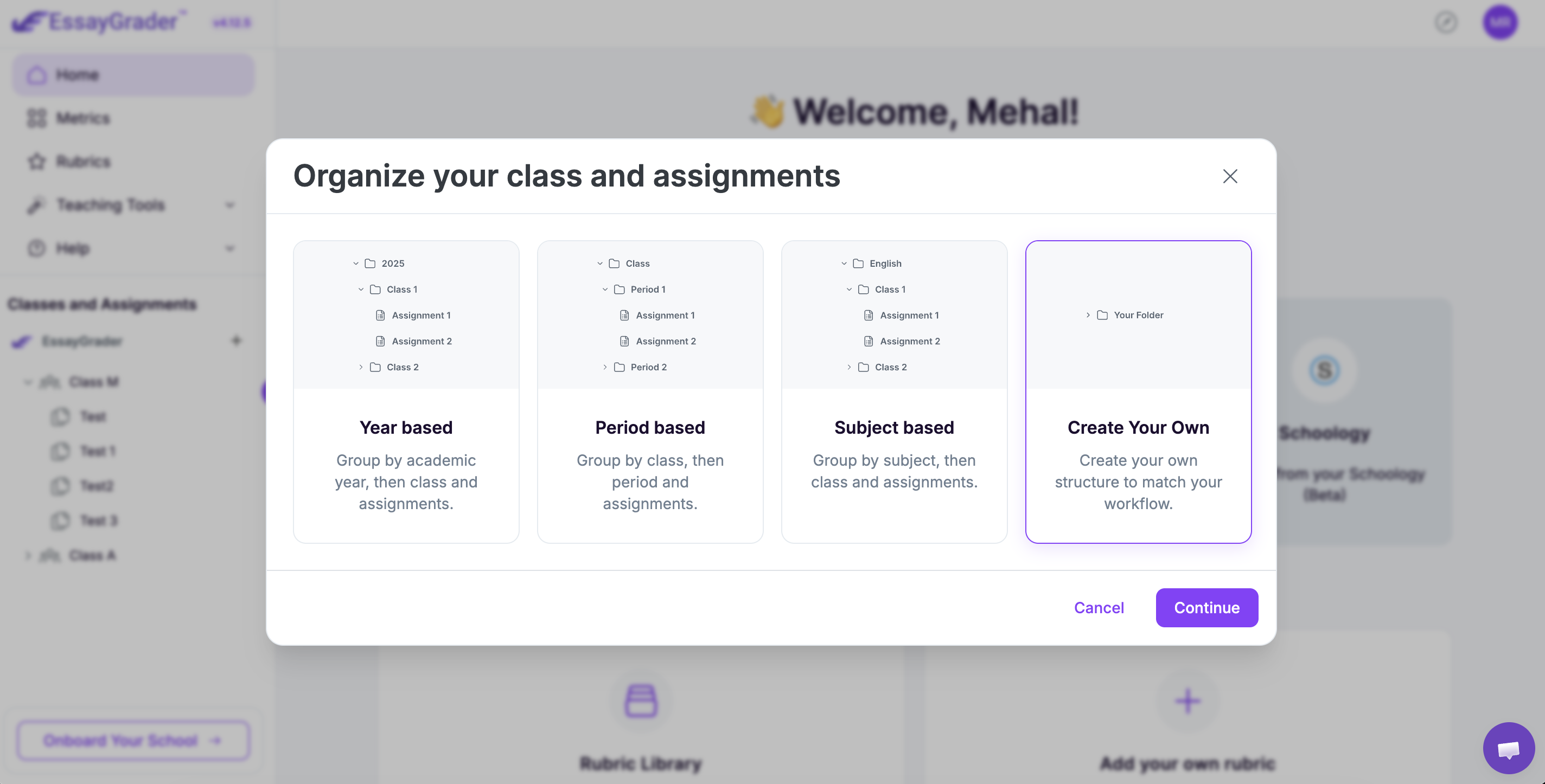
Once you are signed up on the platform, you will see a “Classes and Assignments” tab on the left-hand side panel of your dashboard. You need to click the “+” button there to set up your class.
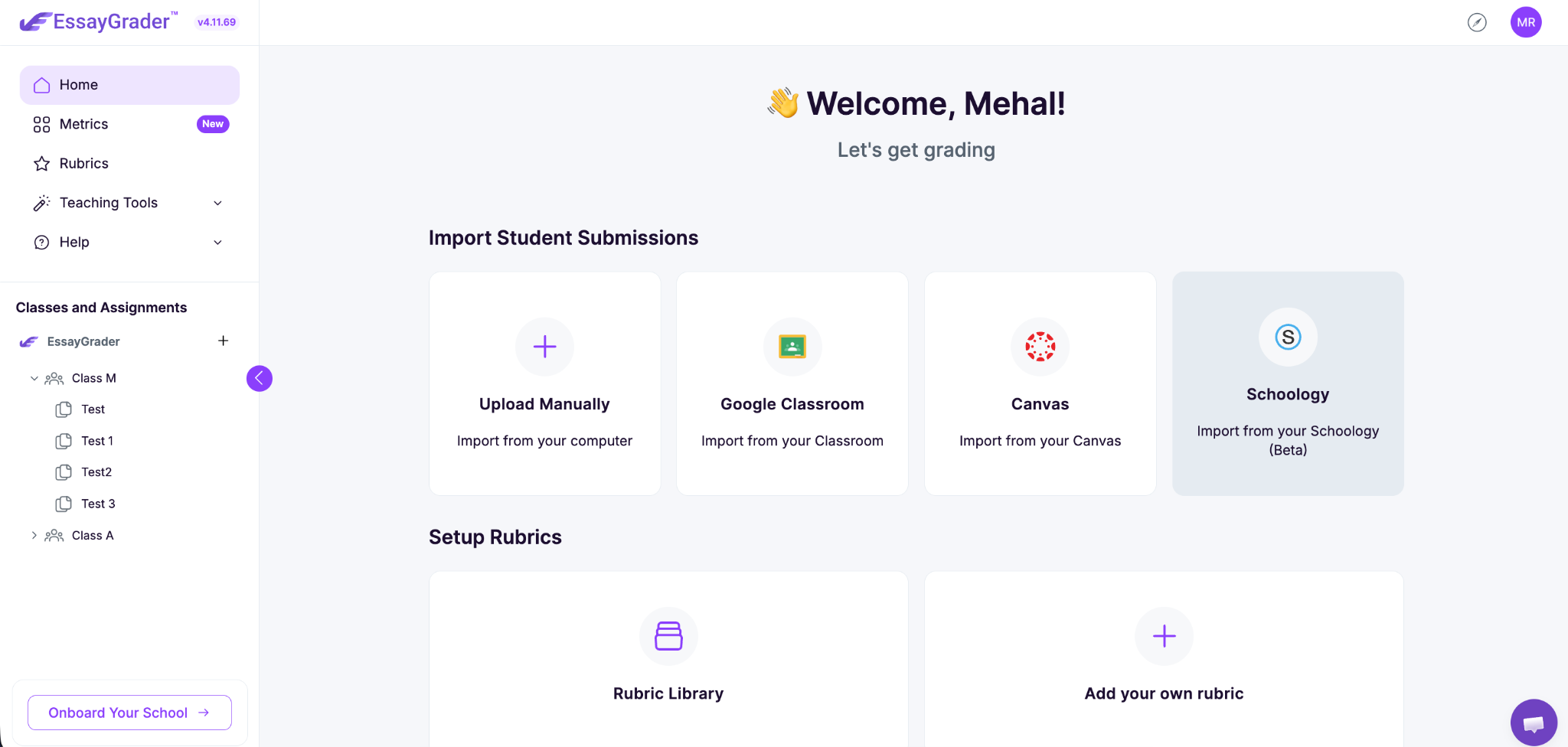
To get going, you have to create your class and assignment first. You need to create the class before any grading happens.
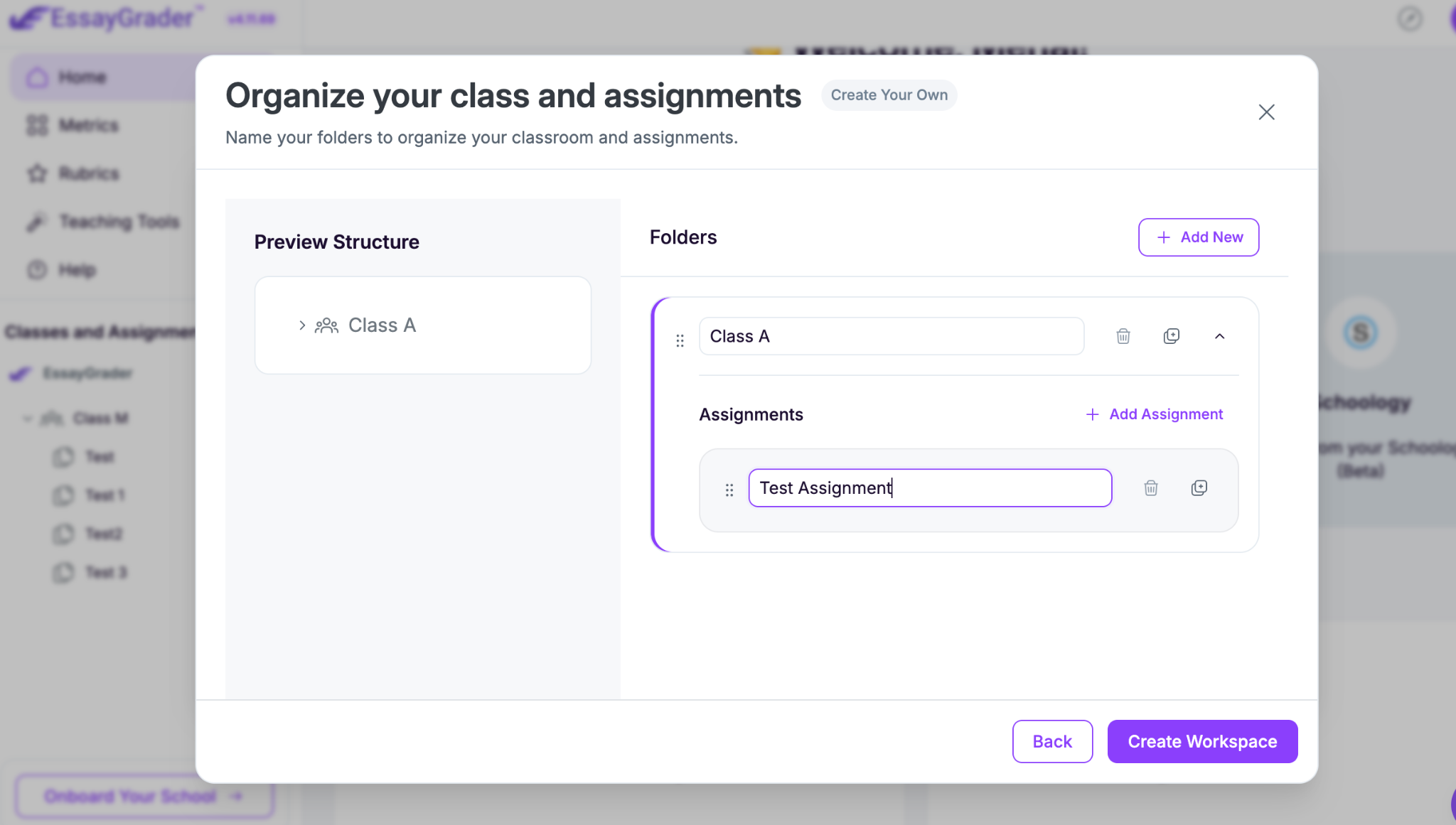
Once the assignment is set up, meaning you have named your class and assignments, you can upload student work directly from your device, Google Drive, or OneDrive.
For a whole class, bulk upload makes grading much easier. You can upload multiple submissions, and that too in different formats like PDF, PNG, Google Docs, etc, rather than handling each essay separately.
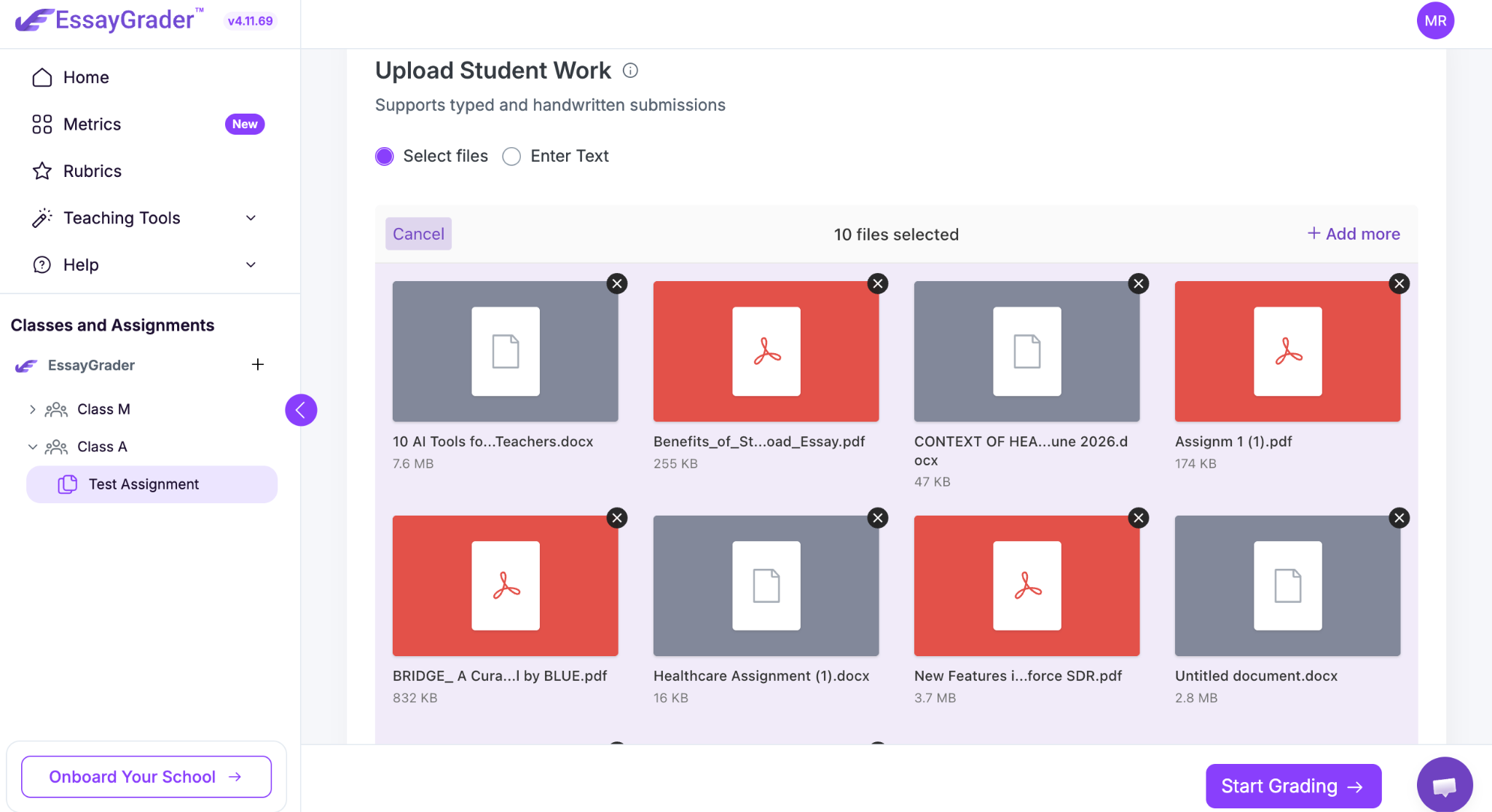
You can also import submissions through EssayGrader's native Google Classroom, Schoology, or Canvas integrations. Bulk upload through LMS integration is available only on EssayGrader’s paid plans, though.
Note: Word count limits scale with your plan, so check your per-essay limit before uploading longer essays or papers. On the free plan, the word count limit for a single essay is 1000 words.
Step 2: Choose or build your rubric
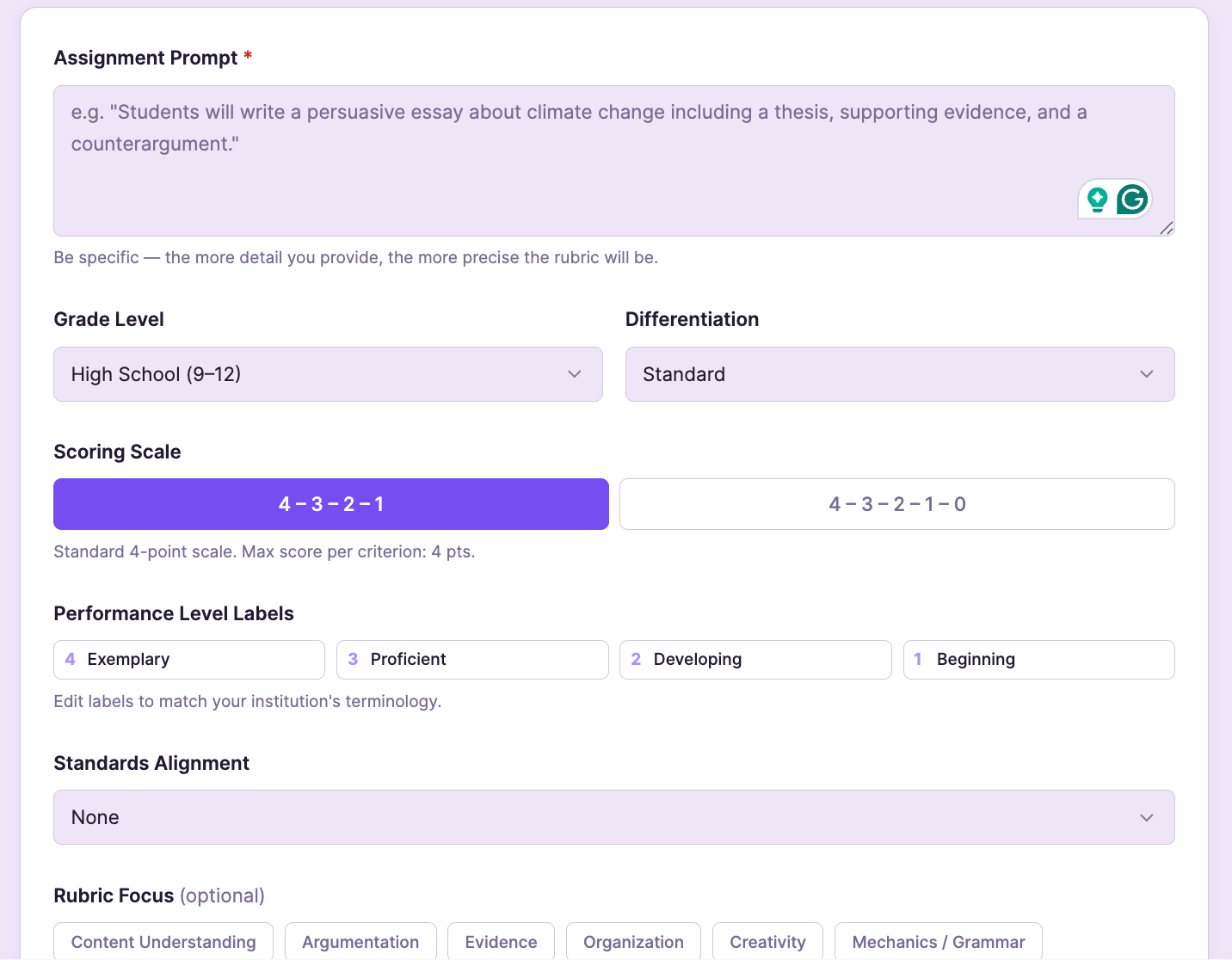
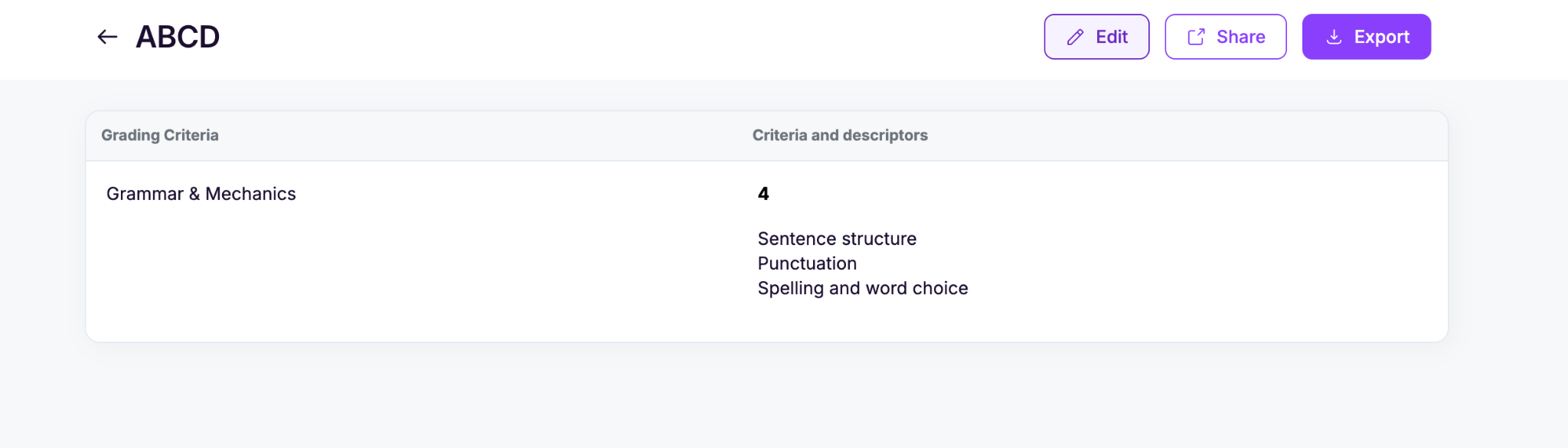
Next, you need to figure out your rubric. This is basically where you explain to the AI what you actually consider to be good writing. EssayGrader AI allows you to:
- Upload your rubric file if you already have it ready
- Let AI generate one
- Choose from the 800+ built-in standards-aligned rubrics library
- Or build your own from scratch
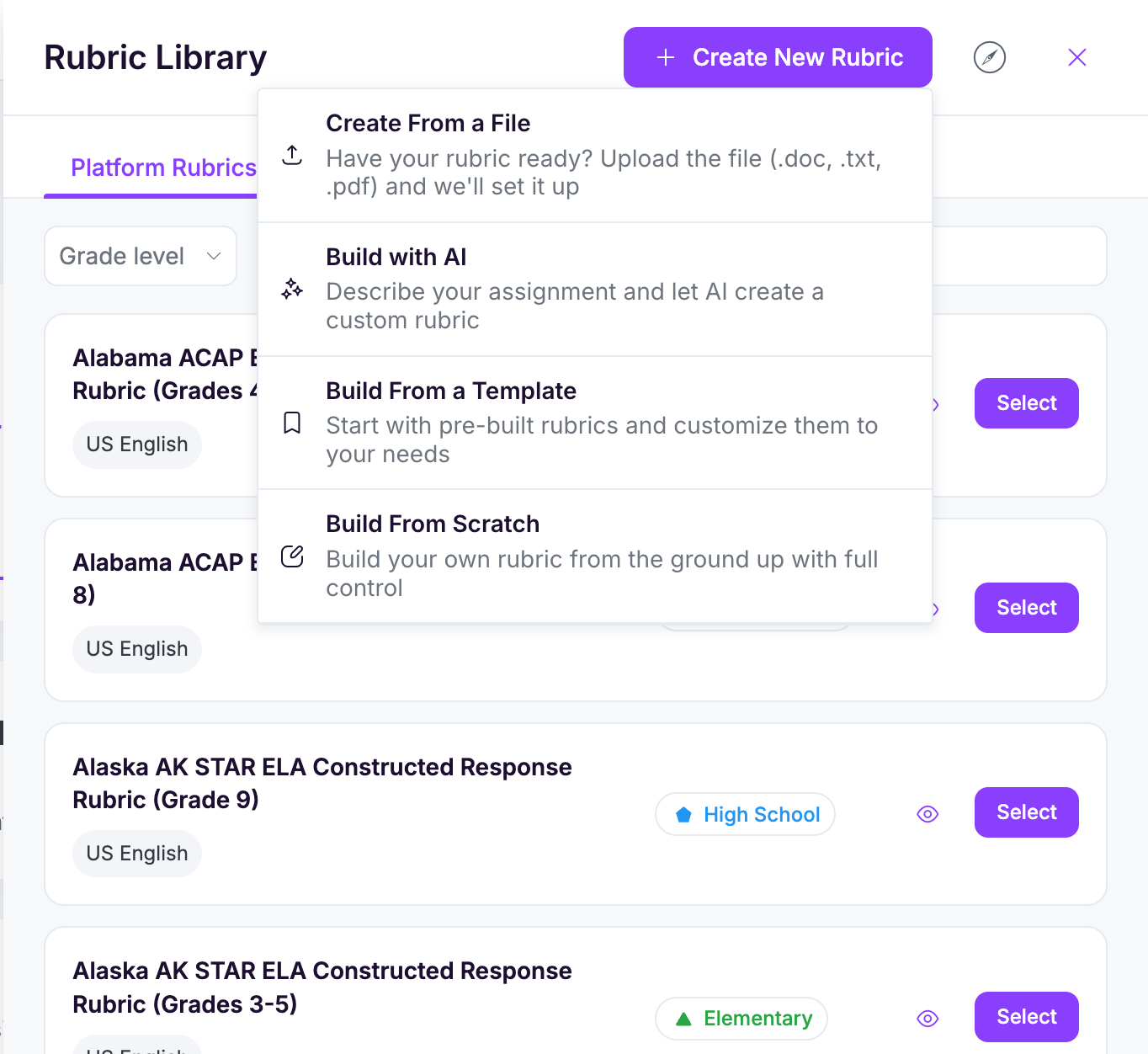
There are currently more than 800 pre-built rubrics.
If you're creating your own, keep the criteria tied to what you're actually teaching.
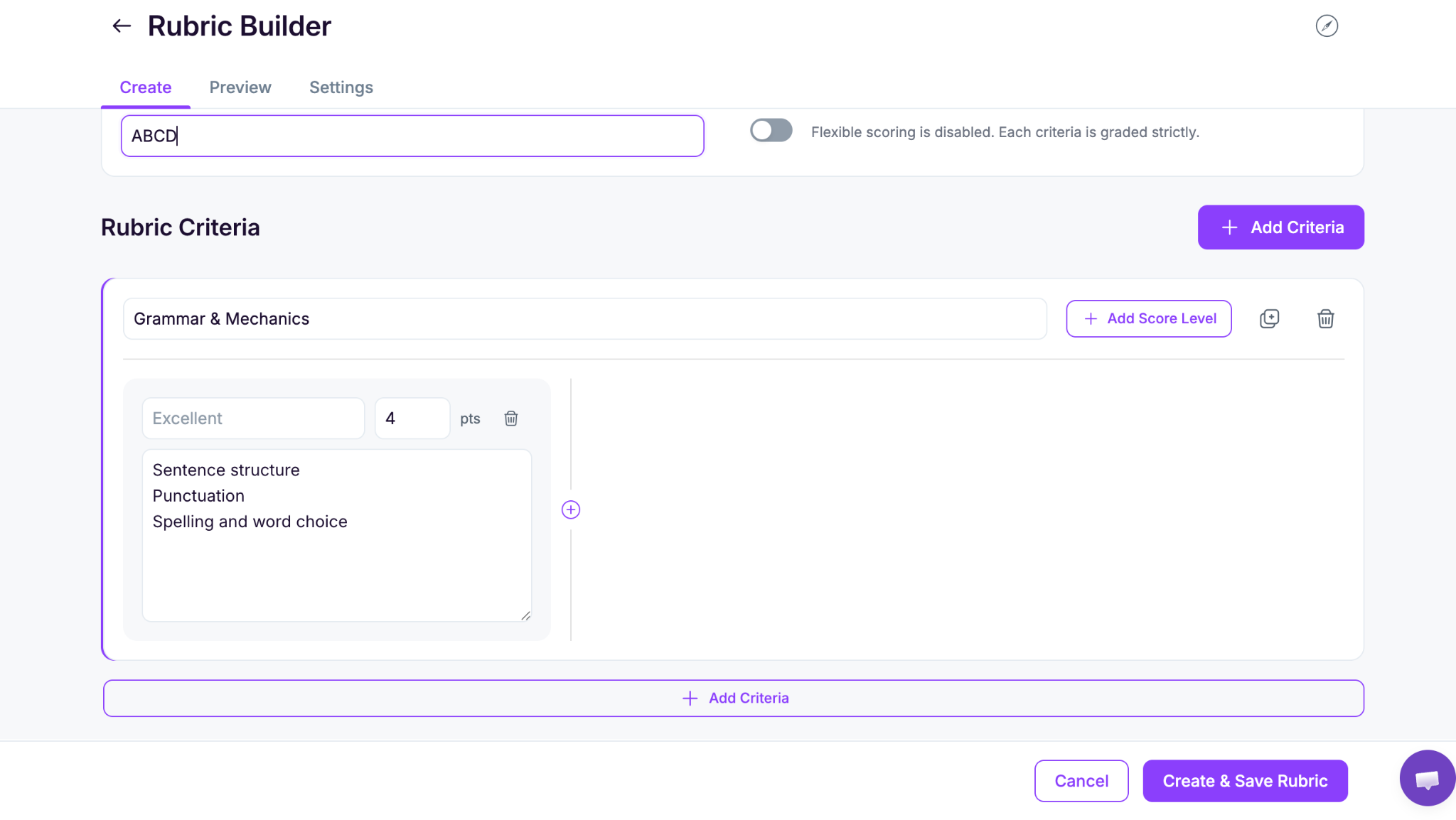
For example:
The essay type matters too. An argumentative essay needs more emphasis on argument strength and evidence, while a narrative assignment may put more weight on style and voice.
Then set the weighting. One simple example is:
If you’re creating rubrics from scratch, then give clear and specific criteria. Doing this makes AI grading a lot easier to tune.
And if you don’t feel like building a rubric from scratch, EssayGrader’s Rubric Generator can put one together based on your assignment requirements.
Step 3: Bulk-grade the set
Once you have set up your rubrics, you just have to start the grading process. The system handles the rest, and it takes only a few seconds per paper.
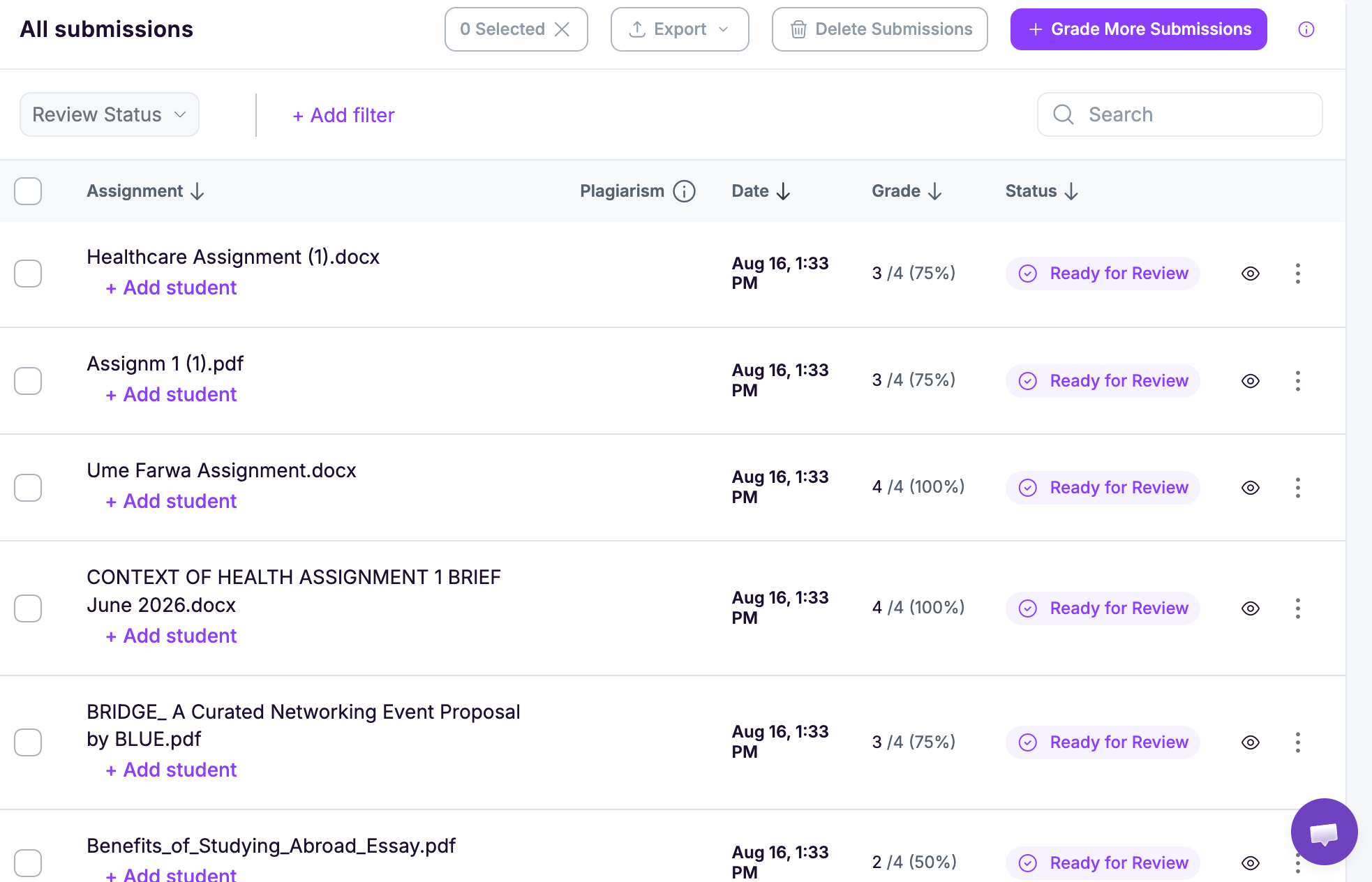
The tool applies the exact same standards to every paper, preventing the common issue where a grader's expectations drift over the course of a long session.
The class-level data also gives some helpful feedback for future instruction. Seeing that 22 out of 30 students missed points on evidence integration shows exactly where the class is struggling, which points directly to what the next lesson should cover.
Alongside the standard evaluation, EssayGrader runs checks for AI-generated text and plagiarism so any academic integrity concerns are caught during the same review cycle. However, AI and plagiarism detection features are available on paid plans of EssayGrader AI.
Step 4: Review and personalize the feedback
This is the step that keeps AI grading grounded in the teacher's judgment.
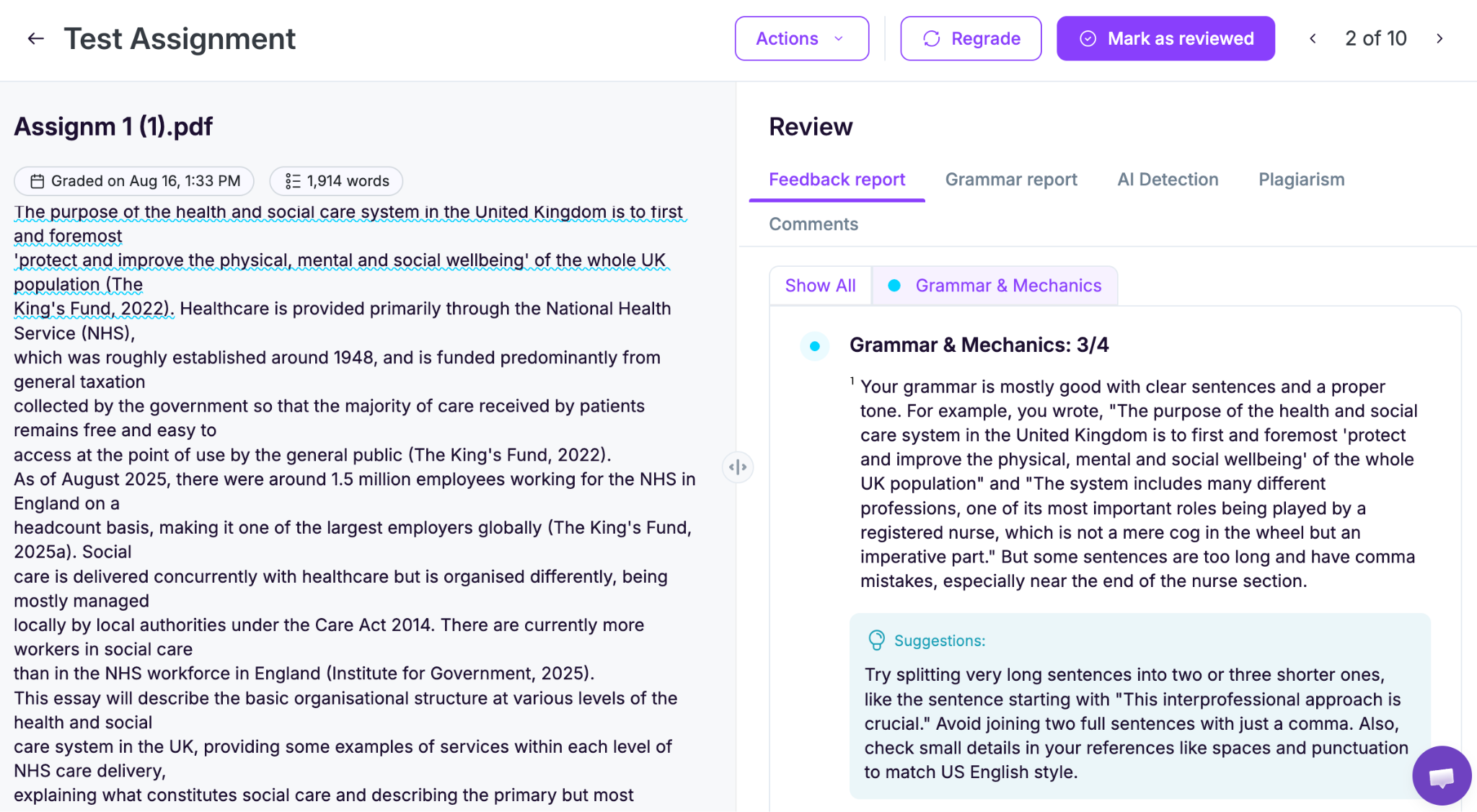
EssayGrader AI always gives detailed feedback. But AI is good at spotting patterns. The teacher is the one who remembers this student wrote three drafts and finally got the transitions working.
For example, let's say the AI gives a student this comment:
“The thesis is too broad and could be more specific.”
That's a reasonable starting point, but it could be much more useful. A teacher who has actually read the essay might change it to:
“Your thesis says social media affects teenagers, but it doesn't explain how or why. Try narrowing it to its effect on sleep and academic concentration.”
The second comment sounds more personalized and feels connected to the student's actual argument.
To do so, just open the essay, look through the criterion-by-criterion breakdown, and then tweak the comments. You may add something, cut something, or rewrite it so it fits.
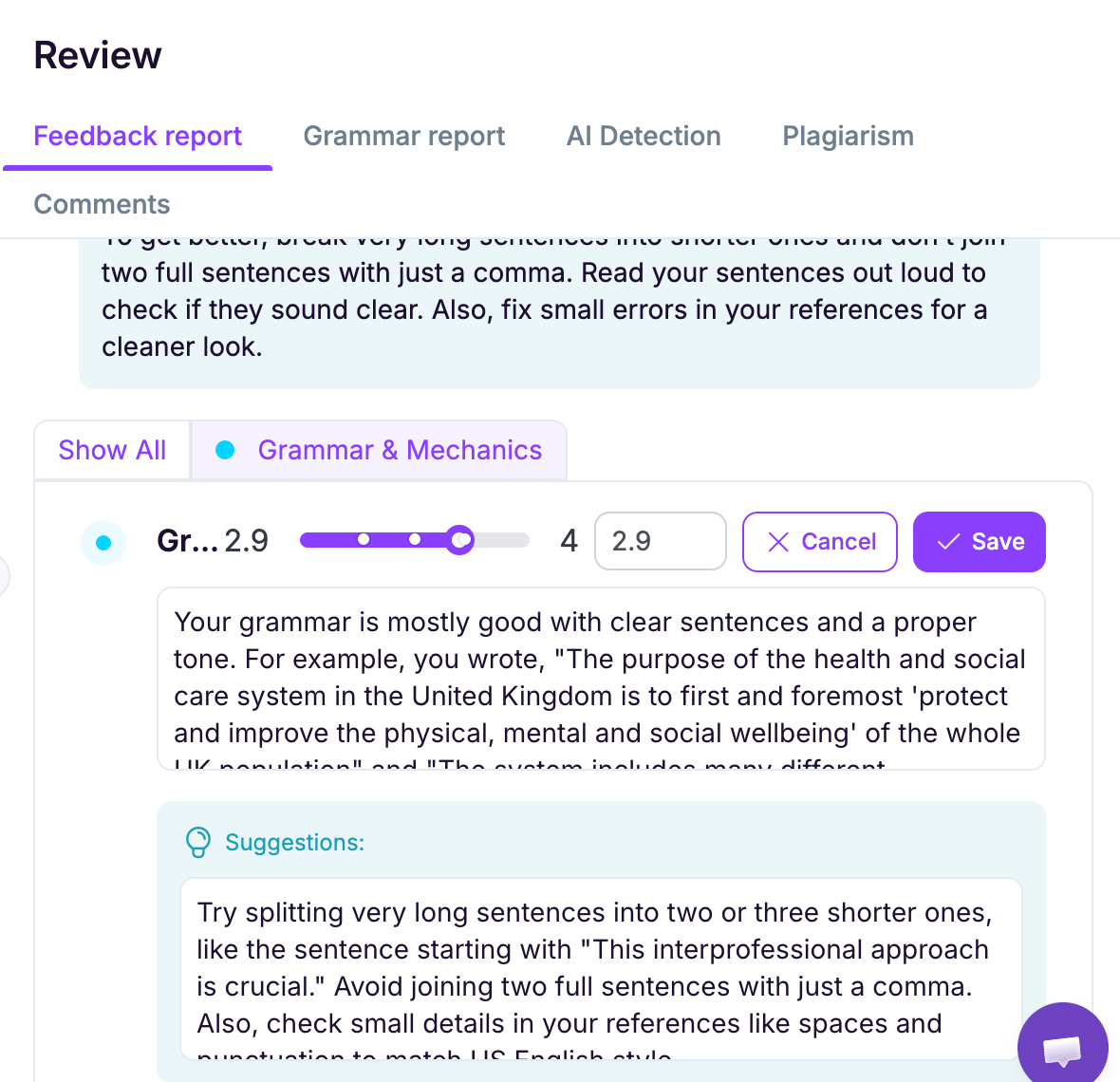
EssayGrader’s feedback reports are already arranged around the individual rubric criteria, which makes it easier to scan the assessment before you send it back.
After that, you can export the feedback or send it back through your LMS. EssayGrader supports direct integrations with Google Classroom, Canvas, and Schoology for importing work and exporting grades and feedback. But you must have to be on EssayGrader’s paid plan to use the LMS integration feature.
Step 5: Refine the rubric and track growth over time
This step is useful if you feel that the scores are not aligned with your rubric.
If that is the case, then you just need to go to your rubrics and adjust the weightings that you have assigned to each criterion. Use specific descriptors on how you want the papers to be assessed, and that’s it.
A good way to test the setup is to use a few essays you have already graded by hand. Run them through the EssayGrader AI and compare the scores.
If you notice the tool consistently grading a specific section differently than you did, just adjust your phrasing or the point distribution until the results line up with your expectations.
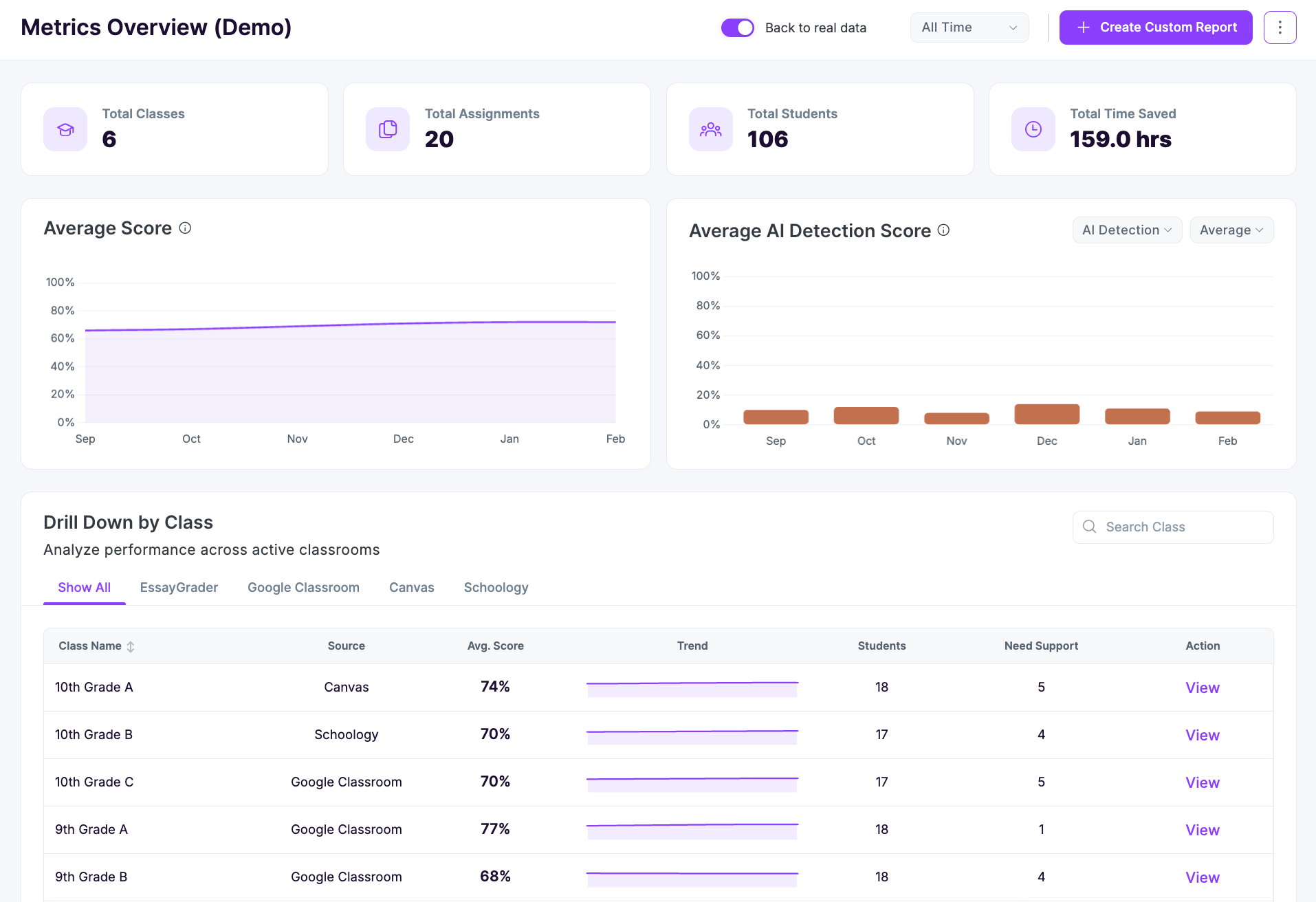
Apart from that, you can also track your students’ performance individually or as a whole class.
EssayGrader has a Performance Insights feature that tracks this information across students, individual assignments, and whole classes. This helps you track writing trends over the course of the year.
If you'd like to see the process before trying it yourself, this EssayGrader grading walkthrough is a useful resource for beginners.
Still Thinking How to Use AI to Grade Essays Faster?
AI grading is at its best when it’s more like a second set of eyes. It can take care of the repetitive part of grading for you, while you just have to:
- Create a class and upload your papers in bulk
- Set custom rubrics or choose from 800+ built-in standards aligned rubrics
- Wait while the tool is grading
- Personalize your feedback where needed
- Edit and track performance
However, if you feel a bit hesitant about handing any of this over, don’t try to change everything at once. Pick one assignment type and start there. You’ll quickly see what it genuinely saves you time on, and then you can tweak your rubric and your workflow as you go.
Try EssayGrader for free and see for yourself how bulk-grading, custom-rubric building, and AI detection can save your weekends.
FAQs
How to grade essays quickly?
One way to grade your essays quickly is to batch-upload, apply a saved rubric, and let AI handle the first pass. After that, you can then review and edit feedback as per your liking or need. Using EssayGrader AI, you can save up to 80% of your grading time, although teachers are still encouraged to review and customize the feedback before sharing it.
Are teachers using AI to grade?
Yes, teachers are using AI to grade their classes, and the number is increasing by the day. EssayGrader has more than 200,000 teachers using the AI grading platform, across school and higher-education settings. Teachers and professors using AI to grade can use the same workflow we discussed in this blog regarding using AI to grade faster.
How do I align AI grades with my rubric?
To align AI grades with your rubric, you need to first upload your existing rubric criteria, then set clear weightings to each one, and then calibrate the results against a few previous essays or papers you’ve already graded. In this way, you can see if the scores diverge.
If the scores are different, then you should adjust the criteria or weighting. Also, you need to keep in mind that specific descriptors work better than vague ones. For example, “logical flow with clear transitions” gives the AI a clearer standard than you simply saying “good structure.”
.png)
.jpeg)



.avif)
.avif)
%201.svg)