For teachers, grading never really ends, and likewise for students, neither does reading.
Somewhere in the middle, it is the assignment that ends up taking more hours for both than just about anything else in a normal school week.
That's where, along the way, both teachers and students turn to AI tools to make assignments more manageable.
Teachers can use AI tools for grading, while students might use them for researching or generating citations. AI tools for assignment tasks can be used for everything around the assignment, including how you set it up, how you research, draft, handle citations, and double-check things before a teacher does, or before a detector takes a look.
That’s why we’ve listed eight tools in this guide and grouped them by who they’re actually meant for. Read on to learn which one suits your needs.
TL;DR: Quick Comparison of the Best AI Assignment Tools
Note: The pricing and ratings mentioned in this table are as of August 2026. All reviews and ratings have been verified from Trustpilot, G2, or Capterra.
What Are AI Assignment Tools?
AI assignment tools are purpose-built for each aspect of an assignment’s life cycle.
Some tools help create assignments or grade them based on rubrics set by a teacher. Others help students during the research phase. They help structure assignments according to the rubrics set by professors.
Other use cases include citation checking and essay feedback tools that flag grammatical errors or detect AI-generated content and plagiarism
General chatbots can sometimes handle all of those tasks, but they may lack specific control options or workflows needed by teachers and students. To simplify your task, we’ve grouped the AI tools listed below based on the primary job they tackle.
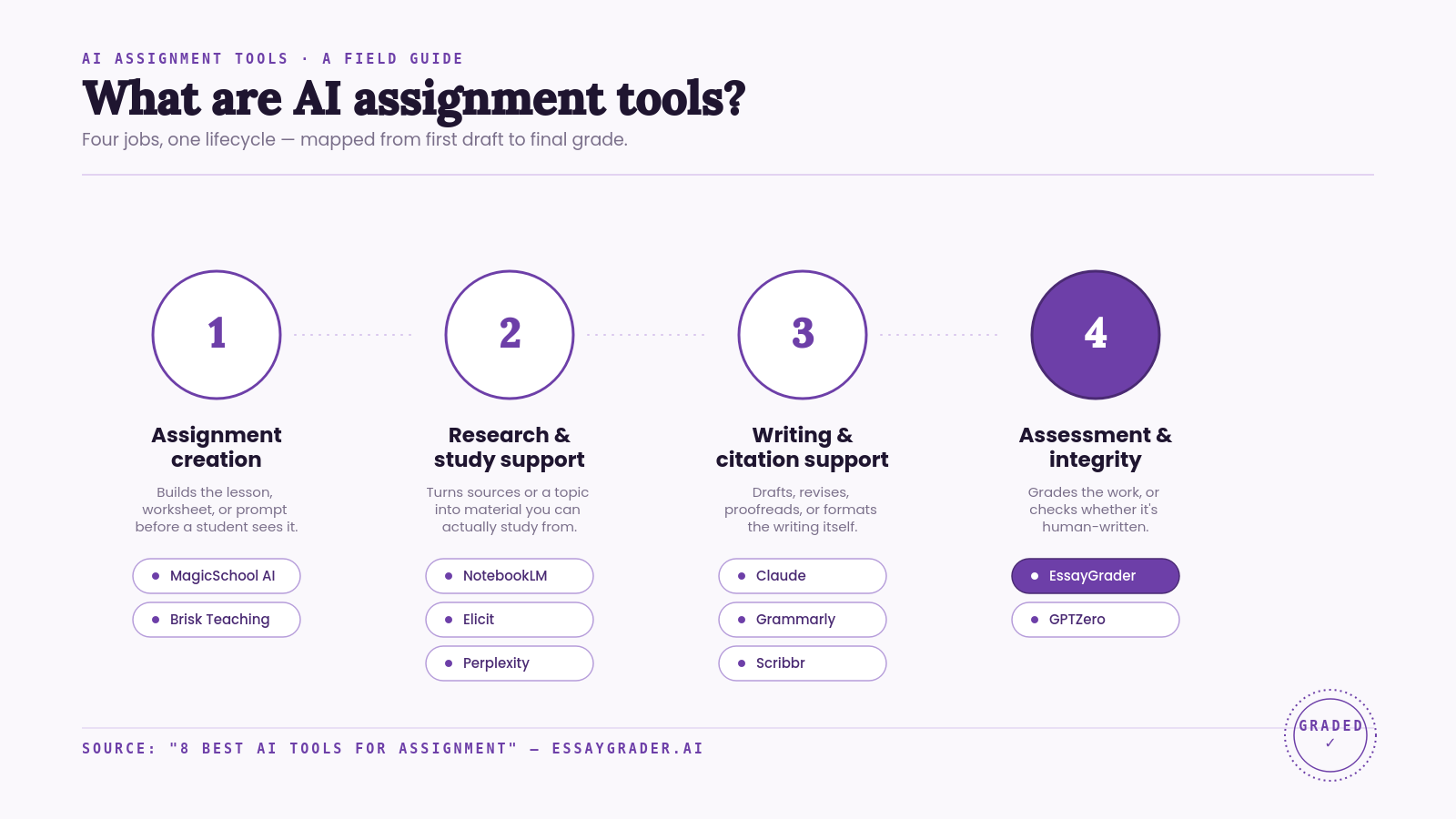
There’s everything you need on this list, from one side of the classroom to the other. Some tools were made primarily with teachers in mind, while others focus more on students, but a few are great for either group.
How We Evaluated These Tools
We evaluated each one based on the same criteria so that our comparisons are useful. Here’s what we looked at before picking:
- Education-focused features: Tools we prioritize have been designed primarily around helping teachers teach or helping students study with confidence. We've also included general-purpose tools where they offer a genuinely useful feature for assignment work.
- Free access: While some of these may be completely paid-for, many offer a totally functional free version, which means anyone can try these tools before committing financially.
- Pricing: We checked prices on each provider's own pricing page in August 2026, instead of using potentially outdated third-party listings.
- Real user feedback: We also reviewed G2, Capterra, Trustpilot, and Reddit reviews to spot common themes in what students love about the product vs. what they complain about.
- Privacy and compliance: Since most of these products deal with students’ work, we checked whether they have strong privacy policies and comply with relevant education legislation (like FERPA and COPPA).
8 Best AI Tools for Assignment
Here are some of the best AI assignment tools listed for you (both students and teachers).
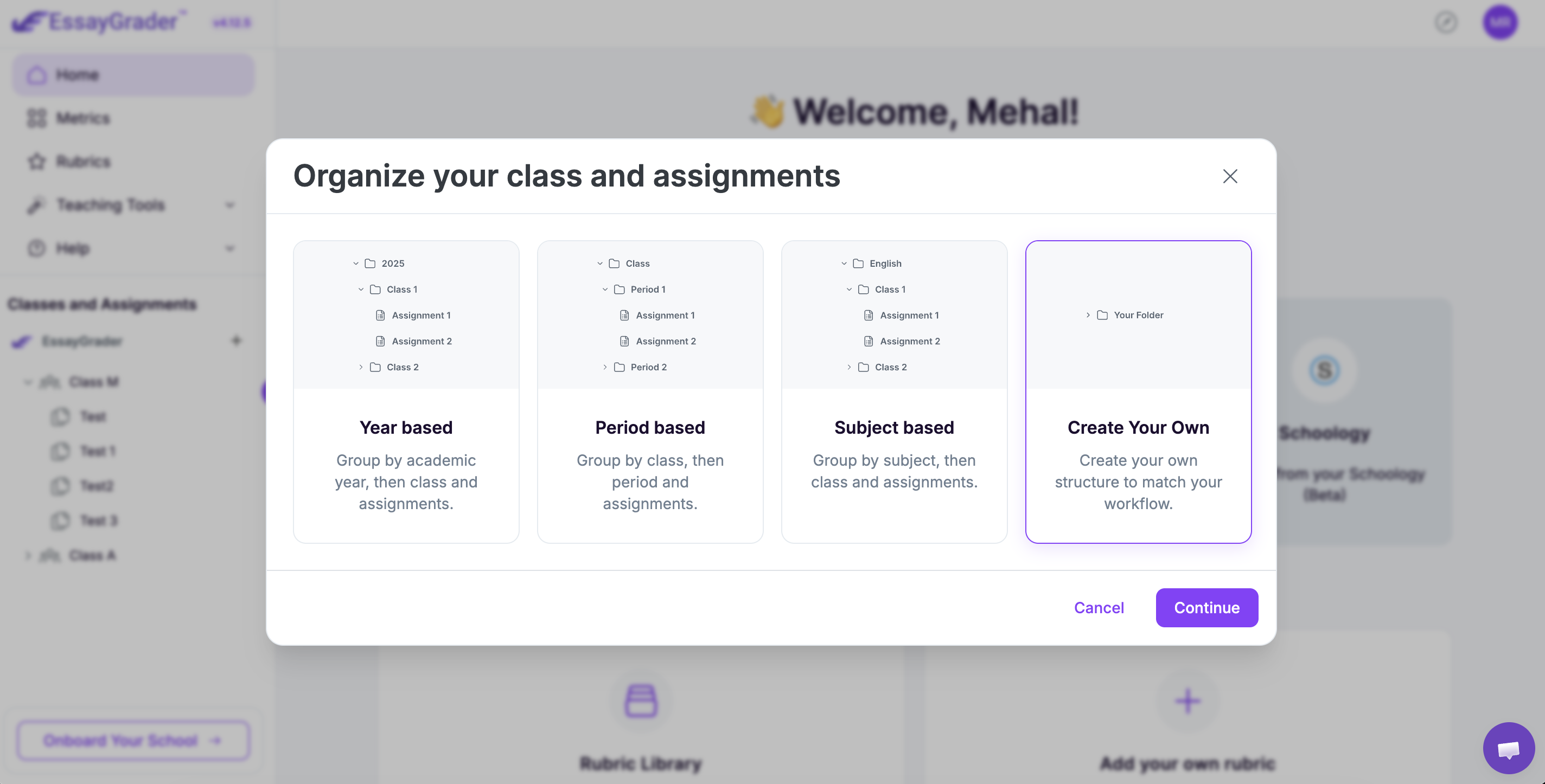
1. EssayGrader (For Teachers)
Best For: Rubric-based grading at scale.
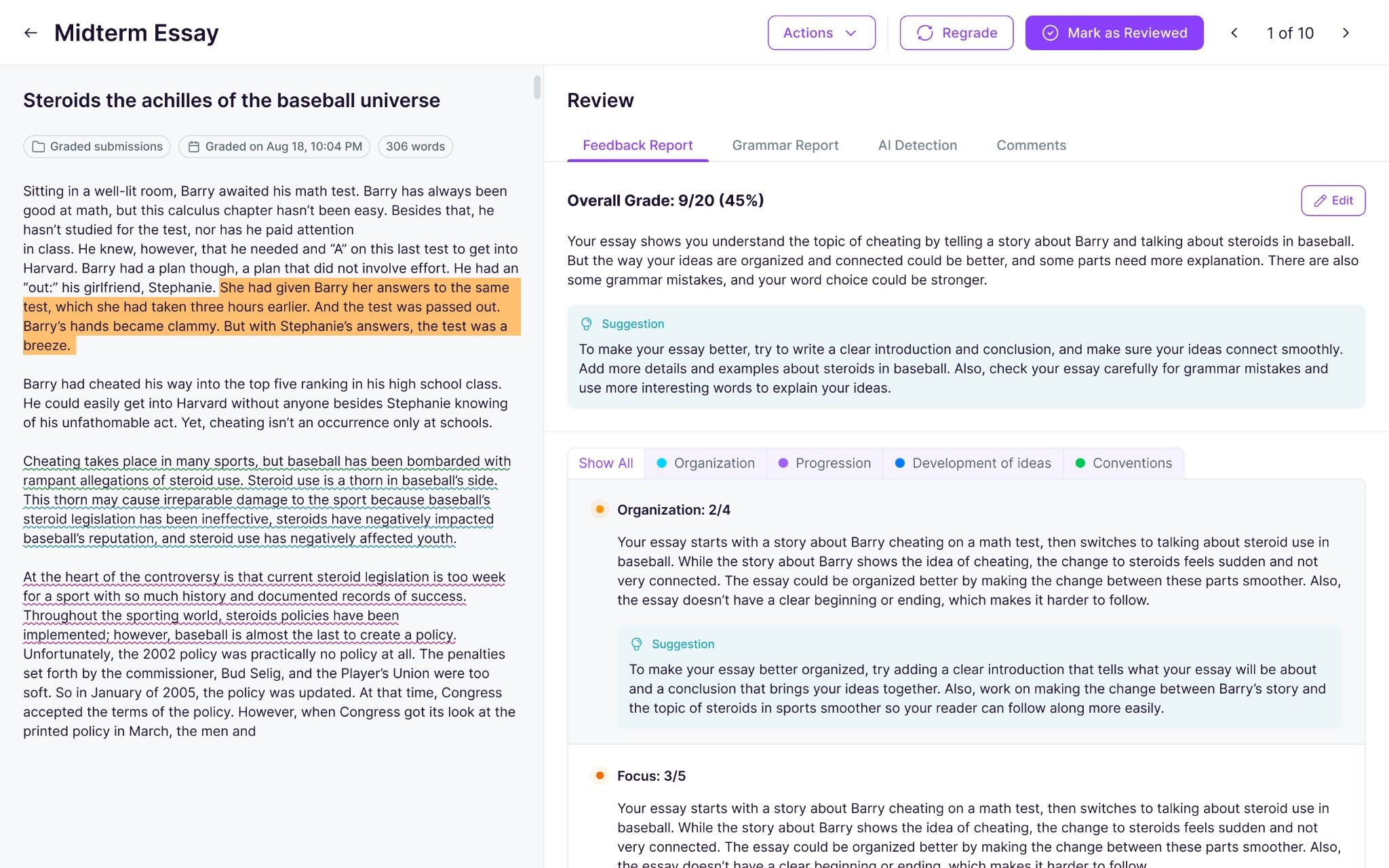
EssayGrader is a browser-based AI grader designed primarily for teachers. It’s an AI assignment tool that completes the entire lifecycle by grading and delivering the feedback to students.
Over 200,000 teachers across more than 10,000 schools use it and have graded upwards of 3.5 million essays. That number is enough to make a case for its being one of the better-known AI assignment-grading tools out there.
Key Features
- Rubrics: Over 800 pre-built, covering all 50 US state standards plus AP, Common Core, IB, GCSE, and other international frameworks. You also have the option of uploading your own rubric from a file, or you can generate one with AI.
- Bulk uploads (including handwritten essays): Upload an entire class set, and EssayGrader will split it and grade each essay individually. It even works when you scan students’ handwriting, and it’ll transcribe their cursive or printed writing into typed text.
- Native integration: Works directly with Google Classroom, Canvas, and Schoology. You don’t need to use a third-party connector to integrate data between systems.
- AI and Plagiarism Detection: Teachers get feedback about possible AI-generated content and plagiarism. Nothing gets sent to a student automatically.
Pros
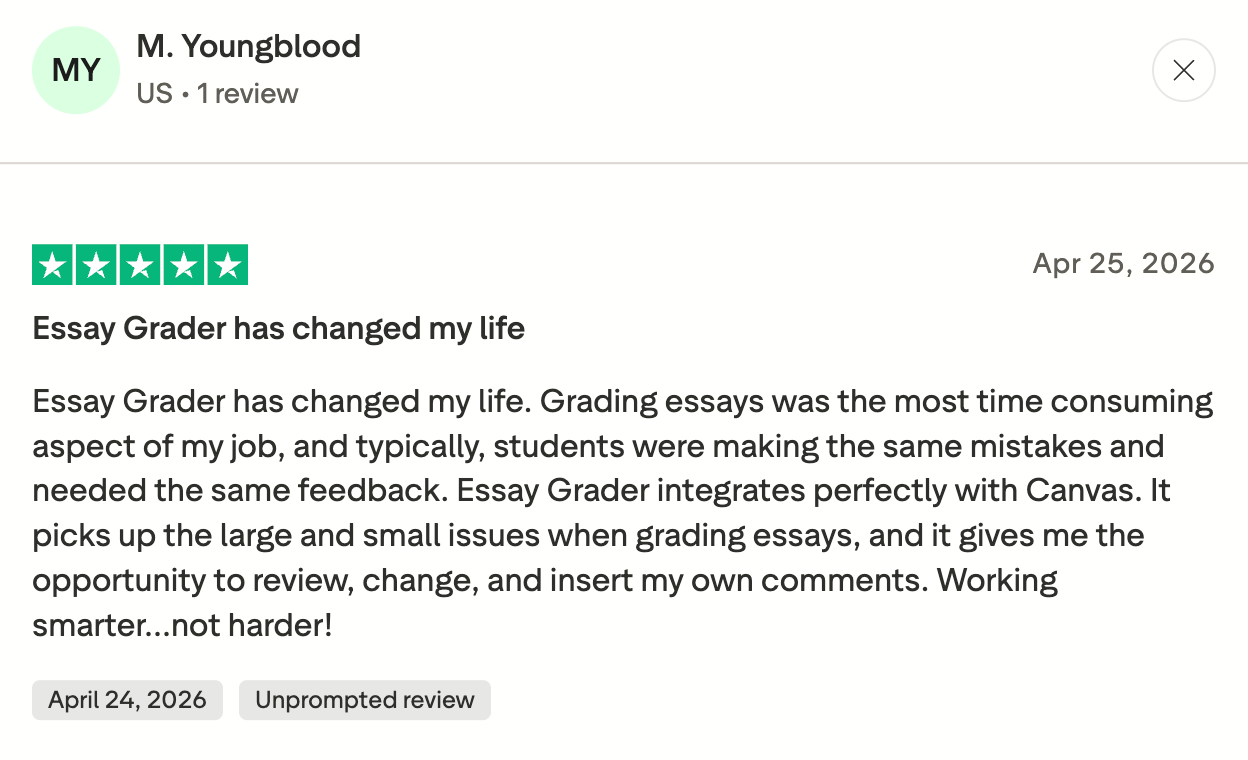
- Reviewers regularly cite significant time saved ranging from 5-10 hrs/week. This has been noted consistently in independent Trustpilot and Google reviews (not just in EssayGrader’s marketing).
- Users appreciate that feedback offered is detailed and targeted toward revisions.
- Even non-tech-savvy teachers can use it with ease.
- Multiple teachers have specifically called out support team response time, even noting that support is available outside business hours.
Cons
- It is often highlighted in reviews that 50-essay limit (with a 1,000-word cap per essay) gets used up quickly, especially for teachers trying to keep up with multiple classes.
- Another thing that comes up is the training material. For a platform that can do quite a lot, the self-paced resources feel a bit thin, and a few reviewers basically say they’d like more guidance built in.
Pricing
EssayGrader AI has a completely free tier where you can grade 50 essays/month (1000 words each). It has three paid tiers:
- The first paid tier, Pro, is priced at $14.99/month for 350 essays (3500 words each).
- The second paid tier, Premium, costs around $34.99/month for 800 essays (8000 words each).
- There is also a custom pricing option for schools and districts.
2. MagicSchool AI (For Teachers)
Best For: Creating assignments and classroom materials.
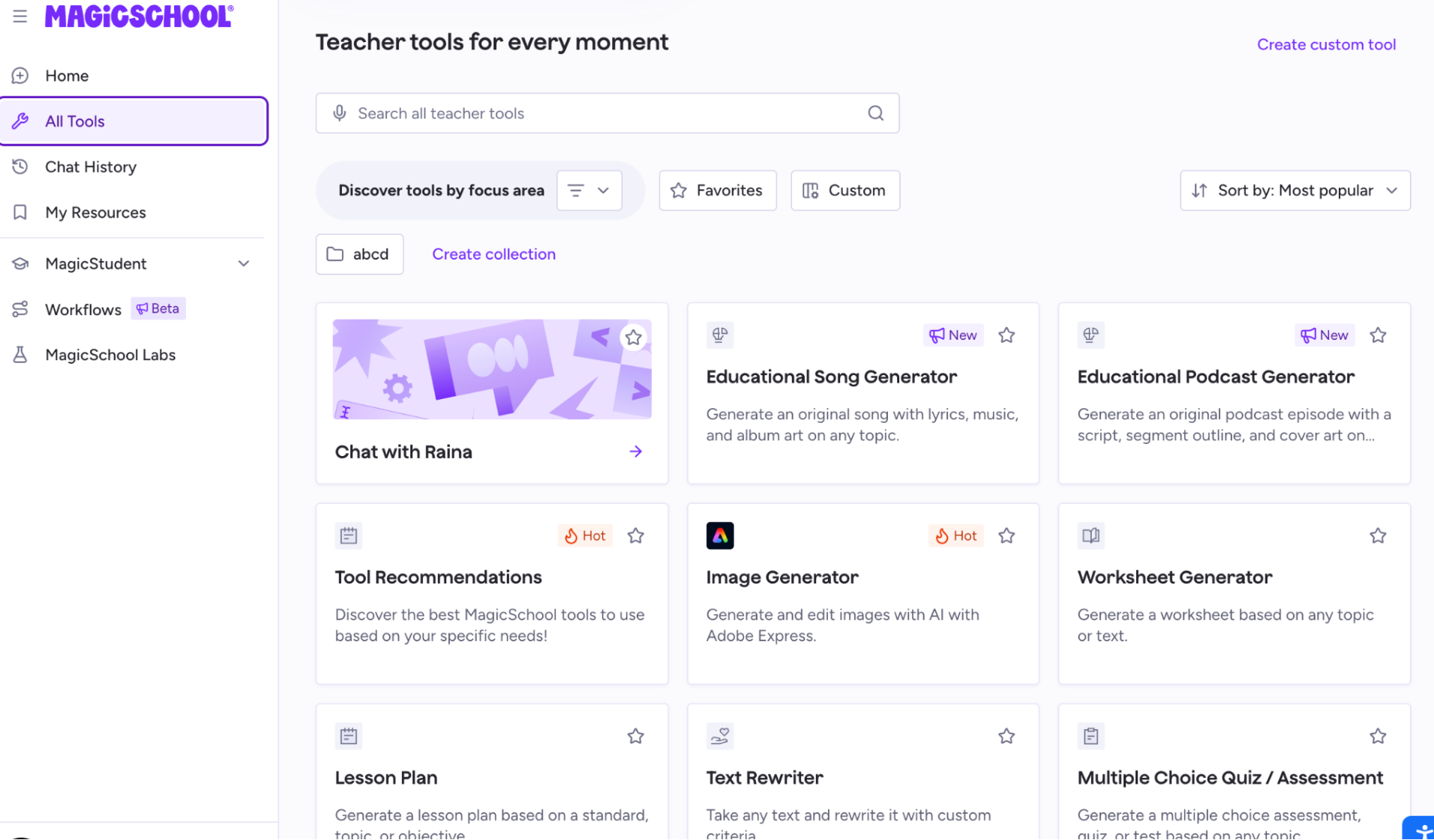
MagicSchool comes first in the entire assignment lifecycle with tools for lesson planning, quizzes, and assignment creation. While EssayGrader takes care of the final step of assignments, MagicSchool AI focuses on the first one.
This tool is mainly for teachers, but it also has a MagicStudent feature for students, which provides them with feedback for improvement even before submitting the assignment. Because the core tools are free for individual teachers, it's one of the more accessible options for assignment creation.
Key Features
- 80+ tools: It has 80+ focused tools that address everything from lesson planning to differentiation strategies to IEP/behavior plan drafting to report card comments.
- “MagicStudent”: Includes various AI tools that support student learning with teachers' oversight, including tutoring, writing feedback, and study bots.
- Enterprise version: Gets you access to all sorts of district-level functionality like SSO integration, admin dashboards, usage analytics, a tool builder where you can build your own custom tools and align them with your local standards, etc.
- LMS sync: It integrates with LMS platforms (Canvas, Schoology) and rostering systems (Clever, ClassLink).
Pros
- Extremely low friction to get started. All your tools are right there on a single dashboard so you don’t need to write prompts.
- A genuinely usable free tier that many teachers rely on without ever upgrading.
- Especially loved by special-ed teachers for things like the IEP & differentiation tools.
Cons
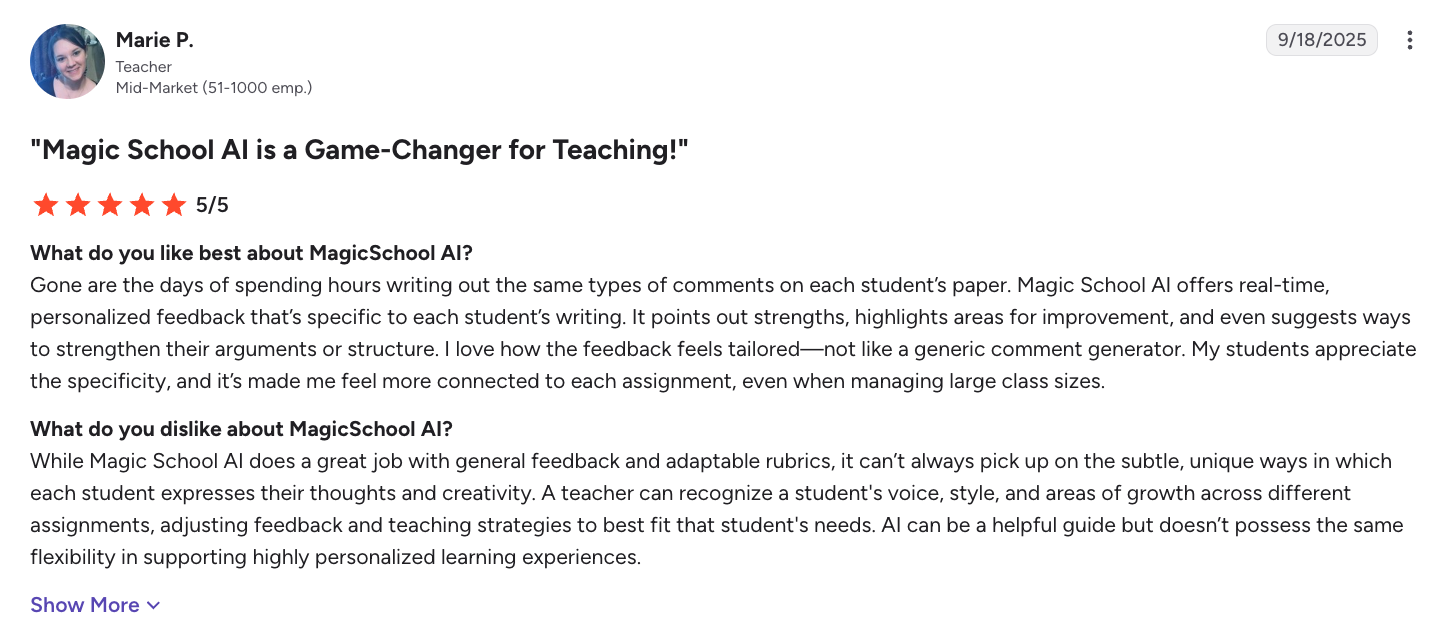
- G2 only has a small number of verified reviews for MagicSchool right now (seven total, as of August 2026).
- There are some concerns around feedback tools being unable to accurately capture an individual’s voice or style. One of the verified G2 reviews mentions this.
Pricing
There’s a MagicSchool AI free plan available for individual teachers. Paid plans start at $8.33/month billed annually ($99.96/year), or $12.99 month-to-month. Custom enterprise licensing is also offered at the district level with additional integrations including SSO/LMS.
3. GPTZero (For Both Teachers and Students)
Best For: AI detection and plagiarism.
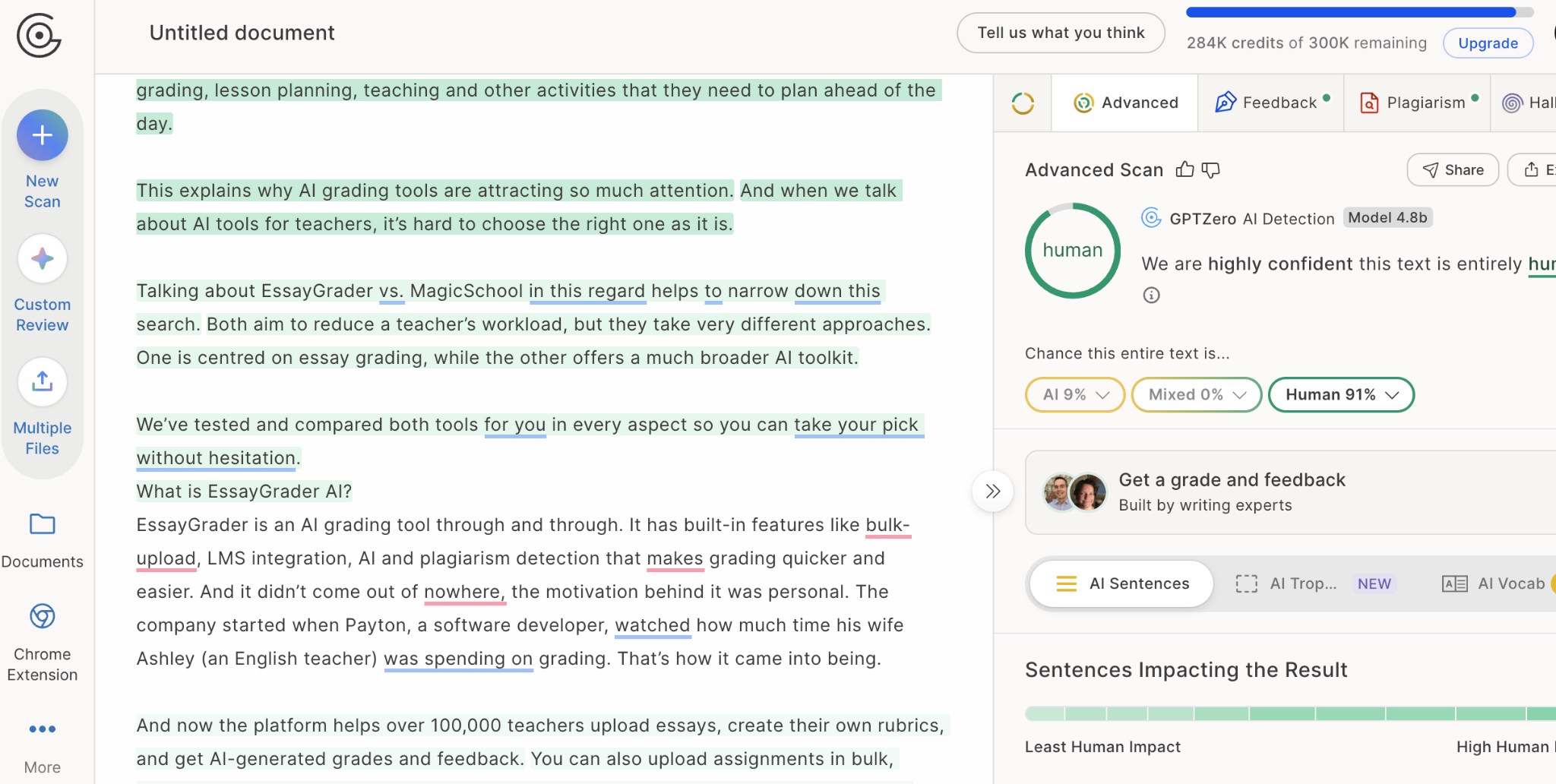
Both teachers and students use GPTZero mainly for AI detection. Teachers run it on submissions, and students run their assignments through it before submitting so that they don’t get falsely flagged and then have to explain themselves.
It gives you a percentage of how much of your content is AI-written, human-written, or mixed. If you have generated content using AI and paraphrased it in your own words, it can detect that as well and categorize it as mixed content.
Key Features
- Sentence-level: Highlights sentences so you can see what passages got flagged instead of getting one vague score for the whole document.
- AI-detection: It claims coverage across outputs from ChatGPT, Claude, Gemini, and other major model families.
- Batch-upload: There are batch uploads and an educator dashboard in the paid tiers for class-wide checking.
- Writing Replay: Shows revision history in Google Docs so you can look at how something was written, not just what the detector thinks about the final text.
Pros
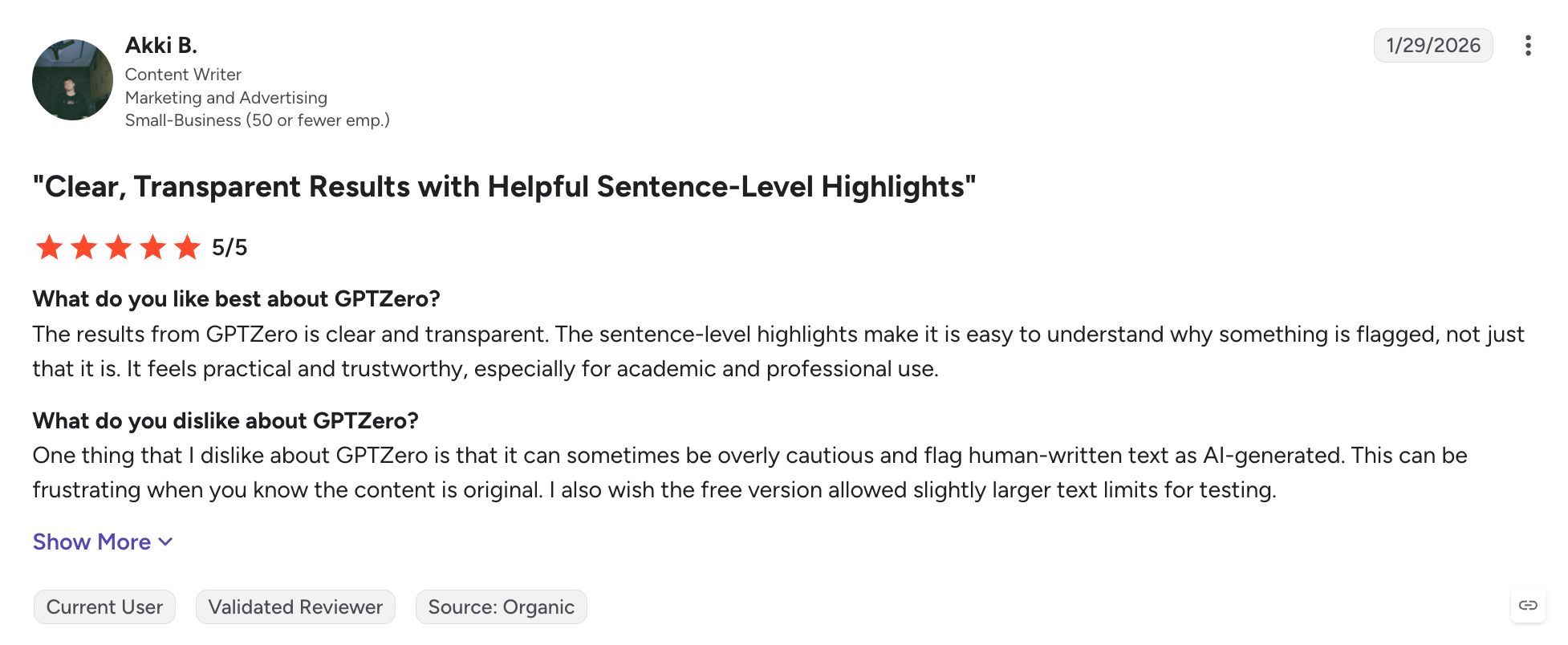
- Reviewers on G2 say that the highlighted text helps them understand why something got flagged.
- It’s also widely used in education, which means people have some baseline familiarity with how to read the reports.
- The free tier is usable for occasional single checks, not just a dead-end demo.
Cons
- It can sometimes give the wrong verdict.
- If someone lightly paraphrases or “humanizes” AI text, detection accuracy drops a lot.
Pricing
GPTZero has a free tier with a monthly word cap (10,000 words per month) and no card required. Paid individual plans run from Essential at about $23.99/month to Professional at about $45.99/month, depending on the billing cycle.
4. Claude (For Both)
Best For: Understanding and structuring your assignment.
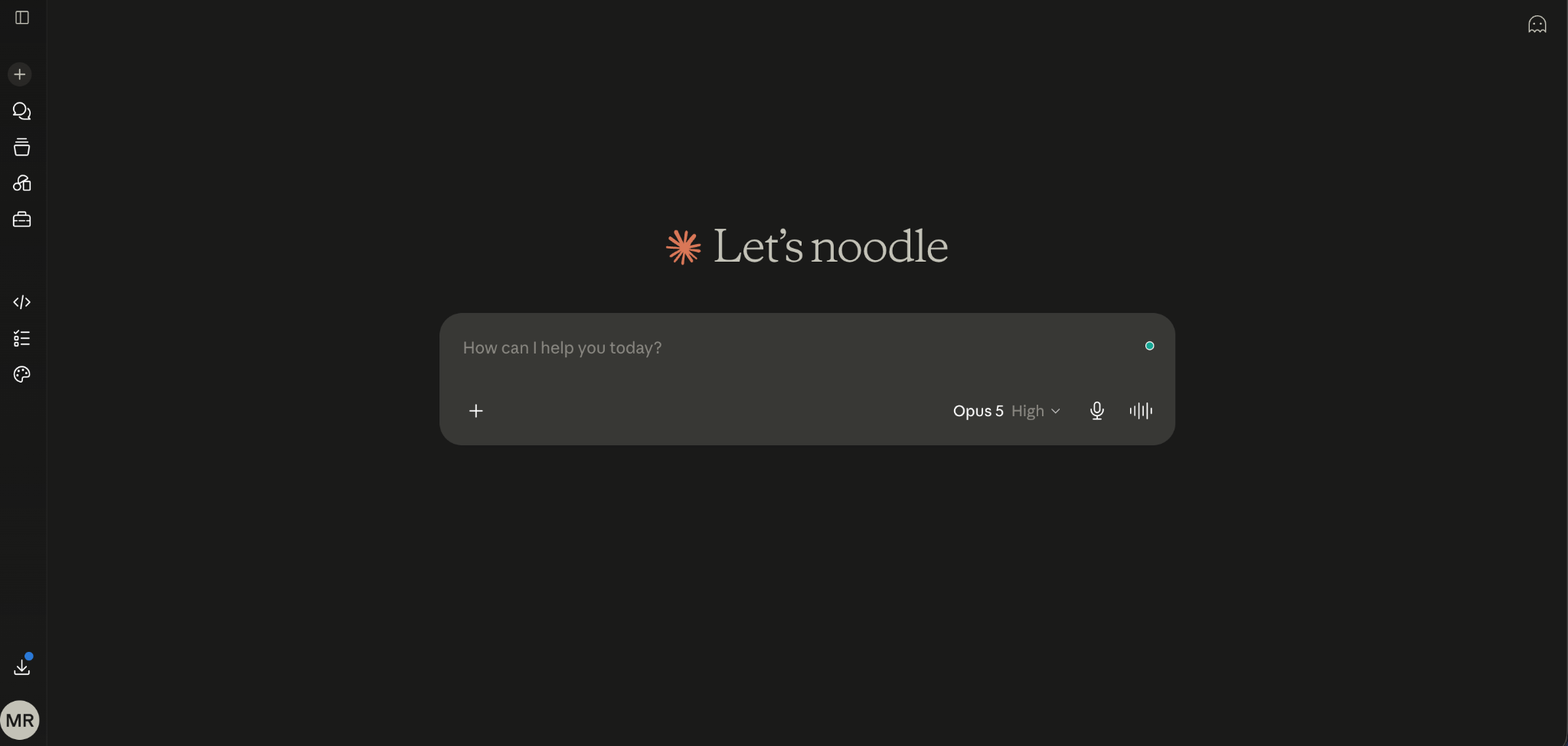
Claude from Anthropic is a general-purpose AI assistant. This means that it doesn’t focus solely on education, as many of these other tools do. It’s more of a thinking partner, helping you figure out how to structure your essay when you’re stuck or test out some arguments with a reading.
Teachers can also benefit from using Claude as part of their planning. Many use it for lesson planning and drafting as much as students use it for structuring essays. Make sure to check your institution's AI policies about any kind of chatbot on your students’ graded assignments. Policies vary widely between schools and courses.
Key Features
- Long Context Windows: You can hold onto everything you need from a reading, or multiple readings, all in the same window.
- Projects: Instead of losing your work every time you have to talk to a different chat, Projects in Claude hold onto your project’s sources, notes, and even a rubric between sessions.
- Optional Web Search Tool: If you want to be sure your answer has the most up-to-date info available, you have a nifty little search box right here.
- Claude for Education: Anthropic also partners with universities through Claude for Education, which gives institutions managed access for students and staff. Northeastern University was actually one of the first “design partners.”
Pros
- Compared with other chatbots, it's rated well for working through long documents and answering specific questions about them.
- In many of the user reviews, Claude was also noted as being more inclined to hedge on unclear points or to ask for clarification.
- It’s a better alternative if you’re looking to check your own understanding, instead of just getting an answer from ChatGPT.
- It also has a usable free tier without needing to enter a credit card, though there’s also free institutional access available at partner schools.
Cons
- It sometimes (rarely but surely) hallucinates and makes up things, including fake citations, sources, or numbers.
- There isn’t an individual student discount available either. If you’re looking to save money on the tool itself, you could go with an annual billing cycle instead (you get about 15% off).
- If you’re relying solely on the free version of this tool, you’ll hit usage limits periodically during a longer studying or writing session as they roll over regularly.
Pricing
The free tier of Claude makes it inexpensive to start, though it comes with usage limits. The Pro plan costs $20/month ($17 when paid annually). There are higher Max, Team, and Enterprise plans too, but those aren’t designed for students or individuals doing regular college assignments.
5. NotebookLM (now Gemini Notebook) (For Students)
Best For: Turning course material into study resources.
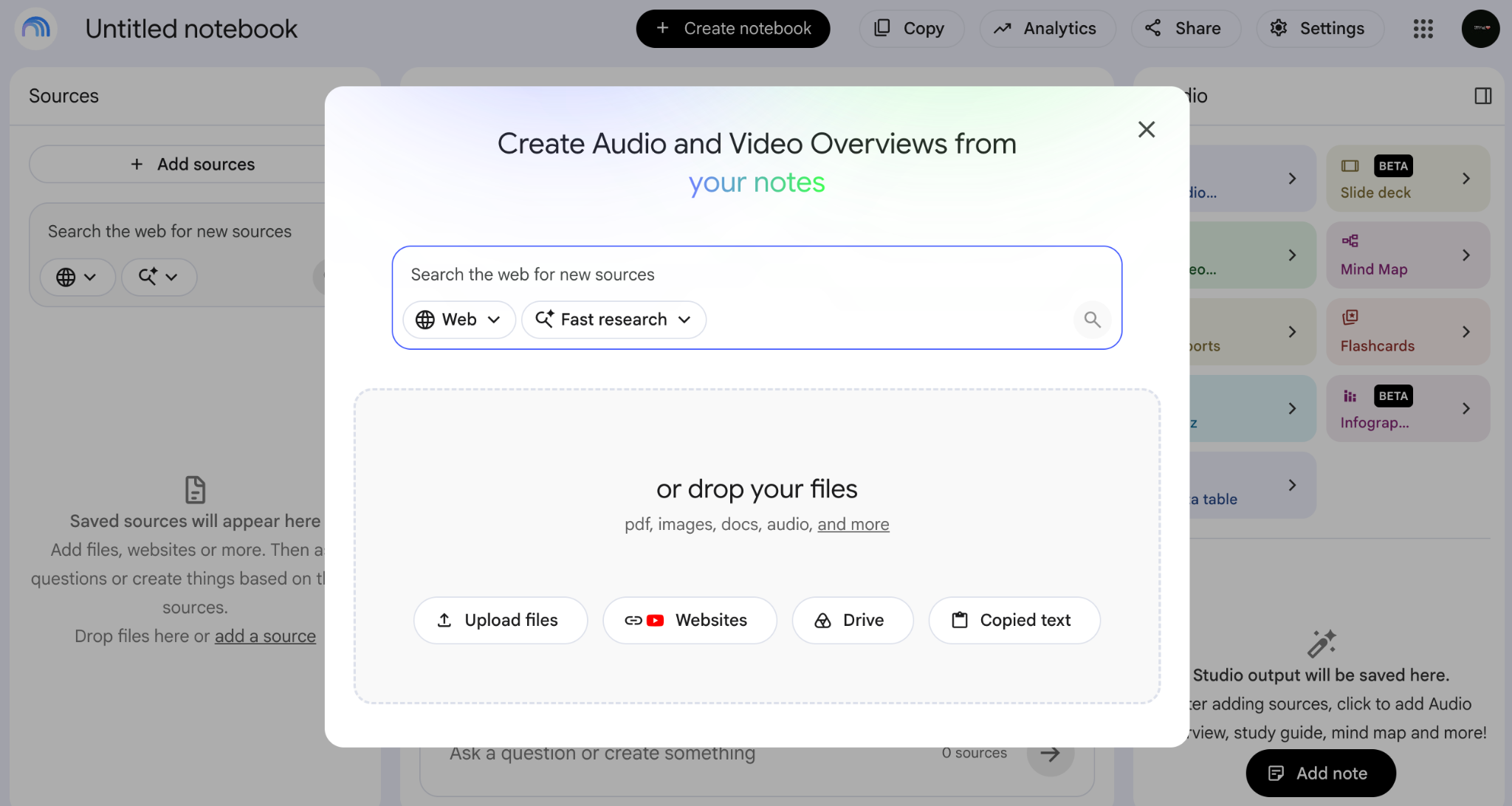
Google changed the name from NotebookLM to Gemini Notebook on July 16, 2026. It’s still the same product, same team, same web address, and old links still redirect, so don’t overthink it if you run into both names.
The idea is the same, and the tool is the same. It gives you answers based only on the documents or course material that you give it and doesn’t invent or tell you anything on its own.
NotebookLM is quite a helpful AI tool for students who have missed their classes and want to understand their course material. It can even take recorded lectures and walk you through them.
Key Features
- Helps you study: It gives source-grounded answers from the material that you provide and points you back to what you uploaded. That can be PDFs, Google Docs or Slides, websites, and even YouTube links, including lecture recordings.
- Audio/Video Overviews: It basically turns your sources into something like a podcast-style discussion or narrated walkthrough (best if you have missed some important lectures).
- Studio tools: Using Studio tools, you can build mind maps, flashcards, quizzes, and slide decks straight from your material so you can prepare for your exams.
- Source Discovery: It’s an opt-in feature where you can ask it to go find extra stuff on the web, but by default it stays locked to your sources.
Pros
- The hallucination risk is a lot lower as compared to other tools, mostly because it’s anchored to your sources and actually cites them.
- The free plan is usable with 100 notebooks, 50 sources per notebook (up to 500,000 words each), 50 chats per day, plus Audio and Video Overviews, and you don’t have to enter your credit card details.
- It also handles YouTube links and recorded lectures without any issue, which saves a ton of time if you’re trying to turn a class recording into something you can study from.
Cons
- It’s not perfect. A University of Michigan technology-services review said it can still fill in gaps with “generic-sounding but benignly incorrect” content when your sources are thin, and people have also reported occasional made-up details in Audio Overviews.

- That 50-source limit per notebook on the free tier can be a real wall if you’ve got a long reading list. Also, notebooks don’t really talk to each other, so there’s no cross-notebook search.
- There’s no offline mode, and your files get processed on Google’s servers, so it’s not a great choice for sensitive material.
Pricing
The free tier allows you to create 100 notebooks, 50 sources per notebook (up to 500,000 words each), 50 chats per day, plus Audio and Video Overviews.
Then there are paid tiers that come bundled inside Google AI subscriptions rather than being sold on their own. Reported pricing puts Google AI Plus around $4.99/month, Pro around $19.99/month, and Ultra somewhere from roughly $99.99 to $199.99/month depending on storage.
6. Elicit (For Students)
Best For: Research-based assignments.
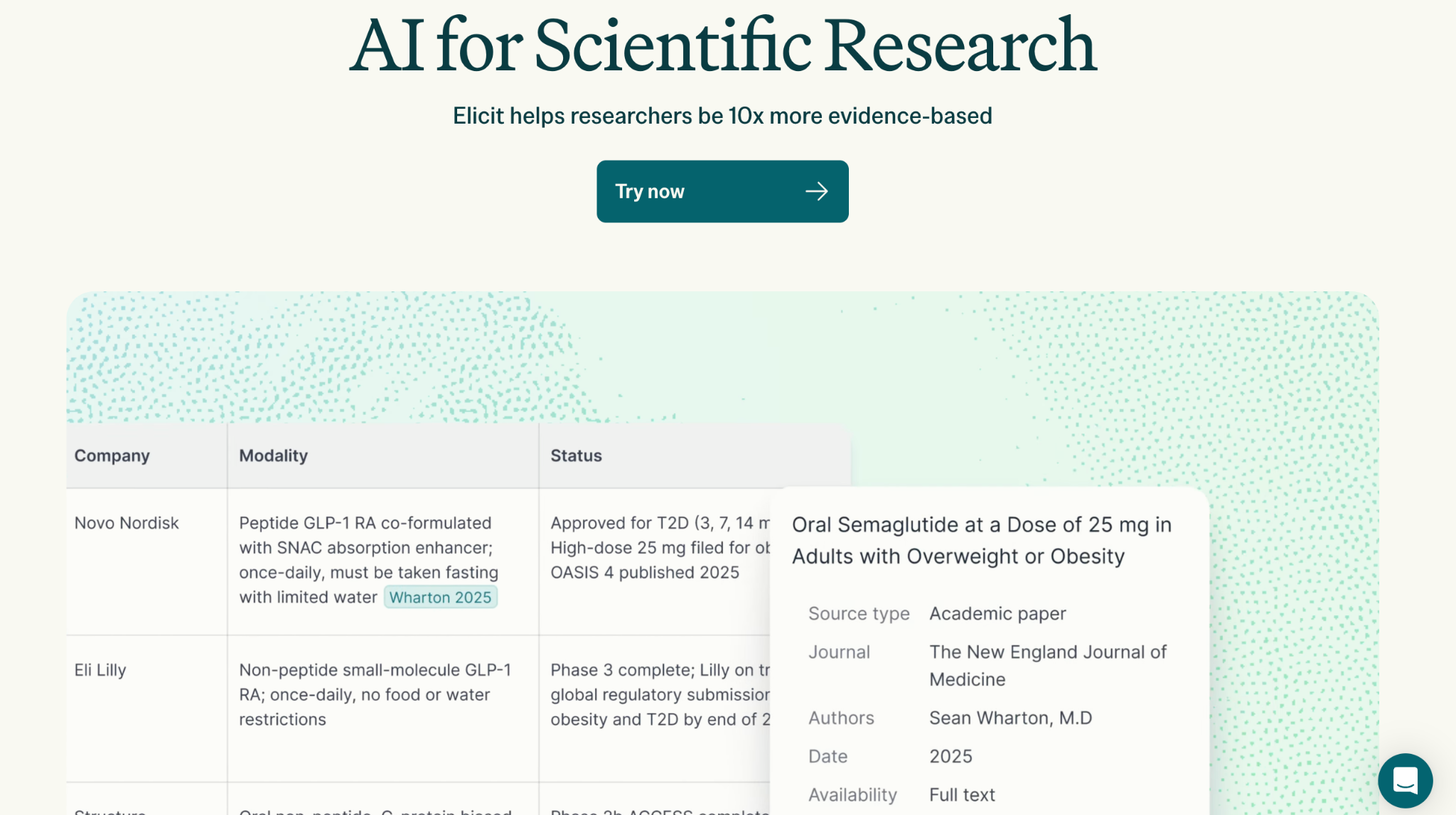
Elicit runs semantic search across a database of more than 138 million academic papers. It provides relevant data points such as methodology, sample size, and results from those papers in a neat little table you can use to build your literature review.
Unlike a general chatbot, Elicit has very little fabrication risk, since it isn't generating text. The citations only appear if they’re actually indexed by Elicit’s system.
However, while Elicit’s index, which relies heavily on Semantic Scholar, is strong in biomedical/life sciences, computer science, and social science literature, independent reviewers consistently noted gaps when it came to the humanities, law, engineering topics, and non-English-language publications.
Also, if you’re not looking for a systematic review and have a general question where “yes/no” would be sufficient based on the available evidence, then you can try Consensus. It includes a “Consensus Meter,” showing you how the existing literature weighs each side of a given claim.
Key Features
- Semantic search across 138M+ papers: Finds conceptually relevant research even when you don’t use the same keywords as the study.
- Structured data extraction: Easily build out tables including sample sizes, methodological approaches, and key findings.
- Systematic review workflow: When using “Systematic Review” mode, each result is screened against your defined selection/inclusion criteria before being displayed.
- Unlimited searches + summaries: You can access its basic features at no cost to explore whether the tool may be useful to you.
Pros
- Repeatedly gets positive feedback for its ability to find studies containing conceptually relevant content.
- Using the column-oriented structure of the results helps users begin to assemble their own evidence base without having to read every single source they come across.
- The free version allows unlimited searching and summarizes/reviews any paper found.
Cons
- There doesn’t appear to be very broad coverage of sources from non-STEM fields, including law, humanities, and some areas outside English-language publications.
- There’s no built-in citation manager here, so you’ll still end up relying on Zotero or something similar later on.
- Also, as of right now, there just aren’t that many reviews on G2 (4.5/5 only based on 1 review) or Capterra (5/5 based on 1 review), which makes it harder to get a clear read on third-party sentiment compared to more mainstream tools.
Pricing
- Basic (Free): Unlimited search over 138M+ papers.
- Plus: $11/mo (billed annually = $132/yr); or higher-priced plans billed monthly.
- Pro: $39/mo (billed annually = $468/yr); or $49/mo billed monthly.
- Scale: $89/mo (annually billed = $1,068/yr); or $169/mo billed monthly.
- Enterprise: Custom pricing for institutions.
7. Grammarly (For Students)
Best For: Final proofreading and identifying grammatical errors.
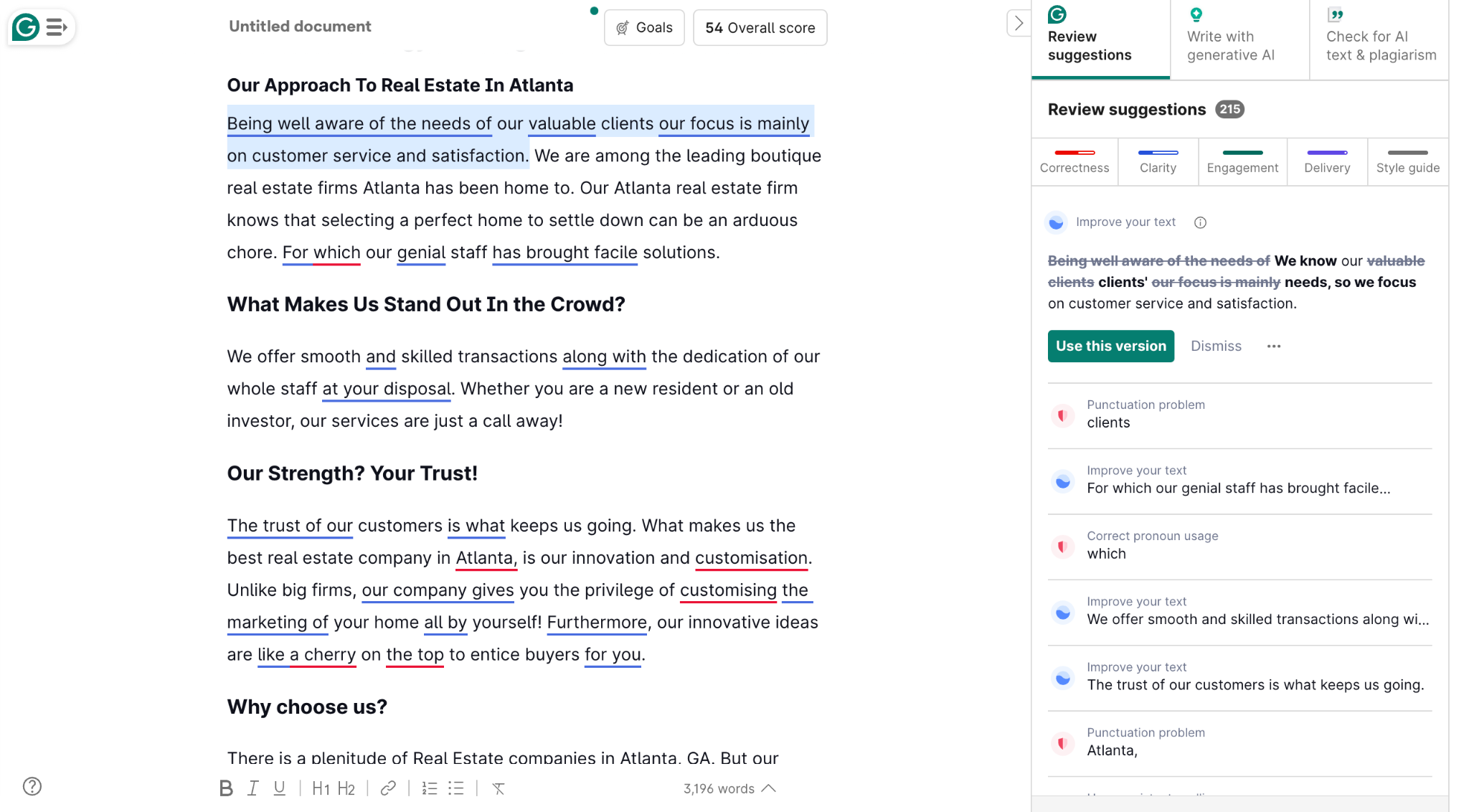
You can use Grammarly for your final review of any written assignment. It works best for refining what you've already written, just before you submit it. It can catch any grammar and punctuation errors and suggests fixes for them as well.
A feature that directly addresses the concern about AI detection flags, which we touched on with GPTZero, is Grammarly Authorship. This tool, which was available for Google Docs and has recently been expanded to Microsoft Word, isn't designed to detect AI writing. Instead, it works in reverse. It monitors your writing process in real time, categorizing text as typed directly, pasted, or AI-generated/revised.
This creates a documented record of how your work was produced. Grammarly Authorship is available on both Free and Pro versions and can be used with Google Docs, Word, and Canvas. Students can choose whether or not to share the resulting report.
Key Features
- Complete suite: Provides full-sentence rewrites, tone detection, and clarity suggestions that go beyond basic spelling and grammar.
- Grammarly Authorship: The Authorship feature tracks your writing process, documenting how an assignment was created, and it's available on both Free and Pro plans.
- Pro and Enterprise plans: Also include built-in AI and plagiarism detection.
- Browser extension: Grammarly works across browsers, desktop apps, and mobile keyboards, meaning it's not confined to a single application.
Pros
- The free version is frequently noted as being more functional than the free tiers of many competitors, offering comprehensive grammar, spelling, and tone detection without being a limited demo.
- Users also consistently praise its ability to work wherever you type, not just within a specific editor.
- It has high accuracy and provides correct error detection along with why a certain change is suggested.
Cons
- The AI prompt allowance is limited on the free tier, at 100 per month.
- Some users also report a big price difference between the monthly $30/month vs. $12/month when billed annually.
Pricing
There is a free plan that includes grammar, spelling, and tone detection. The Pro plan, which is for both individuals and teams, costs around $12 per month ($12 per month per member for teams) when billed annually (totaling $144 per year) or $30 per month if billed monthly.
8. Scribbr (For Students)
Best For: One-time citation check or a plagiarism scan.
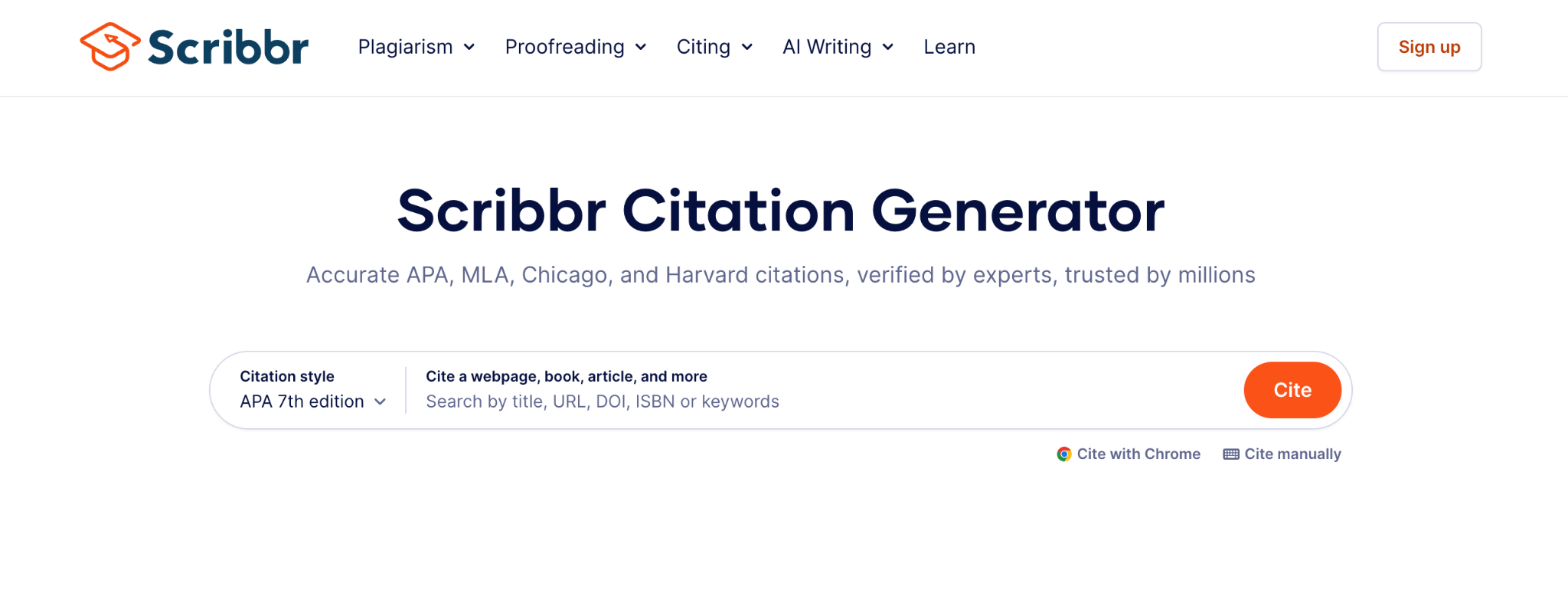
Scribbr is an AI assignment tool with multiple features, but the main one worth highlighting here is its citation help.
It offers a free citation generator, and then layers on paid services like plagiarism checking and human proofreading (if you opt for them).
The main difference between Scribbr and other tools is its pay-per-use model, meaning there's no monthly subscription (so you don’t have to pay on a recurring basis). This is something to consider when budgeting for your academic needs.
Key Features
- Free citation generator: You can generate citations for free in major styles like APA, MLA, Chicago, and Harvard.
- Plagiarism detection: A plagiarism checker that uses technology similar to Turnitin, scanning against a wide range of online content and publications to flag any copied text.
- AI detection: Also provides a separate, free AI detector, distinct from the paid plagiarism service.
- Proofreading: Human proofreading where actual editors mark up your document using Word's Track Changes.
Pros
- The citation generator is liked for its accuracy and the fact that the core styles are genuinely free to use.
- The plagiarism checker's reliance on Turnitin-derived technology is seen as a credible option in its category.
- The human proofreading features (which is more like an editor reviewing your work before submission) are a differentiator here.
Cons
- Some reviewers find this pay-as-you-go model expensive if they have to use it regularly throughout a project (which makes sense).
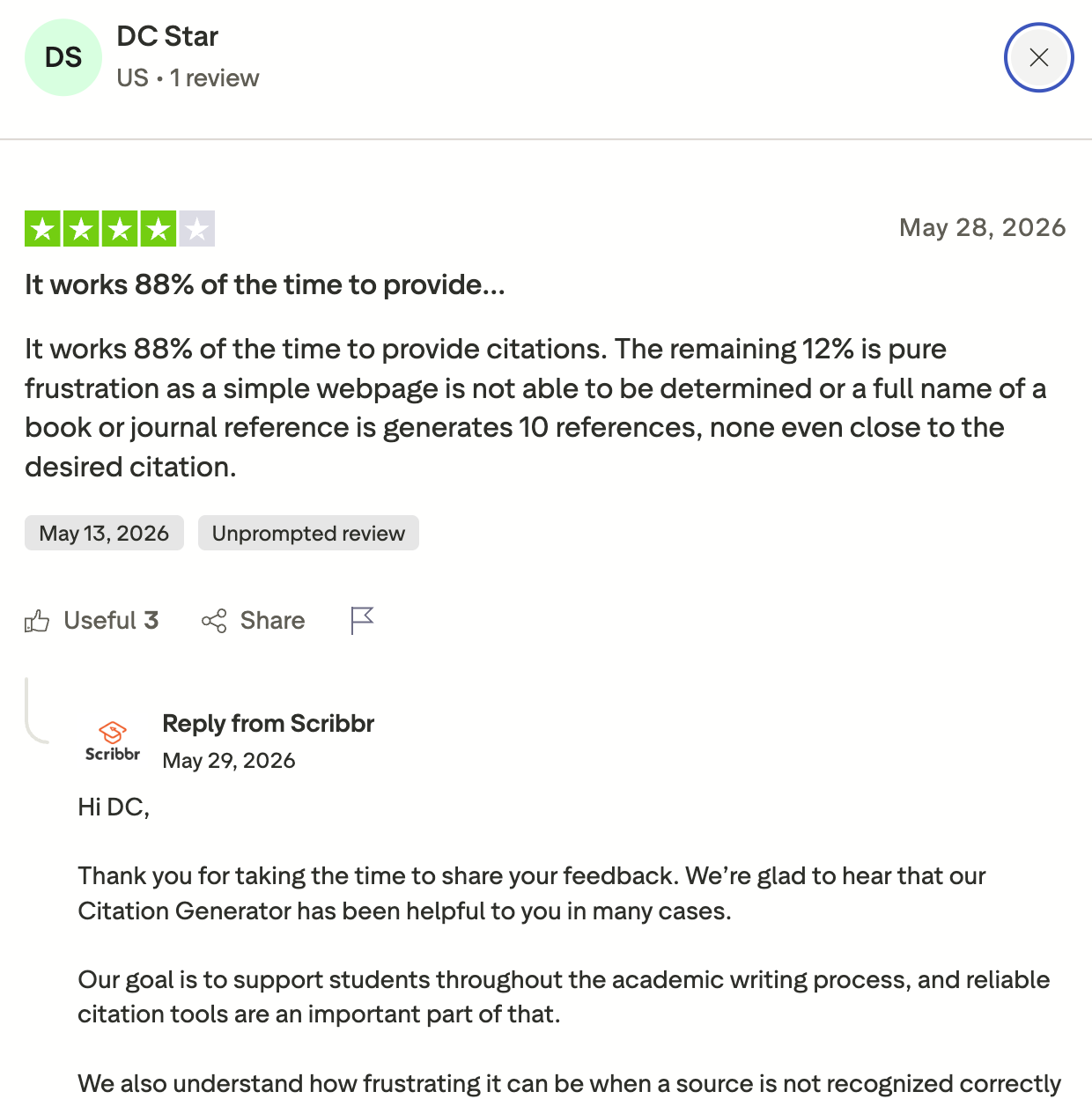
- Some users say that it gives undesired citation suggestions that are not relevant to their subject.
Pricing
Scribbr operates on a per-use basis:
- Citation generator: Unlimited and free.
- AI detector: Free, separate from the plagiarism checker.
- Plagiarism checker: It has three tiers
- Small document (up to 7,500 words) = $19.95
- Normal document (7,500-50,000 words) = $29.95
- Large document (50,000+ words) = $39.95
Where You Start Really Depends On What’s Actually Draining Your Time
None of these 8 AI assignment tools above are here to write the assignment for you. If you’re a student, the practical place to start is usually the cheapest option.
For example, Claude’s free tier or NotebookLM on the free plan is often enough for getting things done for a first draft.
And if you happen to be a teacher and grading is what takes over your evenings, EssayGrader might be the one for you, as it is aimed straight at that problem.
Try EssayGrader for free and see how many hours you can save every week.

.jpeg)


.avif)
.avif)
%201.svg)